Introduction
This manual provides detailed instructions for the setup, operation, and maintenance of your HAZA Hunting Camera. Please read this manual thoroughly before using the camera to ensure optimal performance and longevity.

Figure 1: HAZA Hunting Camera and Included Components
The HAZA Hunting Camera is designed for various outdoor and indoor surveillance needs, including wildlife monitoring, home security, and farm security. It features high-resolution imaging, rapid trigger speed, and robust weather resistance.

Figure 2: Versatile Applications of the Hunting Camera
Package Contents
- HAZA Hunting Camera (Model: PR800)
- 32GB SD Card
- Mounting Strap
- USB-A to Micro-USB Data Cable
- 6V Charging Cable (USB-A)
- User Manual
Note: Batteries are not included and must be purchased separately. The camera requires 8 AA batteries for operation.
Setup
- Insert Batteries: Open the battery compartment and insert 8 AA batteries, ensuring correct polarity.
- Insert SD Card: Insert the provided 32GB SD card into the designated slot until it clicks into place.
- Power On: Slide the power switch from OFF to SETUP mode. The internal screen will illuminate.
- Initial Settings: Navigate the menu using the control buttons (MENU, OK, UP, DOWN, LEFT, RIGHT) to set the date, time, language, and desired operating mode (Photo, Video, or Photo+Video).
- Mounting: Use the included mounting strap to secure the camera to a tree or pole. Ensure the camera is stable and pointed towards the desired monitoring area. The camera also features a tripod mount for alternative setups.
Operating Instructions
Modes of Operation
- OFF: Camera is powered off.
- SETUP: Allows access to the camera's menu for configuration, viewing captured media, and testing motion detection.
- ON: Camera is in active monitoring mode. The screen will turn off, and the camera will begin capturing images or videos based on motion detection.
Capturing Images and Videos
The HAZA Hunting Camera utilizes a 2 Million CMOS sensor for high-quality captures, supporting up to 58MP still images and 2.7K video resolution.

Figure 3: Camera Imaging Capabilities
The camera features a rapid 0.1-second trigger speed, ensuring that fast-moving subjects are captured effectively.
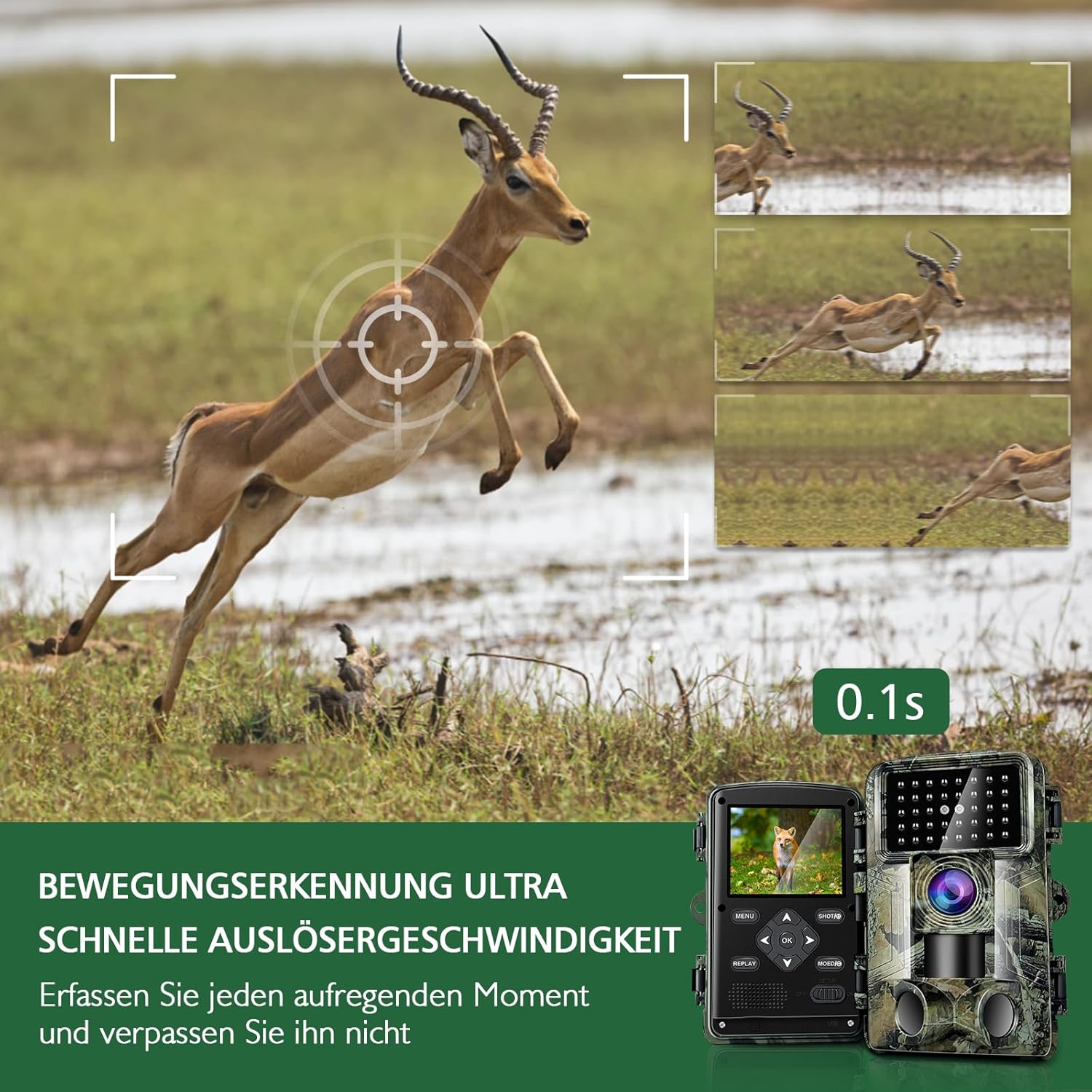
Figure 4: Ultra-Fast Trigger Speed
Infrared Night Vision
Equipped with infrared LEDs, the camera provides clear black-and-white images and videos in low-light or no-light conditions without emitting visible light, ensuring discreet operation.

Figure 5: Day and Night Vision Capabilities
Viewing Media
In SETUP mode, use the REPLAY button to access captured photos and videos. Use the navigation buttons to scroll through files. Connect the camera to a computer via the provided USB cable or insert the SD card directly into a card reader to transfer files.
Maintenance
- Cleaning: Use a soft, dry cloth to clean the camera lens and housing. Avoid abrasive cleaners.
- Battery Replacement: Replace batteries when the low battery indicator appears on the screen. Always use fresh, high-quality AA batteries.
- SD Card Management: Regularly transfer media from the SD card to a computer and format the card in the camera to maintain optimal performance and prevent data corruption.
- Weather Protection: The camera is IP66 waterproof, designed to withstand rain and dust. Ensure the battery compartment and port covers are securely closed to maintain water resistance.

Figure 6: IP66 Waterproof Design
Troubleshooting
| Problem | Possible Cause | Solution |
|---|---|---|
| Camera does not power on. | Low or dead batteries; incorrect battery polarity; power switch in OFF position. | Replace batteries with new ones, ensuring correct orientation. Slide switch to SETUP or ON. |
| No images/videos captured. | SD card full or corrupted; camera not in ON mode; PIR sensor blocked; incorrect settings. | Format or replace SD card. Ensure camera is in ON mode. Clear any obstructions from PIR sensor. Check motion detection sensitivity and recording interval settings. |
| Poor image/video quality at night. | Infrared range limitations; obstructions in front of IR LEDs; dirty lens. | Ensure subjects are within effective IR range (approx. 2-3 meters for clear night vision). Clear any debris from IR LEDs. Clean the camera lens. |
| Camera consumes batteries quickly. | Frequent triggers; low-quality batteries; extreme temperatures. | Reduce motion detection sensitivity or increase recording interval. Use high-quality alkaline or lithium AA batteries. Avoid extreme temperatures if possible. |
Specifications
- Model: PR800
- Brand: HAZA
- Image Resolution: Up to 58 Megapixels
- Video Resolution: 2.7K/1580P (as per product title/description), 1080p (as per specifications)
- Sensor: 2 Million CMOS Sensor
- Trigger Speed: 0.1 seconds
- Lens Angle: 120 degrees (Wide Angle)
- Night Vision: Infrared (No-glow IR LEDs)
- Waterproof Rating: IP66
- Storage: Supports SD Card (32GB included)
- Power: 8 x AA Batteries (not included) or 6V external power supply
- Connectivity: Wired (USB), Wi-Fi (functionality details not provided in product data)
- Dimensions (L x W x H): 14.98 x 11 x 9 cm (approx. 15 x 11 x 9 cm)
- Weight: 410 grams
- Mounting Type: Tree Mount, Tripod Mount
- Recommended Uses: Tracking Camera, Outdoor/Indoor Surveillance
Warranty and Support
For warranty information and technical support, please refer to the contact details provided with your purchase or visit the official HAZA website. Keep your purchase receipt as proof of purchase for warranty claims.