
1. Introduction
Welcome to the VRPEFIT IDS01 Smart Watch user manual. This guide provides essential information for setting up, operating, and maintaining your new smart watch. Please read this manual thoroughly to ensure proper use and to fully utilize all features of your device.
2. Product Overview
The VRPEFIT IDS01 Smart Watch is a versatile fitness tracker and communication device designed for both men and women. It features a 1.8-inch HD touch screen, built-in Alexa, Bluetooth calling capabilities, and comprehensive health monitoring functions.
2.1 Key Features
- Bluetooth 5.3 Connectivity: For calls and message notifications.
- Alexa Built-in: Voice control for smart home devices and information retrieval.
- 1.8-inch Full Touch HD Screen: Clear display with customizable watch faces.
- 100+ Sports Modes: Track various activities including running, swimming, and cycling.
- Health Monitoring: Heart rate, blood oxygen, and sleep tracking.
- IP68 Waterproof Rating: Suitable for most water-related activities (excluding hot water/saunas).
- Long Battery Life: Up to 7 days of typical use on a single charge.
2.2 Package Contents
- VRPEFIT IDS01 Smart Watch
- USB Magnetic Charging Cable
- User Manual

3. Setup Guide
3.1 Charging the Smart Watch
Before first use, fully charge your smart watch. Connect the magnetic charging cable to the charging contacts on the back of the watch and plug the USB end into a power adapter (not included) or a computer's USB port. A full charge typically takes approximately 2.5 hours and provides up to 7 days of working time.

3.2 App Installation and Pairing
To unlock the full potential of your VRPEFIT IDS01 Smart Watch, you need to install the companion app on your smartphone. The watch is compatible with Android 6.0+ and iOS 9.0+ devices.
- Download the App: Search for the 'Veryfit' app in your smartphone's app store (Google Play Store for Android or Apple App Store for iOS) and install it.
- Create Account: Open the Veryfit app and follow the on-screen instructions to create an account or log in.
- Pair the Watch:
- Ensure Bluetooth is enabled on your smartphone.
- In the Veryfit app, navigate to the 'Device' or 'Add Device' section.
- Select your VRPEFIT IDS01 Smart Watch from the list of available devices.
- Confirm the pairing request on both your phone and the watch.

4. Operating Instructions
4.1 Bluetooth Call Function
The smart watch allows you to make and receive calls directly from your wrist after connecting via Bluetooth.
- Making Calls: Access the phone dialer on your watch or select a contact from your synced address book.
- Receiving Calls: When a call comes in, the watch will display the caller ID. You can answer or reject the call directly from the watch screen.

4.2 Message Notifications
Receive notifications for SMS, emails, and social media apps directly on your watch. Ensure notification permissions are granted in the Veryfit app and your phone settings.
4.3 Alexa Built-in
Your smart watch integrates with Alexa, allowing you to use voice commands for various tasks.
- Activate Alexa: Swipe right on the watch face or press the dedicated Alexa button (if available) to activate the voice assistant.
- Voice Commands: Ask Alexa about the weather, set alarms, control smart home devices, and more.

4.4 Health Monitoring
The VRPEFIT IDS01 Smart Watch provides continuous monitoring of key health metrics.
- Heart Rate: Real-time heart rate tracking throughout the day.
- Blood Oxygen (SpO2): Monitor your blood oxygen levels.
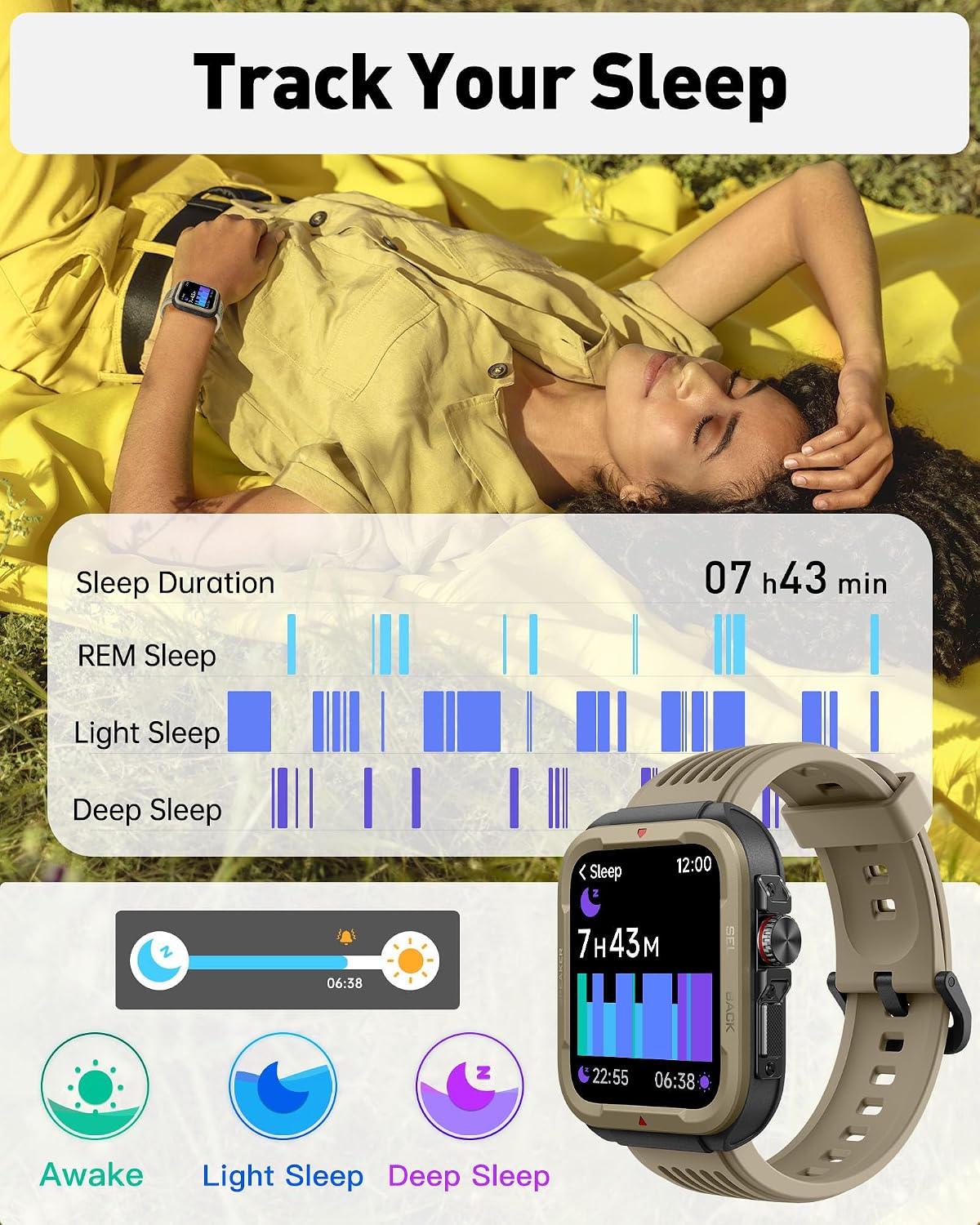
- Sleep Monitoring: Tracks sleep duration, deep sleep, light sleep, and REM sleep patterns.

4.5 Sports Modes
With over 100 sports modes, the watch accurately records your activity data.
- Activity Tracking: Records steps, distance, calories burned, and active minutes.
- Exercise Analysis: Provides professional analysis to help assess training effectiveness.

4.6 Customizable Watch Faces
Personalize your watch with over 100 pre-installed dials or upload your favorite pictures to create custom watch faces.

5. Maintenance
5.1 Waterproofing (IP68 Rating)
The VRPEFIT IDS01 Smart Watch has an IP68 waterproof rating, meaning it is resistant to dust and can withstand immersion in water up to 1.5 meters for 30 minutes. It is suitable for daily use, hand washing, and swimming.
Important Note: Soaking in hot water, saunas, or diving are prohibited as these conditions can compromise the watch's water resistance.
5.2 Cleaning
To maintain your watch, regularly clean the screen and strap with a soft, damp cloth. Avoid using harsh chemicals or abrasive materials that could damage the device.
6. Troubleshooting
- Watch not turning on: Ensure the watch is fully charged. Connect it to the charger for at least 30 minutes.
- Cannot pair with phone:
- Ensure Bluetooth is enabled on your phone and the watch.
- Make sure the watch is within range of your phone.
- Restart both your phone and the watch.
- Check if the Veryfit app has necessary permissions.
- Notifications not appearing:
- Verify that notifications are enabled in both your phone's settings and the Veryfit app.
- Ensure the watch is connected via Bluetooth.
- Inaccurate health data: Ensure the watch is worn snugly on your wrist, not too tight or too loose. Clean the sensor on the back of the watch.
7. Specifications
| Feature | Detail |
|---|---|
| Model Number | IDS01 |
| Brand | VRPEFIT |
| Display Size | 1.8 Inches |
| Display Type | LCD, Full Touch HD |
| Resolution | 240 x 284 |
| Connectivity | Bluetooth 5.3 |
| Operating System | Android, iOS (Android 6.0+, iOS 9.0+) |
| Battery Capacity | 300 mAh Lithium Polymer |
| Battery Life | Up to 7 working days |
| Charging Time | Approx. 2.5 hours |
| Waterproof Rating | IP68 |
| Special Features | Bluetooth Call, Alexa Voice Control, Heart Rate, Blood Oxygen, Sleep Monitor, 100 Sports Modes, Camera Control, GPS Via Smartphone |
| Product Dimensions | 2 x 1.8 x 0.5 inches |
| Item Weight | 1.62 ounces (46 Grams) |
8. Warranty and Support
VRPEFIT is committed to providing high-quality products and excellent customer service. While specific warranty details may vary, please refer to your purchase documentation for information regarding the warranty period and terms.
8.1 Customer Support
For any inquiries, technical assistance, or support needs, please contact VRPEFIT customer service. We offer one-on-one customer support to address your concerns.
- Contact Information: Please refer to the contact details provided on the VRPEFIT official website or your product packaging.