
1. Introduction
Thank you for choosing the ACTWIND Treadmill SL-Q20P. This manual provides essential information for the safe and efficient operation, maintenance, and troubleshooting of your new treadmill. Please read this manual thoroughly before use and retain it for future reference.
The ACTWIND SL-Q20P is a compact, under-desk walking pad designed for home and office use. It features a unique rustic style with natural wood material, a powerful 2.25 HP motor, and a maximum speed of 4 MPH. Its slim profile allows for easy storage, and it comes fully assembled for immediate use.
2. Safety Instructions
To ensure safe operation and prevent injury, please adhere to the following safety guidelines:
- Place the treadmill on a flat, stable surface, away from water or damp areas.
- Ensure adequate clearance around the treadmill for safe operation and movement.
- The maximum user weight capacity for this treadmill is 265 pounds (120.2 kg). Do not exceed this limit.
- Keep children and pets away from the treadmill during operation.
- Wear appropriate athletic footwear and clothing.
- Always hold onto the remote control or use the emergency stop function if you feel unwell or lose balance.
- Unplug the treadmill from the power outlet when not in use or before cleaning and maintenance.
- Do not attempt to disassemble or repair the treadmill yourself. Contact qualified service personnel for assistance.
- Begin your workout at a slow speed and gradually increase as you become comfortable.
3. Package Contents
Verify that all components are present in the package:
- Treadmill base
- Running belt
- Motor housing
- LED display
- Remote control
- Shock absorption system (integrated)
- Wheels (integrated)
- User manual (this document)
4. Setup
The ACTWIND Treadmill SL-Q20P comes fully assembled and ready to use directly out of the box. No complex installation is required.
- Unpacking: Carefully remove the treadmill from its packaging.
- Placement: Place the treadmill on a level, hard surface. Ensure there is sufficient space around the unit for safe operation. The treadmill's compact design (6.2 inches thick) allows it to be stored under a bed or couch when not in use.
- Power Connection: Plug the power cord into a grounded electrical outlet.
- Initial Check: Before stepping on, ensure the running belt is centered and moves smoothly.
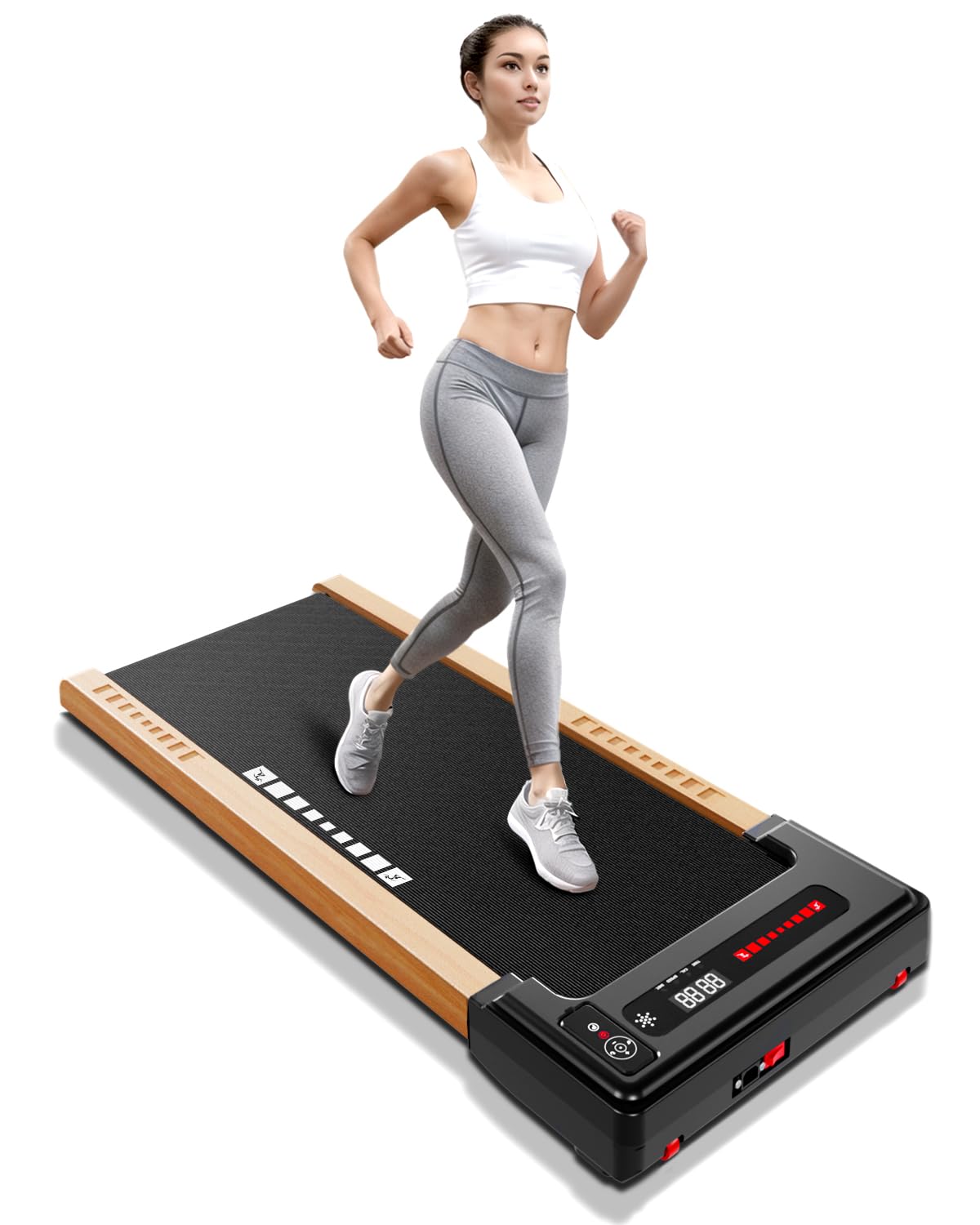
A view of the ACTWIND Treadmill SL-Q20P, showcasing its compact design and wooden accents, positioned in a modern living room.
Video: Unboxing and Setup Overview
This video demonstrates the unboxing, easy movement, and initial setup of the ACTWIND Treadmill SL-Q20P, highlighting its compact storage capabilities.
5. Operating Instructions
The treadmill is controlled via a remote control and features an integrated LED display.
- Power On: Plug in the treadmill and press the power button on the remote control. The LED display will illuminate.
- Start/Stop: Press the 'Start' button on the remote to begin walking. Press 'Stop' to pause or end your workout.
- Speed Adjustment: Use the '+' and '-' buttons on the remote control to adjust the speed. The speed range is 0.5 to 4 miles per hour (MPH).
- LED Display: The integrated LED display shows real-time data including steps, speed, time, distance, and calories burned. This data can accumulate after short breaks.
- Bluetooth Speaker: The treadmill includes a Bluetooth speaker. To connect, activate Bluetooth on your device and pair with the treadmill (device name typically 'ACTWIND Treadmill' or similar). You can then play music or audio through the treadmill's speakers.
- Pre-set Programs: The treadmill offers 12 pre-set programs. Refer to the remote control's specific buttons for program selection and adjustment.
Video: Operation and Features
This video illustrates the ease of operating the ACTWIND Treadmill SL-Q20P, demonstrating remote control functions, speed adjustments, Bluetooth connectivity, and its quiet operation suitable for office environments.
6. Maintenance
Regular maintenance ensures the longevity and optimal performance of your treadmill.
- Cleaning: Wipe down the treadmill with a damp cloth after each use to remove sweat and dust. Do not use abrasive cleaners or solvents.
- Running Belt Lubrication: The running belt requires periodic lubrication to reduce friction and extend its lifespan. Refer to the specific instructions provided with your treadmill's lubrication kit (if included) or contact customer support for guidance.
- Running Belt Adjustment: If the running belt starts to slip or move off-center, it may need adjustment. Consult the troubleshooting section or contact customer support for detailed instructions.
- Storage: When not in use, store the treadmill in a dry, cool place. Its slim design allows it to be easily stored under furniture.
7. Troubleshooting
If you encounter any issues with your ACTWIND Treadmill, please refer to the common problems and solutions below:
| Problem | Possible Cause | Solution |
|---|---|---|
| Treadmill does not power on. | Power cord not properly connected; power outlet issue. | Ensure the power cord is securely plugged into a working outlet. Check the circuit breaker. |
| Running belt stops or slips. | Belt tension too loose; insufficient lubrication. | Adjust belt tension (refer to specific instructions or contact support). Apply lubricant to the running belt. |
| Remote control not responding. | Low battery in remote; remote not paired. | Replace remote control batteries. Re-pair the remote with the treadmill (consult specific pairing instructions). |
| Unusual noise during operation. | Loose components; belt friction. | Inspect for any loose parts and tighten if necessary. Lubricate the running belt. If noise persists, contact customer support. |
If the problem persists after attempting these solutions, please contact ACTWIND customer support for further assistance.
8. Specifications
| Model Number | SL-Q20P |
| Brand | ACTWIND |
| Product Dimensions (D x W x H) | 132.1 x 64.5 x 15.7 cm (52 x 25.4 x 6.2 inches) |
| Item Weight | 22 kg (48.5 Pounds) |
| Maximum Weight Recommendation | 120.2 kg (265 Pounds) |
| Material | Alloy Steel, Metal, Wood |
| Maximum Horsepower | 2.25 HP |
| Speed Range | 0.5 - 4 Miles per Hour |
| Display Type | LED (5 Inches) |
| Metrics Measured | Calories Burned, Distance, Speed, Time |
| Connectivity Technology | Bluetooth |
| Power Source | Corded Electric (100 Watts Input Power) |
| Number of Programs | 12 |
| Special Features | Bluetooth, Wheeled, Shock Absorption System |
| Assembly Required | No |
| Recommended Uses | Apartment use, home use, indoor use, jogging, office use, running |
9. Warranty and Support
ACTWIND products are manufactured to high-quality standards and are backed by a manufacturer's warranty. Please refer to the warranty card included with your product for specific terms and conditions.
For technical support, troubleshooting assistance, or warranty claims, please contact ACTWIND Customer Support through the retailer where you purchased the product or visit the official ACTWIND website for contact information.