
1. Introduction
Thank you for choosing the SONGMICS LED Mirror Jewelry Cabinet. This product combines a full-length mirror with a spacious, lockable jewelry armoire, designed to organize your accessories efficiently. It features an interior LED-lighted mirror for convenience and additional storage options. Please read this manual thoroughly before assembly and use to ensure proper function and longevity of your cabinet.
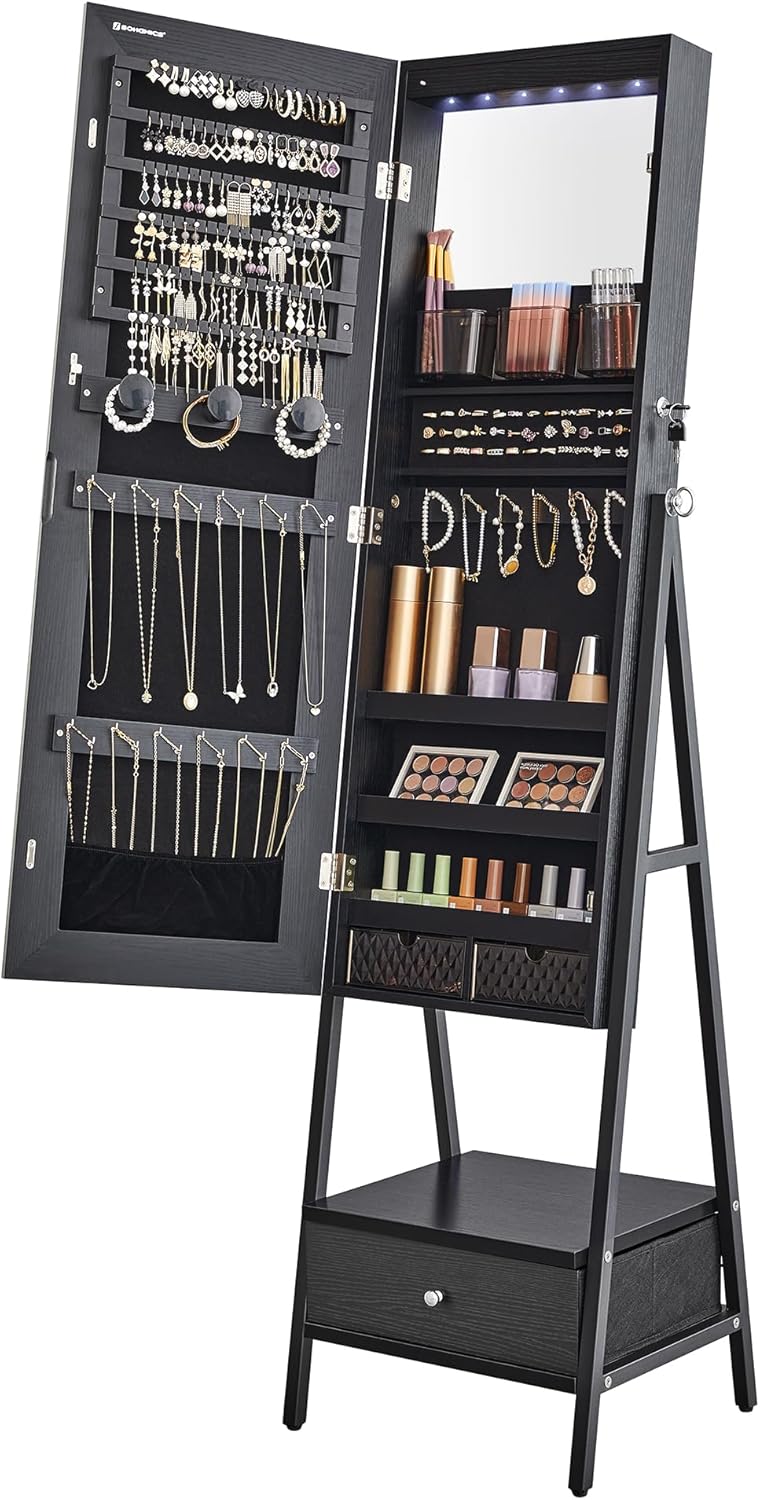
Image 1.1: The SONGMICS LED Mirror Jewelry Cabinet in its closed, standing position, showcasing the full-length mirror and sleek design.
2. Safety Information
Please observe the following safety precautions to prevent injury or damage to the product:
- Assembly: Assemble the product on a soft, clean surface to prevent scratches. Ensure all parts are correctly installed and fasteners are tightened securely before use.
- Stability: Place the cabinet on a flat, stable surface. Do not allow children to climb on or play with the cabinet to prevent tipping.
- Weight Distribution: Distribute the weight of your jewelry evenly inside the cabinet to maintain balance.
- Mirror Care: Handle the mirror with care. Avoid striking it with hard objects.
- LED Lights: If the LED lights are battery-operated, ensure batteries are inserted correctly according to polarity. Replace all batteries at the same time.
3. Package Contents
Before beginning assembly, verify that all components listed below are present and undamaged. If any parts are missing or damaged, please contact customer support.
| Item | Description | Quantity |
|---|---|---|
| A | Jewelry Cabinet Body with Mirror | 1 |
| B | Left Support Leg | 1 |
| C | Right Support Leg | 1 |
| D | Bottom Shelf | 1 |
| E | Bottom Drawer | 1 |
| F | Hardware Pack (screws, wrench, etc.) | 1 |
| G | Keys | 2 |
| H | Battery Box (for LED lights) | 1 |
4. Assembly Instructions (Setup)
Follow these steps carefully to assemble your jewelry cabinet:
- Prepare the Area: Clear a spacious, clean, and soft area for assembly to prevent damage to the cabinet or floor.
- Assemble the Support Legs: Attach the Left Support Leg (B) and Right Support Leg (C) to the Bottom Shelf (D) using the provided hardware from Pack (F). Ensure they are securely fastened.
- Attach Cabinet to Stand: Carefully align the Jewelry Cabinet Body (A) with the assembled support legs. Secure the cabinet to the stand using the appropriate screws from Pack (F). It is recommended to have a second person assist with this step to prevent the cabinet from falling.
- Insert Bottom Drawer: Slide the Bottom Drawer (E) into its designated slot beneath the cabinet.
- Install LED Light Batteries: Locate the Battery Box (H) for the LED lights, typically on the interior of the cabinet. Insert the required batteries (e.g., AAA, not included) ensuring correct polarity.
- Adjust Tilt Angle: The cabinet offers multiple tilt angles for the full-length mirror. Adjust the pins on the side supports to your desired viewing angle.

Image 4.1: Details of the cabinet's features, including the magnetic door closure, key lock mechanism, and adjustable tilt angles (labeled 1 and 2) for the stand.
5. Operating Instructions
5.1 Opening and Closing the Cabinet
Gently pull the cabinet door open from the side. The door is secured by a magnetic catch when closed. To close, push the door firmly until the magnetic catch engages.
5.2 Using the Lock
The cabinet is equipped with a lock for securing your valuables. Insert one of the provided Keys (G) into the lock on the side of the cabinet and turn to lock or unlock. Remove the key after locking to prevent loss.
5.3 Activating LED Lights
The interior mirror features LED lights. Locate the switch, typically near the interior mirror, and toggle it to turn the lights on or off. Ensure batteries are correctly installed for functionality.
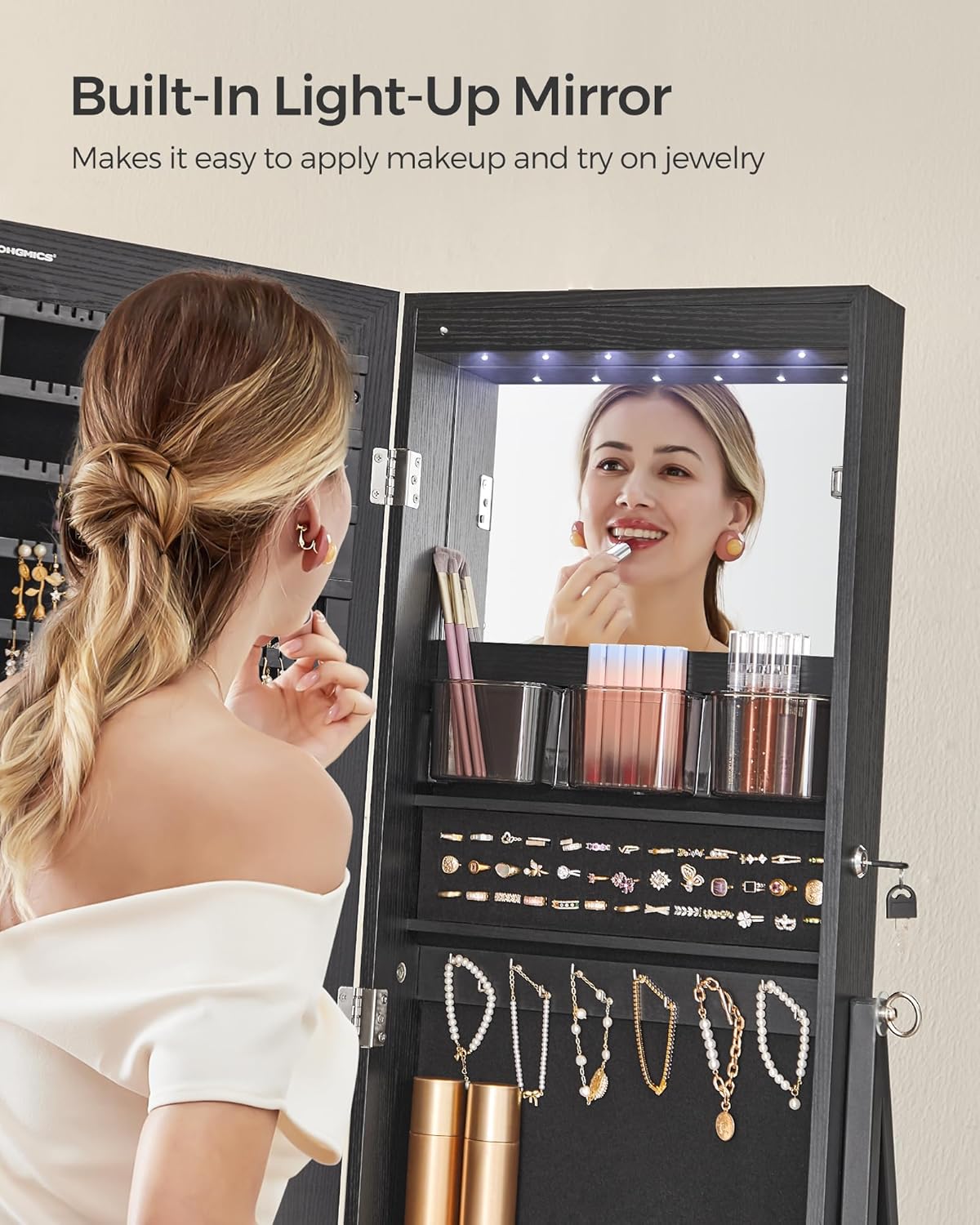
Image 5.1: A detailed view of the interior mirror, illuminated by LED lights, showing various makeup and jewelry items stored on shelves.
5.4 Organizing Jewelry and Accessories
The cabinet offers various compartments for organized storage:
- Earring Slots & Stud Earring Holes: Utilize the dedicated slots and holes for earrings.
- Necklace Hooks: Hang necklaces on the hooks to prevent tangling.
- Bracelet Rods: Store bracelets on the designated rods.
- Ring Slots: Place rings in the cushioned slots.
- Storage Shelves: Use the shelves for cosmetics, perfumes, or other accessories.
- Drawers: The small interior drawers and the large bottom drawer provide additional storage for smaller items or bulkier accessories.

Image 5.2: An open view of the jewelry cabinet's interior, highlighting the organized storage sections including earring slots, necklace hooks, ring slots, shelves, and drawers.

Image 5.3: A close-up view of the cabinet's lower section, featuring the spacious bottom drawer and an open shelf for additional storage of larger items or bags.
6. Maintenance
6.1 Cleaning the Mirror
Use a soft, lint-free cloth and a glass cleaner (ammonia-free) to clean the mirror surfaces. Spray cleaner onto the cloth, not directly onto the mirror, to avoid liquid seeping into edges.
6.2 Cleaning Cabinet Surfaces
Wipe exterior and interior surfaces with a soft, damp cloth. Avoid abrasive cleaners or harsh chemicals that could damage the finish.
6.3 Velvet Lining Care
The velvet lining protects your jewelry. To clean, gently vacuum with a brush attachment or use a lint roller to remove dust and debris. Do not wet the velvet.
6.4 LED Light Battery Replacement
If the LED lights dim or stop working, replace the batteries in the Battery Box (H). Ensure to use the correct battery type and insert them with the correct polarity. Dispose of old batteries responsibly.
7. Troubleshooting
| Problem | Possible Cause | Solution |
|---|---|---|
| LED lights do not turn on. | Batteries are dead or incorrectly installed. | Check battery polarity and replace batteries if necessary. |
| Cabinet door does not close properly. | Magnetic catch misaligned or obstructed. | Check for obstructions. Ensure the cabinet is on a level surface. Adjust hinges if needed. |
| Cabinet feels unstable. | Loose assembly screws or uneven floor. | Retighten all assembly screws. Move the cabinet to a level surface or use shims under the legs. |
| Lock mechanism is stiff or not working. | Dust or debris in the lock, or key is bent. | Apply a small amount of graphite lubricant to the lock. Ensure the key is straight and undamaged. |
8. Specifications
| Feature | Detail |
|---|---|
| Model Number | UJJC025B01 |
| Dimensions (Overall) | 14.6"D x 16.3"W x 61.8"H (37cm D x 41.5cm W x 157cm H) |
| Material | MDF (Medium Density Fiberboard), PS, Velvet, Glass, Steel |
| Color | Ink Black |
| Item Weight | 35.7 pounds (16.2 kg) |
| Special Features | Dustproof, Lighting (LED), Lock, Full-Length Mirror, Interior Mirror, Secret Compartment (implied by lockable nature) |
| Storage Capacity | 108 earring slots, 36 stud earring holes, 36 necklace hooks, 3 bracelet rods, 39 ring slots, 1 brush shelf, 3 storage shelves, 2 interior drawers, 1 bottom drawer |

Image 8.1: A diagram illustrating the key dimensions of the SONGMICS LED Mirror Jewelry Cabinet, both open and closed, providing measurements for various sections.
9. Warranty and Support
For warranty information, technical support, or to report missing/damaged parts, please refer to the contact information provided with your purchase or visit the official SONGMICS website. Keep your purchase receipt as proof of purchase.
Website: www.songmics.com