
1. Introduction
This manual provides instructions for the proper use and maintenance of the JJC SFC-U3 Negative Slide Film Cutter. This device is designed to provide clean and precise cuts for 35mm and 120 format film strips, featuring an adjustable LED backlight for accurate positioning.

Image: The JJC SFC-U3 Negative Slide Film Cutter in use, showing a film strip being prepared for cutting.
2. Safety Information
- Sharp Blade: The cutting blade is extremely sharp. Exercise caution during operation and when replacing the blade to prevent injury.
- Power Source: Use only the provided USB-C cable for power. Ensure the power source meets the device's requirements.
- Keep Dry: Do not expose the device to water or excessive moisture.
- Children and Pets: Keep the device out of reach of children and pets.
- Proper Handling: Always handle film strips with clean gloves to avoid fingerprints and dust.
3. Package Contents
Verify that all items are present in the package:
- JJC Slide Film Cutter x 1
- Cutter Blade x 1 (pre-installed)
- 59 inches / 1.5m Type-C Cable x 1
- Instruction Manual x 1

Image: The complete package contents of the JJC SFC-U3 Negative Slide Film Cutter.
4. Product Overview
The JJC SFC-U3 Negative Slide Film Cutter features a robust design for stable and accurate film cutting. Key components include:
- Cutting Mechanism: A sliding rail with a replaceable blade for smooth cuts.
- LED Backlight Panel: Provides illumination for clear film positioning, with adjustable brightness.
- Graduated Marks: Printed on the backlight panel for precise alignment of film frames.
- USB-C Port: For power connection to the backlight.
- Anti-Slip Silicone Pads: Located on the base and contact surfaces to secure the film and the device.
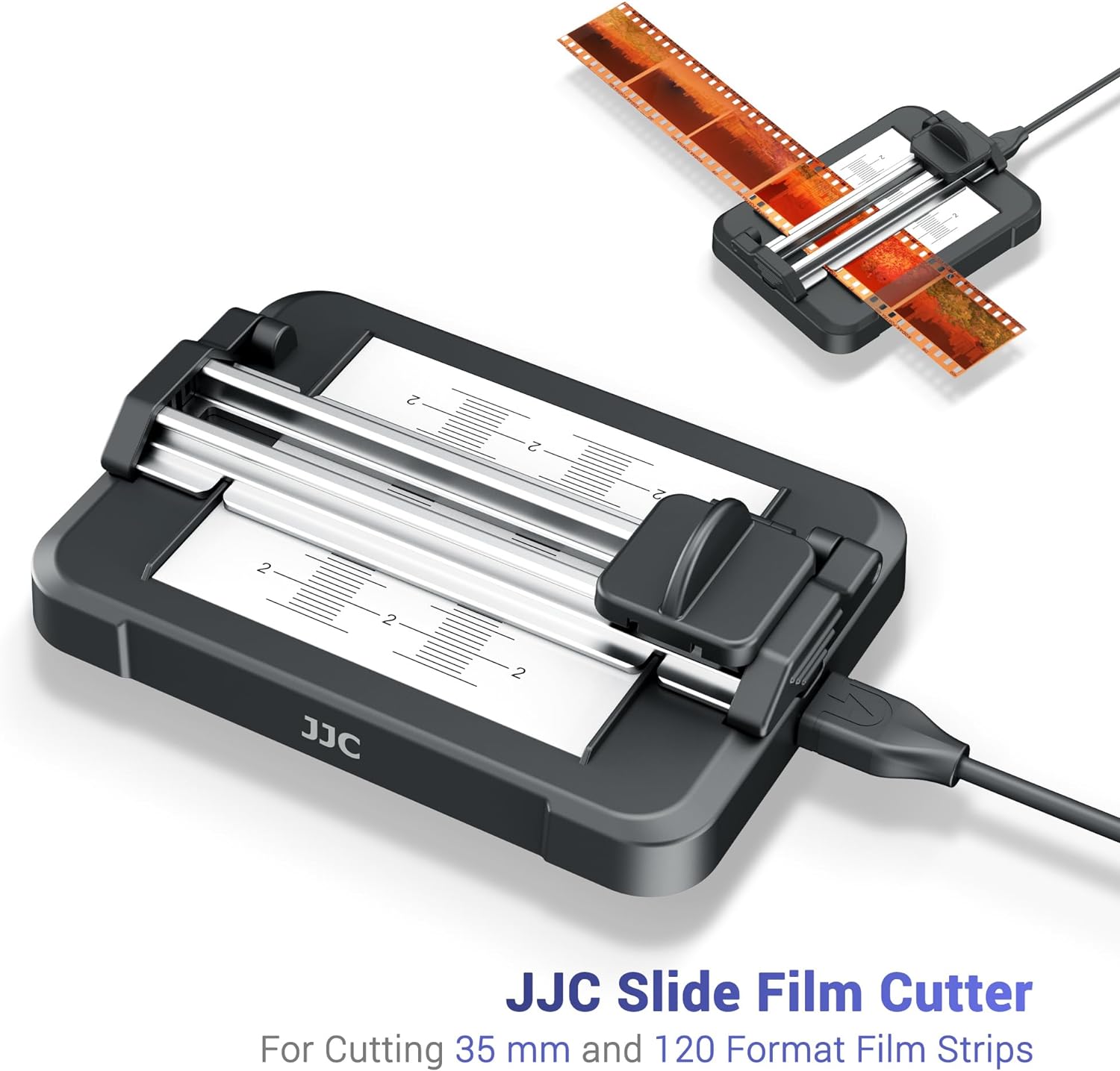
Image: A detailed view of the JJC SFC-U3 Film Cutter, highlighting its design and features.
5. Setup
- Connect Power: Connect the provided USB-C cable to the port on the film cutter and plug the other end into a USB power source (e.g., computer, wall adapter). The LED backlight will illuminate.
- Adjust Brightness: Use the '+' and '-' buttons on the cable controller to adjust the backlight brightness. There are 11 levels of brightness. Select a level that provides clear visibility of your film negatives.

Image: The adjustable LED backlight and controller for brightness settings.

Image: Visual representation of the 11-level brightness adjustment.
6. Operating Instructions
The JJC SFC-U3 is designed for cutting 35mm and 120 format film strips (including 6cm x 4.5cm, 6cm x 6cm, 6cm x 7cm). Follow these steps for clean and precise cuts:
- Prepare Film: Ensure your film strip is clean and free of dust. It is recommended to wear clean gloves to avoid fingerprints.
- Position Film: Open the cutter's top cover. Place the film strip against the panel side, opposite the cutter blade holder. Align the desired cutting point with the graduated marks on the backlight panel. The silicone pads will help hold the film in place.
- Secure Film: Gently close the top cover, ensuring the film remains aligned. The cover will hold the film flat and secure.
- Perform Cut: Slide the cutter blade holder smoothly across the film strip from one side to the other. Apply even pressure for a clean cut.
- Remove Film: Open the top cover and carefully remove the cut film sections.

Image: Step 1: Placing the film strip against the panel side.

Image: Step 2: Sliding the holder to cut the film.

Image: Smooth and quick cutting process for 35mm and 120 format film.
Video Demonstration:
Video: A demonstration of the JJC Slide Film Cutter, showcasing its adjustable brightness backlight panel and ease of use for cutting film negatives.
7. Maintenance
- Cleaning: Regularly clean the backlight panel and cutting area with a soft, dry, lint-free cloth. Avoid abrasive cleaners or solvents.
- Blade Replacement: The cutting blade is replaceable. If cuts become uneven or difficult, the blade may need replacement. The replacement blade (JJC FCK-4 Cutter Blade Kit) is sold separately. To replace, carefully remove the blade holder, replace the old blade with a new one, and reattach the holder securely.
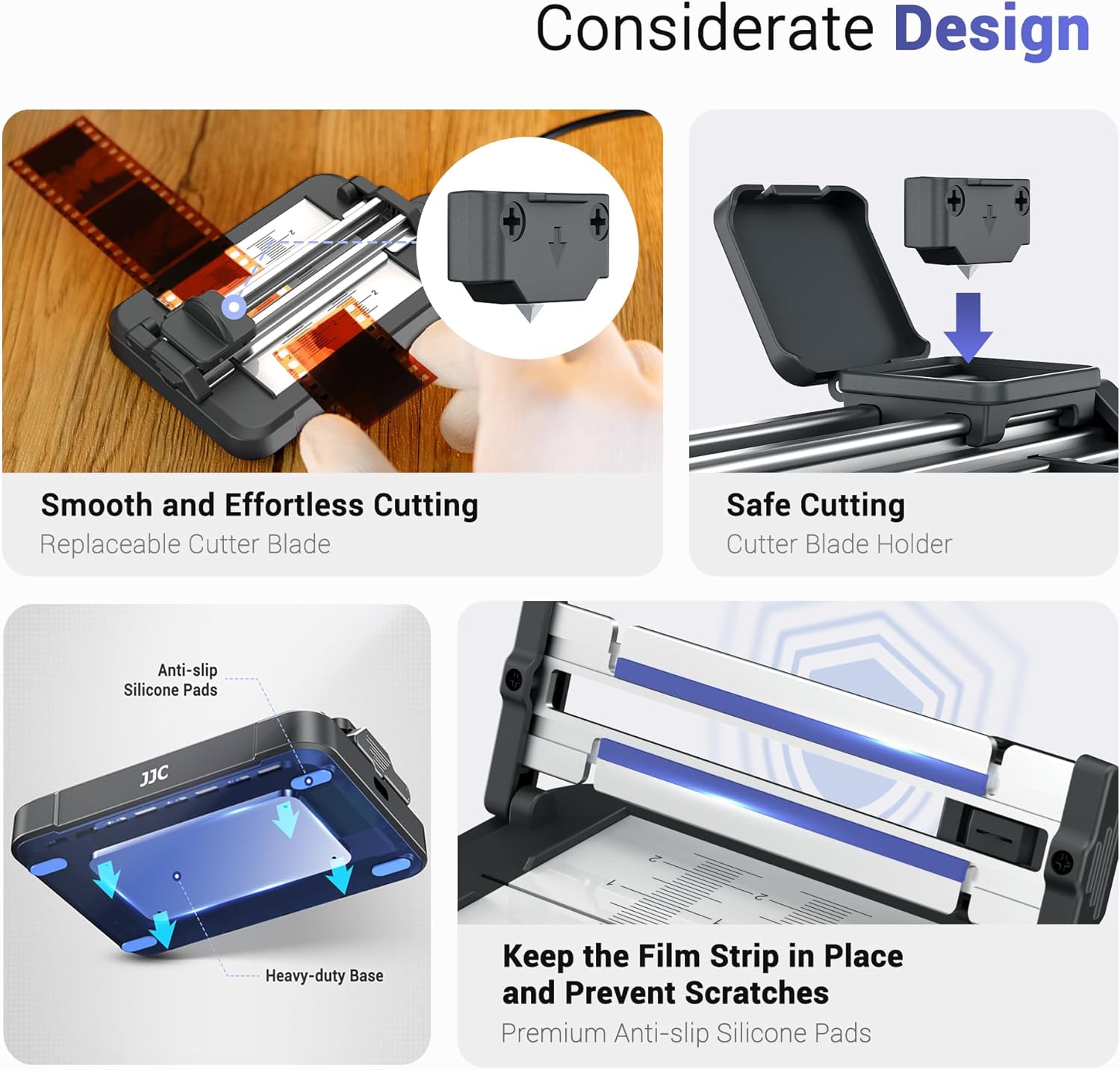
Image: Illustration of the replaceable blade mechanism for safe and easy maintenance.
8. Troubleshooting
| Problem | Possible Cause | Solution |
|---|---|---|
| Backlight does not turn on. | No power connection or faulty cable. | Ensure the USB-C cable is securely connected to both the cutter and a working USB power source. Try a different USB port or power adapter. |
| Cuts are uneven or ragged. | Dull blade or improper film alignment. | Replace the cutting blade. Ensure the film is properly aligned with the graduated marks and held securely by the silicone pads. Apply even pressure when sliding the cutter. |
| Film slips during cutting. | Film not properly secured or worn silicone pads. | Ensure the film is placed firmly against the silicone pads and the top cover is closed. If pads are worn, contact support. |
9. Specifications
| Feature | Detail |
|---|---|
| Brand | JJC |
| Model Number | SFC-U3 |
| Material | Aluminum, Iron, Metal (Aluminium Alloy, Silicone for handle) |
| Color | Orange |
| Item Weight | 6.4 ounces (181.4 grams) |
| Product Dimensions | 4.2 x 3 x 1.4 inches (106.4 x 77.0 x 35.3 mm) |
| Grip Type | Non-slip |
| Backlight | 11-Level Brightness Adjustable LED |
| Power Supply | USB-C (59 inches / 1.5m cable included) |
| Supported Film Formats | 35mm, 6cm x 4.5cm, 6cm x 6cm, 6cm x 7cm, and all 120 format film strips |
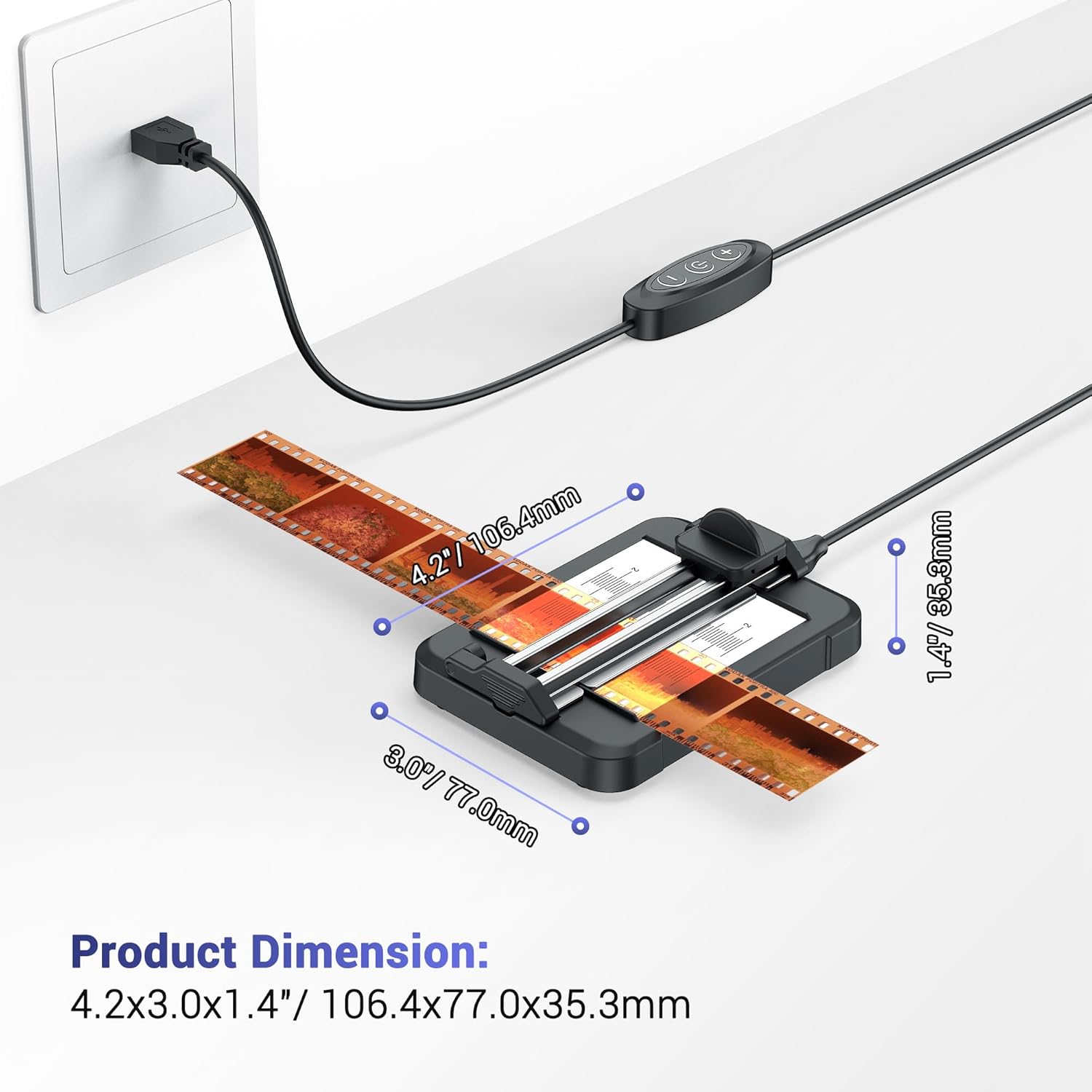
Image: Product dimensions of the JJC SFC-U3 Negative Slide Film Cutter.
10. Warranty & Support
JJC products are manufactured to high quality standards. For warranty information, technical support, or to purchase replacement parts (such as the FCK-4 Cutter Blade Kit), please visit the official JJC website or contact your local distributor.
Official Website: www.jjc.cc