
1. Introduction
This manual provides essential information for the safe operation, setup, and maintenance of your Goplus SU-38076US Walking Pad Treadmill. Please read all instructions carefully before initial use and retain this manual for future reference.
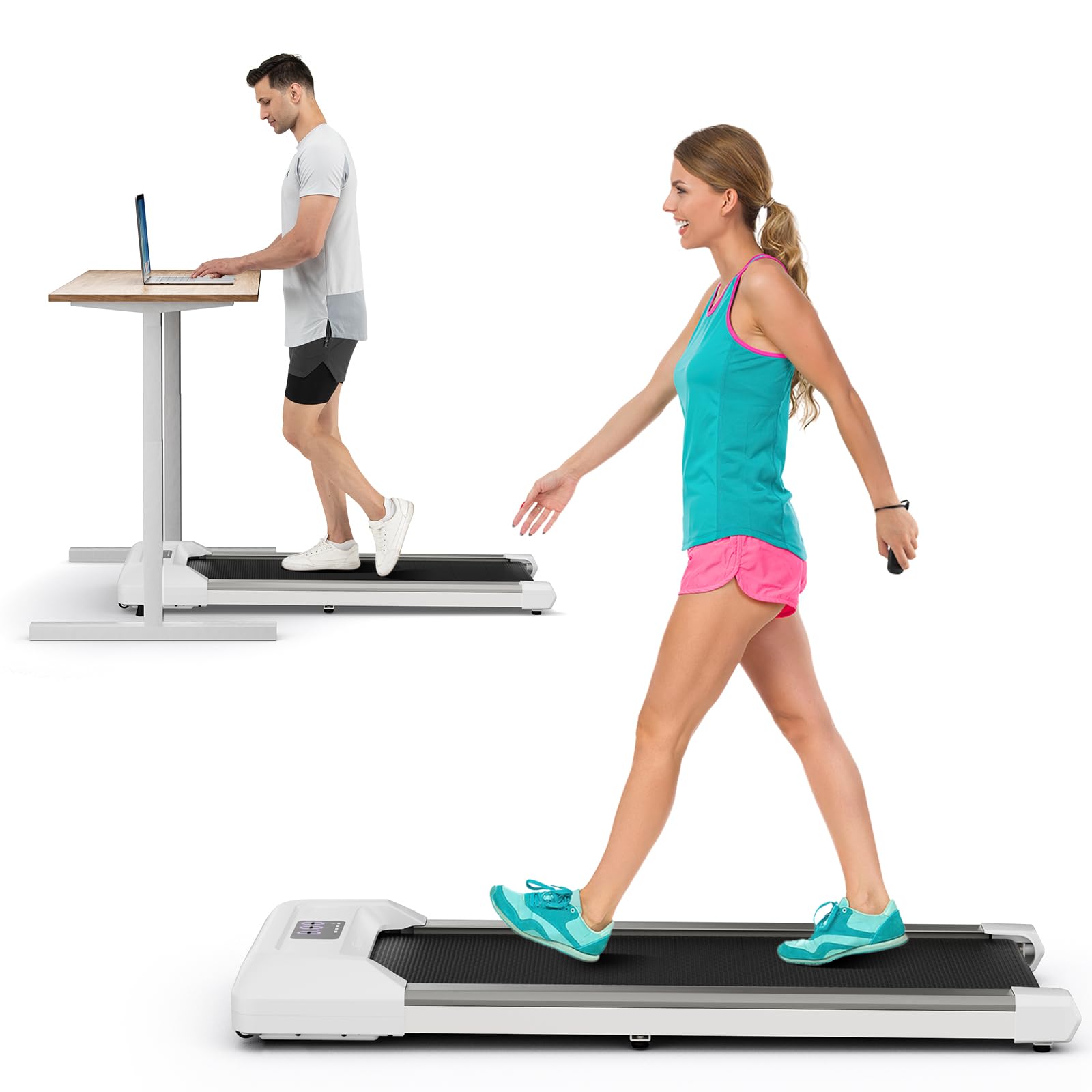
Image 1.1: Goplus SU-38076US Walking Pad Treadmill, Gray model.
2. Safety Information
To reduce the risk of serious injury, read all important precautions and instructions in this manual and on your treadmill before use. Goplus assumes no responsibility for personal injury or property damage sustained by or through the use of this product.
- Always place the treadmill on a level surface.
- Keep children and pets away from the treadmill during operation.
- Do not use the treadmill if you weigh over 265 lbs (120 kg).
- Ensure the power cord is not damaged and is properly plugged into a grounded outlet.
- Wear appropriate athletic footwear.
- Stop the treadmill immediately if you feel faint, dizzy, or experience pain.
- Unplug the treadmill from the power source before cleaning or performing maintenance.
3. Package Contents
Verify that all components are present and undamaged. If any parts are missing or damaged, contact customer support.
- 1 x Goplus Walking Pad Treadmill
- 1 x Remote Control
- 1 x Instruction Manual (this document)
4. Setup
The Goplus Walking Pad Treadmill requires minimal assembly. Follow these steps for initial setup:
- Unpacking: Carefully remove the treadmill from its packaging. Place it on a flat, stable surface.
- Placement: Ensure there is adequate clear space around the treadmill for safe operation.
- Power Connection: Plug the power cord into a standard grounded electrical outlet.
- Remote Control: Insert batteries into the remote control (if not pre-installed).
- Incline Adjustment (Optional): The treadmill features manual incline adjustment. Locate the adjustable foot pads at the front of the unit. Adjust them to achieve the desired tilt angle for your workout. This can increase workout intensity.

Image 4.1: Treadmill in use under a standing desk, illustrating typical setup.

Image 4.2: Treadmill dimensions for placement consideration.
5. Operating Instructions
Your Goplus Walking Pad Treadmill is designed for straightforward operation using the included remote control and integrated LED display.
5.1 Powering On/Off
- To power on, press the power button on the remote control. The LED display will illuminate.
- To power off, press the power button on the remote control again.
5.2 Using the Remote Control
The remote control allows you to adjust speed and power the unit on/off.
- Speed Adjustment: Use the '+' button to increase speed and the '-' button to decrease speed. The speed range is 0.6 to 3.8 MPH.
- Start/Stop: The power button also functions as a start/stop button during operation.
5.3 LED Display
The integrated LED display provides real-time workout data.
- Speed: Displays your current walking speed.
- Time: Shows the duration of your workout.
- Distance: Indicates the distance covered during your session.
- Calories: Estimates the calories burned.
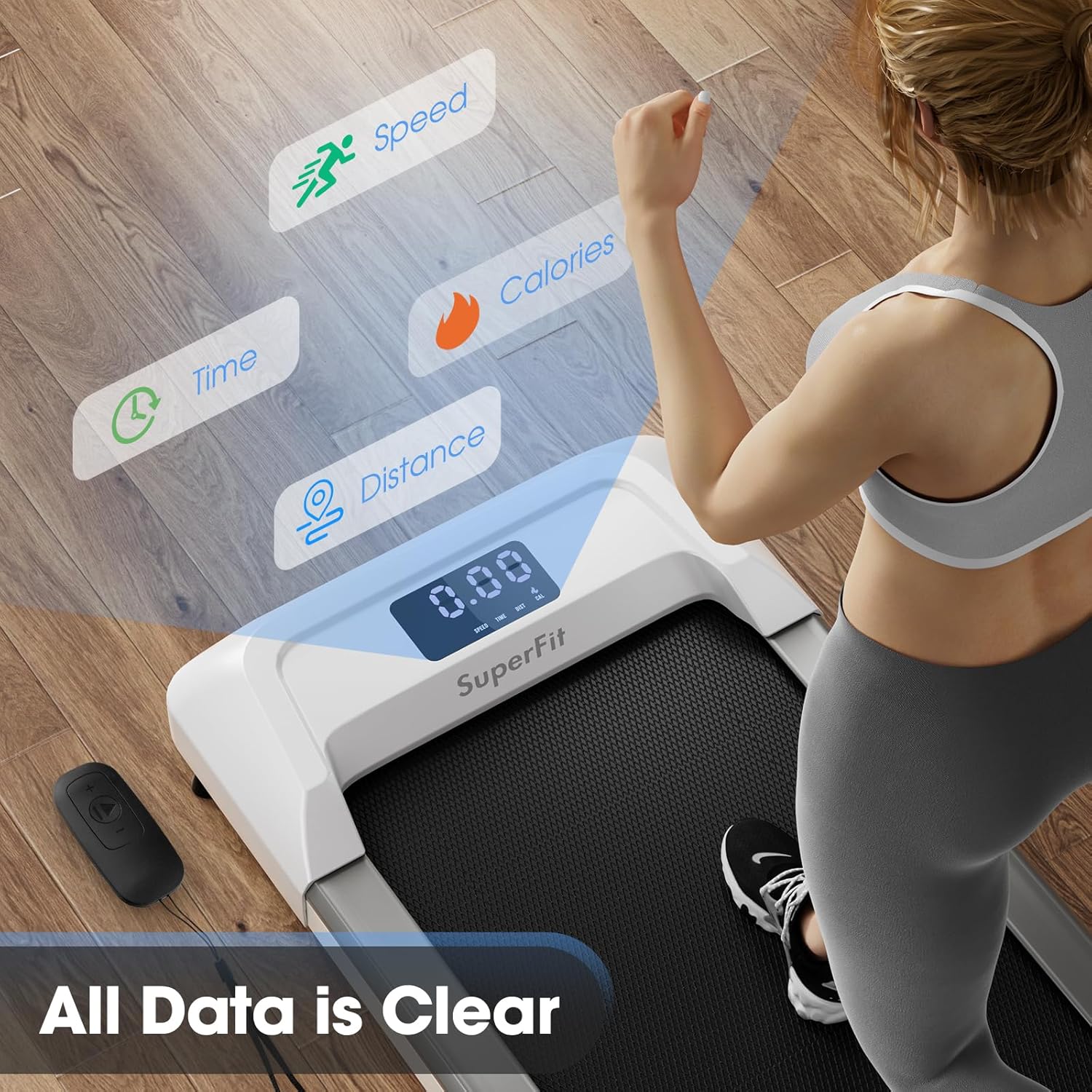
Image 5.1: Clear LED display and remote control for easy data viewing and adjustment.
Image 5.2: Close-up of the LED display and remote control.
6. Maintenance
Regular maintenance ensures the longevity and optimal performance of your treadmill.
6.1 Cleaning
- Always unplug the treadmill before cleaning.
- Wipe down the surface with a damp cloth. Avoid abrasive cleaners or solvents.
- Keep the area around the motor clean and free of dust.
6.2 Running Belt Lubrication
The running belt requires periodic lubrication to reduce friction and extend its lifespan. Refer to the specific instructions provided with your lubrication kit (if included) or contact customer support for guidance on proper lubrication intervals and methods.
6.3 Running Belt Adjustment
If the running belt becomes misaligned or slips, it may need adjustment. Consult the detailed instructions in the full product manual or contact customer support for assistance. Incorrect adjustment can damage the treadmill.
7. Troubleshooting
If you encounter issues with your Goplus Walking Pad Treadmill, refer to the following common problems and solutions:
| Problem | Possible Cause | Solution |
|---|---|---|
| Treadmill does not power on. | Power cord not plugged in; power switch off; circuit breaker tripped. | Ensure power cord is securely plugged in. Check the power switch on the treadmill. Reset the circuit breaker if necessary. |
| Running belt slips or stops. | Belt too loose; insufficient lubrication; user weight exceeds capacity. | Adjust belt tension (refer to full manual). Lubricate the belt. Ensure user weight is within the 265 lbs limit. |
| Unusual noise during operation. | Loose components; motor issue; belt friction. | Check for loose screws. Lubricate the belt. If noise persists, discontinue use and contact support. |
| Remote control not working. | Dead batteries; remote out of range; interference. | Replace remote control batteries. Ensure remote is pointed at the treadmill's receiver. Reduce potential interference. |
If troubleshooting steps do not resolve the issue, please contact Goplus customer support.
8. Specifications
Detailed technical specifications for the Goplus SU-38076US Walking Pad Treadmill:
| Feature | Specification |
|---|---|
| Brand | Goplus |
| Model Number | SU-38076US |
| Motor Horsepower | 2.25 HP |
| Speed Range | 0.6 - 3.8 MPH |
| Maximum Weight Capacity | 265 lbs |
| Noise Level | <45 dB |
| Running Belt Dimensions | 36.6" L x 16" W |
| Product Dimensions | 46" D x 21" W x 6" H |
| Item Weight | 43 lbs |
| Material | Metal, ABS, PC (Frame: Alloy Steel) |
| Display Type | LED (shows Speed, Time, Distance, Calories) |
| Incline Adjustment | Manual (up to 5% equivalent) |
| Special Features | Portable, Built-in Wheels, Remote Control |
9. Warranty and Support
The Goplus SU-38076US Walking Pad Treadmill comes with a 1-year warranty from the date of purchase.
For warranty claims, technical support, or replacement parts, please contact Goplus customer service. You can typically find contact information on the seller's page or through the retailer where you purchased the product.
For direct inquiries, you may visit the GoplusUS seller page.