
1. Introduction
This manual provides essential instructions for the safe and effective installation and maintenance of your Minimoon 20W Replacement Bulb, model 2G11-20W, specifically designed for the JY-01C Bug Zapper. Please read this manual thoroughly before installation to ensure proper function and safety.
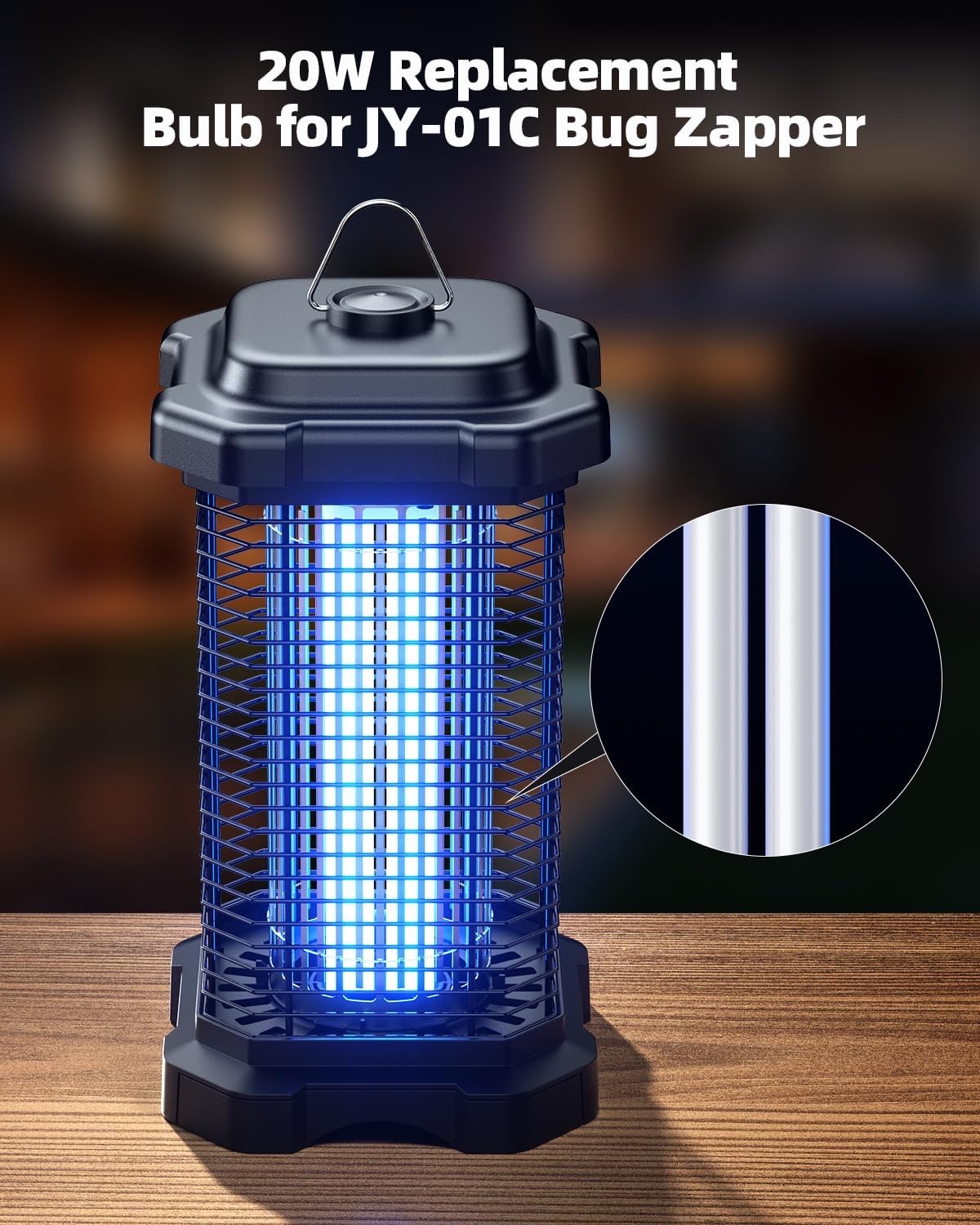
Image: The Minimoon 20W Replacement Bulb installed in a JY-01C Bug Zapper, highlighting the bulb's glow.
2. Safety Information
Always follow these safety precautions to prevent injury or damage to the product:
- Unplug the Bug Zapper: Before attempting any installation, replacement, or maintenance, always ensure the bug zapper is unplugged from the power outlet.
- Allow Cooling Time: After unplugging, allow the bug zapper to sit for a few minutes to ensure the bulb and internal components have cooled down.
- Handle with Care: The bulb is made of glass. Handle it carefully to avoid breakage. Do not touch the glass part of the bulb directly with bare hands, as oils can reduce its lifespan.
- Correct Model: Ensure you are using the correct replacement bulb (Model 2G11-20W) for the JY-01C Bug Zapper. Using an incorrect bulb may cause malfunction or damage.
- Indoor Use Only: This bulb is intended for indoor use within the specified bug zapper. Do not expose it to water or outdoor elements.
- Keep Away from Children: Store replacement bulbs and perform maintenance out of reach of children.
3. Product Overview
The Minimoon 20W Replacement Bulb (Model 2G11-20W) is a specialized ultraviolet (UV) light source designed to attract flying insects to your JY-01C Bug Zapper. It emits 365nm ultraviolet light, which is highly effective in luring mosquitoes, moths, flies, gnats, bees, wasps, and Aedes mosquitoes.
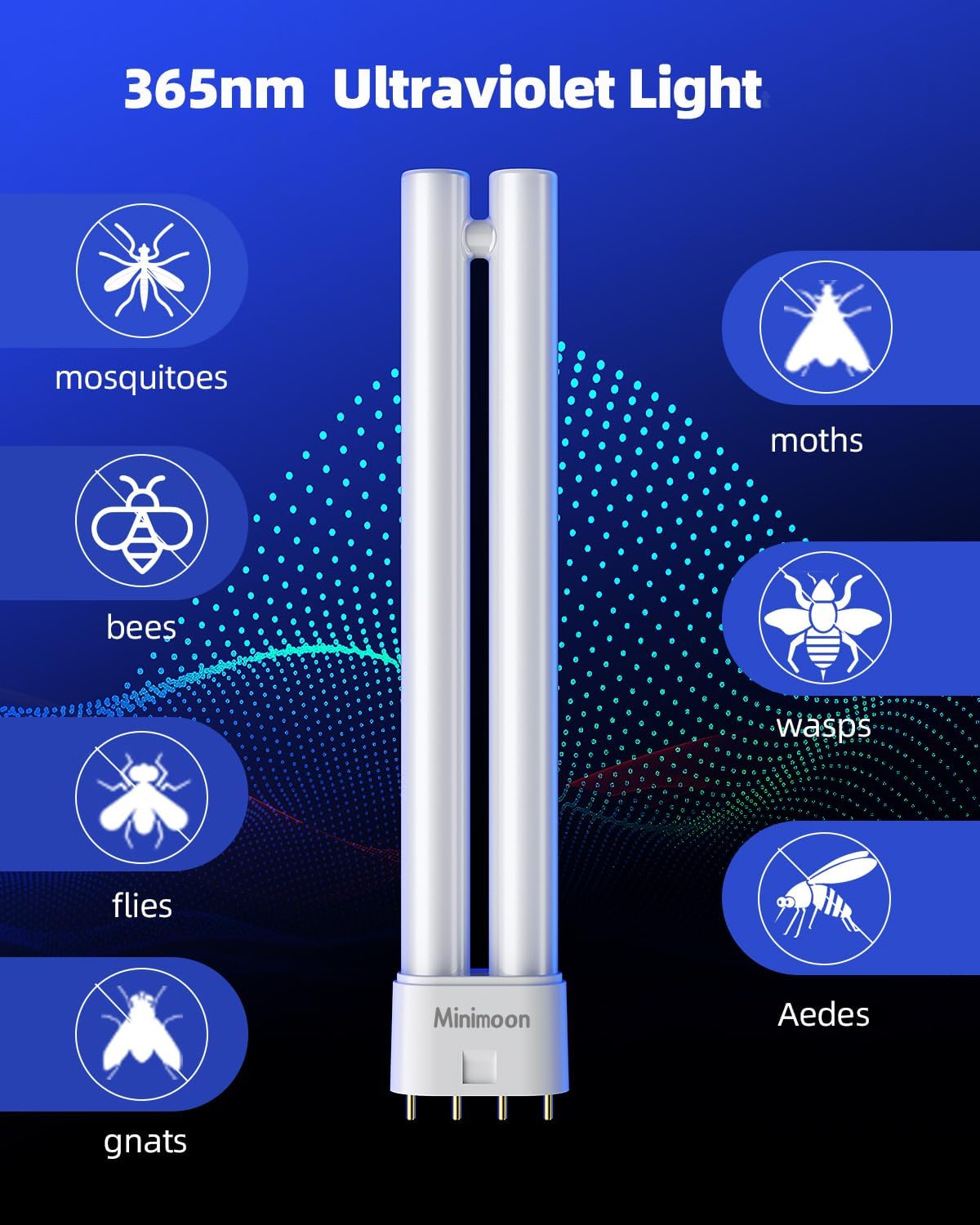
Image: The Minimoon 20W Replacement Bulb, illustrating its 365nm ultraviolet light and the types of insects it attracts, including mosquitoes, moths, bees, wasps, flies, gnats, and Aedes mosquitoes.
4. Installation (Bulb Replacement)
Follow these steps to safely replace the bulb in your JY-01C Bug Zapper:
- Step 1: Unplug and Cool Down. Ensure the bug zapper is unplugged from the power outlet and has been allowed to cool for several minutes.
- Step 2: Pull out the Collection Box. Locate the collection box at the bottom of the bug zapper and gently pull it out.
- Step 3: Unscrew and Remove the Cover. Carefully unscrew and remove the protective cover that secures the bulb area.
- Step 4: Gently Remove the Old Bulb. With care, gently pull the old bulb straight out from its socket. Avoid twisting or forcing it.
- Step 5: Insert the New Bulb. Align the pins of the new Minimoon 20W Replacement Bulb with the socket and gently push it in until it is firmly seated. Do not force the bulb.
- Step 6: Reassemble. Replace the protective cover and screw it back into place. Reinsert the collection box.

Image: A visual guide demonstrating the four steps to replace the bulb: pulling out the collection box, unscrewing the cover, removing the old bulb, and inserting the new bulb.
Important Tip: Before replacing the bulb, please unplug the zapper and let it sit for a few minutes to cool down.
5. Operating Instructions
Once the replacement bulb is securely installed, plug the JY-01C Bug Zapper back into a standard 100-120 Volt, 60 Hertz electrical outlet. The bulb will illuminate, and the bug zapper will begin attracting and eliminating flying insects. The bug zapper is controlled via a push button, as indicated in the product specifications. Refer to your original JY-01C Bug Zapper manual for specific operational details.
6. Maintenance
Regular maintenance ensures optimal performance and extends the life of your bug zapper and bulb:
- Cleaning the Collection Box: Periodically empty the insect collection box. Ensure the zapper is unplugged before cleaning.
- Cleaning the Grid: Use a small brush (non-metallic) to gently clean any accumulated insect debris from the high-voltage grid. Always ensure the unit is unplugged and discharged before cleaning the grid.
- Bulb Lifespan: UV bulbs typically have an effective lifespan of approximately 3,000 to 5,000 hours, or about 6-8 months of continuous use. While the bulb may still light up, its UV output diminishes over time, reducing its effectiveness in attracting insects. Replace the bulb annually for best results, especially during peak insect seasons.
- Storage: When not in use for extended periods, unplug the bug zapper and store it in a cool, dry place.
7. Troubleshooting
If your bug zapper is not functioning correctly after bulb replacement, consider the following:
- Bulb Not Lighting Up:
- Ensure the bug zapper is securely plugged into a working power outlet.
- Check if the new bulb is fully and correctly seated in its socket.
- Verify that the power switch on the bug zapper is in the "ON" position.
- If the bulb still does not light, the bulb may be faulty. Try another new bulb if available.
- Reduced Effectiveness:
- The UV output of the bulb decreases over time. If the bulb has been in use for over 6-8 months, it may need replacement even if it still lights up.
- Ensure the bug zapper's grid is clean and free of insect debris.
- Check the placement of the bug zapper; it should be in an area where insects are prevalent but not directly competing with other light sources.
8. Specifications
| Feature | Detail |
|---|---|
| Brand | Minimoon |
| Model Name | 2G11-20W |
| Model Number | 2G11-20W |
| Light Type | LED (UV) |
| Wattage | 20 Watts |
| Incandescent Equivalent Wattage | 100 Watts |
| Brightness | 1600 lumens |
| Indoor/Outdoor Usage | Indoor |
| Power Source | Corded Electric (for zapper) |
| Accepted Voltage Frequency | 100 to 120 Volts and 60 Hertz |
| Material Type | Glass |
| Color | White |
| Unit Count | 1 Count |
9. Warranty & Support
For warranty information or technical support regarding your Minimoon 20W Replacement Bulb, please contact Minimoon customer service. Details can typically be found on the product packaging or the official Minimoon website. Please have your product model number (2G11-20W) and purchase information ready when contacting support.
You can visit the Minimoon Store on Amazon for more product information and support resources.