
1. Introduction
Thank you for purchasing the Generic 2 in 1 Air Purifier Bladeless Tower Fan. This innovative appliance combines the functionality of a powerful cooling fan with an integrated air purification system, designed to provide a comfortable and clean environment for your home or office. Its bladeless design ensures safety and ease of cleaning, while advanced features like 8-speed settings, 120° oscillation, and a 7-hour timer offer customizable comfort. Please read this manual thoroughly before use to ensure proper operation and maintenance.
2. Safety Information
General Safety Precautions
- To avoid danger of suffocation, keep any plastic packaging bags away from babies and children. Do not use these bags in cribs, beds, carriages, or playpens. These bags are not toys.
- Ensure the fan is placed on a stable, flat surface to prevent tipping.
- Do not insert fingers or objects into the air inlet or outlet.
- Unplug the fan from the power outlet before cleaning or performing any maintenance.
- Do not operate the fan with a damaged cord or plug.
- Keep the fan away from water or other liquids. Do not use in wet environments.
Product-Specific Precautions
- When the fan is operating, do not cover the air inlet. This can impede airflow and affect performance.
- The fan's noise level at maximum speed is approximately 60dB. This is a normal operational characteristic.
3. Product Overview
Key Features
- 2-in-1 Functionality: Combines a bladeless cooling fan with a built-in air purifier filter element for fresh air.
- Modern Design: Aesthetic, minimalist design that blends with various home and office decor styles.
- Enhanced Safety: Bladeless design is safer for households with children or pets compared to traditional fans.
- Remote Control: Allows easy control of functions (speed, oscillation, power, timer) from up to 6 meters away.
- 8-Speed Settings: Offers a wide range of airflow options to suit personal preferences.
- 120° Oscillation: Sweeps air horizontally to ensure wide coverage.
- Manual Wind Circle Adjustment: The wind circle can be manually rotated up and down for directional airflow.
- 7-Hour Timer: Allows for automatic shut-off, ideal for sleep mode.
- Low Noise Operation: Operates at approximately 30dB in sleep wind mode for quiet use.
Components
- Main Bladeless Tower Fan Unit
- Remote Control
- Built-in Air Purifier Filter Element (Barrel HEPA filter with activated carbon)
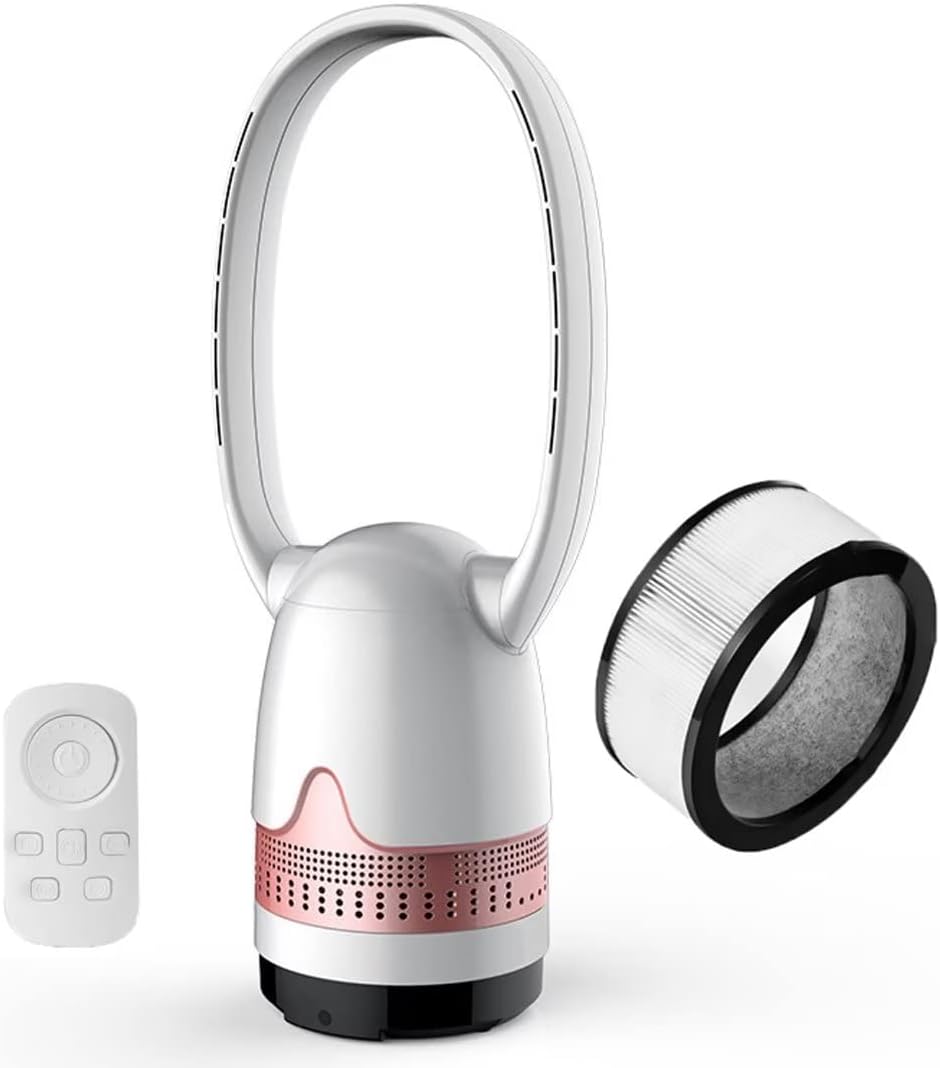
Image 3.1: The 2 in 1 Bladeless Tower Fan, showing the main unit, remote control, and the air purifier filter.
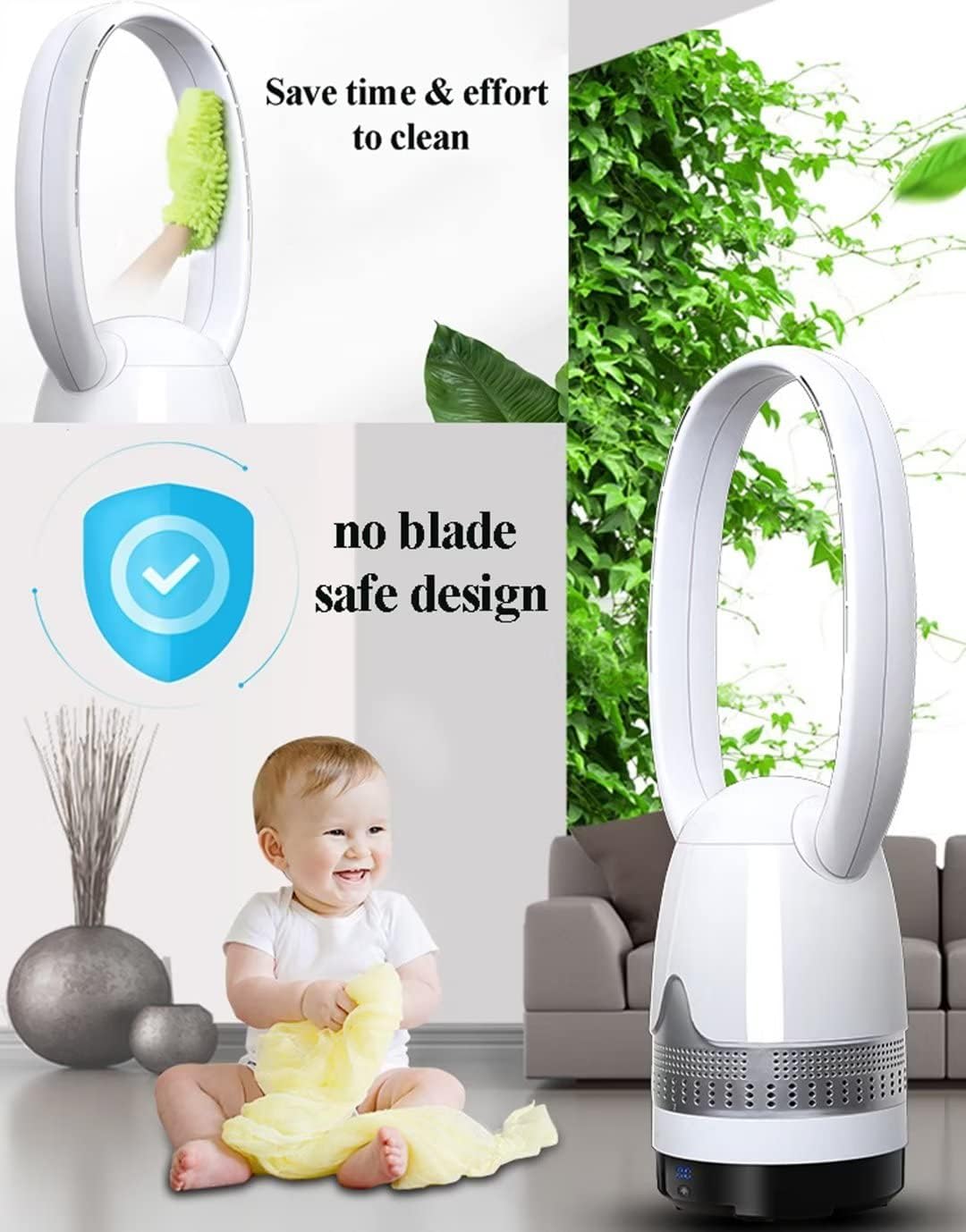
Image 3.2: Illustration of the bladeless fan's safe design and ease of cleaning.

Image 3.3: Depiction of the fan's 120° oscillation and the manually adjustable foldable wind circle.
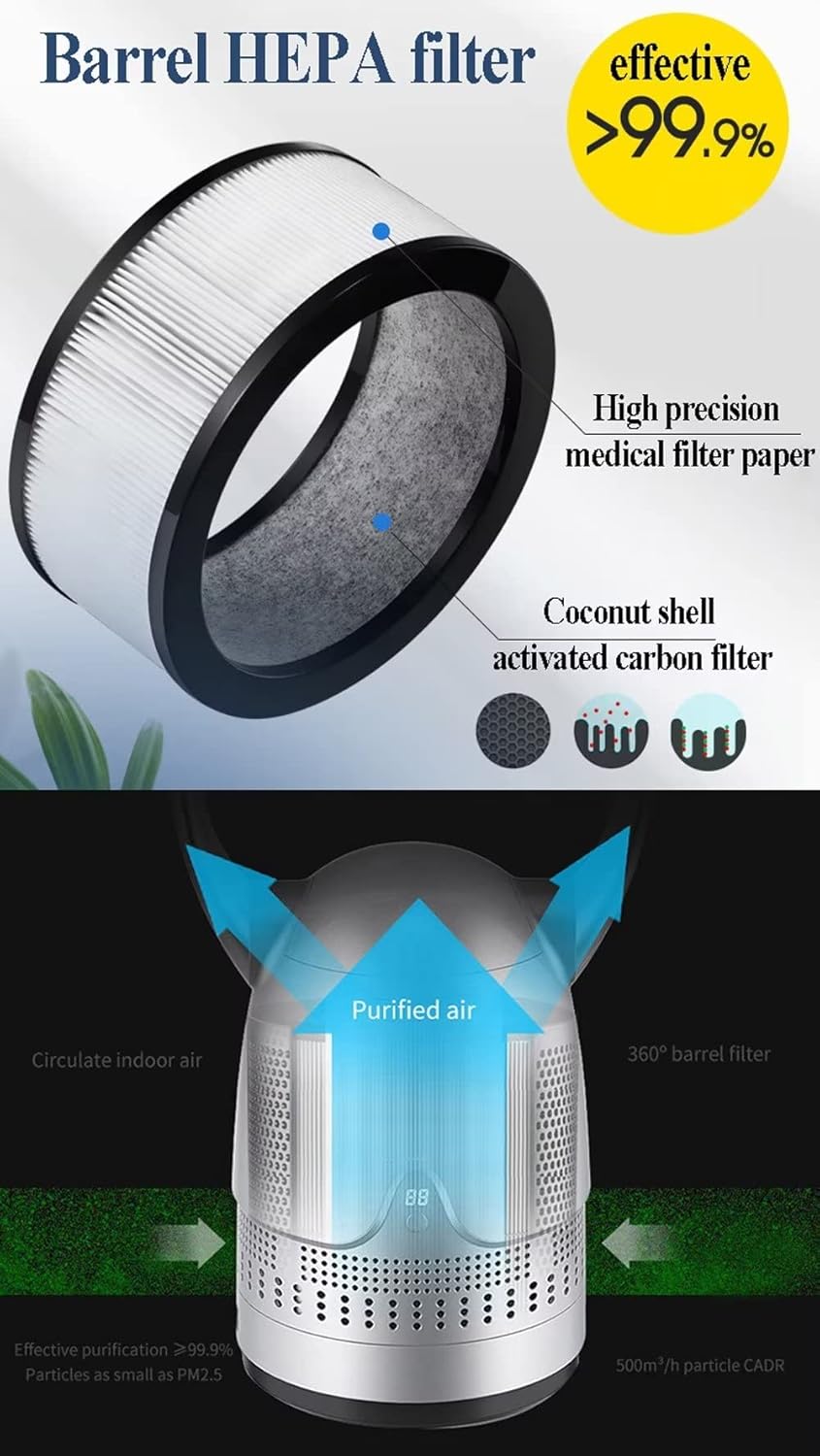
Image 3.4: Detailed view of the barrel HEPA filter, indicating its high precision medical filter paper and coconut shell activated carbon components.
4. Setup
4.1 Unpacking
- Carefully remove all components from the packaging.
- Retain packaging materials for future storage or transport.
- Inspect the fan for any signs of damage. Do not operate if damaged.
4.2 Remote Control Battery Installation
- The remote control does not include batteries. You will need to prepare appropriate batteries (typically AAA, though not specified, check remote for markings).
- Open the battery compartment on the back of the remote control.
- Insert the batteries, ensuring correct polarity (+/-).
- Close the battery compartment securely.
4.3 Placement
- Place the fan on a firm, level surface.
- Ensure there is adequate space around the fan for optimal airflow and oscillation (do not cover the air inlet).
- Keep the fan away from curtains, drapes, or any objects that could obstruct airflow or be drawn into the unit.
4.4 Power Connection
- Plug the power cord into a standard electrical outlet (110V-220V, 50Hz).
- Ensure the power cord is not pinched or placed under heavy objects.
5. Operating Instructions
The fan can be operated using the control panel on the unit or the provided remote control. For remote control operation, aim the remote at the LED display on the fan.
5.1 Power On/Off
- Press the Power button (O/I) on the control panel or remote to turn the fan on or off.
5.2 Adjusting Fan Speed
- The fan offers 8 different speed settings.
- Press the Speed button (+/- or fan icon) on the control panel or remote to cycle through the speeds. The current speed will be indicated on the LED display.

Image 5.1: Illustration of the fan's 8 wind speed settings, suitable for various needs from sleeping to post-workout.
5.3 Oscillation Control
- Press the Oscillation button (usually an arrow icon or 'SWING') on the control panel or remote to activate or deactivate the 120° automatic left and right oscillation.
5.4 Timer Function
- Press the Timer button (clock icon) on the control panel or remote to set the automatic shut-off timer.
- The timer can be set from 1 hour to 7 hours. Each press typically increases the timer by one hour.
5.5 Manual Wind Circle Adjustment
- The wind circle can be manually rotated up and down to adjust the vertical airflow direction. Gently tilt the top ring to the desired angle.
6. Maintenance
Regular maintenance ensures optimal performance and longevity of your fan.
6.1 General Cleaning
- Always unplug the fan before cleaning.
- The bladeless design makes the fan easy to clean. Use a soft, damp cloth to wipe the exterior surfaces.
- Do not use abrasive cleaners, waxes, or solvents as they may damage the surface.
- Ensure no water enters the internal components.
6.2 Air Filter Maintenance
- The fan includes a built-in air purifier filter element (Barrel HEPA filter with activated carbon).
- The frequency of filter cleaning or replacement depends on usage and air quality.
- Refer to the product's filter replacement instructions (if provided separately) or consult the manufacturer for guidance on filter lifespan and replacement.
- Typically, HEPA filters are not washable and should be replaced when dirty or when performance degrades.
6.3 Storage
- If storing the fan for an extended period, unplug it and clean it thoroughly.
- Store the fan in a cool, dry place, preferably in its original packaging, to protect it from dust and damage.
7. Troubleshooting
If you encounter issues with your fan, please refer to the following common problems and solutions:
| Problem | Possible Cause | Solution |
|---|---|---|
| Fan does not turn on. | No power supply. Power button not pressed. | Ensure the fan is properly plugged into a working electrical outlet. Press the Power button firmly. |
| Remote control not working. | Batteries are dead or incorrectly inserted. Remote is out of range or not aimed correctly. | Replace batteries, ensuring correct polarity. Ensure you are within 6 meters of the fan and aiming the remote directly at the LED display. |
| Weak airflow. | Air inlet/outlet obstructed. Fan speed set too low. Filter needs cleaning/replacement. | Ensure nothing is blocking the air inlet or outlet. Increase the fan speed setting. Check and clean or replace the air filter. |
| Unusual noise during operation. | Fan not on a level surface. Internal obstruction. Normal operating noise at high speeds. | Place the fan on a stable, level surface. Unplug the fan and check for any foreign objects. If noise persists, contact support. Note that the fan's noise level can reach 60dB at maximum speed. |
If the problem persists after trying these solutions, please contact customer support.
8. Technical Specifications
| Parameter | Value |
|---|---|
| Item Type | Bladeless Fan / Tower Fan |
| Material | ABS plastic + PC + Copper motor |
| Rated Power | 40W |
| Frequency | 50Hz |
| Working Voltage | 110V-220V |
| Noise Level | 30dB (min) - 60dB (max) |
| Timing Setting | 1h - 7h |
| Wind Speed Setting | 8 speeds |
| Oscillation Angle | 120° |
| Main Cable Length | 1.5m |
| Operation Method | Remote control |
| Effective Remote Distance | 6 meters |
| Product Dimensions (Small) | 22 x 22 x 73 cm |
| Product Weight | 2.6 kg |
| Model Number | 9eb0138f-ad7f-427a-a8e8-76bb7ca6d5f4 |
| Included Components | Remote |
| Room Type | Bedroom, Home Office, Living Room |
9. Warranty and Support
Manufacturer Information
Brand: Generic
Manufacturer: Generic
Model Number: 9eb0138f-ad7f-427a-a8e8-76bb7ca6d5f4
Customer Support
For any questions, technical assistance, or warranty inquiries regarding your 2 in 1 Air Purifier Bladeless Tower Fan, please contact the retailer from whom you purchased the product. They will be able to provide information on warranty terms and direct you to appropriate support channels.