
Introduction
Thank you for choosing the COULAX Sonic Electric Toothbrush. This manual provides detailed instructions for the proper use, maintenance, and care of your new toothbrush. Please read this manual thoroughly before first use to ensure optimal performance and longevity of the product.
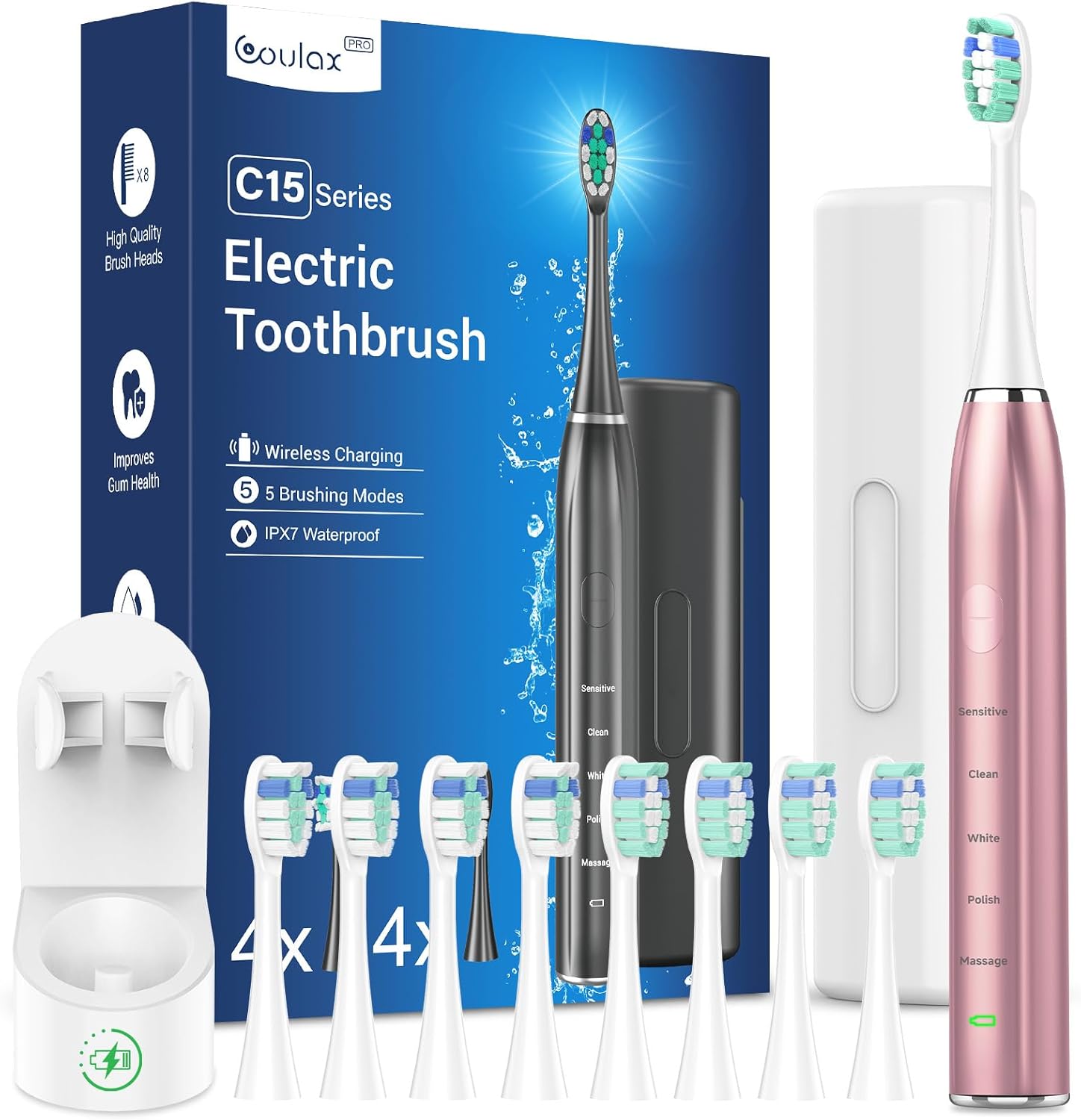
Image: The COULAX Sonic Electric Toothbrush package, including the toothbrush handle, 8 replacement brush heads, and the wireless charging base.
Package Contents
- 1 x COULAX Sonic Electric Toothbrush Handle
- 8 x Replacement Brush Heads
- 1 x Wireless Charging Station
- 1 x Wall Mount Holder
- 1 x USB Charging Cable
- 1 x User Manual

Image: All components included in the package: the toothbrush, eight brush heads, the charging station, and a travel case.
Setup
1. Initial Charging
Before first use, fully charge the toothbrush. Place the toothbrush handle onto the wireless charging station. Connect the USB charging cable to the charging station and a suitable USB power adapter (not included). The indicator light on the toothbrush will show charging status. A full charge provides approximately 60 days of use.

Image: The COULAX toothbrush placed on its wireless charging station, which is connected to a power source, illustrating the charging process.
2. Attaching a Brush Head
Align the brush head with the metal shaft on the toothbrush handle and push it down firmly until it clicks into place. Ensure it is securely attached before use.
3. Installing the Wall Mount
The convenient wall mount can be affixed to a clean, dry, smooth surface in your bathroom using the adhesive backing. Ensure the surface is free of dust and moisture for secure attachment. Once installed, the toothbrush can be stored hygienically on the wall mount.

Image: The COULAX toothbrush shown mounted on a bathroom wall holder for home use and also packed in its slim travel case for portability.
Operating Instructions
1. Power On/Off and Mode Selection
Press the power button to turn the toothbrush on. Press the power button repeatedly to cycle through the 5 cleaning modes: Sensitive, Clean, White, Polish, and Massage. Press and hold the power button to turn the toothbrush off.
2. Cleaning Modes Description
- Sensitive: Gentle cleaning for sensitive teeth and gums.
- Clean: Standard daily cleaning for effective plaque removal.
- White: Designed to remove surface stains for brighter teeth.
- Polish: For polishing teeth to enhance shine.
- Massage: Gently massages gums to improve circulation and gum health.
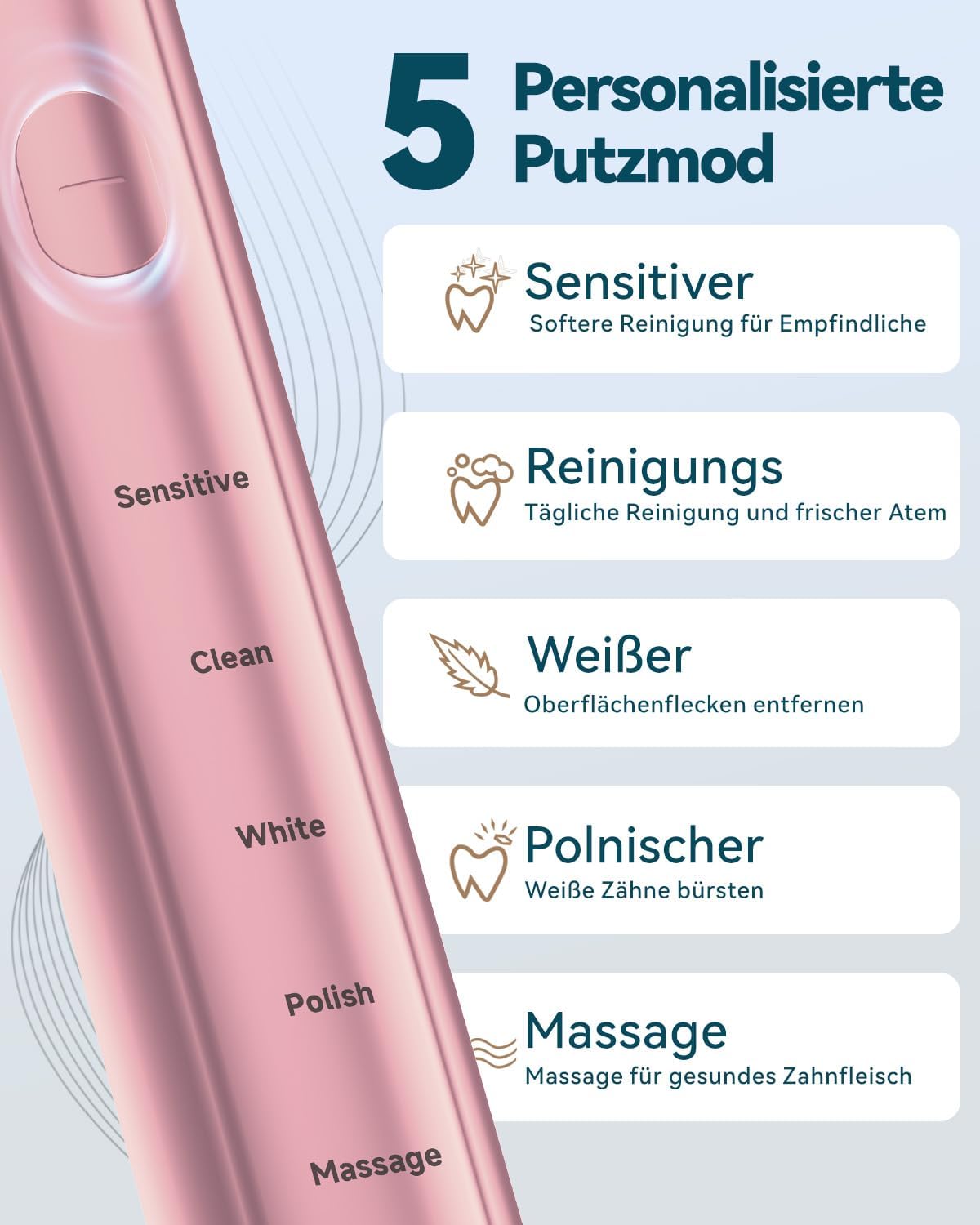
Image: A close-up of the COULAX toothbrush handle, highlighting the five distinct cleaning modes available for selection.
3. Brushing Technique and Timer
Apply a small amount of toothpaste to the brush head. Place the brush head against your teeth at a slight angle towards the gumline. Move the brush slowly across each tooth surface. The toothbrush features a 2-minute smart timer to ensure the dentist-recommended brushing time. Additionally, a 30-second interval timer signals when to move to the next quadrant of your mouth, ensuring thorough cleaning of all areas.

Image: A visual representation of the recommended brushing technique, demonstrating the 2-minute overall timer and 30-second quadrant reminders for comprehensive cleaning.
Maintenance
1. Cleaning the Toothbrush
After each use, rinse the brush head thoroughly under running water. Wipe the toothbrush handle with a damp cloth. Do not immerse the handle in water for extended periods, although it is IPX7 waterproof for normal use.
2. Replacing Brush Heads
Dentists recommend replacing your toothbrush head every 3 months, or sooner if the bristles become frayed. Your COULAX toothbrush comes with 8 replacement brush heads, providing a supply for up to 2 years.

Image: The COULAX toothbrush handle alongside eight new replacement brush heads, emphasizing the two-year supply.
3. Charging Station Care
Keep the charging station clean and dry. Disconnect it from the power source before cleaning. Wipe with a soft, damp cloth. Do not use abrasive cleaners.
Troubleshooting
| Problem | Possible Cause | Solution |
|---|---|---|
| Toothbrush does not turn on. | Battery is depleted. | Place the toothbrush on the charging station and ensure it is connected to power. Allow it to charge for several hours. |
| Weak vibration or reduced performance. | Low battery or worn-out brush head. | Charge the toothbrush fully. Replace the brush head if it has been used for more than 3 months or shows signs of wear. |
| Brush head does not stay on. | Brush head not properly attached or damaged. | Ensure the brush head is pushed down firmly until it clicks. If damaged, replace with a new brush head. |
| Charging indicator not working. | Charging station or cable issue. | Check the USB cable connection and the power adapter. Try a different USB port or adapter. Ensure the toothbrush is correctly seated on the charging station. |
Specifications
| Model Number | WS-7005 |
| Brand | Coulax Pro |
| Product Type | Sonic Electric Toothbrush |
| Power Source | Battery Powered (1 A battery included) |
| Vibration Frequency | Up to 40,000 RPM |
| Cleaning Modes | 5 (Sensitive, Clean, White, Polish, Massage) |
| Timer | 2-minute smart timer with 30-second interval reminders |
| Battery Life | Approx. 60 days per full charge |
| Waterproof Rating | IPX7 |
| Brush Head Type | Oval, Soft Bristles |
| Package Dimensions | 19.6 x 13 x 4.4 cm |
| Weight | 310 grams |
| Country of Origin | China |
Warranty and Support
For warranty information and customer support, please refer to the contact details provided with your product packaging or visit the official Coulax Pro website. Keep your purchase receipt as proof of purchase for any warranty claims.
Manufacturer: Wenzhou Liangte Electric Co., Ltd.