
Introduction
Thank you for purchasing the KOO Kaya Remote Control Double-Sided Stunt Car. This manual provides essential information for the safe and proper operation, maintenance, and troubleshooting of your new RC car. Please read it thoroughly before use and retain it for future reference.
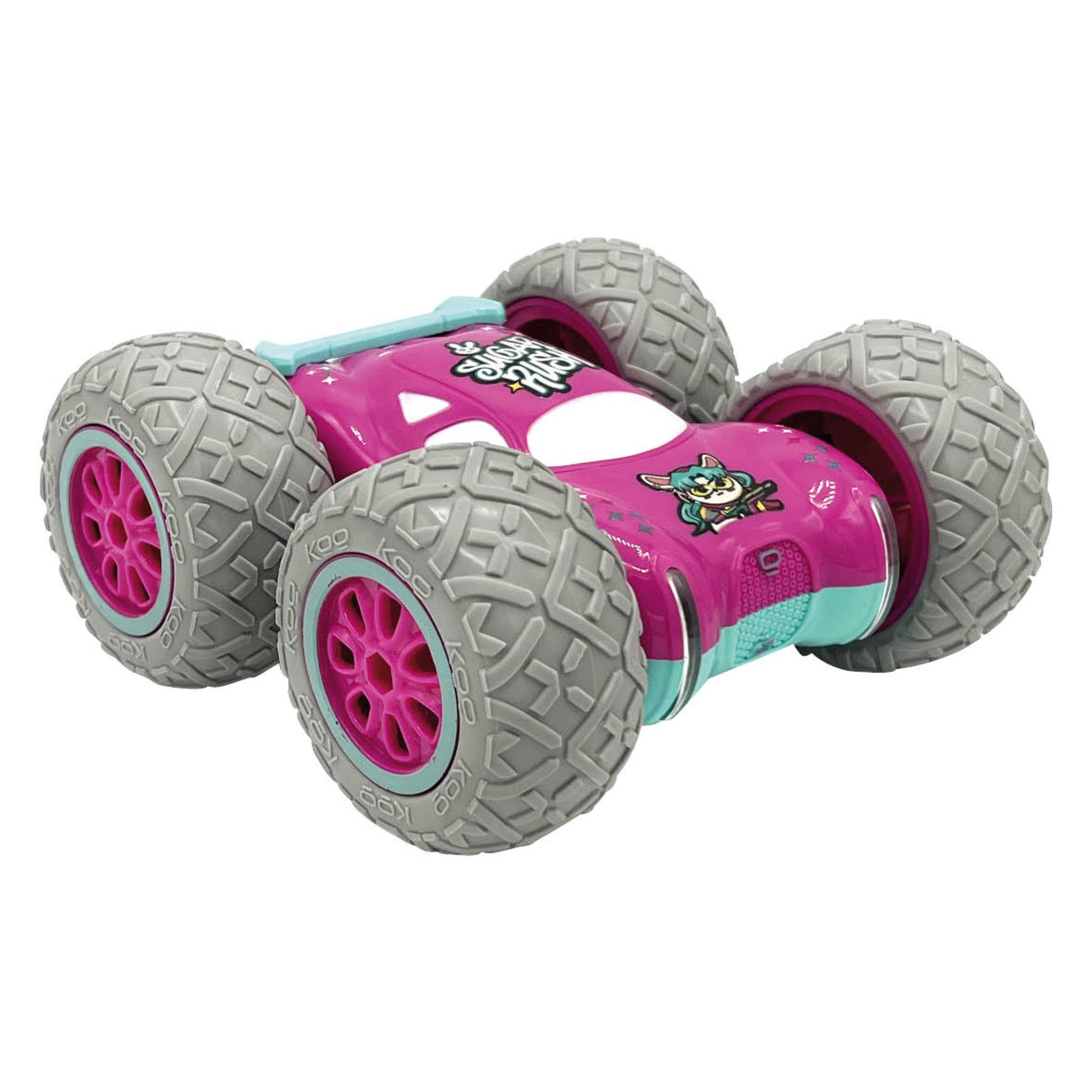
Image: The KOO Kaya Remote Control Double-Sided Stunt Car, showcasing its robust design and large wheels, ready for action.
Safety Information
WARNING:
- Not suitable for children under 36 months due to small parts. Choking hazard.
- This toy produces flashes that may trigger epilepsy in sensitized individuals.
- Adult supervision is recommended during play.
- Do not operate near roads, water, or in crowded areas.
- Ensure batteries are inserted with correct polarity. Do not mix old and new batteries.
- Rechargeable batteries are only to be charged under adult supervision.
What's in the Box
The package includes the following components:
- 1 x KOO Kaya Remote Control Car
- 1 x Rechargeable Battery for the car
- 1 x Remote Control
- 1 x USB Charger Pack
Note: 3 AAA batteries for the remote control are not included and must be purchased separately.

Image: The KOO Kaya RC car and its accompanying remote control, showing the complete set of main components.
Setup
1. Remote Control Battery Installation
- Locate the battery compartment on the back of the remote control.
- Open the battery compartment cover.
- Insert 3 AAA batteries (not included), ensuring correct polarity (+/-).
- Close the battery compartment cover securely.
2. Car Battery Installation and Charging
- Locate the battery compartment on the underside of the RC car.
- Open the battery compartment and connect the rechargeable battery.
- Close the battery compartment securely.
- To charge the car's battery, connect the USB charger to a power source (e.g., USB wall adapter, computer USB port).
- Insert the rechargeable battery into the USB charger. The indicator light on the charger will show the charging status.
- Once fully charged, disconnect the battery from the charger.
3. Powering On and Pairing
- Turn on the power switch on the RC car.
- Turn on the power switch on the remote control.
- The car and remote control will automatically pair. Once paired, you are ready to operate the car.
Operating Instructions
The KOO Kaya RC car is designed for dynamic play with its double-sided driving and stunt capabilities. The 2.4GHz remote control ensures a stable connection and allows multiple cars to be played simultaneously without interference.
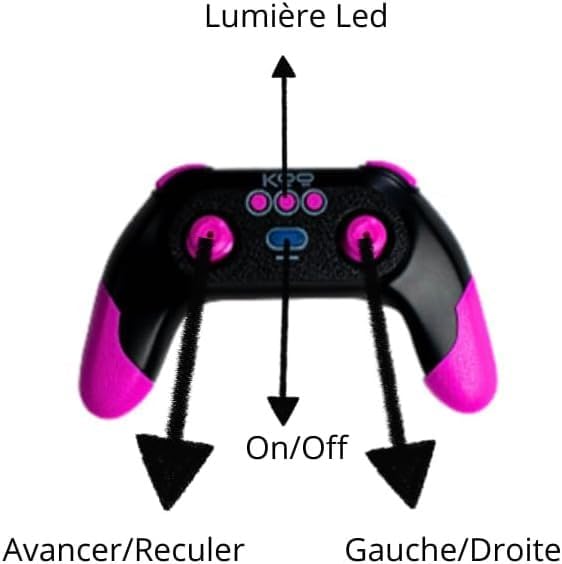
Image: Diagram of the remote control, indicating the functions of its buttons and joysticks for LED light control, power, forward/backward movement, and left/right steering.
Basic Controls:
- Forward/Backward: Use the left joystick (or indicated control) to move the car forward or backward.
- Turn Left/Right: Use the right joystick (or indicated control) to steer the car left or right.
- LED Lights: Press the designated button (as shown in the diagram) to control the car's LED lights.
Stunt Features:
- 360° Rotation: Experiment with joystick combinations to perform 360-degree spins.
- Double-Sided Driving: The car is designed to continue driving even after flipping over, allowing for continuous play and stunts.
- All-Terrain Capability: With its robust tires, the Kaya car can be used on various surfaces including sand, grass, and other terrains.
Maintenance
- Cleaning: Use a soft, dry cloth to clean the car and remote control. Avoid using water or chemical cleaners, as they can damage electronic components.
- Battery Care:
- Always remove batteries from the remote control if not in use for an extended period.
- Ensure the rechargeable car battery is fully charged before storage to prolong its lifespan.
- Do not overcharge or completely discharge the rechargeable battery.
- Storage: Store the car and remote control in a cool, dry place away from direct sunlight and extreme temperatures.
Troubleshooting
| Problem | Possible Cause | Solution |
|---|---|---|
| Car does not respond to remote. |
|
|
| Car moves slowly or inconsistently. |
|
|
| LED lights are not working. |
|
|
Specifications
- Brand: KOO
- Model Name: KAYA
- Model Number: KAB_KOO_0007
- Material: Plastic
- Color: Rose
- Age Range (Description): Child (5-12 years recommended)
- Power Source: Battery Powered (Rechargeable for car, AAA for remote)
- Special Features: 2.4GHZ anti-interference, 360-degree rotation and flip, shockproof all-terrain, LED lights
- Maximum Speed: 8 Kilometers per hour
- Dimensions: 14.5 x 14 x 6.6 centimeters
- Educational Objective: Develop hand-eye coordination, fine motor skills, strategic thinking, and creativity.
- Country of Origin: China
Warranty
This product is covered by a legal warranty. For specific details regarding the warranty period and terms, please refer to your purchase documentation or contact the retailer.
Support
If you encounter any issues not covered in this manual or require further assistance, please contact KOO customer support through the retailer's website or the contact information provided with your purchase.


