
REACHER GQ01
REACHER 16.5" Large Digital Wall Timer Clock
Model: GQ01
Introduction
Thank you for choosing the REACHER 16.5" Large Digital Wall Timer Clock. This versatile device features a large LED display, countdown/count-up timer, automatic dimmer, temperature display, and convenient remote control. Designed for various environments such as offices, homes, kitchens, living rooms, gyms, and classrooms, it provides clear and accurate timekeeping and environmental information.

The REACHER 16.5" Large Digital Wall Timer Clock, shown with its remote control, features a clear digital display for time and temperature.
Setup
Package Contents
Before you begin, please ensure all items are present in the package:
- REACHER 16.5" Digital Wall Timer Clock
- Remote Control
- Power Adapter
- Measuring Card for Installation
- Mounting Hardware (screws, anchors)
- User Manual (this document)

An illustration of the items included in the product packaging, such as the clock unit, remote, power adapter, and installation tools.
Power Connection
The clock is designed to be outlet powered. Connect the provided power adapter to the clock's power input port and then plug it into a standard electrical outlet. The clock will power on automatically.
Note:
- Memory Function: The clock features a memory function. A 1* AAA battery (not included) can be installed to save time and settings during power outages. However, the screen will remain blank with battery power only; the clock requires outlet power to display information.
Mounting and Placement
The clock can be wall-mounted or placed on a desktop. For wall mounting, use the provided measuring card to mark the desired position for the screws. The clock features an embedded cable tidy compartment to manage the 9.84 ft long power wire, ensuring a clean and organized appearance.

The back of the clock unit, highlighting the integrated cable tidy compartment for neat wire management.

The clock can be used as a desktop display or easily mounted on a wall using the provided measuring card.
Operating Instructions
Time and Temperature Display
The large 9.4×4.3-inch digits provide clear time and indoor temperature readings simultaneously. The clock supports both 12-hour and 24-hour time formats.

The 16.5-inch large LED display ensures clear visibility of time and temperature from all angles.
Adjusting Brightness (Auto/Manual Dimmer)
The built-in light sensor automatically adjusts the display brightness based on ambient light conditions, ensuring comfortable viewing at all times. You can also manually adjust the brightness using the remote control.

The clock features an auto dimmer function, automatically adjusting brightness according to ambient light for optimal readability.

The clock offers both automatic and manual custom dimming, ensuring it is not eye-dazzling in the dark but clearly readable in the light.
Countdown/Count-up Timer
The clock functions as both a countdown and count-up timer. The maximum timer duration is 99 minutes and 59 seconds. The remote control provides 7 convenient countdown shortcuts:
- 30 seconds
- 1 minute
- 3 minutes
- 5 minutes
- 10 minutes
- 15 minutes
- 30 minutes

The clock features 7 shortcut buttons on the remote for quick countdown settings, making it ideal for workouts or timed activities.
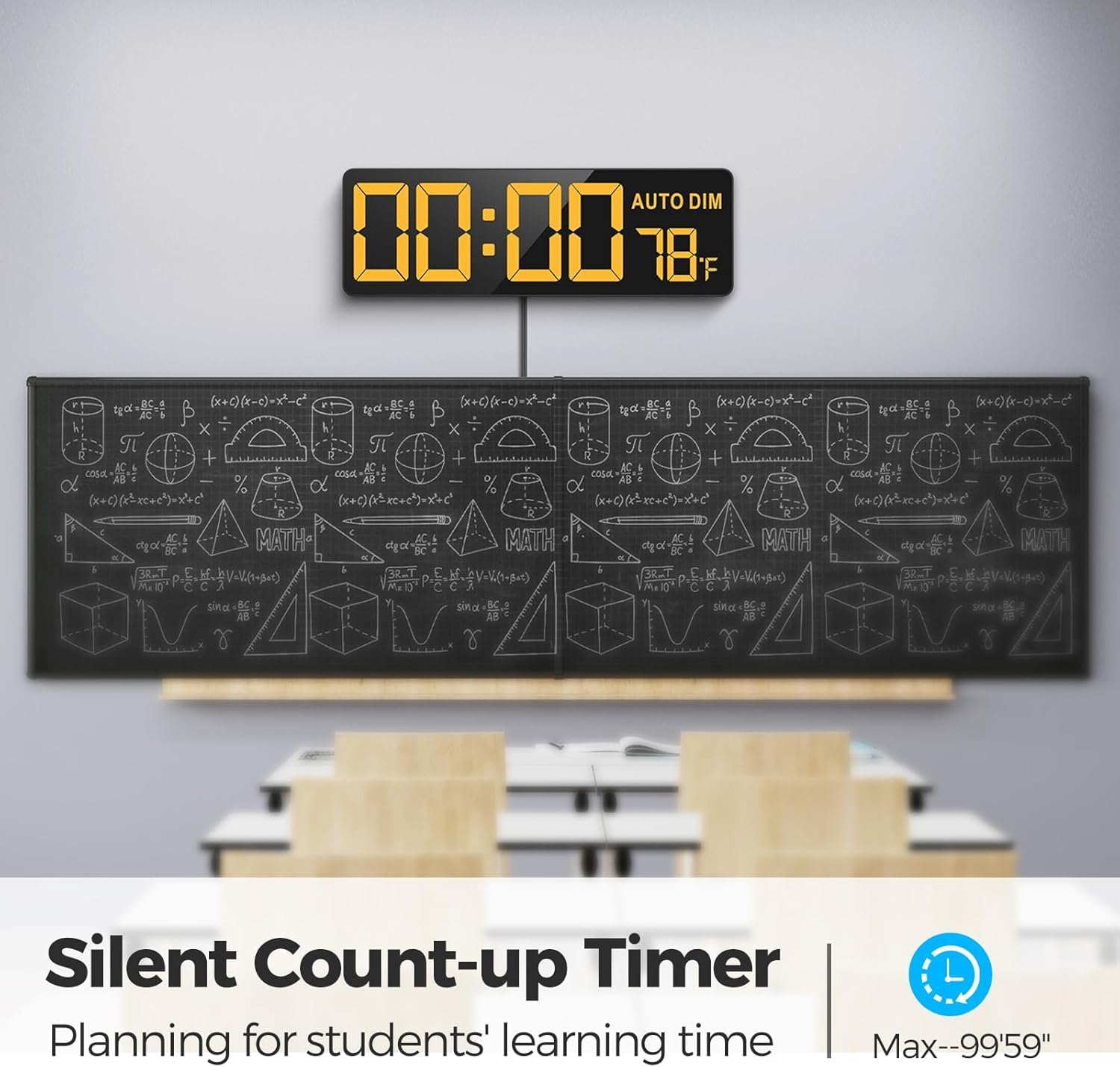
The silent count-up timer function is useful for planning and tracking student learning time in a classroom environment.
Timer Beep and Volume Adjustment
The timer beep has 30 adjustable volume levels, allowing you to set it to your preferred loudness for notifications.
Color Options
Choose from 12 color options for the display digits, including 4 gradients and a dynamic rainbow display, to match your preference or environment.

The clock offers 12 selective colors, allowing for personalization of the display to suit various settings.

Explore 11 charming colors and a dynamic color-changing mode to enhance your living space.
Remote Control Operation
The remote control allows for easy operation of all clock functions from a distance of up to 29.5 feet with a wide receive angle. The silent silicone buttons prevent annoying beeps during operation.

The easy-operated remote control provides convenient access to all clock functions, featuring silent buttons and a wide infrared receive angle.
Maintenance
Cleaning
To clean the clock, gently wipe the display and casing with a soft, dry cloth. Avoid using abrasive cleaners or solvents, as they may damage the surface.
Battery Replacement (Backup)
If you use the optional AAA backup battery, replace it annually or when the clock fails to retain settings during a power outage. Ensure correct polarity when inserting the new battery.
Troubleshooting
| Problem | Possible Cause | Solution |
|---|---|---|
| Clock time does not advance or is incorrect. | Not continuously powered by outlet; backup battery depleted or not installed. | Ensure the clock is continuously plugged into a working electrical outlet. If using the backup battery, replace it with a fresh 1* AAA battery. The backup battery only saves settings, it does not power the display. |
| Remote control is unresponsive. | Remote battery depleted; obstruction between remote and clock; remote out of range. | Replace the remote control battery. Ensure there are no obstructions between the remote and the clock's sensor. Operate the remote within the effective distance of 29.5 feet and within the wide receive angle. |
| Remote control interferes with other electronic devices (e.g., TV). | Infrared signal overlap with other devices. | Try to operate the remote from a different angle or distance. If possible, reposition the clock or the interfering device. |
| Display is blank when only on battery power. | Normal operation. | The backup battery only retains settings and time during a power outage. The clock requires continuous outlet power for the display to function. |
Specifications
| Feature | Detail |
|---|---|
| Brand | REACHER |
| Model Number | GQ01 |
| Dimensions (W x H) | 17.32" x 6.38" |
| Display Type | Digital LED |
| Power Source | Corded Electric |
| Backup Battery | 1 x CR2032 (not included) - for memory function only |
| Material | Acrylonitrile Butadiene Styrene (ABS) |
| Item Weight | 2.12 Pounds |
| Special Features | Silent Clock, Timer, Temperature Display, Auto Dimmable, Remote Control |
| Remote Control Range | Up to 29.5 feet |
| Timer Max Duration | 99 minutes, 59 seconds |
| Display Colors | 12 options (including gradients and rainbow) |
Warranty
The REACHER 16.5" Large Digital Wall Timer Clock comes with a 12-month warranty from the date of purchase. This warranty covers manufacturing defects and workmanship under normal use. Please retain your proof of purchase for warranty claims. The warranty does not cover damage caused by misuse, accident, unauthorized modification, or improper installation.
Support
For any questions, technical assistance, or warranty claims, please contact REACHER customer support. Refer to the contact information provided on the product packaging or the official REACHER website.
Ask a question about this manual
Ask about setup, troubleshooting, compatibility, parts, safety, or missing instructions. Manuals+ will review the question and use this page’s manual context to help answer it.