
CAMECHO P4=9'(DVR)+2*Caméras
CAMECHO 9-inch Wired Reversing Camera and Monitor Kit
Model: P4=9'(DVR)+2*Caméras
User Manual
Introduction
Thank you for choosing the CAMECHO 9-inch Wired Reversing Camera and Monitor Kit. This system is designed to enhance safety and convenience for large vehicles such as buses, trucks, trailers, and RVs. Featuring a 9-inch HD monitor with DVR functionality and two waterproof cameras with night vision, this kit provides a reliable and clear view of your surroundings. Please read this manual thoroughly before installation and operation to ensure proper use and optimal performance.
Safety Information
- Always ensure the vehicle's power is off before beginning installation to prevent electrical shock.
- Route cables carefully to avoid pinching, abrasion, or interference with vehicle moving parts.
- Do not attempt to disassemble or modify the product. Unauthorized modifications may void the warranty and pose safety risks.
- This system is an aid for safe driving and should not replace careful observation and judgment.
- Ensure all connections are secure and waterproof, especially for external components.
Package Contents
Please verify that all items listed below are included in your package:
- 1x 9-inch HD Monitor
- 2x Waterproof Cameras
- 2x 10-meter Extension Cables
- 1x Cigarette Lighter Power Adapter
- 1x Power Cable
- 1x Remote Control
- 1x 32GB SD Card
- 1x Screw Kit for Camera Installation
- 1x User Manual (this document)

Image: Overview of the CAMECHO 9-inch Wired Reversing Camera and Monitor Kit, showing the monitor, two cameras, extension cables, remote control, and 32GB SD card.
Setup and Installation
The CAMECHO system is designed for straightforward installation. Follow these steps carefully:
1. Mounting the Monitor
Choose a suitable location in your vehicle's cabin for the 9-inch monitor. Ensure it does not obstruct your view or interfere with airbags. Use the provided mounting bracket to securely attach the monitor to the dashboard or overhead console. The monitor features multi-angle adjustment for optimal viewing.

Image: Diagram showing the dimensions of the 9-inch monitor and its control buttons (Power, Increase, Reduce, Switch Channels, Menu, SEL).

Image: Illustration of the multi-angle adjustment feature for both the monitor and the cameras, allowing flexible positioning.
2. Mounting the Cameras
Install the two waterproof cameras at desired locations, typically at the rear of the vehicle for reversing and potentially another location for side or front view. Ensure the cameras have a clear, unobstructed view. Use the provided screw kit for secure mounting. The cameras are IP69 waterproof rated, suitable for all weather conditions.

Image: Close-up of the camera highlighting its IP69 waterproof and shock-resistant body, shown in a rainy environment.
3. Wiring the System
The system uses a wired connection for stable signal transmission. Connect the cameras to the monitor using the provided 10-meter extension cables. The monitor and cameras are powered by a single power source, simplifying installation. Connect the monitor's power cable to a suitable 12V-35V power source in your vehicle, such as the cigarette lighter adapter, fuse box, or ACC power.
- Connect the video lines from the cameras to the V1 and V2 video inputs on the monitor.
- Connect the main power cable from the monitor to your vehicle's power supply (ACC, B+, GND).
- For automatic display when reversing, connect the "Trigger2" wire to your vehicle's reverse light power wire.

Image: Detailed wiring diagram illustrating how to connect the two cameras to the monitor's V1 and V2 inputs, and the monitor's power connections (ACC, B+, GND, Trigger2) to the vehicle's electrical system.

Image: Diagram showing the wired connection setup for the CAMECHO system, suitable for various vehicles (12V-35V), including trucks, buses, and vans, emphasizing the 10-meter cable length.
Operating Instructions
1. Powering On/Off
Once connected to power, the monitor will automatically turn on when the vehicle ignition is on (if connected to ACC). Press the POWER button on the monitor or remote control to manually turn the unit on or off.
2. Switching Camera Channels
The monitor supports two camera inputs (V1 and V2). Press the CH- or CH+ buttons (or the corresponding button on the remote) to switch between camera views. The system can display a single camera view or a split-screen view of both cameras simultaneously.

Image: Diagram illustrating the easy installation and the two-channel display options: single screen view for one camera and split screen view for both cameras simultaneously.
3. Menu Navigation
Press the MENU button to access the monitor's settings. Use the Increase and Reduce buttons to navigate through options and the SEL button to confirm selections. Settings include brightness, contrast, color, mirroring, and parking guidelines.
4. DVR Recording Function
The monitor includes a DVR function for continuous recording. Insert the provided 32GB SD card into the designated slot on the monitor. The system will automatically begin loop recording, overwriting the oldest footage when the card is full. This feature acts as a dash cam, providing security and recording travel footage.

Image: Graphic illustrating the intelligent loop recording feature, showing a camera and monitor with a film strip, indicating automatic overwriting of old video when the 32GB SD card is full.
5. Parking Guidelines and Image Flip
The system provides reliable parking guidelines on the screen to assist with reversing. These guidelines can be turned ON or OFF via the menu. Additionally, the image can be flipped (mirror view) on the monitor, which is useful for proper orientation during reversing maneuvers.

Image: Illustration of the HD reversing image feature, showing a truck with a clear view on the monitor, complete with accurate reversing auxiliary lines for parking assistance.
Key Features
- Wired Connection for Stable Signal: Ensures a clear and stable video feed without interference, unlike wireless systems.
- 9-inch HD Monitor with Dual Channel Support: Large display for clear viewing, capable of showing one or two camera feeds simultaneously.
- Integrated DVR Functionality: Records continuous footage to the included 32GB SD card, acting as a security and travel recording system.
- IP69 Waterproof Cameras: Designed to withstand harsh weather conditions, providing reliable performance in rain, snow, and dust.
- Clear Night Vision: Cameras are equipped with LED night vision lenses to provide clear images even in low-light environments, enhancing safety during nighttime operations.
- 150-Degree Wide Angle View: The cameras offer a broad field of view, minimizing blind spots and providing comprehensive coverage of the rear or side areas.
- Adjustable Parking Guidelines: Customizable on-screen guidelines assist with precise parking and reversing maneuvers.
- Sunshade Design: The monitor features an integrated sunshade to reduce glare and improve screen visibility in bright sunlight.
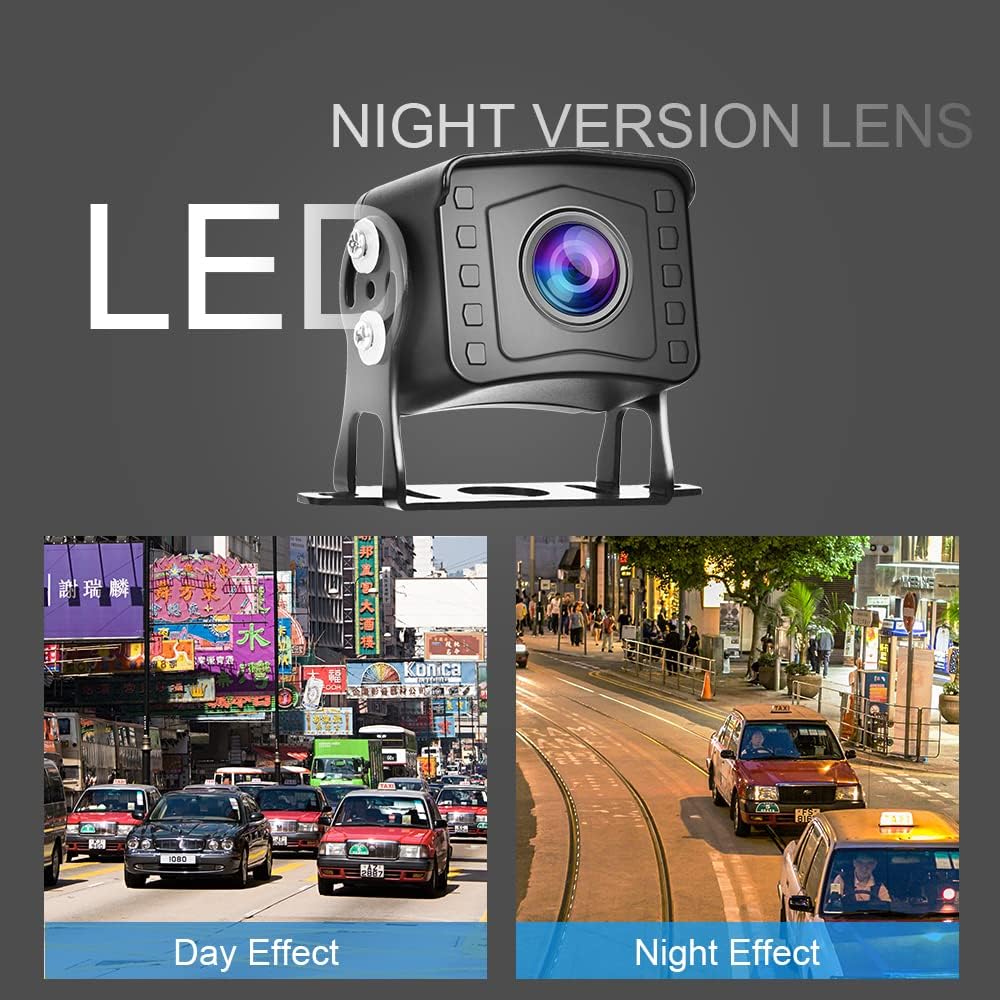
Image: Comparison showing the effectiveness of the night vision lens, displaying clear images in both day and night conditions.

Image: Illustration of the camera's 150-degree wide vision, showing a broad view behind a bus.

Image: The monitor featuring a sunshade design to prevent glare and improve visibility in bright conditions.
Maintenance
- Cleaning: Use a soft, damp cloth to clean the monitor screen and camera lenses. Avoid abrasive cleaners or solvents that could damage surfaces.
- Cable Inspection: Periodically check all cables and connections for signs of wear, damage, or corrosion. Ensure they remain securely fastened.
- SD Card Management: For optimal DVR performance, it is recommended to format the SD card periodically (e.g., once a month) using the monitor's menu settings. Back up any important recordings before formatting.
- Camera Lens Clarity: Ensure camera lenses are free from dirt, mud, snow, or ice to maintain clear image quality.
Troubleshooting
| Problem | Possible Cause | Solution |
|---|---|---|
| No image on monitor |
|
|
| Image is blurry or distorted |
|
|
| DVR not recording |
|
|
| No automatic switch to reverse view |
|
|
Specifications
| Brand | CAMECHO |
| Model | P4=9'(DVR)+2*Caméras |
| Screen Size | 9 Inches |
| Display Technology | LCD |
| Video Recording Resolution | 1080p |
| Operating Voltage | 12V - 35V DC |
| Optical Sensor Technology | CMOS |
| Lens Type | Wide angle, fixed |
| Connector Type | RCA |
| Camera Waterproof Rating | IP69 |
| Special Features | DVR Function, Night Vision, Parking Guidelines, Image Flip, Sunshade Design |
Warranty and Support
This CAMECHO product comes with a one-year warranty from the date of purchase, as stated in the product features. For technical support, troubleshooting assistance, or warranty claims, please contact CAMECHO customer service through the retailer's platform or the official CAMECHO website. Please have your purchase receipt and product model information ready when contacting support.
For more information, visit the CAMECHO Brand Store.