
Introduction
This manual provides essential instructions for the setup, operation, maintenance, and troubleshooting of your AWC Gabby's Dollhouse Digital Flashing LCD Watch (Model GAB4065AC). Please read this manual thoroughly to ensure proper use and longevity of your watch.
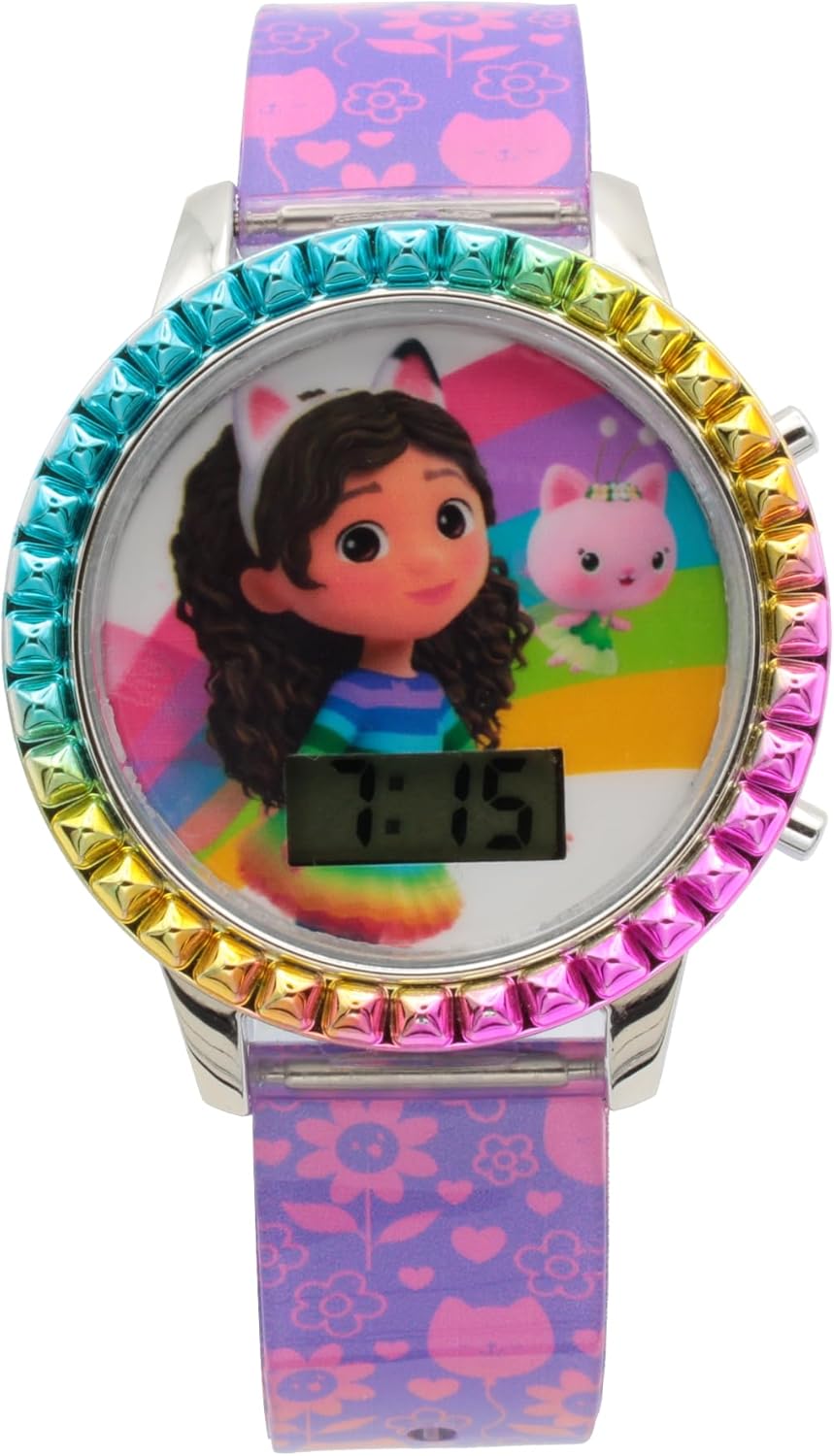
Image Description: A front view of the Gabby's Dollhouse Digital Flashing LCD Watch. The watch features a purple strap with various colorful cat and flower patterns. The watch face displays Gabby and a pink cat character on a rainbow background, with a digital time display at the bottom showing '7:15'. The bezel around the watch face is adorned with small, colorful, square studs in a rainbow gradient.
Setup
Initial Activation
Your watch may come with a small plastic tab inserted into the crown or button area to preserve battery life during shipping. Gently pull and remove this tab before first use. If the display does not activate, proceed to battery installation instructions in the Maintenance section.
Setting the Time
- Locate the buttons on the side of the watch case. Typically, there are two buttons: one for display/mode and one for setting.
- Press the Mode button (usually the bottom right button) repeatedly until the hour digits begin to flash.
- Press the Set button (usually the top right button) to advance the hour. Continue pressing until the correct hour is displayed. Pay attention to AM/PM if your watch has a 12-hour format.
- Press the Mode button again to move to the minute digits. The minute digits will begin to flash.
- Press the Set button to advance the minutes until the correct minute is displayed.
- Press the Mode button one more time to exit the setting mode. The time is now set.

Image Description: A side view of the Gabby's Dollhouse Digital Flashing LCD Watch. This angle clearly shows the two silver buttons on the right side of the watch case, used for setting the time. The colorful studded bezel and the patterned purple strap are also visible.
Operating Instructions
Time Display
The watch continuously displays the current time (hours and minutes) on its LCD screen. Some models may also show seconds or date by pressing the Mode button once.
Flashing Function
This watch features a flashing LCD display. To activate the flashing lights, press the Set button once. The lights around the watch face will flash for a few seconds. This feature is for novelty and visual appeal.
Maintenance
Cleaning
To clean your watch, gently wipe the watch face and strap with a soft, dry cloth. For stubborn dirt, a slightly damp cloth can be used, but ensure no moisture enters the watch casing.
Battery Replacement
When the display becomes dim or stops working, the battery needs to be replaced. This watch uses a standard watch battery (e.g., SR626SW or equivalent). Battery replacement should ideally be performed by a qualified technician to avoid damaging the watch or compromising its internal components. If attempting yourself, carefully remove the back cover using a small screwdriver or watch tool, replace the old battery with a new one, ensuring correct polarity, and securely reattach the back cover.
Water Resistance
IMPORTANT: This watch is NOT water resistant. Avoid exposing the watch to water, including rain, splashes, showering, or swimming. Water exposure can cause permanent damage to the internal components and will void the warranty.
Troubleshooting
- Watch display is blank or dim:
Check if the battery tab has been removed. If it has, the battery may need replacement. Refer to the 'Battery Replacement' section. - Time is incorrect or not setting:
Ensure you are following the 'Setting the Time' instructions precisely. If the issue persists, the battery may be low, or there could be an internal malfunction. - Flashing function not working:
Verify the battery level. If the battery is low, the flashing feature may not function correctly. If the battery is new and the issue persists, contact customer support. - Watch is damaged after water exposure:
As this watch is not water resistant, any damage due to water exposure is not covered under warranty.
Specifications
- Model Number: GAB4065AC
- Display Type: Digital LCD
- Movement: Quartz
- Power Source: Button Cell Battery (e.g., SR626SW)
- Water Resistance: Not Water Resistant
- Manufacturer: AWC LLC
- Country of Origin: China
- Parcel Dimensions: 16.9 x 7.3 x 3.3 cm
- Weight: 30 g
Warranty and Support
Warranty Information
This AWC Gabby's Dollhouse Digital Flashing LCD Watch comes with a One Year Warranty from the date of purchase. This warranty covers manufacturing defects under normal use. It does not cover damage resulting from misuse, accidents, unauthorized repairs, or water exposure.
Customer Support
For warranty claims, technical assistance, or any questions regarding your watch, please contact AWC customer support:
- Manufacturer: AWC Canada LLC
- Address: 451 Millway Ave, Unit 10, Concord, Ontario L4K 3V6 Canada
- Toll Free: 1-800-414-8329