
1. Product Overview
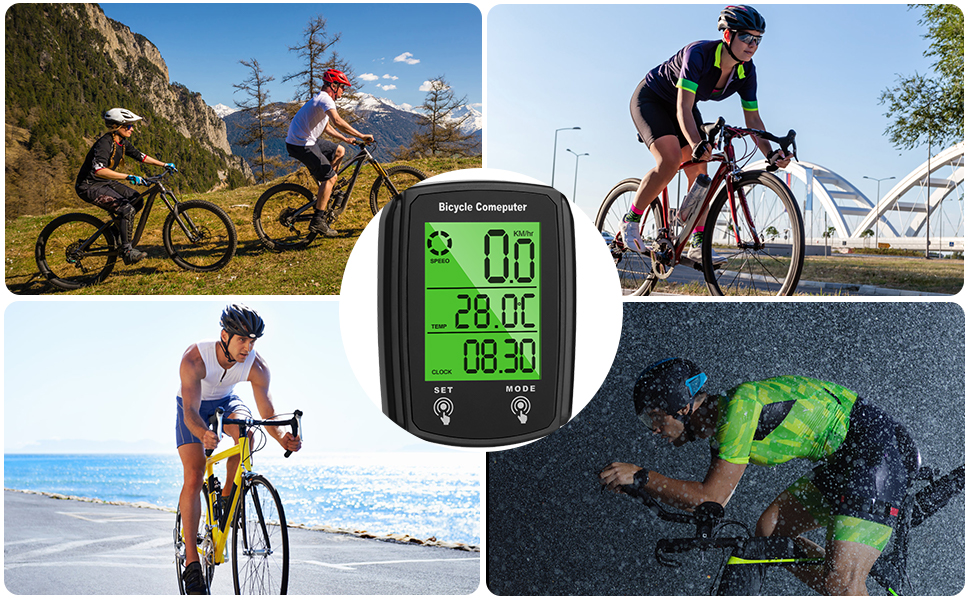
The URAQT Bike Computer is a versatile cycling accessory designed to provide essential riding data. It features a clear LCD backlight display and offers 19 functions to enhance your cycling experience. This device is IP54 waterproof, ensuring reliable performance in various weather conditions.

Front view of the URAQT Bike Computer displaying current speed, temperature, and time.
Key Features:
- 19 Essential Functions for comprehensive ride tracking.
- IP54 Waterproof rating for use in light rain.
- LCD Backlight Display for clear visibility day and night.
- Automatic Start/Stop function to conserve battery.
- Power Saving Mode.
- Touch Screen interface for easy navigation.
- Expansion Bracket for flexible mounting options.
2. Package Contents
Please verify that all components are present in your package:
- 1 x URAQT Bike Computer Unit
- 1 x Universal Mounting Bracket
- 1 x Extension Mounting Bracket (for 22.2-31.8mm handlebar diameter)
- 1 x Speed Sensor with Cable
- 1 x Magnet
- Zip Ties for installation
- 1 x Adhesive Pad
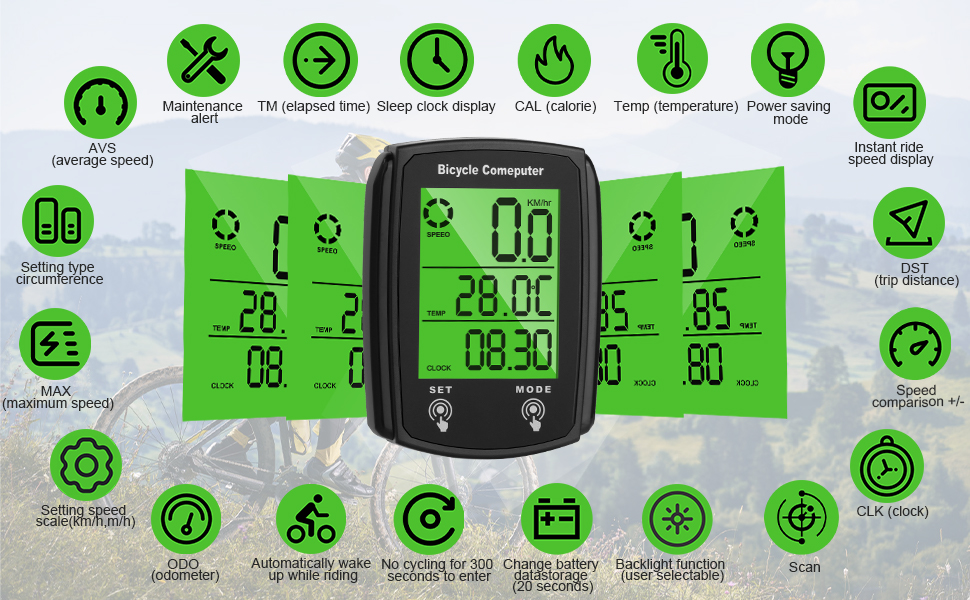
Illustration of the URAQT Bike Computer and its included accessories.
3. Setup and Installation
3.1 Mounting the Bike Computer
- Attach the universal or extension bracket to your bicycle handlebars. Ensure it is securely fastened.
- Slide the URAQT Bike Computer unit onto the bracket until it clicks into place.
3.2 Installing the Speed Sensor and Magnet
- Secure the speed sensor to the front fork of your bicycle using the provided zip ties.
- Attach the magnet to a spoke on your front wheel.
- Adjust the position of the sensor and magnet so that the magnet passes within 5mm of the sensor when the wheel rotates. The magnet should face the sensor.

Proper alignment of the speed sensor and magnet for accurate readings.
Visual guide for installing the bike computer, sensor, and magnet.
3.3 Initial Settings (Wheel Circumference)
Accurate speed and distance readings depend on correct wheel circumference settings. Refer to your bicycle tire for the circumference value (e.g., 2070mm for a 700x23c tire) or measure it manually.
- Press the SET button to enter setting mode.
- Use the MODE button to adjust the digits for wheel circumference.
- Press SET to confirm each digit and move to the next.
- Once the circumference is set, press SET again to exit setting mode.
4. Operating Instructions
4.1 Basic Operation
- Press the MODE button to cycle through different display functions (e.g., Speed, Distance, Time, Temperature).
- The device will automatically start recording data when motion is detected and enter sleep mode after 5 minutes of inactivity.

The bike computer displaying real-time riding dynamics on a bicycle handlebar.
4.2 Backlight Control
To activate or deactivate the backlight:
- Simultaneously press the MODE key and the SET key.
- Repeat the action to toggle the backlight on or off.
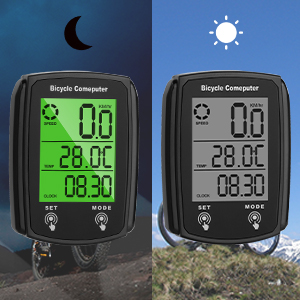
The bike computer display with backlight (left) and without backlight (right).
5. Functions Overview
The URAQT Bike Computer provides 19 functions to monitor your cycling performance:

Visual representation of the 19 functions available on the bike computer.
| Function | Description |
|---|---|
| SPEED | Current Speed |
| AVS | Average Speed |
| MAX | Maximum Speed |
| DST | Trip Distance |
| ODO | Total Odometer (Total Distance) |
| TM | Elapsed Time (Trip Time) |
| CAL | Calories Burned |
| TEMP | Temperature Display |
| CLK | Clock (12H/24H) |
| Backlight Function | User selectable backlight |
| Power Saving Mode | Automatic sleep mode after inactivity |
| Automatic Wake Up | Automatically wakes up while riding |
| Speed Comparison (+/-) | Indicates if current speed is above or below average |
| Maintenance Alert | Reminder for bicycle maintenance |
| Setting Type Circumference | Allows setting of wheel circumference |
| Setting Speed Scale | Switch between km/h and m/h |
| Instant Ride Speed Display | Real-time speed display |
| Scan | Cycles through various data displays automatically |
| Change Battery Data Storage | Data is retained for 20 seconds during battery change |
6. Maintenance
6.1 Battery Replacement
The bike computer uses a button battery. To replace it:
- Locate the battery compartment on the back of the unit.
- Use a coin to twist open the battery cover.
- Replace the old battery with a new one, ensuring correct polarity.
- Close the battery cover securely. Data will be retained for approximately 20 seconds during replacement.

Internal view of the bike computer, highlighting the battery compartment.
6.2 Cleaning and Waterproof Guidelines
- Clean the unit with a soft, damp cloth. Do not use abrasive cleaners or solvents.
- The device has an IP54 waterproof rating, meaning it is protected against splashing water from any direction. It can be used in rainy days.
- Important: Do not immerse the device in water, expose it to heavy rainstorms, or leave it submerged.

The bike computer operating in rainy conditions, highlighting its IP54 waterproof feature.
7. Troubleshooting
If you encounter issues with your URAQT Bike Computer, refer to the following common problems and solutions:
| Problem | Possible Cause / Solution |
|---|---|
| Speed is always 0 when riding | Check the distance and angle between the magnet and the sensor. Ensure it is within 5mm and properly aligned. Verify sensor installation. |
| Speed value does not match actual speed | Incorrect wheel circumference setting. Re-enter the correct wheel circumference value. |
| Slow response / Slow touch | If the device is operating below 0 degrees Celsius, performance may be affected. It will return to normal at warmer temperatures. In strong storms, the touch key may activate to clear water; this is normal behavior. |
| Black screen / Dim screen | Prolonged exposure to direct sunlight can cause the screen to dim or appear black. Move the device to a shaded area; it will return to normal after a period. Check battery level. |
8. Specifications
| Feature | Detail |
|---|---|
| Brand | URAQT |
| Model Number | KS-MASBCM240314-FBA |
| Display Type | LCD |
| Color | Black |
| Material Type | Polyester |
| Product Dimensions | 4.5 x 2 x 6 cm |
| Item Weight | 79 Grams |
| Waterproof Rating | IP54 |
| Batteries Included | No (requires button battery) |

Physical dimensions of the URAQT Bike Computer.
9. Warranty and Support
For warranty information or technical support, please refer to the retailer's return policy or contact the manufacturer directly. Keep your purchase receipt for any warranty claims.