
Introduction
This manual provides detailed instructions for the setup, operation, maintenance, and troubleshooting of your RADLEY Smartwatch RYS20-2156-TWS and its accompanying True Wireless Earbuds. Please read this manual thoroughly before using the product to ensure optimal performance and longevity.
The Radley London Series 20 Smartwatch offers advanced communication and health tracking features. It enables hands-free calling directly from your wrist, eliminating the need to search for your phone. The smartwatch includes comprehensive wellness features such as sleep analysis, hydration reminders, and guided breathing exercises. For fitness, it provides an integrated heart rate monitor, multi-sport tracking, and music control. Progress can be monitored through the Radley Active application. The watch face is customizable, allowing users to select from various designs or use personal photos. This smartwatch comes with a silicone strap and a set of matching Black Gloss True Wireless Earbuds. The earbuds feature Bluetooth 5.0, offering 5 hours of playback, extendable to over 20 hours with the charging case, and a 10-meter wireless range. The free Radley Active app is compatible with both iOS and Android devices.
What's Included
Your RADLEY Smartwatch RYS20-2156-TWS package includes the following items:
- RADLEY Smartwatch RYS20-2156-TWS (Ink color, rose gold case, silicone strap)
- True Wireless Earbuds (Black Gloss)
- Earbuds Charging Case
- USB Charging Cable
- Instruction Manual

Image: The RADLEY Smartwatch and True Wireless Earbuds displayed in their retail packaging, showing the watch, earbuds, and charging case.
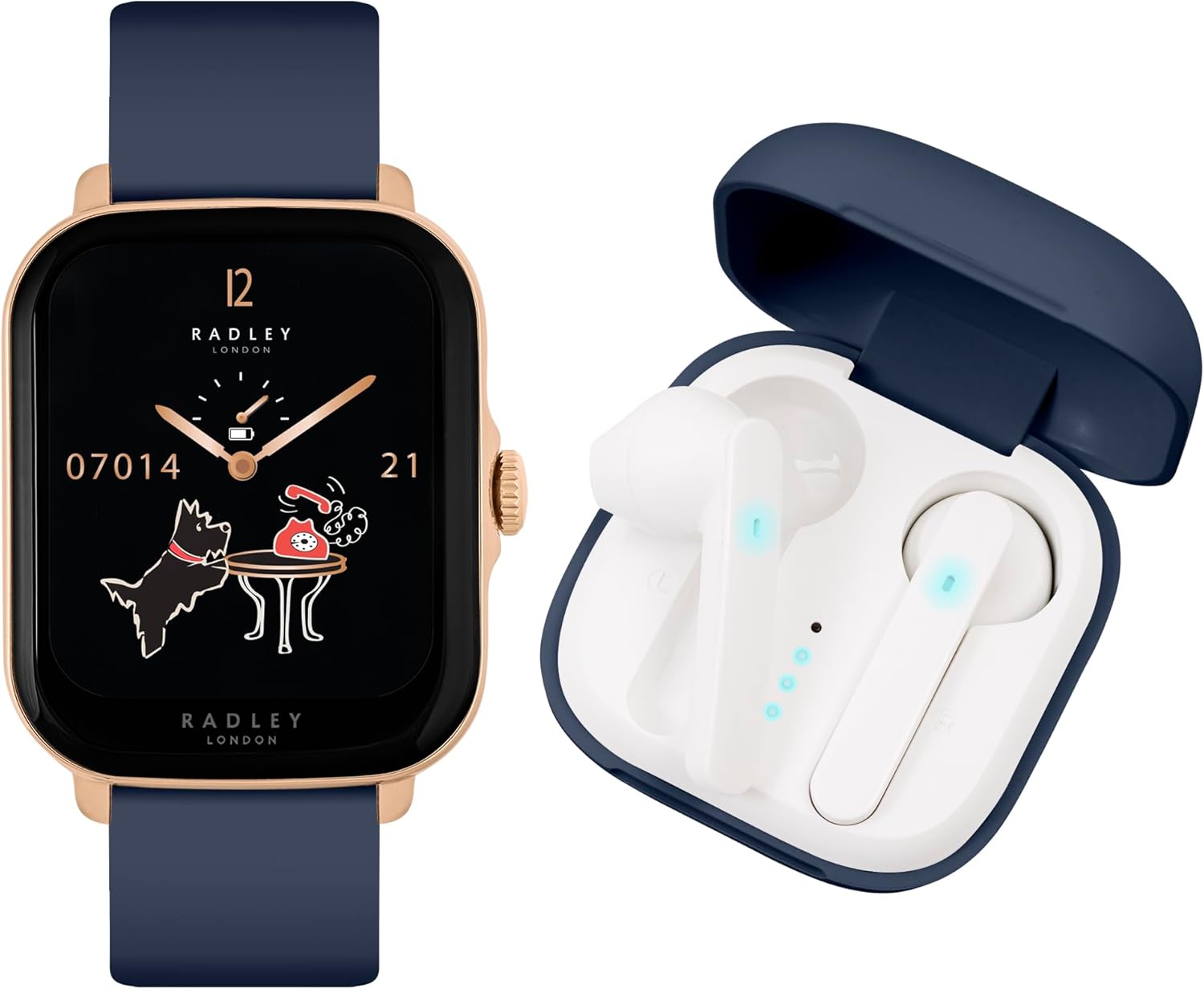
Image: The RADLEY Smartwatch with an ink-colored strap and rose gold case, positioned next to the open charging case containing the white True Wireless Earbuds.
Setup
1. Charging the Smartwatch and Earbuds
Before first use, fully charge both your smartwatch and the earbuds.
- Smartwatch: Connect the provided USB charging cable to the charging port on the back of the smartwatch and to a USB power source. A full charge typically takes approximately 1 hour.
- Earbuds: Place the earbuds into their charging case. Connect the USB charging cable to the case and a USB power source. The case will indicate charging status. A full charge for the case typically takes approximately 2 hours.
2. App Installation and Pairing
To unlock the full functionality of your smartwatch, download and install the Radley Active app on your smartphone.
- Download the App: Search for "Radley Active" in the Apple App Store (for iOS devices) or Google Play Store (for Android devices) and install it.
- Create Account: Open the Radley Active app and follow the on-screen instructions to create a user account.
- Pair Smartwatch: Ensure Bluetooth is enabled on your smartphone. In the Radley Active app, navigate to the device pairing section and select your RADLEY Smartwatch from the list of available devices. Follow any prompts on both the app and the smartwatch to complete the pairing process.
- Pair Earbuds: For the earbuds, open the charging case and ensure they are powered on. Go to your smartphone's Bluetooth settings and select the RADLEY earbuds from the list of available devices to pair them.
Operating Instructions
Smartwatch Functions
Your RADLEY Smartwatch offers a range of features to enhance your daily life and fitness routine.
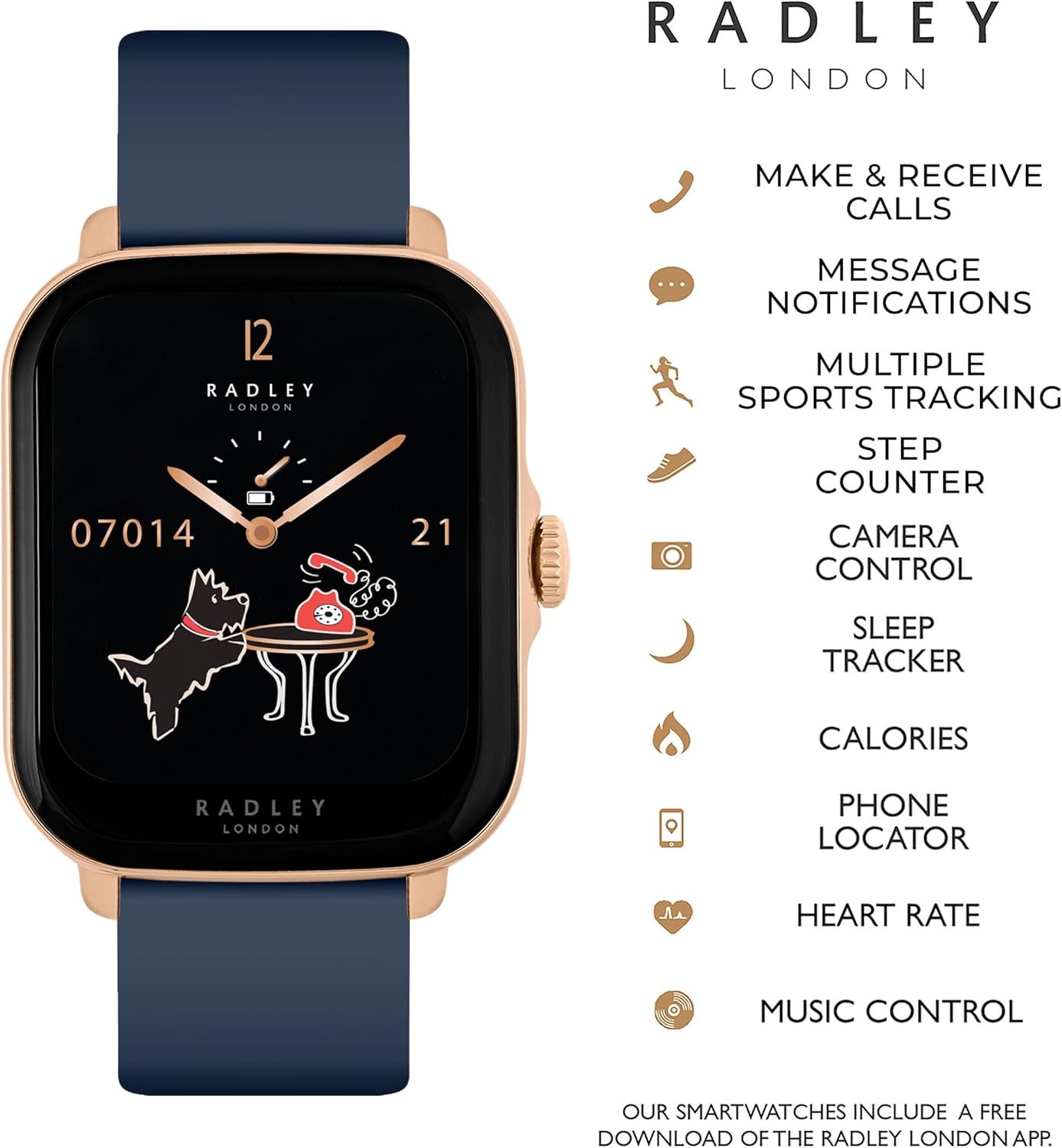
Image: The RADLEY Smartwatch face with a list of icons representing its key features, including call functions, message notifications, sports tracking, and health monitoring.
- Basic Navigation: Swipe left, right, up, or down on the touchscreen to access different menus and features. Press the side button to return to the home screen or activate certain functions.
- Making & Receiving Calls: With the advanced call function, you can make and receive calls directly from your smartwatch once paired with your phone. Access the call interface through the main menu.
- Message Notifications: Receive notifications for calls, messages, and app alerts directly on your wrist.
- Fitness Tracking:
- Heart Rate Monitor: Continuously tracks your heart rate throughout the day.
- Step Counter: Records your daily steps, distance, and calories burned.
- Multi-Sport Modes: Choose from 14 sport modes including walking, running, treadmill, hiking, cycling, swimming, rowing, elliptical, climber, jumping, yoga, training, gold, and badminton to track specific workouts.
- GPS Connection: Utilizes your phone's GPS for accurate outdoor activity tracking.
- Wellness Features:
- Sleep Monitor: Tracks your sleep patterns from 9 PM to 8 AM, providing insights into sleep quality.
- Blood Oxygen Monitoring: Measures your blood oxygen levels.
- Hydration Reminders: Set reminders to drink water throughout the day.
- Sedentary Reminders: Alerts you when you've been inactive for too long.
- Breathing Exercises: Guided breathing exercises to help manage stress.
- Other Features:
- Music Control: Control music playback on your smartphone directly from the watch.
- Phone/Watch Locator: Helps you find your paired phone or watch if misplaced.
- Weather Updates: Get current weather information.
- Custom Watch Faces: Personalize your watch face with various designs or your own photos via the Radley Active app.

Image: A collage showing various customizable watch faces available for the RADLEY Smartwatch, including designs with the Radley dog logo and digital displays.

Image: A close-up of the RADLEY Smartwatch face, featuring a dark blue background with a moon and the Radley dog silhouette, along with time and date information.

Image: The RADLEY Smartwatch with its ink-colored strap and rose gold case, being worn on a person's wrist, showcasing its design and fit.
Earbuds Functions
The True Wireless Earbuds provide a seamless audio experience.

Image: The RADLEY True Wireless Earbuds, white in color, shown outside their dark blue charging case, which is open.

Image: The RADLEY True Wireless Earbuds and charging case, accompanied by icons illustrating features such as True Wireless Stereo, touch control, charge indicator, 250 hours standby, voice control, and wireless connection.
- True Wireless Stereo: Enjoy high-quality stereo sound without any cables.
- Touch Control: Use intuitive touch gestures on the earbuds to control music playback, answer calls, and activate voice assistants.
- Voice Control: Access your smartphone's voice assistant directly through the earbuds.
- Battery Life: Up to 5 hours of playback on a single charge, with over 20 hours of combined playback time using the charging case.
- Wireless Range: Maintain a stable connection up to 10 meters from your paired device.
Maintenance
Cleaning
- Smartwatch: Wipe the screen and strap with a soft, damp, lint-free cloth. Avoid using harsh chemicals or abrasive materials.
- Earbuds & Case: Gently clean the earbuds and charging case with a dry, soft cloth. Use a cotton swab for hard-to-reach areas. Do not use liquids directly on the earbuds.
Battery Care
- Avoid fully discharging the battery frequently.
- Store the device in a cool, dry place when not in use for extended periods.
- Use only the provided charging cable.
Troubleshooting
If you encounter issues with your RADLEY Smartwatch or Earbuds, try the following solutions:
- Device Not Turning On: Ensure the device is fully charged. Connect it to the charger for at least 30 minutes.
- Cannot Pair with Smartphone:
- Ensure Bluetooth is enabled on your smartphone.
- Make sure the smartwatch/earbuds are in pairing mode.
- Restart both your smartphone and the device.
- Forget the device in your phone's Bluetooth settings and try pairing again.
- Inaccurate Readings (Heart Rate, Steps): Ensure the smartwatch is worn snugly on your wrist, not too tight or too loose. Clean the sensor on the back of the watch.
- No Audio from Earbuds:
- Check if the earbuds are charged.
- Ensure they are properly paired with your device.
- Check the volume settings on your smartphone.
- App Not Syncing: Ensure your smartphone has an active internet connection and the Radley Active app is up to date. Try restarting the app.
Specifications
| Feature | Detail |
|---|---|
| Model Number | RYS20-2156-TWS |
| Brand | RADLEY |
| Color | Ink |
| Operating System Compatibility | Android 6.0+ / iOS 12+ |
| Connectivity | Bluetooth |
| Special Features | Sleep and Blood Oxygen Monitoring, Heart Rate Monitor, GPS Connection, Call Function |
| Compatible Devices | Smartphone, Tablet, Desktop |
| Battery Composition | Lithium-ion (1 included) |
| Rechargeable Battery | Yes |
| GPS | Integrated GPS |
| Watch Shape | Rectangular |
| Manufacturer | Peers Hardy |
| Earbuds Bluetooth Version | 5.0 |
| Earbuds Playback Time | 5 hours (20+ hours with charging case) |
| Earbuds Wireless Range | 10 meters |
Warranty and Support
Information regarding specific warranty details and spare parts availability for the RADLEY Smartwatch RYS20-2156-TWS is not provided in the product data. For warranty claims, technical support, or inquiries about spare parts, please refer to the documentation included in your product packaging or contact RADLEY customer service directly through their official website.


