Introduction
The Generic M90 Max Wireless Earbuds offer a true wireless stereo (TWS) audio experience with advanced features. Designed for seamless connectivity and clear sound, these earbuds are suitable for music, calls, and gaming. They feature an integrated LED display on the charging case for convenient battery monitoring and an ergonomic design for comfortable wear.
Package Contents
Verify that all items listed below are present in your product package:
- M90 Max Wireless Earbuds (Headset)
- Wireless Charging Case
- Multiple Sizes of Silicone Ear Tips (Earmuffs)
- USB Type-C Charging Cable
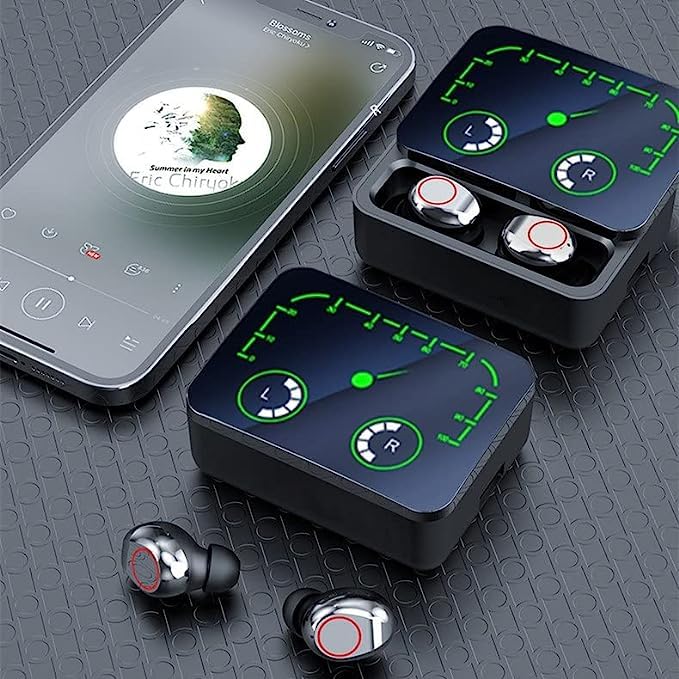
Image: The M90 Max package contents, showing the earbuds, charging case, various ear tip sizes, and a USB Type-C charging cable.
Setup
1. Initial Charging
Before first use, fully charge the earbuds and the charging case. Connect the provided USB Type-C cable to the charging port on the case and a compatible USB power source. The LED display on the case will indicate the charging status.
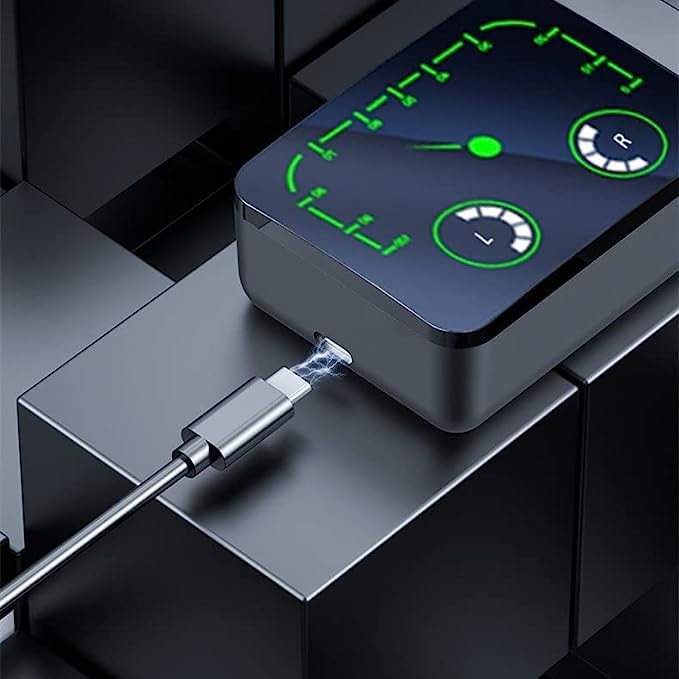
Image: The M90 Max charging case with a USB Type-C cable inserted into its charging port, indicating the charging process.
2. Bluetooth Pairing
- Open the charging case. The earbuds will automatically power on and enter pairing mode.
- On your device (smartphone, tablet, etc.), enable Bluetooth.
- Search for available Bluetooth devices and select "M90 Max" from the list.
- Once connected, a voice prompt will confirm successful pairing.
3. Wearing the Earbuds
Choose the ear tips that provide the most comfortable and secure fit. Gently insert the earbuds into your ears and adjust them until they feel snug. A proper fit enhances sound quality and noise isolation.
Operating Instructions
Power On/Off
- Power On: Open the charging case, or long-press the touch area on both earbuds for 3 seconds.
- Power Off: Place the earbuds back into the charging case and close the lid, or long-press the touch area on both earbuds for 5 seconds.
Music Playback (Touch Control)
- Play/Pause: Single tap on either earbud.
- Next Track: Double tap on the right earbud.
- Previous Track: Double tap on the left earbud.
- Volume Up: Triple tap on the right earbud.
- Volume Down: Triple tap on the left earbud.
Call Management (Touch Control)
- Answer/End Call: Single tap on either earbud.
- Reject Call: Long-press on either earbud for 2 seconds.
LED Display Indicators
The charging case features an LED display that shows the battery level of the case and individual earbuds (L for left, R for right). This allows you to monitor remaining power at a glance.
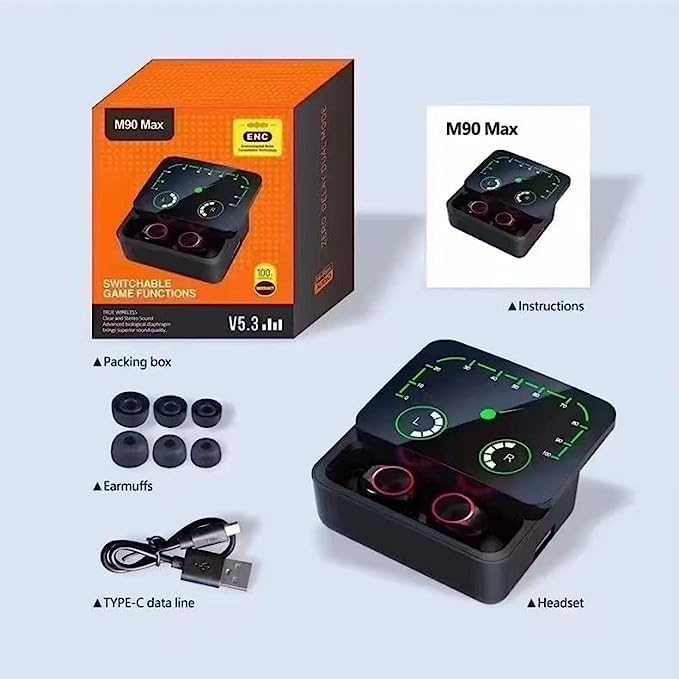
Image: A detailed view of the M90 Max charging case's LED display, illustrating the battery charge status for both the charging case and the individual left and right earbuds.
Gaming Mode
The M90 Max earbuds are optimized for gaming. To activate or deactivate gaming mode (which typically reduces audio latency), refer to the specific touch control sequence in the quick start guide or experiment with a long press or specific tap pattern on one of the earbuds while connected.
Maintenance
Cleaning
- Regularly clean the earbuds and charging case with a soft, dry, lint-free cloth.
- Remove ear tips and clean them with mild soap and water, then dry thoroughly before reattaching.
- Do not use harsh chemicals or abrasive materials.
Storage
When not in use, store the earbuds in their charging case to protect them from dust and damage. Store in a cool, dry place away from direct sunlight and extreme temperatures.
Important Safety Information
The M90 Max earbuds are not water resistant. Avoid exposure to water, sweat, rain, or any liquids to prevent damage.
Troubleshooting
- Earbuds not pairing: Ensure both earbuds are charged. Turn off Bluetooth on your device, then turn it back on. Try resetting the earbuds by placing them in the case, closing the lid, and then reopening.
- Only one earbud working: Place both earbuds back into the charging case, close the lid, wait a few seconds, then open the lid and take them out again. This often re-syncs them.
- No sound: Check the volume level on your connected device and on the earbuds. Ensure the earbuds are properly paired and selected as the audio output device.
- Charging issues: Verify the USB Type-C cable is securely connected to both the case and the power source. Ensure the charging pins on the earbuds and inside the case are clean and free of debris.
- Poor sound quality: Ensure the ear tips provide a good seal in your ear. Try different sized ear tips. Check for any obstructions in the earbud nozzles.
Specifications
| Feature | Specification |
|---|---|
| Model Name | M90 Max |
| Connectivity Technology | Wireless (Bluetooth 5.2) |
| Wireless Communication Technology | Bluetooth |
| Bluetooth Version | 5.2 |
| Form Factor | In Ear |
| Noise Control | Sound Isolation (ENC) |
| Control Method | Touch |
| Microphone | Built-in, Omnidirectional, Noise-cancellation |
| Charging Time | Approximately 30 Minutes |
| Battery Life | Up to 3 Days (with charging case) |
| Maximum Operating Distance | 10 Metres |
| Water Resistance Level | Not Water Resistant |
| Recommended Uses | Gaming |
| Item Weight | 55 Grams |
| Material | Plastic |
| Compatible Devices | Bluetooth-enabled devices (Smartphone, Tablet) |
Warranty and Support
This product is covered by a standard warranty policy. For detailed information regarding warranty terms, conditions, and support, please refer to the documentation provided with your purchase or contact the retailer. Keep your proof of purchase for warranty claims.