
1. Introduction
Thank you for choosing the ZXU Heating Pad. This ultra-soft microplush heating pad is designed to provide targeted heat therapy for back pain, muscle aches, and cramps. It features 12 adjustable heat settings, a moist heat function, and a programmable auto shut-off timer for safe and convenient use. Please read this manual thoroughly before operating the device to ensure proper use and safety.
2. Safety Information
WARNING: To reduce the risk of burns, electric shock, fire, and personal injury, this product must be used in accordance with the following instructions:
- Do not use while sleeping.
- Avoid direct skin contact for extended periods to prevent burns.
- Never use on infants, invalids, or persons insensitive to heat.
- Do not use on areas of swollen, inflamed, or broken skin.
- Keep away from water. Do not immerse in water.
- Do not use pins or other metallic objects to fasten the pad.
- Do not fold, crush, or pinch the heating pad.
- Always unplug the heating pad when not in use.
- Do not use with liniments, salves, or ointments, especially those containing heat-producing ingredients, as skin burns could result.
- Heating wire comes with built-in NTC overheating protection, which ensures safety for daily use.
3. Setup
3.1 Unpacking
Carefully remove the heating pad and controller from its packaging. Inspect the product for any signs of damage. If any damage is found, do not use the product and contact customer support.
3.2 Connecting the Controller
Ensure the heating pad is completely dry before connecting the controller. Firmly plug the controller cord into the heating pad's connector. Ensure a secure connection to prevent malfunction.

Image: The heating pad controller connected to the pad, displaying temperature and timer settings.
3.3 Power Connection
Plug the power cord into a standard 120V AC electrical outlet. The extra-long 11ft cord provides flexibility for use in various locations.
4. Operating Instructions
4.1 Powering On/Off
Press the power button (U) on the controller to turn the heating pad on or off.
4.2 Adjusting Heat Settings
The heating pad offers 12 heat settings, ranging from 101°F to 167°F. Use the '+' and '-' buttons to increase or decrease the temperature. The current temperature level will be displayed on the controller's screen.

Image: A close-up view of the controller, showing the power, set, plus, and minus buttons, along with the digital display for temperature and time.
4.3 Setting the Auto Shut-Off Timer
The heating pad features an auto shut-off function with options from 1 to 24 hours. Press the 'SET' button to cycle through the available timer settings. Select the desired duration, and the pad will automatically turn off after that time. This feature enhances safety and energy efficiency.
4.4 Moist Heat Function
For faster and deeper relief, the heating pad can be used with moist heat. To activate this function:
- Dab a wet sponge or use a spray bottle to apply a fine mist to the pad. Do not soak the pad.
- Place the moist side of the pad against the body area requiring therapy.
- Proceed with normal operation, selecting your desired heat and timer settings.

Image: A hand using a spray bottle to apply a fine mist of water to the heating pad for moist heat therapy.
4.5 Flexible and Comfortable Use
The ultra-soft coral velvet fabric is flexible and adapts easily to different body parts, such as the neck, shoulders, back, arms, and waist, providing maximum comfort.
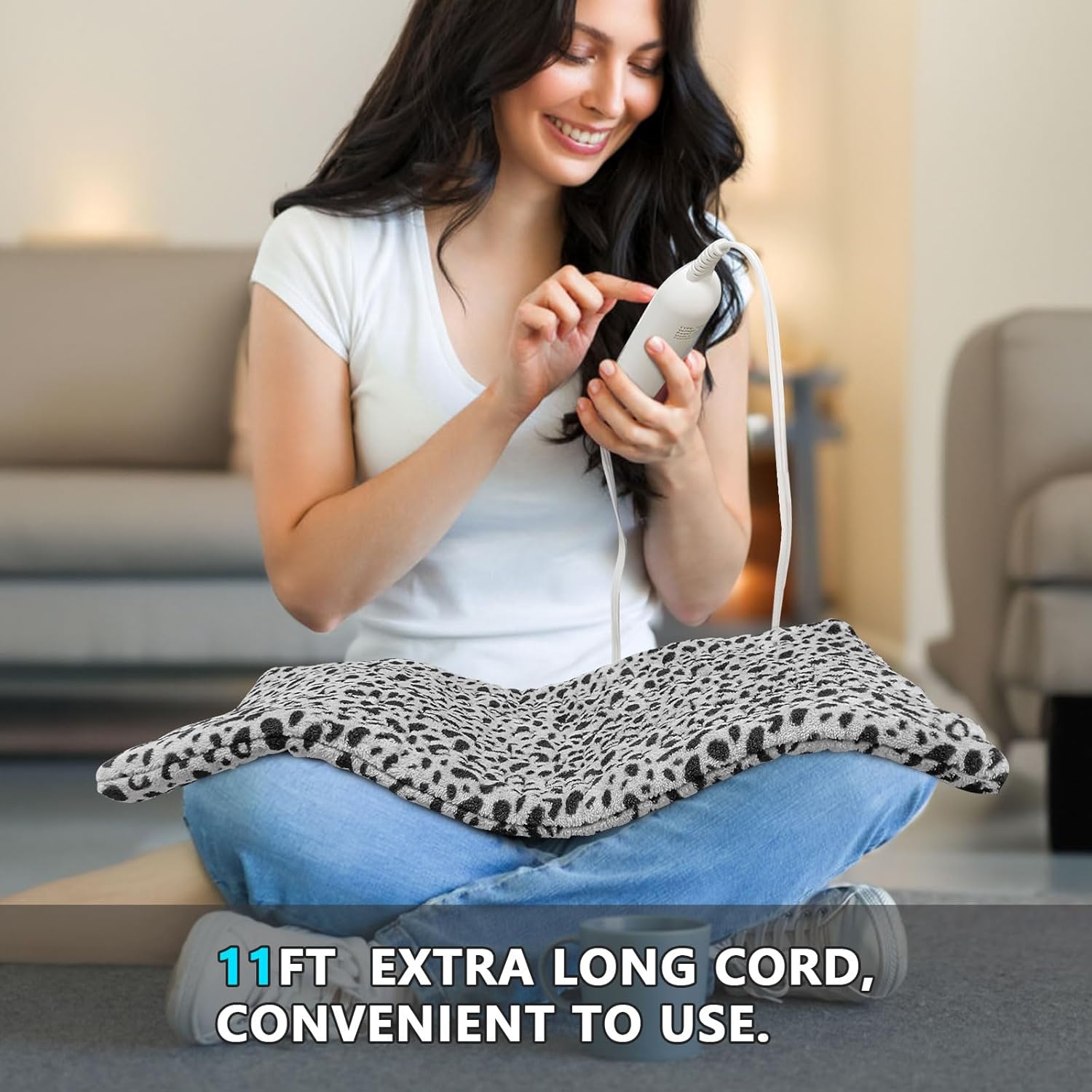
Image: A woman lying on a couch, demonstrating the flexibility of the heating pad as it conforms to her lower back.
5. Maintenance
5.1 Cleaning Instructions
The ZXU Heating Pad is machine washable for easy cleaning. Before washing, always disconnect the controller from the heating pad. Wash on a gentle cycle with cold water. Do not bleach. Tumble dry on low heat or air dry. Ensure the pad is completely dry before reattaching the controller and using it again.

Image: A hand placing the heating pad into a washing machine, illustrating its machine washable feature.
5.2 Storage
When not in use, store the heating pad in a cool, dry place. Avoid folding it tightly or placing heavy objects on it, which could damage the internal heating elements.
6. Troubleshooting
| Problem | Possible Cause | Solution |
|---|---|---|
| Heating pad does not turn on. | Not plugged in correctly; Power outlet malfunction; Controller not connected securely. | Ensure power cord is fully plugged into outlet. Check if outlet is working. Reconnect controller firmly to the pad. |
| Heating pad is not heating up. | Low heat setting selected; Auto shut-off timer expired; Internal malfunction. | Increase heat setting. Check timer setting. If problem persists, contact customer support. |
| Error code displayed on controller. | Internal fault detected. | Unplug the unit for 10 minutes, then plug it back in. If the error persists, contact customer support. |
7. Specifications
- Model: B0CC56Q4PL
- Dimensions: 12 inches x 24 inches
- Material: Ultra Soft Microplush (Coral Velvet)
- Heat Settings: 12 levels (101°F - 167°F)
- Auto Shut-Off Timer: 1-24 hours
- Cord Length: 11 feet
- Features: Moist Heat Function, Machine Washable, Overheating Protection
- Manufacturer: ZXU

Image: An exploded view diagram illustrating the different layers of the heating pad, including the soft microplush fabric, needle cotton, and heating wire.
8. Warranty & Support
8.1 Warranty Information
This ZXU Heating Pad comes with a 1-Year Limited Warranty. Please refer to the product packaging or contact customer support for full warranty details.
8.2 Customer Support
For any questions, concerns, or technical assistance, please contact ZXU customer support through the retailer's platform or visit the official ZXU website.
Video: A product review demonstrating the features and ease of use of the ZXU Heating Pad, including its soft texture and controller functions.