
Anpviz IPC-D383WD-SA
Anpviz 4K IP PoE Turret Security Camera
Model: IPC-D383WD-SA
Brand: Anpviz
Introduction
This manual provides detailed instructions for the installation, operation, and maintenance of your Anpviz 4K IP PoE Turret Security Camera (Model: IPC-D383WD-SA). This camera is designed for both indoor and outdoor surveillance, offering high-resolution video, advanced detection capabilities, and two-way audio communication.

Figure 1: Anpviz 4K IP PoE Turret Security Camera Overview
Product Features
- Ultra HD 4K Resolution: Captures video at 8 Megapixel (3840x2160) for crisp and detailed monitoring.
- Wide Angle Lens: Features a 2.8mm lens with a Horizontal FOV of 102° and Vertical FOV of 53° for broad coverage.
- Smart Human and Vehicle Detection: Advanced technology to accurately detect humans and vehicles, reducing false alarms from environmental factors.
- Smart Color Night Vision: Provides clear, full-color images in low-light conditions up to 100 feet, with automatic spotlight activation upon detection.
- Two-Way Audio: Built-in microphone and speaker with noise cancellation for clear communication with visitors or to deter intruders.
- Real-Time Motion Alerts: Sends instant email alerts with snapshots upon detection of persons or vehicles.
- PoE Connectivity: Utilizes a single Ethernet cable for both power and data transmission, simplifying installation.
- Flexible Storage Options: Supports up to 256GB Micro SD card (not included), NVR storage, and NAS storage.
- Remote Access: Monitor your property from anywhere using compatible client software (Windows/Mac) and smartphone applications (iOS/Android).
- Durable Design: Constructed with full metal material and IP67 waterproof rating, suitable for various weather conditions (-20°C to 60°C / -4°F to 140°F).
- H.265 Compression: Offers efficient video compression, optimizing storage space and bandwidth.

Figure 2: Key Features and Components of the Camera

Figure 3: H.265 Video Compression Efficiency
What's in the Box
Verify that all components are present in the package:
- 4K POE Camera x1
- Waterproof Lid x1
- Quick Start Guide x1
- Surveillance Sticker x1
- Pack of Screws x1
Setup
1. Mounting the Camera
The camera can be mounted on a ceiling or wall. Use the included pack of screws and the quick start guide for detailed mounting instructions and drilling templates. Ensure the mounting surface is strong enough to support the camera's weight.
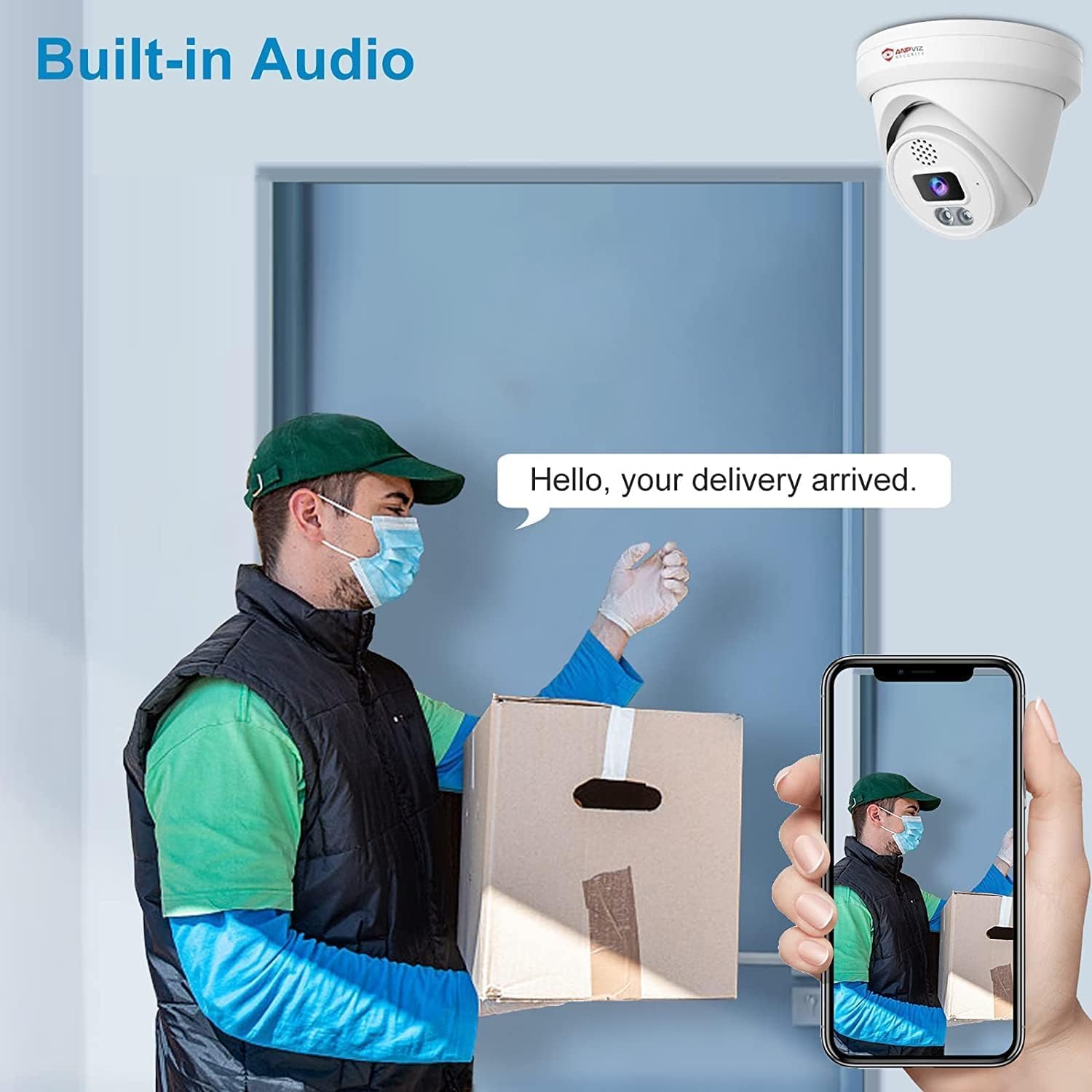
Figure 4: Camera mounted outdoors, demonstrating weather resistance.
2. Power and Network Connection (PoE)
Connect the camera to a Power over Ethernet (PoE) switch or NVR using a single Ethernet cable. This cable will provide both power and data connectivity to the camera. Use the included waterproof lid for the Ethernet connection when installing outdoors to protect against moisture.

Figure 5: Simple PoE connection to an NVR.
3. Initial Access and Configuration
Upon connecting, the camera will obtain an IP address via DHCP. You can find the assigned IP address through your router's interface or by using a network scanning tool. Access the camera's web interface by entering its IP address into a web browser.
The default login credentials are often Username: admin and Password: 123456. It is highly recommended to change the default password immediately after the first login for security purposes.
4. Micro SD Card Installation (Optional)
To enable local storage, insert a Micro SD card (up to 256GB, not included) into the camera's SD card slot. Refer to the quick start guide for the exact location and insertion method. Ensure the camera is powered off before inserting or removing the SD card.
Operating Instructions
1. Remote Access and Monitoring
Access your camera remotely using the dedicated smartphone app (available for iOS and Android) or client software for Windows/Mac. These applications allow you to view live feeds, playback recordings, and configure camera settings from anywhere with an internet connection.

Figure 6: Remote access via smartphone, tablet, and PC.
2. Human and Vehicle Detection
Configure detection zones and sensitivity settings through the camera's web interface or mobile app. When a human or vehicle is detected within the specified area, the camera will trigger recording and send real-time alerts to your configured devices.

Figure 7: Visual representation of human and vehicle detection.
3. Smart Color Night Vision
The camera offers multiple night vision modes:
- Infrared (IR) Night Vision: Default mode in low light, providing clear black and white images.
- Smart Color Night Vision: When human or vehicle motion is detected, the camera's spotlights activate, switching to full-color night vision.
- Full Color Night Vision: You can set the spotlights to remain on continuously in low-light conditions for constant full-color surveillance.

Figure 8: How Smart Dual Light Color Night Vision operates.
4. Two-Way Audio
Utilize the built-in microphone and speaker for two-way communication. This feature allows you to speak with individuals near the camera or activate a siren to deter unwanted visitors. Note: If connecting to an NVR, the speaker function is compatible only with Anpviz U Series NVRs.

Figure 9: Example of two-way audio use with a delivery person.
Maintenance
- Cleaning: Regularly clean the camera lens and housing with a soft, damp cloth to ensure clear image quality. Avoid abrasive cleaners.
- Firmware Updates: Check the Anpviz official website periodically for firmware updates. Keeping your camera's firmware up-to-date ensures optimal performance and access to new features.
- SD Card Management: If using an SD card for storage, periodically review and back up important footage. Consider formatting the SD card every few months to maintain performance.
- Cable Inspection: For outdoor installations, periodically inspect the Ethernet cable and waterproof lid for any signs of wear or damage to ensure continued weather resistance.
Troubleshooting
Common Issues and Solutions:
- No Image/Offline:
- Verify the PoE connection is secure and the PoE switch/NVR is powered on.
- Check network cables for damage.
- Ensure the camera's IP address is correct and accessible on your network.
- If recently changed, ensure the password is correct.
- Poor Image Quality:
- Clean the camera lens.
- Check network bandwidth; high network traffic can affect streaming quality.
- Ensure the camera's resolution settings are configured for 4K (3840x2160).
- False Motion Alerts:
- Adjust detection zone sensitivity in the camera settings.
- Ensure human/vehicle detection is enabled and configured correctly.
- Avoid placing the camera where waving trees or strong light changes frequently occur in the detection zone.
- Two-Way Audio Not Working:
- Check audio settings in the camera's web interface or app.
- Ensure microphone and speaker volumes are not muted.
- If connected to an NVR, confirm it is an Anpviz U Series NVR for speaker compatibility.
- Cannot Access Web Interface:
- Confirm the camera's IP address.
- Try clearing your browser's cache or using a different browser.
- Ensure your computer is on the same network segment as the camera.
- If you forgot the password, use the reset button on the camera (refer to the quick start guide for location and procedure).
Specifications
| Feature | Detail |
|---|---|
| Model Number | IPC-D383WD-SA |
| Resolution | 8 MP (3840x2160) |
| Lens | 2.8mm fixed lens |
| Viewing Angle | Horizontal FOV 102°, Vertical FOV 53° (approx. 110 degrees overall) |
| Night Vision Range | 100 Feet (Infrared & LED) |
| Night Vision Technology | Smart Color Night Vision / Color Night Vision / Infrared Night Vision |
| Audio | Built-in Mic & Speaker (Two-Way Audio) |
| Detection | Human and Vehicle Detection |
| Connectivity | PoE Ethernet (Wired Power over Ethernet) |
| Storage Support | Micro SD (up to 256GB), NVR, NAS |
| Frame Rate | 20 fps |
| Material | Full Metal |
| Weather Resistance | IP67 Waterproof |
| Operating Temperature | -20°C to 60°C (-4°F to 140°F) |
| Dimensions (L x W x H) | 5.4 x 5.38 x 5.1 inches |
| Item Weight | 1.34 pounds |
| Power Source | Corded Electric (via PoE) |
| Control Method | App, Remote |
| Compatible Devices | Smartphone (iOS/Android), PC (Windows/Mac), Monitor, Computer, Laptop |
Warranty and Support
The Anpviz 4K IP PoE Turret Security Camera typically comes with a 1-year limited warranty from the date of purchase, covering manufacturing defects. For specific warranty terms and conditions, please refer to the warranty card included in your package or visit the official Anpviz website.
For technical support, troubleshooting assistance, or further inquiries, please contact Anpviz customer service. You can find contact information on the official Anpviz website or through the retailer where you purchased the product.
Visit the official Anpviz Store for more products and support: Anpviz Security Store
Ask a question about this manual
Ask about setup, troubleshooting, compatibility, parts, safety, or missing instructions. Manuals+ will review the question and use this page’s manual context to help answer it.