
Introduction
This manual provides detailed instructions for the installation, operation, and maintenance of your Vikye C11 Wireless Car Charger. Please read this manual thoroughly before use to ensure proper function and safety.
Package Contents
Verify that all items listed below are included in your package:
- 1 x Wireless Charger
- 1 x Air Outlet Support
- 1 x Charging Cable
- 1 x Micro USB Magnetic Adapter
- 1 x Type C Magnetic Adapter
- 1 x Lightning Magnetic Adapter
- 1 x Instructions (this manual)
Product Features
- 360-Degree Rotation: The rear bracket allows for multi-angle rotation, enabling flexible adjustment of the viewing angle for navigation.
- Auto-Clamping Mechanism: Features a built-in rear fingerprint touch button. A simple touch opens the clamping arms, which then automatically secure the phone. This design allows for quick one-handed placement and removal of the device. The operation is silent due to a built-in silencer.

Image: The charger with a sound wave icon, indicating its silent operation feature.
- Universal Phone Compatibility: Supports mobile phones ranging from 4.7 to 7 inches. The transparent shell tempered glass panel ensures efficient and stable charging.

Image: Various phone models displayed around the charger, demonstrating its compatibility with 4.7 to 7-inch devices.
- Non-Wireless Charging Phone Support: Includes Micro USB, Type-C, and Lightning magnetic adapters, allowing charging for phones without built-in wireless charging capabilities.
- Durable and Stable Design: Constructed with an aircraft-grade aluminum shell for strength and stability. Features infrared sensing for automatic operation and a professional anti-shake function to maintain balance during vehicle movement.
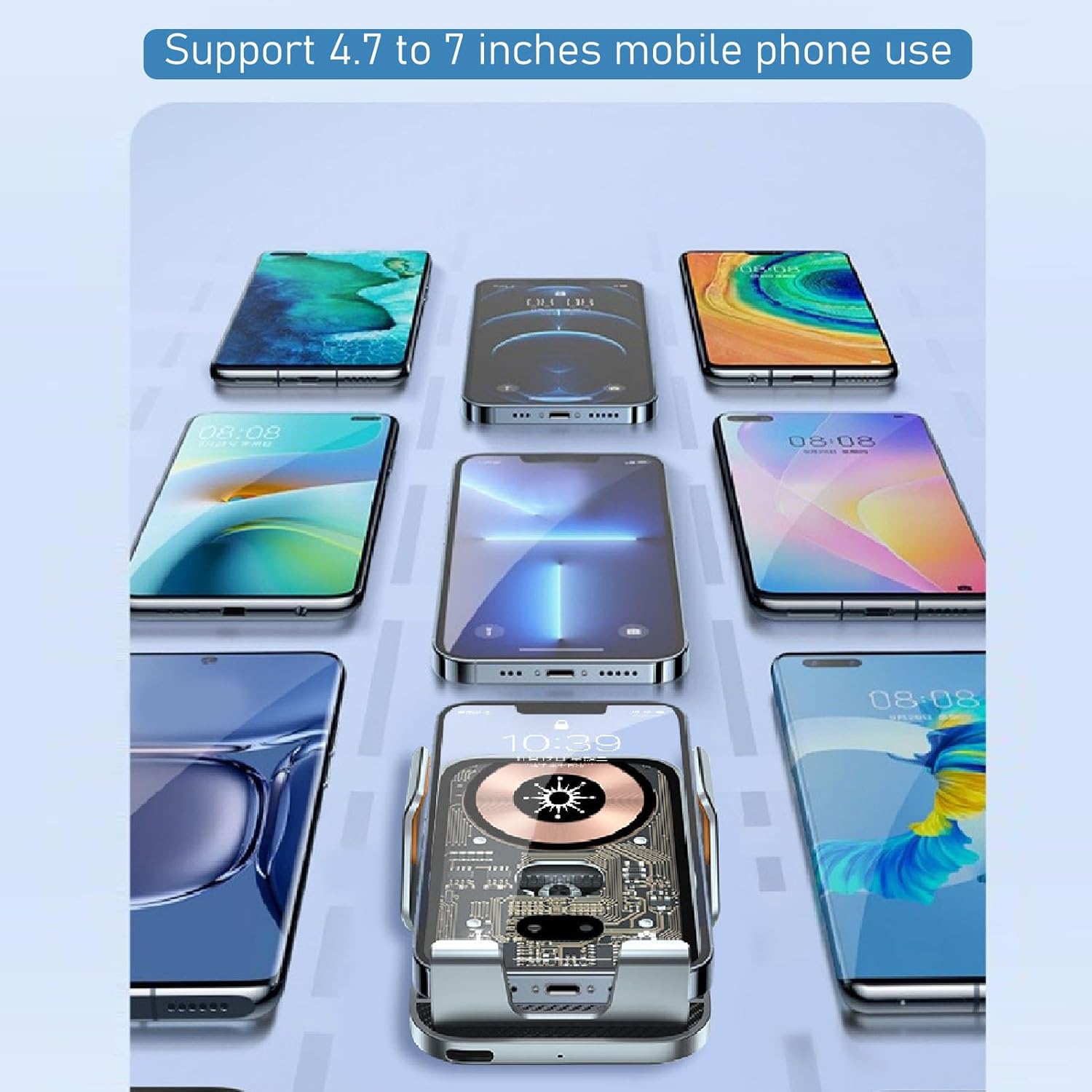
Image: An internal view of the charger's automatic gear system, highlighting its robust construction.
Setup Instructions
- Attach Air Outlet Support: Securely attach the air outlet support to the back of the wireless charger. Ensure it clicks into place firmly.
- Install in Vehicle: Insert the air outlet support into a suitable air vent in your vehicle. Adjust the angle for optimal viewing and accessibility.

Image: The C11 charger installed in a car vent, showing its small footprint and how it does not block the air flow.
- Connect Power: Connect the provided charging cable to the charger's power input port and then to your car's USB port or a car charger adapter (not included). Ensure the power source provides sufficient output for fast charging.
- Initial Phone Placement: When power is connected, the clamping arms will automatically open. Place your phone into the holder. The arms will automatically close and secure your phone.

Image: Visual representation of the charger's automatic clamping arms, showing how they open to receive a phone and close to secure it.
Operating Instructions
- Automatic Phone Clamping: The charger features intelligent infrared sensing. When a phone is detected, the clamping arms will automatically open and then close to securely hold the device.

Image: The charger holding a phone, highlighting its intelligent sensing capability that automatically adjusts to the phone's size.
- Wireless Charging: Once your wireless charging compatible phone is securely clamped, charging will begin automatically. The transparent panel allows for efficient power transfer.
- Using Magnetic Adapters (for non-wireless charging phones): For phones without wireless charging, insert the appropriate magnetic adapter (Micro USB, Type-C, or Lightning) into your phone's charging port. Then, place your phone into the charger. The magnetic connection will facilitate charging.
- Releasing the Phone: To release your phone, gently touch the rear fingerprint touch button. The clamping arms will automatically open, allowing you to remove your device.

Image: A finger touching the rear sensor button, demonstrating the method to automatically open the charger's arms for phone removal.
- Adjusting Viewing Angle: The charger features a 360-degree rotatable bracket. Loosen the nut on the back, adjust the phone to your desired portrait or landscape orientation, and then tighten the nut to secure it.

Image: The charger displaying a phone in both vertical and horizontal positions, illustrating the 360-degree rotation feature for flexible viewing.
Maintenance
- Cleaning: Use a soft, dry cloth to wipe the surface of the charger. Avoid using abrasive cleaners or solvents.
- Storage: When not in use for extended periods, store the charger in a cool, dry place away from direct sunlight and extreme temperatures.
- Avoid Liquids: Do not expose the charger to water or other liquids.
Troubleshooting
- Charger not powering on:
- Ensure the charging cable is securely connected to both the charger and a functional power source in your vehicle. Check the vehicle's power outlet or USB port for power.
- Phone not charging wirelessly:
-
- Verify your phone supports wireless charging.
- Ensure the phone is centered on the charging pad.
- Remove any thick phone cases that might interfere with wireless charging.
- Check if the power source provides sufficient output (e.g., a QC 3.0 car charger for fast wireless charging).
- Clamping arms not opening/closing:
-
- Ensure the charger is powered on.
- Gently touch the rear fingerprint touch button to activate the arms.
- Check for any obstructions in the clamping mechanism.
- Phone not charging with magnetic adapters:
-
- Ensure the correct magnetic adapter is fully inserted into your phone's charging port.
- Verify the magnetic connection between the adapter and the charger is secure.
- Check the charging cable and power source.
Specifications
| Brand Name | Vikye |
| Model Number | C11 (Vikyecuap9b36qt-11) |
| Item Weight | 7.4 ounces |
| Package Dimensions | 5.39 x 5.16 x 2.36 inches |
| Power Source Type | Battery Powered (internal mechanism, requires external USB power) |
| Connectivity Technology | USB |
| Supported Phone Size | 4.7 to 7 inches |
Warranty and Support
The Vikye C11 Wireless Car Charger comes with a standard manufacturer's warranty. For specific warranty details, technical support, or customer service inquiries, please refer to the contact information provided on the product packaging or the official Vikye website.