
1. Product Overview
This manual provides essential information for the proper use and care of your Nine West Women's Floral Dial Strap Watch, model NW/2920RGGY. Please read these instructions carefully before using your watch.
Key Features:
- Scratch-resistant mineral crystal lens.
- Japanese quartz movement for accurate timekeeping.
- Grey dial with a distinctive 3D printed floral design.
- Rose gold-tone hands and markers for enhanced readability.
- Comfortable grey faux leather strap with a secure buckle closure.
- Important: Not water resistant. Avoid contact with water.
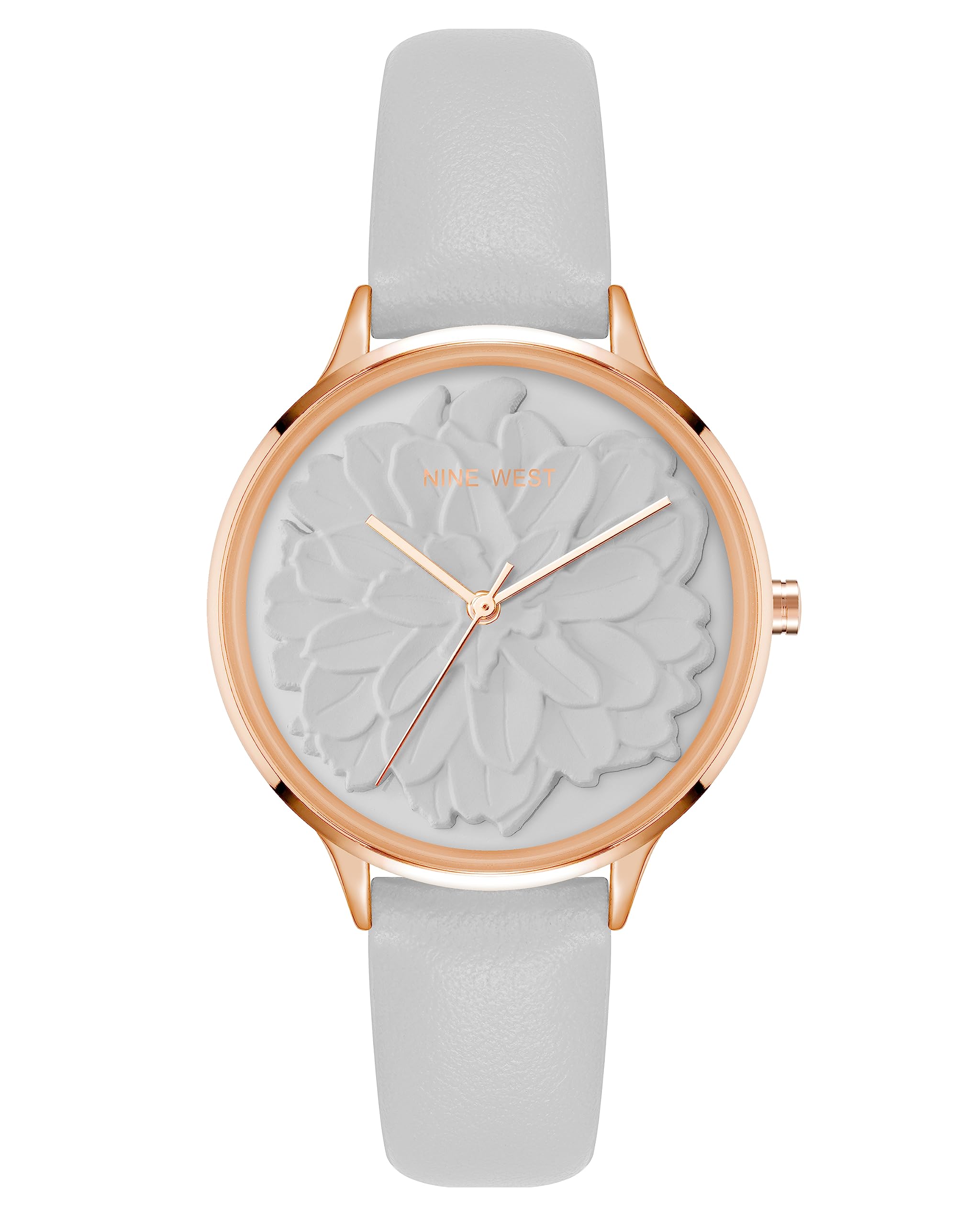
Figure 1: Front view of the Nine West Women's Floral Dial Strap Watch. This image shows the grey dial with floral design, rose gold-tone hands, and the grey faux leather strap.
2. Setup and Initial Use
2.1 Unboxing
Carefully remove the watch from its packaging. Inspect the watch for any visible damage. The package typically includes the watch and this instruction manual.

Figure 2: The Nine West watch presented in its white box. The watch is secured on a cushion inside the box.
2.2 Setting the Time
- Locate the crown (the small knob on the side of the watch case).
- Gently pull the crown outwards to the time-setting position. You may feel a slight click.
- Turn the crown clockwise or counter-clockwise to adjust the hour and minute hands to the correct time.
- Once the time is set, push the crown back into its original position against the watch case. This will start the watch movement.

Figure 3: Side view of the watch, highlighting the crown used for setting the time. The crown is located on the right side of the watch case.
2.3 Adjusting the Strap
The faux leather strap features a traditional buckle closure. To adjust the fit:
- Thread the end of the strap through the buckle.
- Insert the buckle pin into the desired hole on the strap for a comfortable and secure fit.
- Ensure the watch is not too tight or too loose on your wrist.
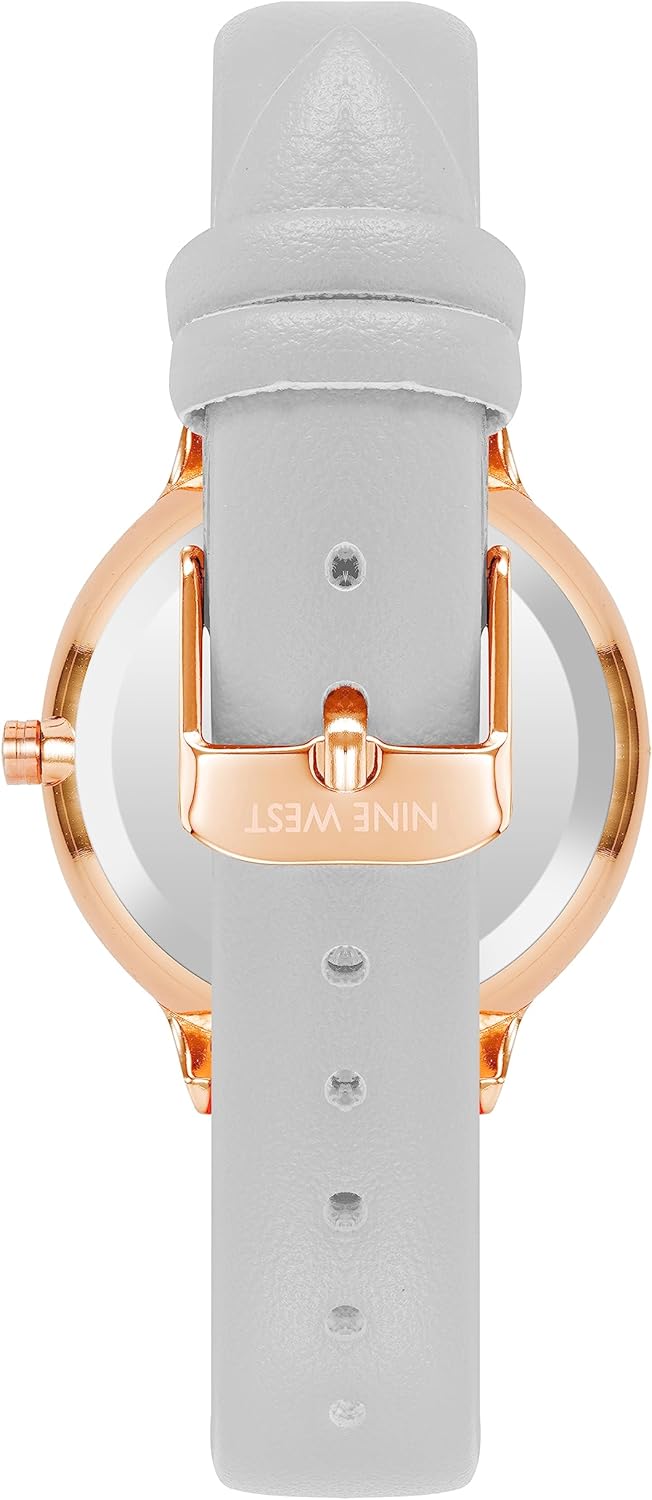
Figure 4: Back view of the watch, showing the faux leather strap and the buckle with the Nine West logo engraved.
3. Operating Your Watch
Your Nine West watch is designed for simple operation. Once the time is set, the Japanese quartz movement will keep accurate time. There are no additional functions or complications on this model.
3.1 Timekeeping
The watch displays hours, minutes, and seconds. The hands move continuously, powered by the internal quartz mechanism.
3.2 Crown Function
The crown is primarily used for setting the time. Ensure it is always pushed fully in when not adjusting the time to prevent dust or moisture from entering the watch case.
4. Maintenance and Care
Proper care will extend the life and appearance of your Nine West watch.
4.1 Cleaning
- Wipe the watch case and crystal with a soft, dry, lint-free cloth.
- For the faux leather strap, gently wipe with a slightly damp cloth if necessary, then dry immediately. Avoid using harsh chemicals or abrasive materials.
4.2 Water Resistance
This watch is NOT water resistant. Avoid all contact with water, including showering, swimming, rain, and hand washing. Exposure to water will damage the internal movement and void the warranty.
4.3 Battery Replacement
The watch is powered by a standard watch battery. When the watch stops running, the battery will need to be replaced. It is recommended to have the battery replaced by a qualified watch technician to ensure proper sealing and prevent damage to the movement.
4.4 Storage
When not wearing your watch, store it in a dry place, away from direct sunlight, extreme temperatures, and strong magnetic fields. The original watch box is ideal for storage.
5. Troubleshooting
If you encounter any issues with your watch, please refer to the following common solutions:
| Problem | Possible Cause | Solution |
|---|---|---|
| Watch is not running. | Crown is pulled out; battery is depleted. | Push the crown fully in. If it still doesn't run, the battery may need replacement. |
| Time is inaccurate. | Crown is not fully pushed in; watch exposed to strong magnetic fields; battery low. | Ensure crown is fully pushed in. Keep watch away from magnets. Consider battery replacement. |
| Strap feels uncomfortable or loose. | Incorrect strap adjustment. | Adjust the buckle to a different hole for a more comfortable fit. |
| Moisture under the crystal. | Watch exposed to water. | Immediately take the watch to a qualified technician. This watch is NOT water resistant. |
If the problem persists after attempting these solutions, please contact customer support.
6. Specifications
| Feature | Detail |
|---|---|
| Model Number | NW/2920RGGY |
| Brand | Nine West |
| Movement | Japanese Quartz |
| Lens Material | Mineral Crystal |
| Dial Color | Grey with 3D Floral Print |
| Strap Material | Faux Leather (Grey) |
| Water Resistance | Not Water Resistant |
| Approx. Package Dimensions | 4.25 x 3.19 x 2.87 inches |
| Approx. Item Weight | 6.17 ounces (packaged) |
7. Warranty and Support
7.1 Warranty Information
Nine West watches typically come with a limited manufacturer's warranty covering defects in materials and workmanship. Please refer to the warranty card included with your purchase for specific terms, conditions, and duration. Keep your proof of purchase for warranty claims.
7.2 Customer Support
For further assistance, technical support, or warranty service, please contact Nine West customer service. Contact details can usually be found on the official Nine West website or on the warranty card.
Note: This manual is for informational purposes only. Specifications are subject to change without notice.