
Introduction
This manual provides detailed instructions for the safe and effective use of your LG XBOOM RNC9 Party Speaker. Please read this manual thoroughly before operating the device and retain it for future reference.
Setup
Unboxing and Contents
Carefully unpack all components from the box. Ensure all items listed below are present:
- Unit
- Wire
- User Manual
Placement
Place the speaker on a stable, flat surface. Ensure adequate ventilation around the unit. Avoid placing it near heat sources or in direct sunlight.

Figure 1: Front view of the LG XBOOM RNC9 Party Speaker, showing its tall, rectangular design with two large speaker grilles.
Power Connection
Connect the power cord securely to the AC inlet on the back of the speaker and then to a wall outlet.

Figure 2: Rear panel of the LG XBOOM RNC9 Party Speaker, displaying various input ports and the power connection.
Operating Instructions
Power On/Off
Press the POWER button located on the top panel to turn the speaker on or off.

Figure 3: Close-up of the LG XBOOM RNC9's top control panel, showing buttons for power, volume, input selection, and DJ controls.
Bluetooth Pairing
- Turn on the LG XBOOM RNC9.
- Press the Bluetooth button on the speaker. The Bluetooth LED will blink.
- On your smartphone or device, enable Bluetooth and search for "LG XBOOM RNC9".
- Select the speaker from the list to pair. Once connected, the Bluetooth LED will glow solid.
USB Playback
Insert a USB drive into one of the USB ports on the top panel. The speaker will automatically detect and play compatible audio files. Use the navigation buttons to control playback.
Karaoke Features
The LG XBOOM RNC9 offers advanced karaoke functions:
- Microphone & Guitar Input: Connect a microphone or guitar to the dedicated input jacks. Adjust their volume separately.
- Voice Canceller: Reduce the vocals of a track to sing along.
- Key Changer: Adjust the key of the music to match your vocal range.
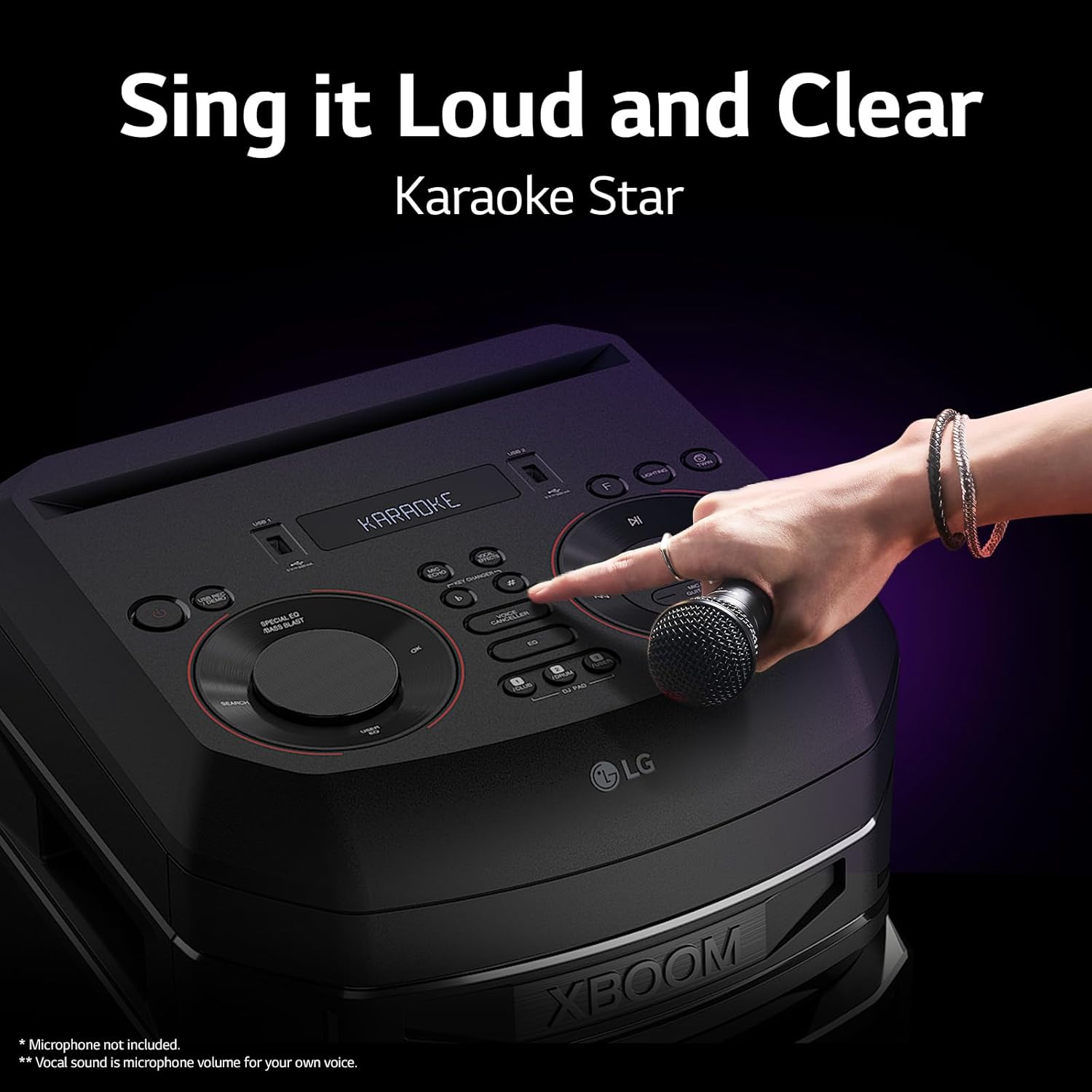
Figure 4: A hand interacting with the control panel of the LG XBOOM RNC9, with a microphone placed nearby, illustrating the Karaoke Star feature.
DJ App Control
Download the LG XBOOM app on your smartphone to access DJ features. The app allows you to apply sound effects, control the DJ Pad, and mix tracks directly from your device.
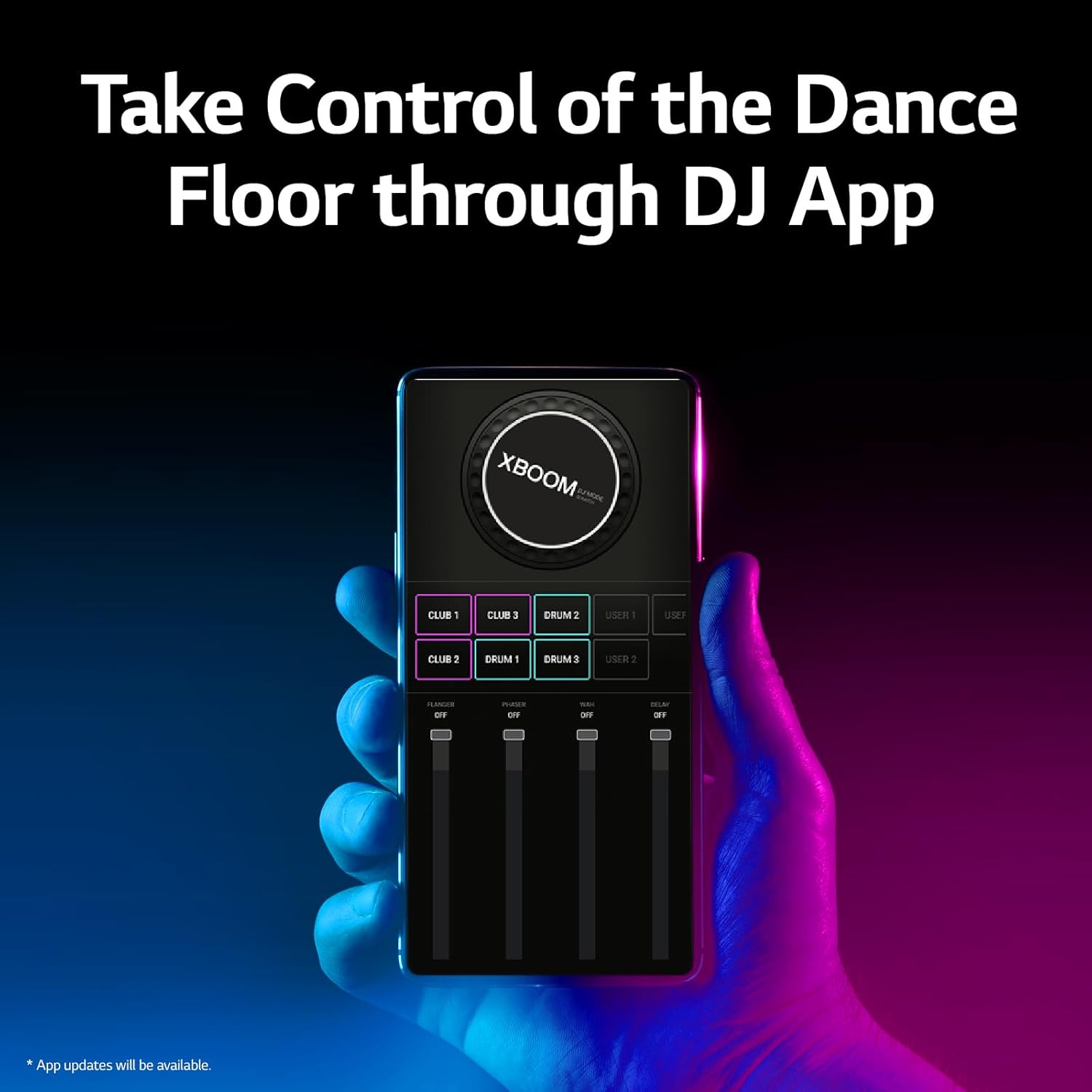
Figure 5: A smartphone screen displaying the LG XBOOM DJ app interface, showing various sound effect controls and sliders.
Wireless Party Link
Connect two LG XBOOM RNC9 units wirelessly to create a more expansive sound experience. Refer to the app or speaker manual for detailed pairing instructions for Wireless Party Link.

Figure 6: Two LG XBOOM RNC9 speakers positioned side-by-side, with a glowing blue circle and Bluetooth symbol indicating a wireless connection between them.
TV Sound Sync
Connect the RNC9 to your LG TV using an optical cable or Bluetooth for enhanced audio. This feature provides a more immersive sound experience for your television content.
Party Strobe
Sync your smartphone's flash with the music beat to create dynamic lighting effects, adding to the party atmosphere. This feature is controlled via the LG XBOOM app.
Party Saver
Record your playlists and DJ mixes directly to a USB drive connected to the speaker. This allows for easy playback or sharing of your custom audio creations.
Multi-Bluetooth Pairing
Pair up to three devices simultaneously via the XBOOM App. This allows multiple users to manage and control the playlist without interrupting the music flow.
Key Features
Super Bass Boost
The LG XBOOM RNC9 is engineered to generate extra airflow behind the speaker unit, producing powerful, thumping bass that significantly enhances the party atmosphere and overall audio impact.

Figure 7: The LG XBOOM RNC9 speaker with visual representations of powerful purple bass waves, highlighting the Super Bass Boost feature.
Multi-Color Lighting
Integrated LED lights within the speaker change colors dynamically, synchronizing with the rhythm of the music. This feature adds a vibrant visual element, bringing excitement and energy to any gathering.

Figure 8: The LG XBOOM RNC9 speaker illuminated with vibrant blue and purple party lights, demonstrating its Multi-Color Lighting capability.
Karaoke Star
Experience personalized singing with the Karaoke Star feature. You can adjust music and microphone volumes independently, use the Voice Canceller to reduce track vocals, and fine-tune the music's key with the Key Changer to suit your voice.
DJ App Control
Take command of your party's soundscape using the LG XBOOM app. This allows you to apply various sound effects and manipulate the DJ Pad, enabling you to mix and scratch tracks like a professional DJ directly from your smartphone.
Wireless Party Link
Amplify your audio experience by wirelessly connecting two LG XBOOM RNC9 units. This feature doubles the sound output, providing a more immersive and powerful audio delivery for larger gatherings or enhanced listening.
Maintenance
Cleaning
To clean the exterior of the speaker, use a soft, dry cloth. Do not use liquid cleaners or abrasive materials, as they may damage the finish. Ensure the speaker is unplugged before cleaning.
Storage
When not in use for extended periods, store the speaker in a cool, dry place away from direct sunlight and extreme temperatures. Cover the unit to protect it from dust.
Troubleshooting
| Problem | Possible Cause | Solution |
|---|---|---|
| No power | Power cord not connected securely. Power outlet not active. | Ensure the power cord is firmly plugged into both the speaker and a working wall outlet. Test the outlet with another device. |
| No sound | Volume is too low. Incorrect input source selected. Audio cable not connected. | Increase the volume on both the speaker and the connected device. Press the FUNCTION button to select the correct input source (e.g., Bluetooth, USB). Check all audio cable connections. |
| Bluetooth pairing fails | Speaker is not in pairing mode. Device is too far from speaker. Interference from other devices. | Ensure the speaker's Bluetooth LED is blinking. Move your device closer to the speaker. Turn off other Bluetooth devices nearby. Try unpairing and re-pairing the device. |
| USB playback issues | Incompatible file format. USB drive corrupted or not properly inserted. | Ensure audio files are in a compatible format (e.g., MP3, WMA). Reinsert the USB drive. Try a different USB drive or format it. |
Specifications
| Feature | Detail |
|---|---|
| Model Name | RNC9 |
| Mounting Type | Floor Standing |
| Connector Type | USB |
| Item Weight | 22.5 kg |
| Number of Channels | 2 |
| Audio Input | Microphone, Guitar, USB, Bluetooth |
| Product Dimensions (W x D x H) | 32.76 cm x 36.83 cm x 105.66 cm |
| Special Features | Bass Boost, LED Light, USB Port |
| Speaker Amplification Type | Active |
| Connectivity Technology | Bluetooth, USB |
| Compatible Devices | Tablet, Smartphone |
| Color | Black |
Warranty and Support
The LG XBOOM RNC9 Party Speaker comes with a 1-Year Standard Warranty covering parts and labor. Please retain your proof of purchase for warranty claims.
For technical support, service inquiries, or to view the full warranty terms and conditions, please visit the official LG India website or contact LG customer service.
Official LG India Website: www.lg.com/in