
1. Introduction
This manual provides essential information for setting up, operating, maintaining, and troubleshooting your HP 15.6" HD Business Laptop. Please read this manual thoroughly to ensure proper use and to maximize the lifespan of your device.
1.1. What's in the Box
- HP 15.6" HD Business Laptop
- Power Adapter
- Documentation (this manual, warranty information)
- GM Accessory (Mousepad)

Image 1.1: The HP 15.6" HD Business Laptop, showcasing its display with vibrant hot air balloons.

Image 1.2: The included Ghost Manta mousepad accessory.
2. Setup
2.1. Initial Power-On
- Unpack the laptop and all accessories from the box.
- Connect the power adapter to the laptop's power port and then to a wall outlet.
- Open the laptop lid. The laptop may power on automatically, or you may need to press the power button.
- Follow the on-screen instructions to complete the Windows 11 setup process, including language selection, network connection, and user account creation.
2.2. Connecting Peripherals
Your laptop features various ports for connecting external devices:
- USB Type-A Ports: For connecting standard USB devices like mice, keyboards, and external drives.
- USB Type-C Port: For connecting compatible USB-C devices.
- HDMI Port: For connecting to external displays or projectors.
- Headphone/Microphone Combo Jack: For connecting headphones or a headset.
3. Operating Instructions
3.1. Display Features
The laptop features a 15.6" HD micro-edge display, designed to maximize your viewing area for an immersive multimedia experience.
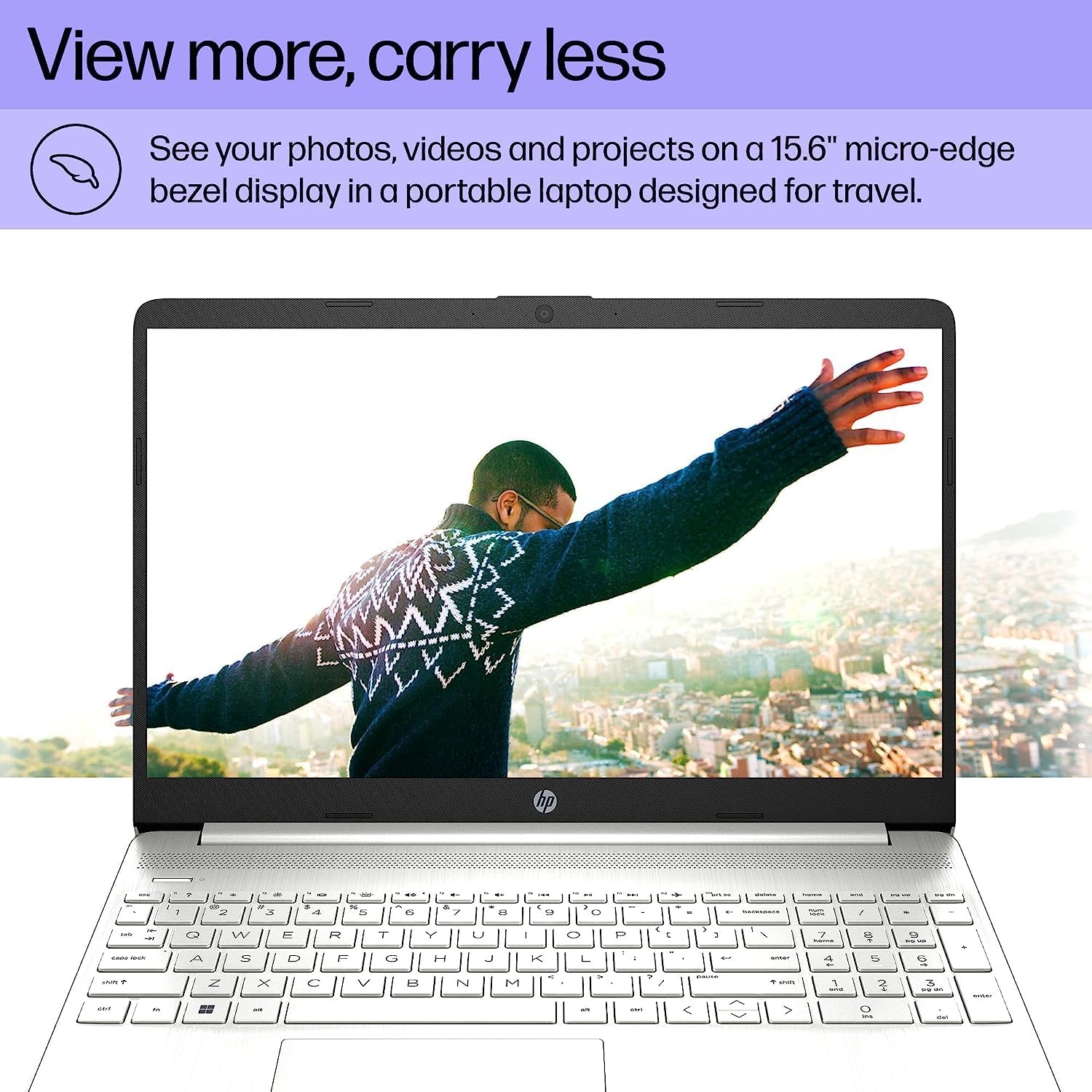
Image 3.1: The laptop's micro-edge display, ideal for viewing photos and videos.
3.2. Performance and Multitasking
Equipped with an AMD Ryzen 5 5500U Mobile Processor and 16GB DDR4 RAM, this laptop is designed for advanced multitasking, running games, and photo/video editing applications smoothly.

Image 3.2: The laptop in use for a video conference, demonstrating its capability for business needs.
3.3. Storage and Speed
The 1TB PCIe SSD storage ensures fast boot-up times, quick file access, and ample space for your documents and applications.
3.4. Operating System
Your laptop comes with Windows 11 Home, providing a modern and intuitive interface for productivity and creativity.

Image 3.3: The laptop displaying a business presentation, highlighting its suitability for professional tasks.
3.5. Wireless Connectivity
Integrated Wi-Fi and Bluetooth allow for seamless connection to wireless networks and compatible devices.
4. Maintenance
4.1. Cleaning Your Laptop
- Use a soft, lint-free cloth slightly dampened with water or a screen cleaner to clean the display.
- For the keyboard and chassis, use a soft cloth. Avoid harsh chemicals or abrasive materials.
- Ensure the laptop is powered off and unplugged before cleaning.
4.2. Battery Care
To prolong battery life, avoid extreme temperatures and fully discharging the battery frequently. For long-term storage, charge the battery to about 50%.
4.3. Software Updates
Regularly check for and install Windows updates and HP driver updates to ensure optimal performance and security.
5. Troubleshooting
5.1. Common Issues and Solutions
| Issue | Possible Solution |
|---|---|
| Laptop does not power on | Ensure the power adapter is securely connected and the outlet is functional. Try a different outlet. |
| Screen is blank or black | Check display settings (Fn + F2/F4 key combination). Connect to an external monitor to verify if the laptop is outputting video. |
| Slow performance | Close unnecessary applications. Check for background processes. Ensure sufficient free space on the SSD. Run a system diagnostic. |
| Wi-Fi connectivity issues | Restart your router and laptop. Check Wi-Fi settings and ensure airplane mode is off. Update wireless drivers. |
For more complex issues, refer to the HP support website or contact customer service.
6. Specifications

Image 6.1: Physical dimensions of the HP 15.6" HD Business Laptop.
| Feature | Detail |
|---|---|
| Model Name | HP |
| Item Model Number | d991da93-0333-4ea7-b406-7ffeaaa9116e |
| Processor | AMD Ryzen 5 5500U (6 Cores, 12 Threads, up to 4.0 GHz) |
| RAM | 16GB DDR4 |
| Storage | 1TB PCIe SSD |
| Display | 15.6" HD (1366 x 768) micro-edge |
| Graphics | AMD Radeon Graphics (Dedicated) |
| Operating System | Windows 11 Home |
| Ports | 2 x USB Type-A, 1 x USB Type-C, 1 x HDMI, 1 x Headphone/Microphone Combo |
| Wireless Connectivity | Wi-Fi (802.11bgn), Bluetooth |
| Item Weight | 5.17 pounds |
| Product Dimensions (LxWxH) | 14.11 x 0.78 x 9.63 inches |
| Color | Silver |
7. Warranty and Support
7.1. Warranty Information
Your HP laptop comes with a standard manufacturer's warranty. Please refer to the separate warranty document included in your product packaging for specific terms and conditions. Protection plans are also available for extended coverage.
- 4-Year Protection Plan: Available for purchase.
- 2-Year Protection Plan: Available for purchase.
7.2. Customer Support
For technical assistance, driver downloads, or further support, please visit the official HP support website or contact HP customer service. Keep your product model number and serial number ready when contacting support.
You can visit the HP Store on Amazon for more product information and accessories.