
1. Introduction
This manual provides essential information for the proper installation, operation, and maintenance of your Bisida 10S 36V 20A Li-ion Battery Management System (BMS) Protection Board. A BMS is a crucial electronic system that manages a rechargeable battery, protecting it from operating outside its safe operating area, monitoring its state, calculating secondary data, reporting that data, controlling its environment, and balancing it. Please read this manual thoroughly before use to ensure safe and efficient operation.
2. Product Overview and Features
The Bisida 10S 36V 20A BMS is designed to provide comprehensive protection and management for 10-series (10S) 36V lithium-ion battery packs. It incorporates advanced features to enhance battery longevity and safety.
2.1 Integrated Protection Functions
This BMS offers a variety of protection functions to safeguard your battery pack:
- Overcharge Protection: Prevents battery cells from being charged beyond their safe voltage limit.
- Over-discharge Protection: Stops battery cells from discharging below their safe voltage limit.
- Overcurrent Protection: Protects against excessive current draw during discharge.
- Short-circuit Protection: Immediately cuts off power in case of a short circuit.
- Temperature Protection: Monitors battery temperature and prevents operation outside safe temperature ranges (-20°C to 70°C).
- Disconnect Protection: Ensures safety if battery connections are lost.
- Voltage Balance (Passive Balance): Helps equalize the voltage across individual battery cells, extending battery life.
- Drop Protection: Enhances durability against physical impacts.
- Dust Protection: Helps prevent dust ingress.
- Moisture Protection: Offers resistance against moisture.
- Electrostatic Protection: Guards against electrostatic discharge.

Figure 1: Integrated solution with ten types of protection.
2.2 NTC Temperature Control Probe
Equipped with a new generation NTC temperature control probe, the BMS accurately monitors the battery pack's temperature, enabling precise temperature protection and management.

Figure 2: NTC temperature control probe for accurate temperature monitoring.
2.3 Balance Function
The integrated balance function actively works to equalize the voltage of individual battery cells within the pack. This passive balancing mechanism helps prevent cell imbalance, which can lead to reduced battery capacity and lifespan, thereby making the battery last longer.
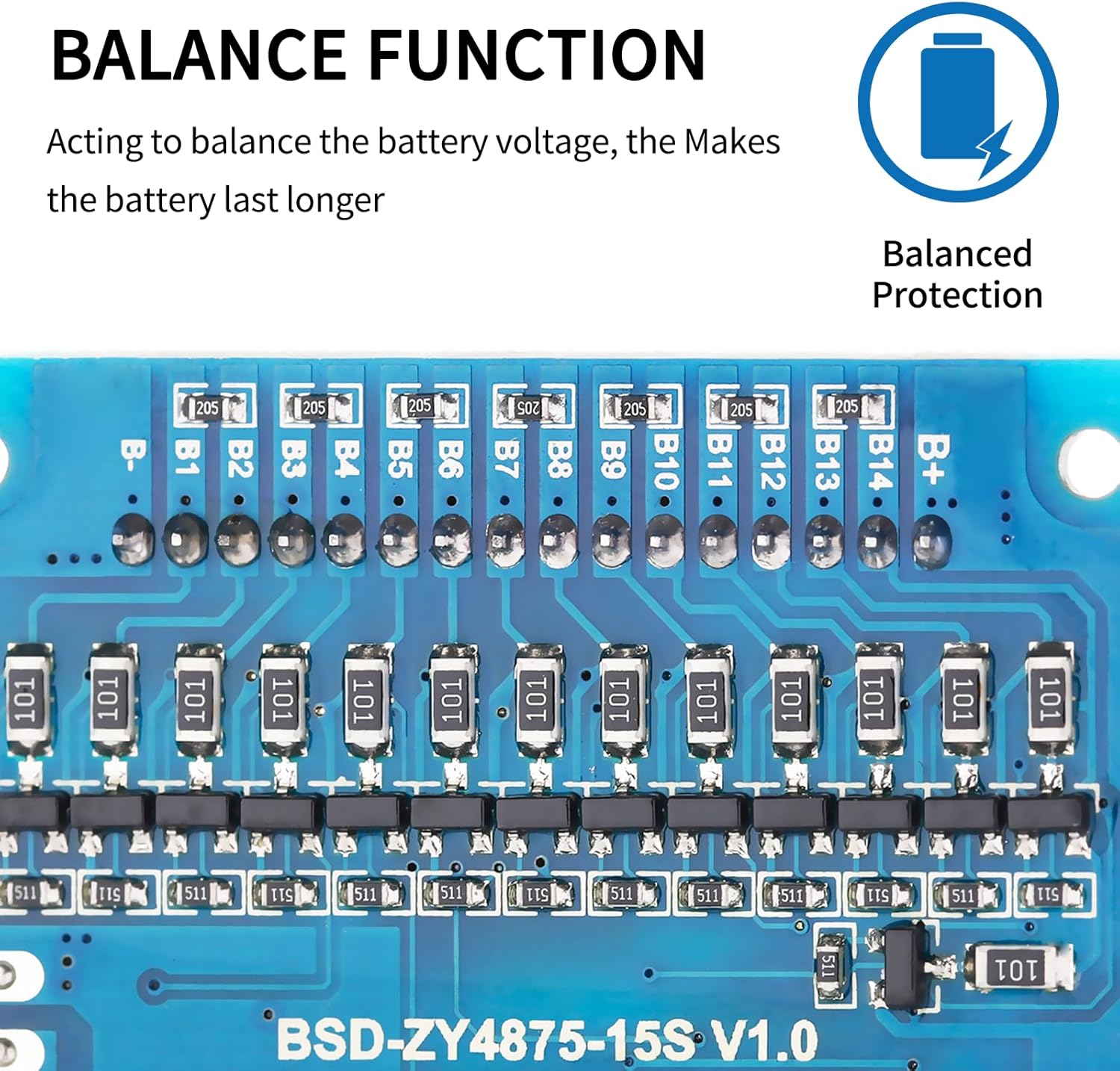
Figure 3: BMS board illustrating the balance function.
2.4 Automotive Grade Chip and Anti-Surge Design
The BMS is manufactured using an automotive-grade integrated circuit (IC) and high-quality MOSFETs. This design ensures robust performance, lower operating temperatures, and reduced power consumption. An anti-surge (TVS) design further enhances the durability and reliability of the circuit lines, contributing to higher precision in operation.

Figure 4: Automotive Grade Chip for reliable performance.

Figure 5: Anti-Surge Design with TVS for enhanced durability.
3. Specifications
| Specification | Value |
|---|---|
| Model Number | 10S 36V 20A |
| Brand | Bisida |
| Battery Cell Composition | Lithium Ion |
| Voltage | 36 Volts |
| Amperage | 20 Amps |
| Reusability | Rechargeable |
| Item Weight | 0.07 Kilograms |
| Warranty | 1 Year |
4. Setup and Installation
4.1 Pre-installation Notice
Before installing the BMS protective board, it is critical to ensure that the battery cells within your pack are properly matched. This includes matching the voltage, capacity, and internal resistance of each cell. Specifically:
- The voltage difference between any two battery sections should not exceed 0.05V.
- The difference in internal resistance should not be more than 5mΩ.
- The capacity difference between cells should be less than 30mAh.
Failure to meet these matching requirements may prevent the battery pack from charging correctly or lead to premature failure of the BMS or battery pack.
4.2 Wiring Method for Split Ports
Follow these steps carefully for wiring the BMS with split ports:
- B- Connection: Connect the B- terminal of the BMS to the negative terminal of the entire battery pack.
- C- Connection: Connect the C- terminal of the BMS to the negative terminal of your charging input.
- P- Connection: Connect the P- terminal of the BMS to the negative terminal of your load/output.
- Positive Connections: All positive electrodes (B+, C+, P+) should be connected to the total positive pole of the battery pack.
- Balance Wire Connection: Weld the balance wires in order of increasing voltage, starting from B- (0V), then B1, B2, B3, and so on, up to B+ (the highest voltage). Ensure each balance wire is connected to its corresponding cell tap.
Always double-check all connections before applying power to prevent damage to the BMS or battery pack.

Figure 6: Wiring diagram for the Bisida 10S BMS.
5. Operating Temperature
The Bisida BMS supports 3.7V lithium-ion battery charging and discharging within a voltage range of 2.65V to 4.25V per cell. The operating temperature range for protection is from -20°C (low temperature protection) up to 70°C (high temperature protection). Operating the BMS or battery pack outside these temperature limits may trigger protection features or cause damage. Specific parameter details may vary slightly with different voltages and currents; refer to the product's detailed specifications if available for your exact configuration.
6. Maintenance
To ensure the longevity and optimal performance of your Bisida BMS, consider the following maintenance guidelines:
- Keep Dry: Avoid exposing the BMS to moisture or liquids.
- Temperature Control: Operate and store the BMS within its specified temperature range.
- Cleanliness: Keep the board free from dust and debris. Use a soft, dry brush or compressed air for cleaning if necessary.
- Inspect Connections: Periodically check all wiring connections for tightness and corrosion. Loose connections can lead to poor performance or safety hazards.
- Avoid Physical Shock: While the BMS has drop protection, avoid unnecessary physical impacts.
7. Troubleshooting
If your battery pack or device connected to the BMS is not functioning as expected, consider the following common issues and troubleshooting steps:
- No Power Output/Charging Issue:
- Check all wiring connections, especially B-, C-, P-, and balance wires, for correct polarity and secure contact.
- Verify that individual cell voltages are within the safe operating range (2.65V to 4.25V). If any cell is too low, the BMS may have triggered over-discharge protection.
- Ensure the battery pack meets the pre-installation matching requirements (voltage, capacity, internal resistance).
- Check for short circuits in the load or charging circuit.
- BMS Overheating:
- Ensure adequate ventilation around the BMS and battery pack.
- Reduce the load if it is consistently drawing high current, potentially exceeding the BMS's continuous discharge current rating.
- Verify that the ambient temperature is within the specified operating range.
- Unbalanced Cell Voltages:
- Allow the battery pack to sit for some time, as the passive balance function works over time.
- Ensure the battery cells were properly matched during initial assembly. Significant initial imbalance may require manual balancing or replacement of faulty cells.
If problems persist after performing these checks, contact customer support for further assistance.
8. Warranty
This Bisida BMS product comes with a 1-year warranty from the date of purchase. The warranty covers defects in materials and workmanship under normal use. It does not cover damage caused by improper installation, misuse, unauthorized modifications, or external factors such as power surges or physical damage. Please retain your proof of purchase for warranty claims.
9. Support
For technical support, questions, or warranty claims, please contact Bisida customer service through the retailer where you purchased the product or visit the official Bisida website for contact information. When contacting support, please provide your product model number (10S 36V 20A) and a detailed description of the issue.