
Introduction
Welcome to your new AERO MOBILITY A140/Chrome Two-Wheel Kick Scooter. This manual provides essential information for the safe assembly, operation, and maintenance of your scooter. Please read all instructions carefully before use to ensure a safe and enjoyable experience.
Safety Information
Your safety is paramount. Always adhere to the following guidelines:
- Protective Gear: Always wear a helmet, knee pads, elbow pads, and wrist guards when riding the scooter.
- Adult Supervision: Children should always be supervised by an adult while riding.
- Weight and Age Limits: This scooter is designed for riders aged 6 years and up, with a maximum weight limit of 154 lbs (69.85 kg).
- Riding Surface: Ride on smooth, paved surfaces away from traffic, pedestrians, and water. Avoid uneven terrain, loose debris, and steep inclines.
- Pre-Ride Check: Before each ride, ensure all clamps and fasteners are securely tightened, the handlebar is at the correct height, and the brake is functioning properly. Check wheels for wear and tear.
- Braking: Learn to use the rear foot brake effectively. Apply gentle pressure initially to avoid sudden stops.
- Visibility: The scooter features dynamic RGB lights for enhanced visibility, especially in low-light conditions. However, avoid riding at night or in poor visibility.
- No Stunts: This scooter is not designed for stunts or aggressive riding.
Package Contents
Please verify that all items are present in the package:
- AERO MOBILITY A140/Chrome Kick Scooter (partially assembled)
- User Manual
Setup Instructions
Unfolding the Scooter
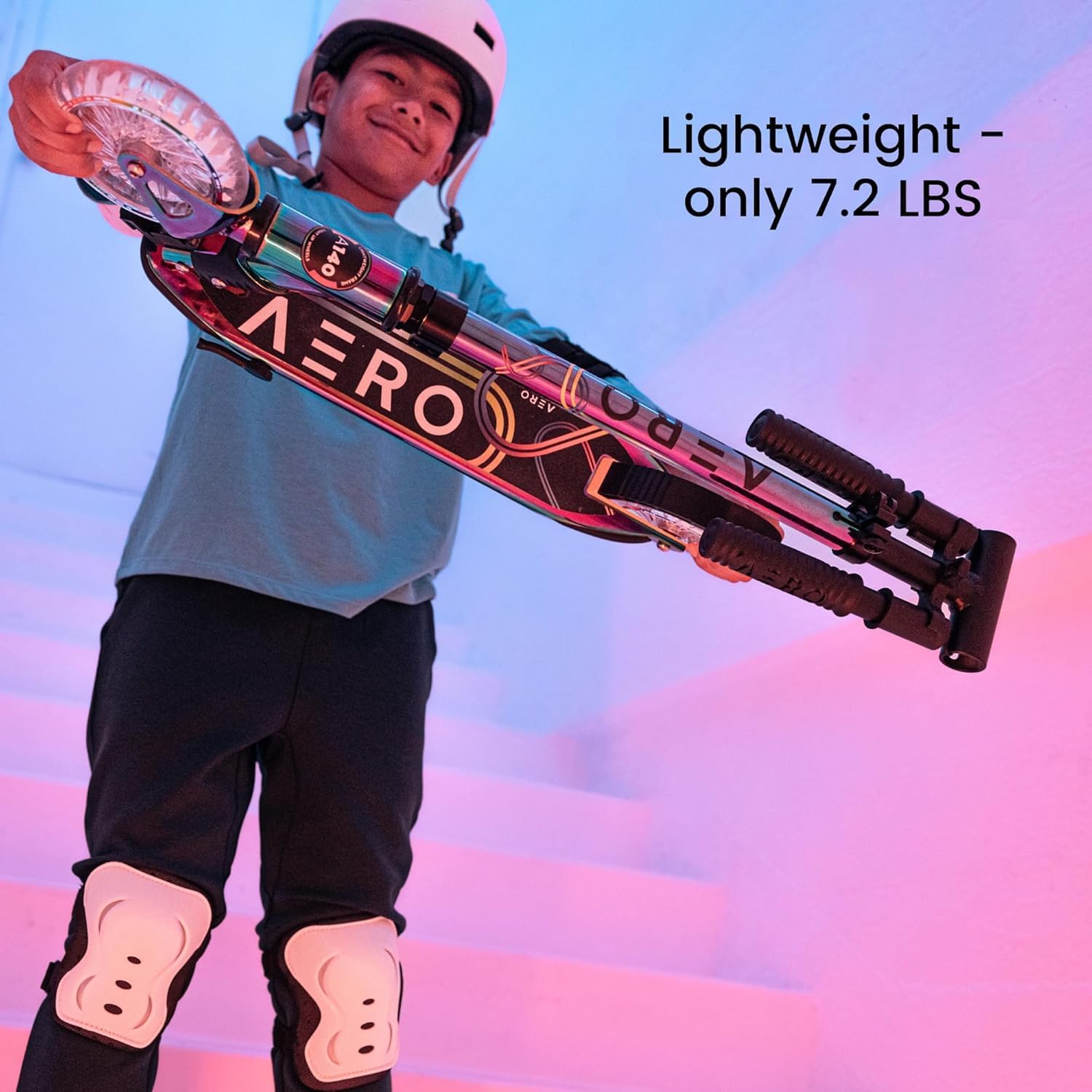
The AERO MOBILITY A140/Chrome scooter features a patented one-second folding mechanism for easy portability and storage.
- Place the scooter on a flat, stable surface.
- Locate the folding mechanism lever near the base of the handlebar stem.
- Pull the lever to release the locking mechanism.
- Gently lift the handlebar stem until it clicks into the upright, locked position. Ensure the mechanism is fully engaged and secure before riding.

This image illustrates the scooter's folding mechanism and the integrated kickstand.
Adjusting Handlebar Height
The handlebar height is adjustable to accommodate different rider heights.
- Locate the quick-release clamp on the handlebar stem.
- Open the quick-release clamp.
- Adjust the handlebar to the desired height. Ensure the handlebar is not extended beyond the maximum height mark.
- Close the quick-release clamp securely. Test the handlebar to ensure it is firmly locked in place and does not move.

This image displays the adjustable handlebar, allowing customization for rider comfort.
Operating Instructions
Riding the Scooter
To begin riding, place one foot firmly on the deck and use the other foot to push off the ground. Once momentum is gained, place both feet on the deck, one behind the other, and maintain balance. Steer by gently leaning and turning the handlebars.
A child demonstrates riding the scooter, showcasing the dynamic lights in action.
Using the Brake
The A140/Chrome scooter is equipped with a rear foot brake. To slow down or stop, gently press your foot down on the fender above the rear wheel. Apply gradual pressure to ensure a controlled stop.

This image highlights the rear foot brake, an essential safety feature.
Dynamic RGB Lights
The scooter features motion-activated RGB lights in both the wheels and the wheel cores. These lights automatically illuminate when the wheels are in motion, adding a fun visual element to your ride and increasing visibility.

The motion-activated light-up wheels are shown, enhancing the scooter's appeal and visibility.
Maintenance
Regular maintenance ensures the longevity and safe operation of your scooter.
- Cleaning: Wipe down the scooter with a damp cloth after use. Avoid using harsh chemicals or abrasive cleaners. Do not use high-pressure water jets directly on bearings or electronic components.
- Wheel and Bearing Check: Periodically inspect the wheels for wear and tear. Ensure they spin freely. If bearings feel rough or noisy, they may need cleaning or replacement.
- Brake Inspection: Check the rear foot brake regularly to ensure it is responsive and not excessively worn. Adjust or replace if necessary.
- Folding Mechanism Care: Keep the folding mechanism clean and free of debris. Apply a small amount of silicone-based lubricant if it becomes stiff.
- Fasteners: Regularly check all nuts, bolts, and screws to ensure they are tight. Do not overtighten.
Troubleshooting
Here are solutions to common issues you might encounter:
- Lights Not Working: Ensure the wheels are spinning fast enough to activate the motion-powered lights. If lights still do not work, check for any obstructions or damage to the wheel cores.
- Scooter Not Folding/Unfolding Smoothly: Check the folding mechanism for dirt or debris. Apply a small amount of silicone lubricant to the moving parts. Ensure the lever is fully engaged or disengaged.
- Brake Not Responsive: Inspect the rear fender brake for wear. Ensure it makes proper contact with the wheel. If worn, it may need replacement.
- Handlebar Wobbles: Ensure the quick-release clamp on the handlebar stem is fully tightened. If it continues to wobble, check for any loose bolts or damage to the stem.
Specifications
| Feature | Detail |
|---|---|
| Product Dimensions (L x W x H) | 76.5 x 36.5 x 89 cm (30 x 14 x 35 inches) |
| Item Weight | 3.5 kg (7.7 lbs) |
| Weight Limit | 69.85 kg (154 lbs) |
| Age Range (Description) | 6-10 years |
| Number of Wheels | 2 |
| Wheel Material | Polyurethane |
| Frame Material | Aluminum |
| Handlebar Type | Adjustable |
| Brake Style | Rear Braking |
| Special Features | Chrome Finish, Foldable, Height Adjustable, Light Up Clear Wheels |
Warranty Information
AERO MOBILITY provides a 2-Year Free Warranty for this product. Within two years of purchase, we will provide free replacement parts and technical support for any manufacturing defects or issues covered under the warranty terms. Please retain your proof of purchase for warranty claims.
Customer Support
For any questions, concerns, or technical assistance regarding your AERO MOBILITY A140/Chrome Kick Scooter, please contact our customer support team:
Email: Product@hl-sports.com
Our team is dedicated to providing prompt and helpful support.
