
Important Safety Instructions
When using electrical appliances, basic precautions should always be followed to reduce the risk of fire, electric shock, and injury to persons, including the following:
- Read all instructions before using this fan.
- Use this fan only as described in this manual. Other uses not recommended may cause fire, electric shock, or injury to persons.
- To reduce the risk of fire or electric shock, do not expose this fan to water or rain.
- Do not operate any fan with a damaged cord or plug. Discard fan or return to an authorized service facility for examination and/or repair.
- Do not run cord under carpeting. Do not cover cord with throw rugs, runners, or similar coverings. Do not route cord under furniture or appliances. Arrange cord away from traffic area and where it will not be tripped over.
- Always unplug the fan when not in use, when moving it from one location to another, and before cleaning.
- Do not insert or allow fingers or foreign objects to enter any ventilation or exhaust opening as this may cause an electric shock or fire, or damage the fan.
- Do not block air intakes or exhaust in any manner. Do not use on any soft surface, like a bed, where openings may become blocked.
- This fan is not intended for use in wet or damp locations.
- Keep the fan out of reach of children.
Product Overview
The SOHLER 28-inch Oscillating Tower Fan is designed for efficient and quiet cooling in various indoor environments. Its slim profile and oscillating function make it ideal for bedrooms, home offices, and other living spaces.

Figure 1: Front view of the SOHLER 28-inch Oscillating Tower Fan, showcasing its sleek black design and tall, slender form factor.
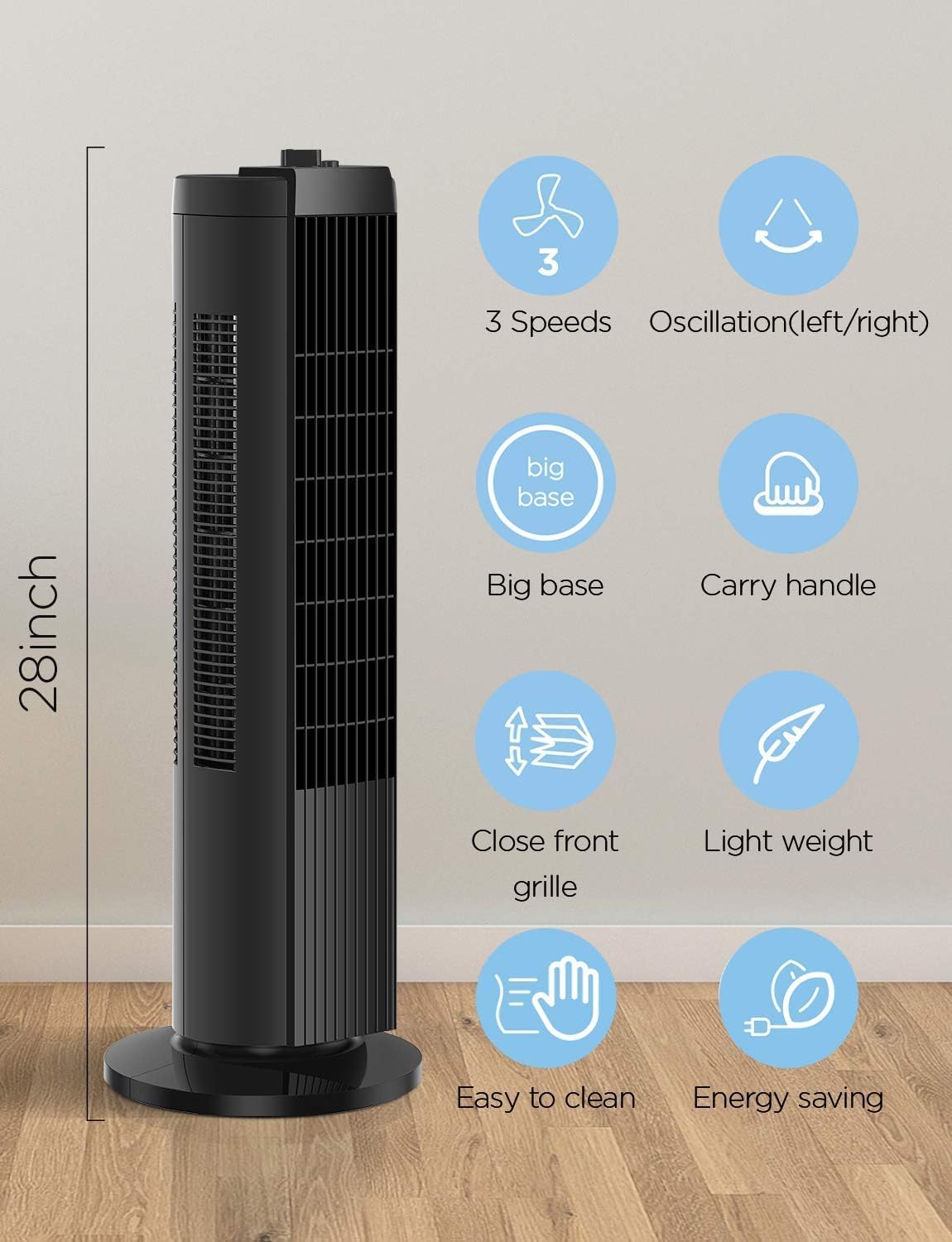
Figure 2: Overview of key features including 28-inch height, 3 speeds, 60° oscillation, a large stable base, integrated carry handle, close front grille for safety, lightweight design, easy cleaning, and energy-saving operation.
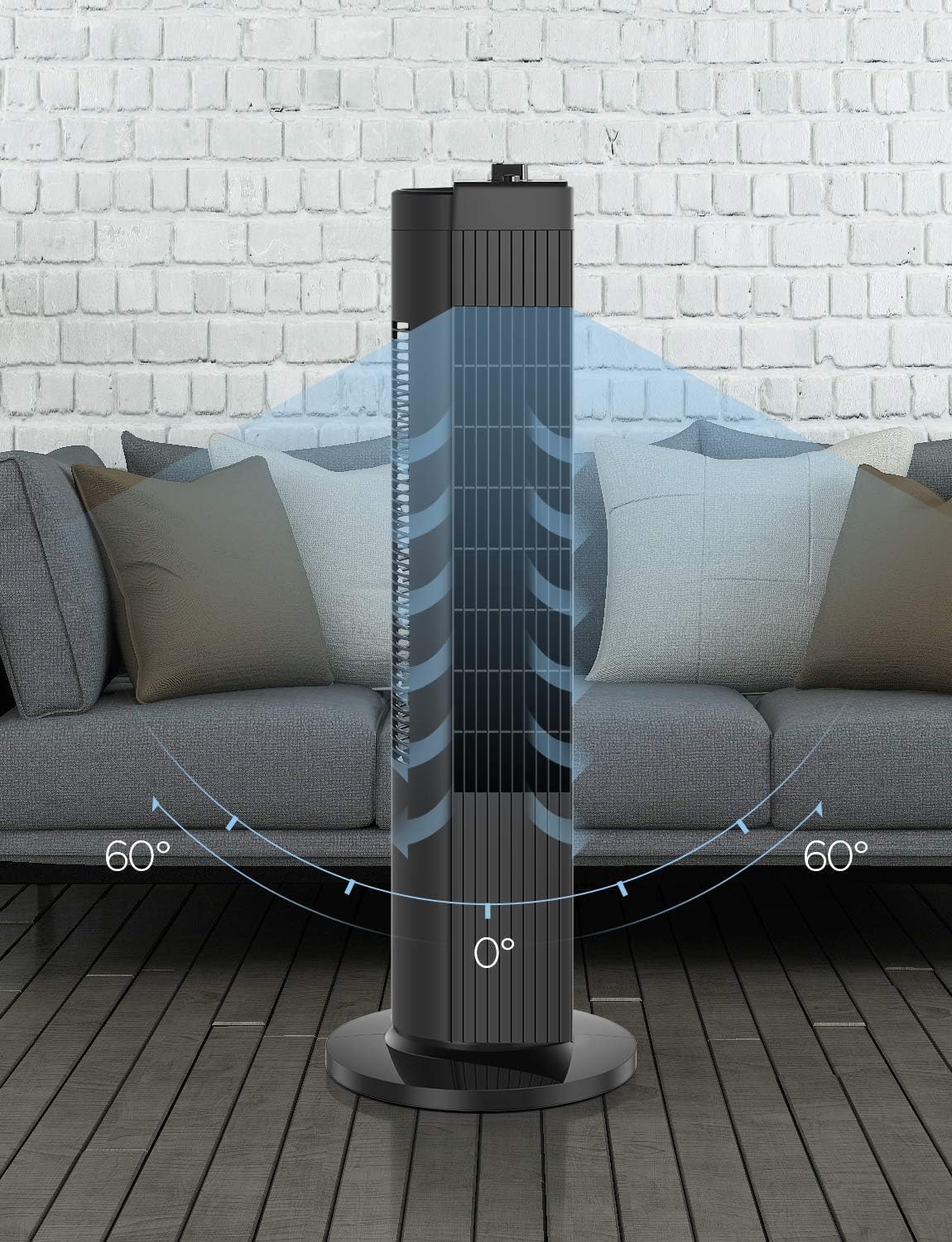
Figure 3: Detailed views showing the top-mounted control knob for speed selection (0, 1, 2, 3), the design of the close front grille, and the robust, large base for stability.
Key Features:
- 3 Speed Settings: Customize your cooling experience with low, medium, and high airflow options.
- Compact Oscillation: Features a 60° wide-angle oscillation to ensure even air distribution across the room.
- Quiet Operation: Operates at a low noise level of approximately 48 dB, making it suitable for bedrooms and quiet environments.
- Lightweight and Portable: Weighing only 6 pounds with an integrated carry handle for easy relocation.
- Space-Saving Design: Slim profile fits easily into smaller rooms or limited floor spaces.
Setup
Follow these steps to assemble your SOHLER Tower Fan before first use.
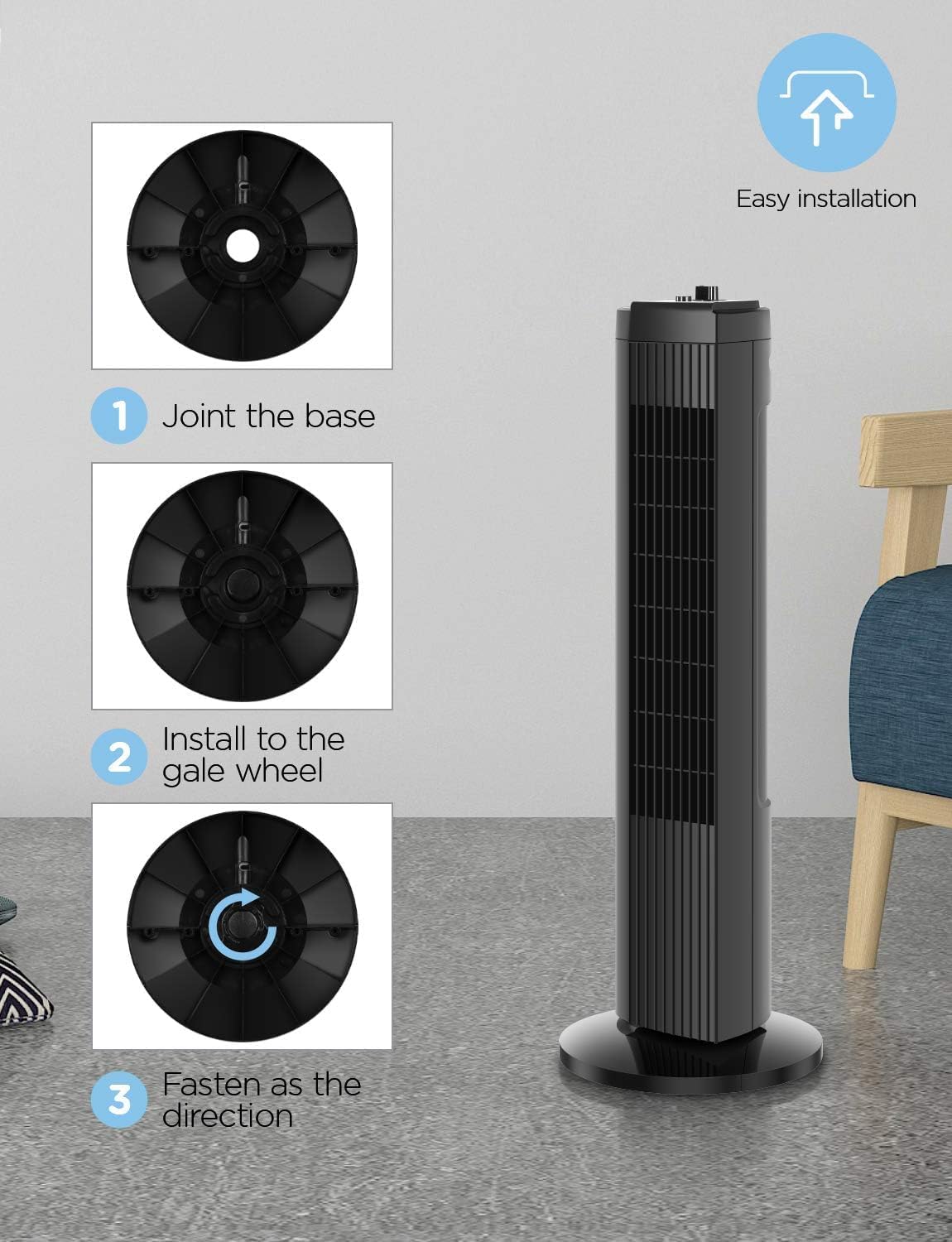
Figure 4: Visual guide for the easy installation of the fan's base.
- Joint the Base: Align the two halves of the fan base and snap them together securely.
- Install to the Fan Body: Carefully place the fan body onto the assembled base, ensuring the alignment tabs or grooves match.
- Fasten as Directed: Secure the base to the fan body using the provided fastening mechanism, typically a large screw or knob at the bottom of the base. Turn clockwise until tight.
Once assembled, place the fan on a firm, level surface away from obstacles that could impede airflow or oscillation.
Operating Instructions
Your SOHLER Tower Fan is simple to operate with its intuitive controls.

Figure 5: Illustration of the three distinct speed settings (Low, Mid, High) and their corresponding airflow intensity.

Figure 6: Depiction of the fan's 60° wide-angle oscillation feature, distributing air across a broader area.
Power On/Off and Speed Control:
- Locate the control knob on the top of the fan.
- Turn the knob clockwise to select your desired speed setting:
- 0: Off
- 1: Low Speed
- 2: Medium Speed
- 3: High Speed
- To turn the fan off, rotate the knob counter-clockwise back to the '0' position.
Oscillation Function:
- To activate the oscillation feature, press the oscillation button located near the speed control knob. The fan head will begin to rotate from side to side.
- To stop oscillation, press the oscillation button again. The fan will stop rotating and remain in its current direction.

Figure 7: Demonstrates how using the fan in conjunction with an air conditioning unit can enhance cooling efficiency and contribute to energy savings.
Maintenance
Regular cleaning and maintenance will ensure the longevity and optimal performance of your SOHLER Tower Fan.
- Before Cleaning: Always unplug the fan from the power outlet before attempting any cleaning or maintenance.
- Exterior Cleaning: Use a soft, damp cloth to wipe down the exterior surfaces of the fan. Do not use abrasive cleaners or solvents, as these may damage the finish.
- Grille Cleaning: The fan features a close front grille. Use a vacuum cleaner with a brush attachment or compressed air to remove dust and debris from the grille openings. Do not attempt to disassemble the fan for internal cleaning.
- Storage: If storing the fan for an extended period, cover it with a cloth or plastic bag to protect it from dust. Store in a cool, dry place.
Troubleshooting
If you encounter issues with your SOHLER Tower Fan, refer to the following common problems and solutions:
| Problem | Possible Cause | Solution |
|---|---|---|
| Fan does not turn on. | No power supply. Fan not plugged in. Power outlet faulty. | Ensure the fan is securely plugged into a working electrical outlet. Check the circuit breaker. Try a different outlet. |
| Airflow is weak. | Fan speed set too low. Air intake/exhaust blocked. Dust accumulation. | Increase the fan speed setting. Ensure nothing is blocking the fan's air inlets or outlets. Clean the fan grille as per maintenance instructions. |
| Fan is making unusual noise. | Fan not on a level surface. Internal obstruction. | Place the fan on a flat, stable surface. Unplug the fan and check for any foreign objects near the blades or grille. Do not attempt to open the fan. |
| Oscillation not working. | Oscillation button not pressed. Obstruction. | Press the oscillation button to activate the feature. Ensure the fan is not obstructed from rotating. |
If the problem persists after trying these solutions, please contact customer support.
Specifications
| Brand | Sohler |
| Model Number | SFT28B |
| Color | Black |
| Dimensions (L x W x H) | 24.41 x 24.41 x 70.92 cm (9.61 x 9.61 x 27.92 inches) |
| Number of Speeds | 3 |
| Noise Level | 48 dB |
| Special Features | Oscillating |
| Power Source | Corded Electric |
| Recommended Use | Cooling for Bedroom, Home Office |
Warranty and Support
SOHLER stands behind the quality of its products.
Manufacturer's Warranty:
This SOHLER Tower Fan comes with a 1-year manufacturer's warranty from the date of purchase. This warranty covers defects in materials and workmanship under normal use.
The warranty does not cover damage resulting from misuse, accident, alteration, neglect, unauthorized repair, or commercial use.
Customer Support:
For warranty claims, technical assistance, or any questions regarding your SOHLER Tower Fan, please contact our customer support team. Refer to your purchase documentation or the SOHLER official website for the most current contact information.