
Introduction
Thank you for choosing the BOROFONE BW41 Wireless Bluetooth Earbuds. These open-ear design earbuds provide a comfortable listening experience with advanced Bluetooth 5.3 technology, touch controls, and a long-lasting battery. This manual will guide you through the setup, operation, and maintenance of your new earbuds.
Package Contents
- BOROFONE BW41 Wireless Bluetooth Earbuds (Left and Right)
- Charging Case
- USB Charging Cable
- User Manual
Product Overview
Familiarize yourself with the components of your BOROFONE BW41 earbuds and charging case.

Image: BOROFONE BW41 Wireless Earbuds in their charging case, showing the LED battery display.
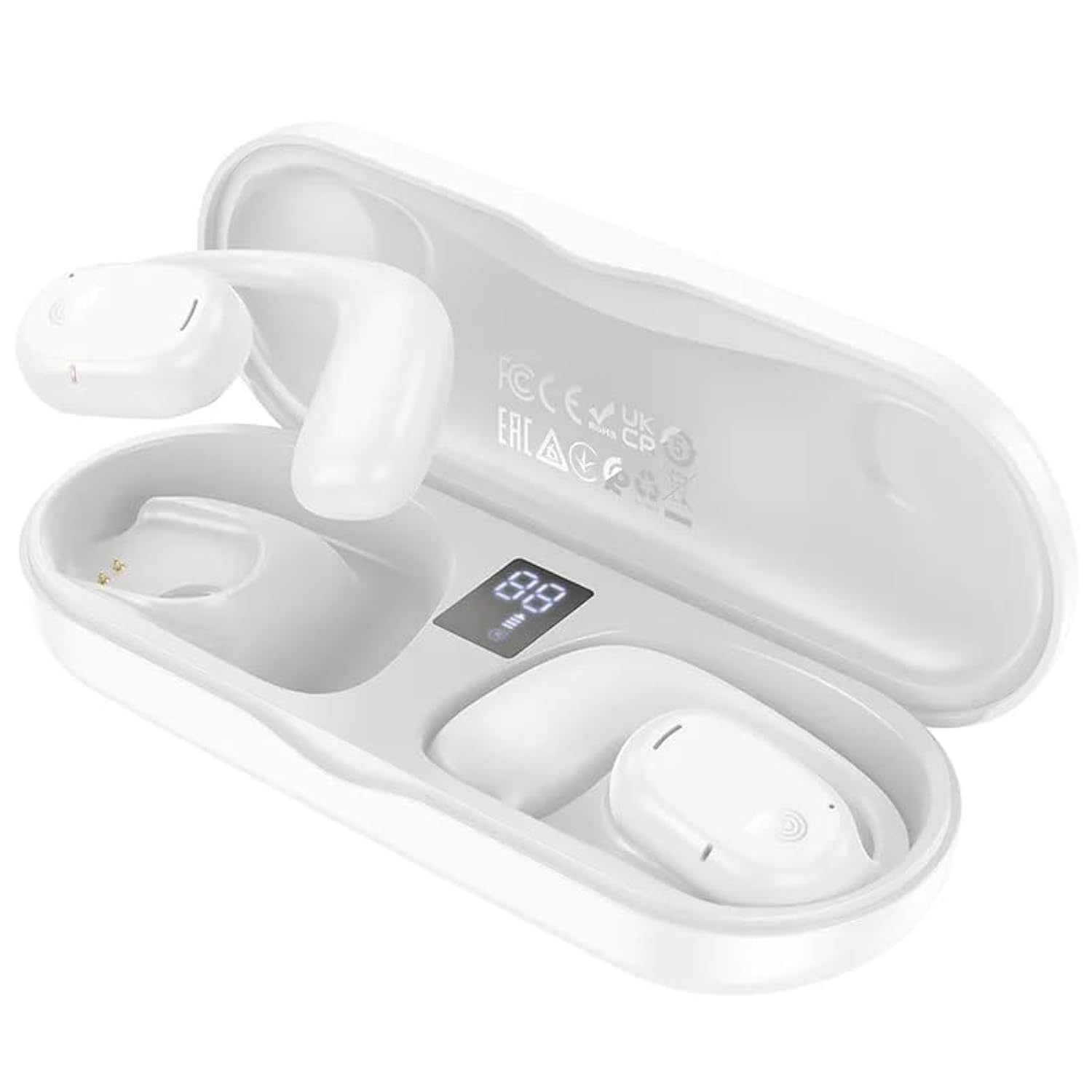
Image: BOROFONE BW41 Wireless Earbud in use, demonstrating the open-ear design.
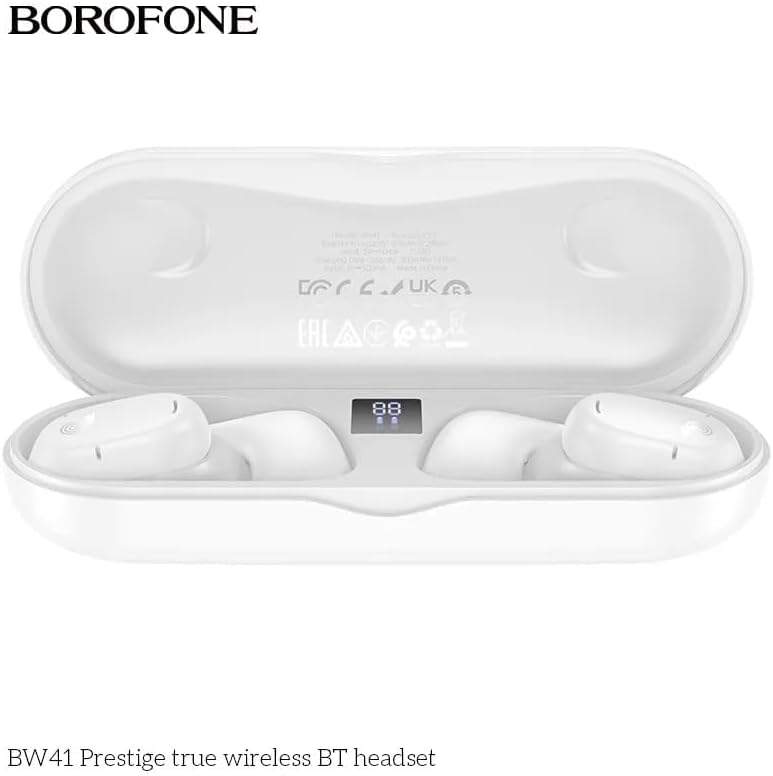
Image: BOROFONE BW41 charging case with earbuds, displaying the LED battery indicator.
Setup
1. Charging the Earbuds and Case
Before first use, fully charge the earbuds and charging case.
- Place the earbuds into the charging case. Ensure they are correctly seated.
- Connect the USB charging cable to the charging port on the case and to a DC 5V power source (e.g., a USB wall adapter or computer USB port).
- The LED display on the charging case will indicate the charging status. A full charge for both the earbuds and case takes approximately 1.5 hours.
2. Pairing with a Bluetooth Device
To connect your earbuds to your smartphone or other Bluetooth-enabled device:
- Open the charging case. The earbuds will automatically power on and enter pairing mode.
- On your device, go to Bluetooth settings and ensure Bluetooth is enabled.
- Search for available devices and select "BW41" from the list.
- Once connected, you will hear a confirmation tone, and the earbuds will be ready for use.
- The earbuds support master-slave switching, allowing either earbud to be used independently.
Operating Instructions
Power On/Off
- Power On: Open the charging case, or press and hold the touch area on both earbuds for 3 seconds.
- Power Off: Place the earbuds back into the charging case and close the lid, or press and hold the touch area on both earbuds for 5 seconds.
Call Management
- Answer/End Call: Tap the touch area on either earbud once.
- Reject Call: Press and hold the touch area on either earbud for 2 seconds.
Music Playback
- Play/Pause: Tap the touch area on either earbud once.
- Next Track: Triple-tap the touch area on the right earbud.
- Previous Track: Triple-tap the touch area on the left earbud.
- Volume Up: Double-tap the touch area on the right earbud.
- Volume Down: Double-tap the touch area on the left earbud.
Voice Assistant (Siri/Google Assistant)
- Activate: Press and hold the touch area on either earbud for 2 seconds (when not on a call).
LED Indicators
The charging case features an LED display that shows the battery level of the case and individual earbuds.
Maintenance
To ensure the longevity and optimal performance of your earbuds:
- Clean the earbuds and charging case regularly with a soft, dry cloth.
- Avoid using abrasive cleaners or solvents.
- Keep the charging contacts on the earbuds and inside the case clean and free of debris.
- Store the earbuds in their charging case when not in use to protect them and keep them charged.
- Avoid exposing the earbuds to extreme temperatures, humidity, or liquids.
Troubleshooting
| Issue | Possible Solution |
|---|---|
| Earbuds not pairing | Ensure earbuds are charged. Turn off and on your device's Bluetooth. Forget "BW41" from your device's Bluetooth list and re-pair. |
| No sound from earbuds | Check device volume. Ensure earbuds are connected. Try restarting both earbuds and your device. |
| Charging case not charging | Check the charging cable and power adapter. Ensure the cable is securely connected. Try a different cable or power source. |
| Earbuds not charging in case | Ensure earbuds are properly seated in the case. Clean the charging contacts on both the earbuds and the case. Ensure the charging case itself has power. |
Specifications
- Bluetooth Version: V5.3 (Jerry AC6973 chip)
- Supported Protocols: Headset, Hands-Free, A2DP, Avrcp
- Transmission Range: Up to 10 meters
- Transmission Frequency: 2.4GHz
- Speaker Size: 16mm
- Impedance: 20Ω ± 15%
- Frequency Response: 20Hz - 20000Hz
- Sensitivity: 98dB ± 3dB
- Charging Voltage: DC 5V
- Earbud Charging Time: Approximately 1.5 hours
- Charging Case Charging Time: Approximately 1.5 hours
- Earbud Battery Capacity: 80mAh (each)
- Charging Case Battery Capacity: 300mAh
- Talk Time: Up to 10 hours
- Music Playback Time: Up to 10 hours
- Standby Time: Up to 200 hours
- Product Dimensions: 134 x 50 x 30 mm
- Product Net Weight: 95g
- Single Earbud Net Weight: 10.5g
Warranty and Support
BOROFONE products are designed and manufactured to the highest quality standards. For warranty information or technical support, please refer to the warranty card included in your package or visit the official BOROFONE website. Please retain your proof of purchase for any warranty claims.