
1. Product Overview
The BOSCH 0263007266 Rear View Camera is an Original Equipment Manufacturer (OEM) quality component designed to enhance driver visibility. This system provides a visual aid by displaying a mirrored video feed of the area behind the vehicle, often with superimposed overlays and graphics, to the vehicle's radio module and display screen.
It is important to note that this rear view camera system is intended as a driver aid and should not be considered an obstacle detection or primary safety system. It helps reduce blind spots and provides an increased field of view when reversing.
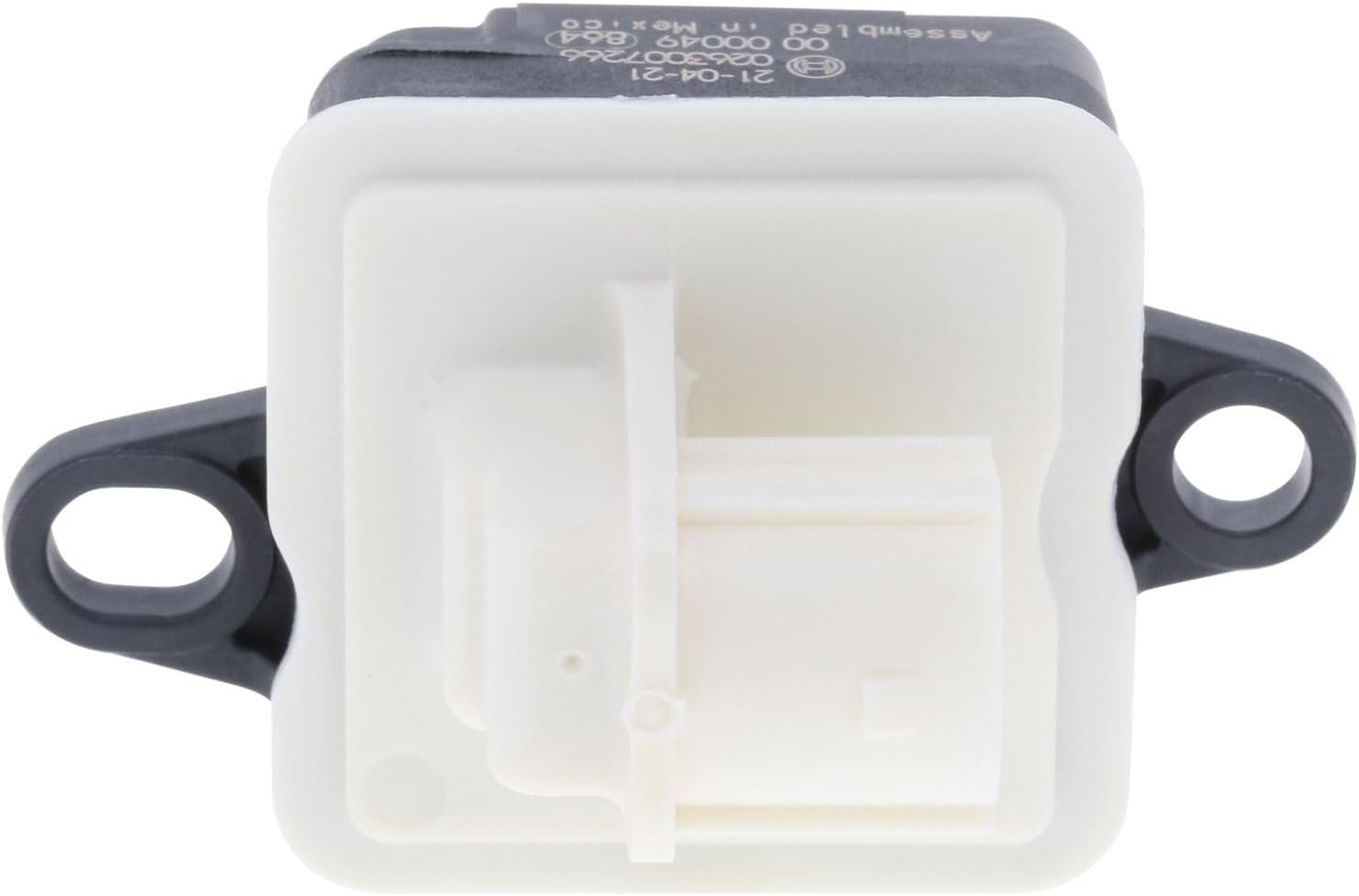
Image 1.1: The BOSCH 0263007266 Rear View Camera unit, showing its compact design and connector port.
What's in the Box:
- Rear View Camera unit (BOSCH 0263007266)
2. Setup and Installation
The BOSCH 0263007266 Rear View Camera is designed as a direct replacement for the original equipment camera in compatible Dodge Challenger models (2015-2020). For proper function and safety, professional installation is highly recommended.
Key Installation Considerations:
- Vehicle Specificity: This camera is application-specific and not universal. Ensure compatibility with your vehicle's make, model, and year before attempting installation. Refer to the OE manufacturer’s recommendations for detailed vehicle fitment.
- Exact Fit: The camera features attachment points and connectors that precisely match the original equipment, facilitating a trouble-free installation process.
- Wiring: Connect the camera to the vehicle's existing wiring harness as per the vehicle manufacturer's service manual. Ensure all connections are secure and properly insulated.
- Mounting: Mount the camera securely in its designated location, typically on the rear of the vehicle, ensuring a clear and unobstructed view.
- System Integration: After physical installation, the vehicle's infotainment system may require calibration or activation to recognize the new camera. Consult your vehicle's owner's manual or a qualified technician for these steps.
Warning: Incorrect installation can lead to system malfunction, damage to the vehicle, or unsafe operating conditions. Always disconnect the vehicle's battery before beginning any electrical work.
3. Operating Instructions
Once properly installed and integrated with your vehicle's system, the BOSCH Rear View Camera operates automatically when the vehicle is placed in reverse gear.
Functionality:
- When the transmission is shifted into reverse, the camera activates and transmits a live video feed to the vehicle's display screen (e.g., infotainment screen).
- The video displayed is a mirrored view of the area directly behind your vehicle.
- Dynamic or static overlay lines (guidelines) may appear on the screen to assist with parking and judging distances, depending on your vehicle's specific system capabilities.
- The camera system is designed to provide an increased field of view, helping the driver to see obstacles or objects that might otherwise be in a blind spot.
Important: Always check your surroundings visually before and during reversing. The camera system is an aid and does not replace the driver's responsibility to operate the vehicle safely and be aware of all obstacles and pedestrians.
4. Maintenance
The BOSCH 0263007266 Rear View Camera requires minimal maintenance to ensure optimal performance.
Care and Cleaning:
- Lens Cleaning: Periodically inspect the camera lens for dirt, dust, mud, snow, or ice. Clean the lens gently with a soft, damp cloth and mild soap if necessary. Avoid abrasive cleaners or materials that could scratch the lens.
- Obstruction Check: Ensure that no objects (e.g., license plate frames, bumper stickers, debris) are obstructing the camera's field of view.
- Connection Integrity: If accessible, periodically check the camera's electrical connections for corrosion or looseness. This is typically part of routine vehicle maintenance performed by a qualified technician.
Do not attempt to disassemble the camera unit. There are no user-serviceable parts inside.
5. Troubleshooting
If you experience issues with your BOSCH Rear View Camera, consider the following troubleshooting steps:
Common Issues and Solutions:
- No Image on Display:
- Ensure the vehicle is in reverse gear.
- Check if the camera lens is clean and free from obstructions.
- Verify that the vehicle's display screen is functioning correctly.
- A loose or damaged electrical connection could be the cause. Professional inspection is recommended.
- Poor Image Quality (Blurry, Distorted, Dark):
- Clean the camera lens thoroughly.
- Check for any physical damage to the camera unit.
- Extreme lighting conditions (e.g., direct sunlight, very dark environments) can affect image quality.
- If the issue persists, the camera unit may be faulty or there could be an issue with the vehicle's video signal processing.
- Intermittent Operation:
- This often indicates a loose electrical connection or a power supply issue.
- Consult a qualified automotive technician for diagnosis.
If these steps do not resolve the issue, it is advisable to contact a certified BOSCH service center or a qualified automotive technician for further assistance.
6. Specifications
| Feature | Detail |
|---|---|
| Brand | BOSCH |
| Model Number | 0263007266 |
| Compatible Devices | Monitor (Vehicle's infotainment display) |
| Installation Type | Surface Mount |
| Optical Sensor Technology | CMOS |
| Lens Type | Wide Angle, Fixed |
| Real Angle of View | 170 Degrees |
| Connector Type | RCA (Standard automotive video connector) |
| Optical Sensor Size | 1/3 inch |
| Field Of View | 170 Degrees |
| Item Weight | 1.8 ounces |
| Product Dimensions | 2.8 x 1 x 3.7 inches |
| Manufacturer Part Number | 0263007266 |
| Replaces OE Part Number | 04672760AC |
7. Warranty Information
For detailed warranty information regarding your BOSCH 0263007266 Rear View Camera, please refer to the official BOSCH product warranty documentation provided with your purchase or visit the official BOSCH Automotive website. Warranty terms and conditions may vary by region and product.
Keep your proof of purchase for any warranty claims.
8. Support and Contact
If you require technical assistance, have questions about installation, or need to report a product issue, please contact BOSCH Automotive customer support.
Refer to the contact information provided in your product packaging or visit the official BOSCH Automotive website for the most up-to-date support channels, including phone numbers, email addresses, and online resources.