
1. Introduction
The Hitage SW2568 Smart Watch is designed to integrate seamlessly into your daily life, offering communication, health monitoring, and entertainment features. This manual provides detailed instructions to help you maximize your device's capabilities.

Image 1.1: The Hitage SW2568 Smart Watch displaying its application interface.
2. What's in the Box
Upon unboxing your Hitage SW2568 Smart Watch, please verify that all the following items are present:
- 1 x Hitage SW2568 Smart Watch
- 1 x Charging Cable
- 1 x User Manual Guide (this document)

Image 2.1: The Hitage SW2568 Smart Watch retail packaging.
3. Setup
3.1 Charging the Device
- Connect the charging cable to the charging port on the back of the watch.
- Plug the USB end of the charging cable into a standard USB power adapter (not included) or a computer's USB port.
- The watch display will indicate charging status. Ensure the watch is fully charged before first use.
3.2 Powering On/Off
- To Power On: Press and hold the power button (usually on the side of the watch) until the screen lights up.
- To Power Off: Press and hold the power button, then select the 'Power Off' option on the screen.
3.3 Pairing with Your Smartphone
To unlock the full functionality of your Hitage SW2568 Smart Watch, pair it with your smartphone via Bluetooth.
- Ensure your watch is powered on and fully charged.
- Enable Bluetooth on your smartphone.
- Download and install the companion application for the Hitage SW2568 (refer to the watch screen or packaging for app name/QR code).
- Open the application and follow the on-screen instructions to search for and connect to your SW2568 Smart Watch.
- Confirm the pairing request on both your phone and the watch.

Image 3.1: Overview of Hitage SW2568 features and included charging cable.
4. Operating Instructions
The Hitage SW2568 Smart Watch offers a range of features for communication, health, and daily convenience.
4.1 Making and Answering Calls
Once paired with your smartphone, you can manage calls directly from your watch.
- To Answer a Call: When an incoming call notification appears, tap the green answer icon on the watch screen.
- To Make a Call: Access the dialer or contact list through the watch's menu and select the desired contact or dial the number.
4.2 Music Playback
The built-in speaker allows you to listen to music directly from your watch, or control music playing on your paired smartphone.
- Navigate to the 'Music Player' application on your watch.
- You can play, pause, skip tracks, and adjust volume.
4.3 Notifications
Receive notifications for calls, messages, and social media apps directly on your wrist.
- Ensure notification permissions are enabled in your smartphone's companion app settings.
- Swipe down on the watch face to view recent notifications.
4.4 Health and Fitness Monitoring
The watch includes various sensors to track your health and activity.
- Pedometer: Tracks your daily steps, distance, and calories burned.
- Sleep Monitor: Monitors your sleep patterns and quality.
- Sedentary Reminder: Prompts you to move after periods of inactivity.
- Blood Pressure Monitor: Provides estimated blood pressure readings.
- Activity Tracker: Records various workout data.
4.5 Additional Features
- Stopwatch: For timing activities.
- Remote Camera: Control your smartphone's camera remotely.
- Alarm Clock: Set alarms directly from your watch.
- NFC for Quick Pairing: Facilitates fast Bluetooth connection with compatible devices.
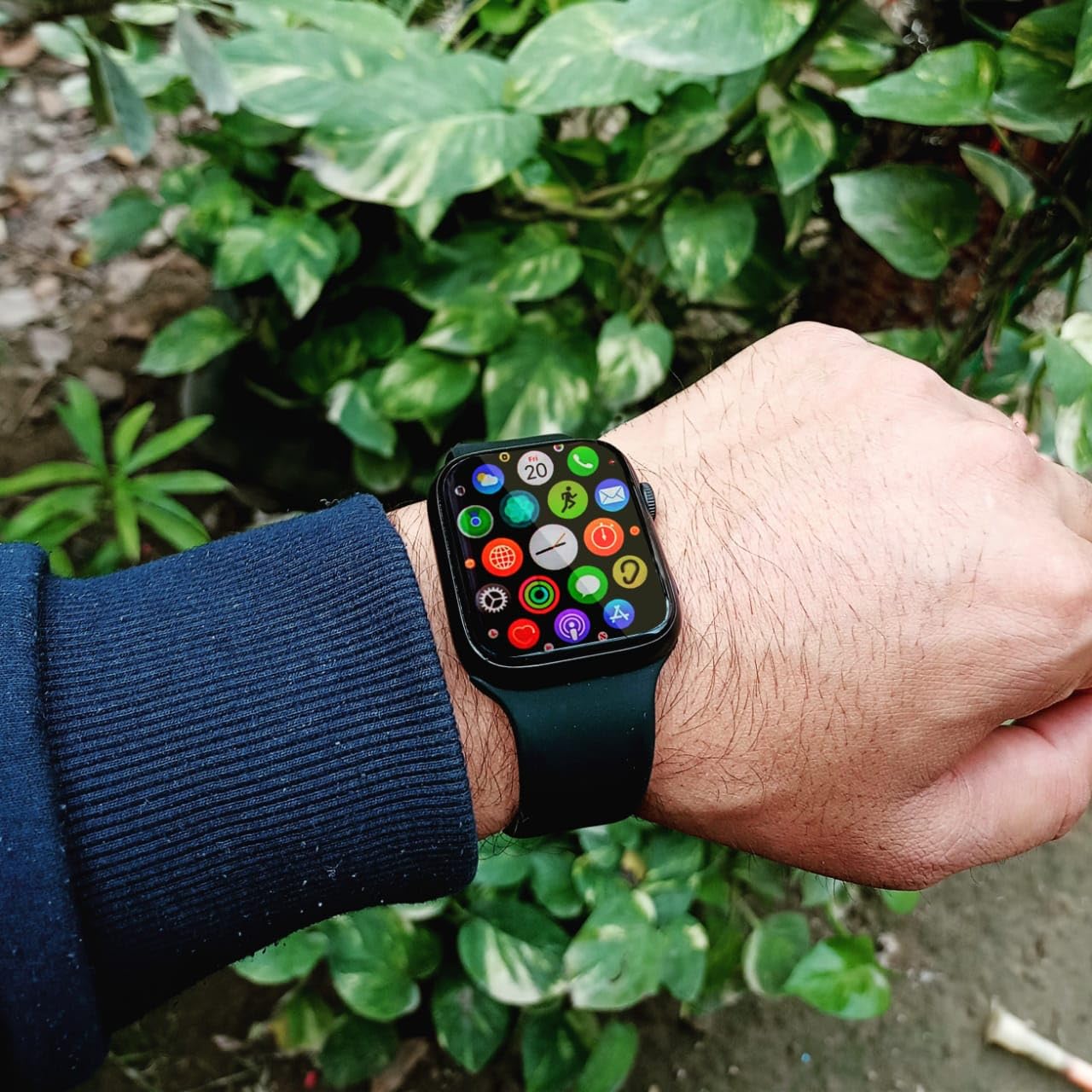
Image 4.1: The Hitage SW2568 Smart Watch worn on a wrist, showing its vibrant display.

Image 4.2: The Hitage SW2568 Smart Watch emphasizing its calling, waterproof, and accurate pedometer functions.
5. Maintenance
5.1 Cleaning Your Watch
To maintain the appearance and functionality of your watch:
- Wipe the screen and body with a soft, lint-free cloth.
- For stubborn dirt, slightly dampen the cloth with water. Avoid using harsh chemicals or abrasive materials.
- Clean the charging contacts regularly to ensure proper charging.
5.2 Water Resistance
The Hitage SW2568 is designed to be waterproof, suitable for daily activities like hand washing or light rain. However, it is not recommended for swimming, diving, or exposure to high-pressure water. Avoid contact with hot water or steam.
5.3 Battery Care
- Avoid fully discharging the battery frequently.
- Do not expose the watch to extreme temperatures.
- Use only the provided charging cable.
6. Troubleshooting
If you encounter issues with your Hitage SW2568 Smart Watch, refer to the following common solutions:
| Problem | Possible Solution |
|---|---|
| Watch does not power on | Ensure the watch is fully charged. Press and hold the power button for at least 10 seconds. |
| Cannot pair with smartphone | Check if Bluetooth is enabled on your phone. Restart both the watch and phone. Ensure the companion app is installed and running. |
| Notifications not received | Verify notification permissions in the companion app and your phone's settings. Ensure the watch is connected via Bluetooth. |
| Inaccurate health data | Ensure the watch is worn snugly on your wrist. Clean the sensors on the back of the watch. |
| Charging issues | Check the charging cable for damage. Ensure charging contacts on the watch and cable are clean and properly aligned. Try a different USB power source. |
7. Specifications
Key technical specifications for the Hitage SW2568 Smart Watch:
- Brand: Hitage
- Model: SW2568
- Display Size: 1.54 Inches
- Display Type: Digital
- Resolution: 240 x 240
- Operating System: 4.0
- Connectivity: Bluetooth
- Compatible Devices: Smartphone, Tablet
- Special Features: Activity Tracker, Blood Pressure Monitor, Calendaring, Daily Workout Memory, Sleep Monitor, Pedometer, Sedentary Reminder, Music Player, Alarm Clock, Remote Camera
- Item Weight: 100 g
- Includes Rechargeable Battery: Yes
- GPS: No GPS
8. Warranty and Support
8.1 Warranty Information
The Hitage SW2568 Smart Watch comes with a 3 Month Warranty from the date of purchase. This warranty covers manufacturing defects. Please retain your proof of purchase for warranty claims.
8.2 Customer Support
For further assistance, technical support, or warranty inquiries, please visit the official Hitage store or contact their customer service through the details provided on their website or product packaging.
You can visit the Hitage Store online: Hitage Official Store