
1. Introduction
This manual provides detailed instructions for the assembly, operation, and maintenance of your HOMCOM 64" Tall Kitchen Pantry Cabinet. Please read this manual thoroughly before beginning assembly or use to ensure safe and proper installation and to maximize the lifespan of your product.
The HOMCOM Kitchen Pantry Cabinet is designed to enhance your kitchen, living room, or dining room with ample storage and a stylish appearance. It features adjustable shelves and a robust design for various storage needs.
2. Safety Information
WARNING: To prevent serious injury, always follow these safety guidelines.
- Stabilize the cabinet to a wall using the anti-tip design provided at the back to prevent it from falling over, especially in areas with high foot traffic or where children are present.
- Ensure all screws and fasteners are securely tightened before use. Periodically check and re-tighten as necessary.
- Do not overload shelves. Adhere to the maximum weight capacity of 11 lbs (5 kg) per shelf and 88 lbs (40 kg) overall.
- Keep small parts and packaging materials away from children during assembly to prevent choking hazards.
- Assemble the cabinet on a soft, clean surface to prevent scratches.

Figure 2.1: Anti-tipping design installation. This feature helps secure the cabinet to the wall, preventing accidental tipping.
3. Product Features
Your HOMCOM Kitchen Pantry Cabinet is designed with functionality and aesthetics in mind:
- Ample Storage: Five-tier shelving provides extensive room for dishes, dry goods, and various kitchen items.
- Adjustable Shelves: Three inner shelves can be customized to accommodate items of different heights, such as pitchers or blenders.
- Elegant Design: Recessed door panels and antique black handles contribute to a stylish appearance suitable for various home decors.
- Anti-Tipping Device: Includes a safety feature to secure the cabinet to the wall, enhancing stability.
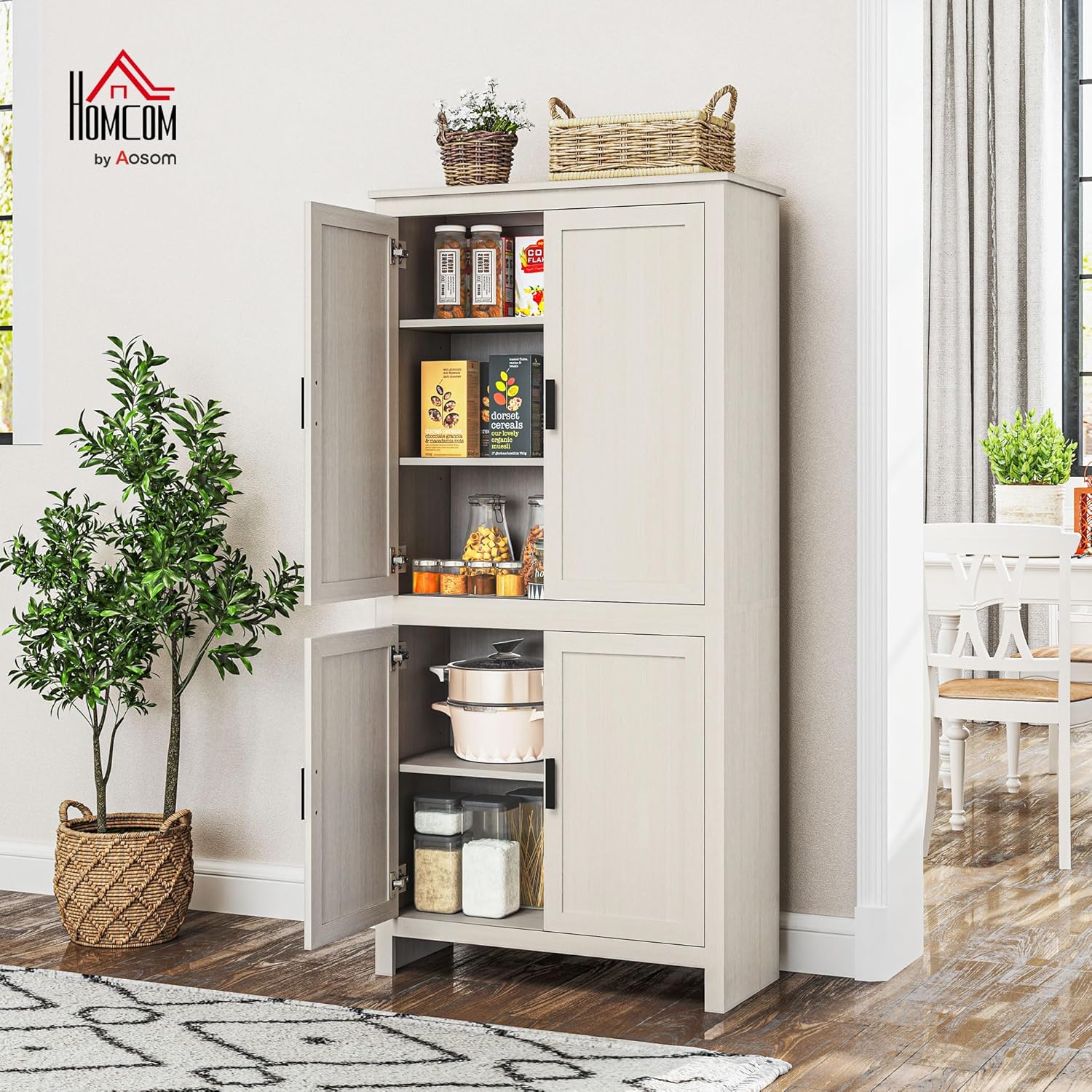
Figure 3.1: The HOMCOM pantry cabinet with its doors open, showcasing its five-tier shelving system and ample storage capacity for kitchen essentials.
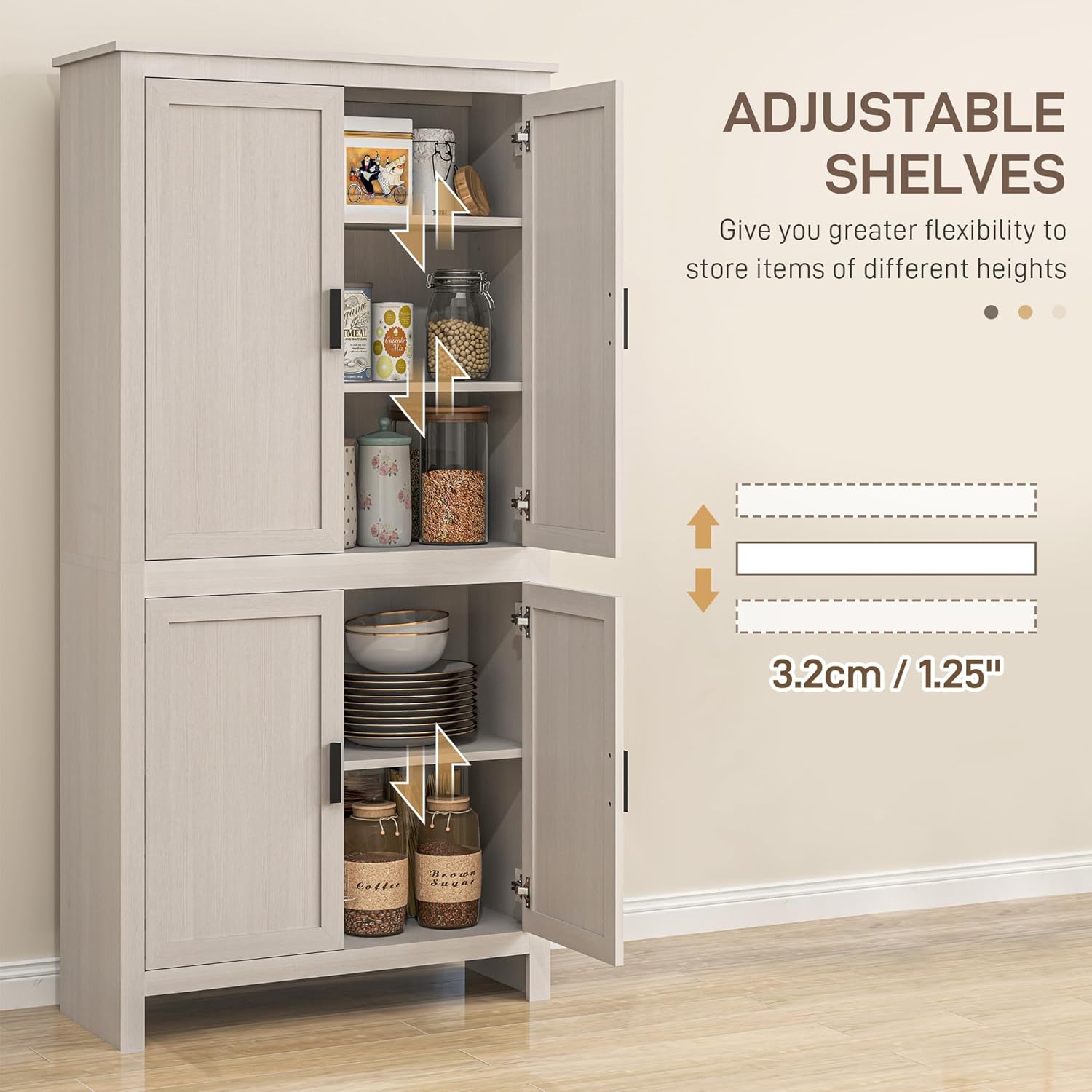
Figure 3.2: Illustration of the adjustable shelves, allowing for flexible storage configurations to fit items of varying heights.
4. Specifications
| Attribute | Detail |
|---|---|
| Brand | HOMCOM |
| Model Number | 835-476V81WT |
| Colour | Antique White |
| Overall Dimensions (W x D x H) | 31.4" W x 13" D x 64.1" H (79.7 x 33 x 162.8 cm) |
| Overall Weight Capacity | 88 lbs (40 kg) |
| Each Shelf Weight Capacity | 11 lbs (5 kg) |
| Material | Engineered Wood |
| Special Features | Adjustable Shelf, Anti-tipping Design, Removable Shelf, Scratch Resistant |
| Item Weight | 38.1 kg |
| Mounting Type | Floor Mount |
| Room Type | Dining Room, Kitchen, Living Room |

Figure 4.1: Detailed dimensions of the HOMCOM kitchen pantry cabinet.
5. Setup and Assembly
Assembly is required for this product. It is recommended to have at least two people for certain steps, especially when lifting and aligning larger sections. Follow the included assembly instructions carefully. A screwdriver is typically the only tool required.
5.1. Before You Begin
- Unpack all components and verify against the parts list provided in your packaging.
- Clear a spacious area for assembly, preferably on a soft surface like a carpet to prevent damage to the cabinet parts.
- Identify all hardware and sort them for easy access.
5.2. Assembly Steps (General Guidance)
- Assemble the base frame of the cabinet.
- Attach side panels and back panels to form the main structure.
- Install the fixed shelves and then the adjustable shelf supports.
- Assemble the doors and attach hinges.
- Mount the doors to the cabinet frame.
- Install the anti-tipping device to the back of the cabinet and secure it to a wall stud.

Figure 5.1: Fully assembled HOMCOM kitchen pantry cabinet.
6. Operating Instructions
6.1. Adjusting Shelves
The three inner shelves are adjustable. To change their height:
- Empty the shelf you wish to adjust.
- Carefully lift the shelf and remove it from its supports.
- Relocate the shelf supports to the desired peg holes. Ensure all four supports are at the same height.
- Place the shelf back onto the supports, ensuring it is level and secure.
Figure 6.1: Adjusting shelf height for optimal storage.
6.2. Door Operation
The cabinet features four doors with recessed panels and black handles. Open and close doors gently to prevent wear and tear. The hinges are adjustable to ensure proper alignment.
7. Maintenance
- Cleaning: Wipe surfaces with a soft, damp cloth. Avoid harsh chemicals or abrasive cleaners, which can damage the engineered wood finish.
- Dusting: Regularly dust the cabinet with a dry, soft cloth to prevent dust buildup.
- Hardware Check: Periodically check all screws and fasteners to ensure they remain tight. Re-tighten if necessary to maintain stability.
- Spills: Clean up spills immediately to prevent moisture damage to the engineered wood.
8. Troubleshooting
| Problem | Possible Cause | Solution |
|---|---|---|
| Doors do not align properly. | Hinges need adjustment; uneven floor. | Adjust the hinges using a screwdriver. Most hinges allow for up/down, left/right, and front/back adjustments. Ensure the cabinet is on a level surface or shim if necessary. |
| Cabinet feels wobbly or unstable. | Loose fasteners; anti-tip kit not installed or improperly installed. | Check and tighten all assembly screws. Ensure the anti-tipping device is securely fastened to both the cabinet and a wall stud. |
| Shelf sags or breaks. | Overloaded shelf. | Reduce the weight on the shelf. Ensure weight does not exceed 11 lbs (5 kg) per shelf. Distribute weight evenly. |
| Difficulty assembling certain parts. | Incorrect orientation of parts; missing hardware. | Refer to the detailed assembly instructions provided with the product. Double-check part numbers and orientations. Contact customer support if parts are missing. |
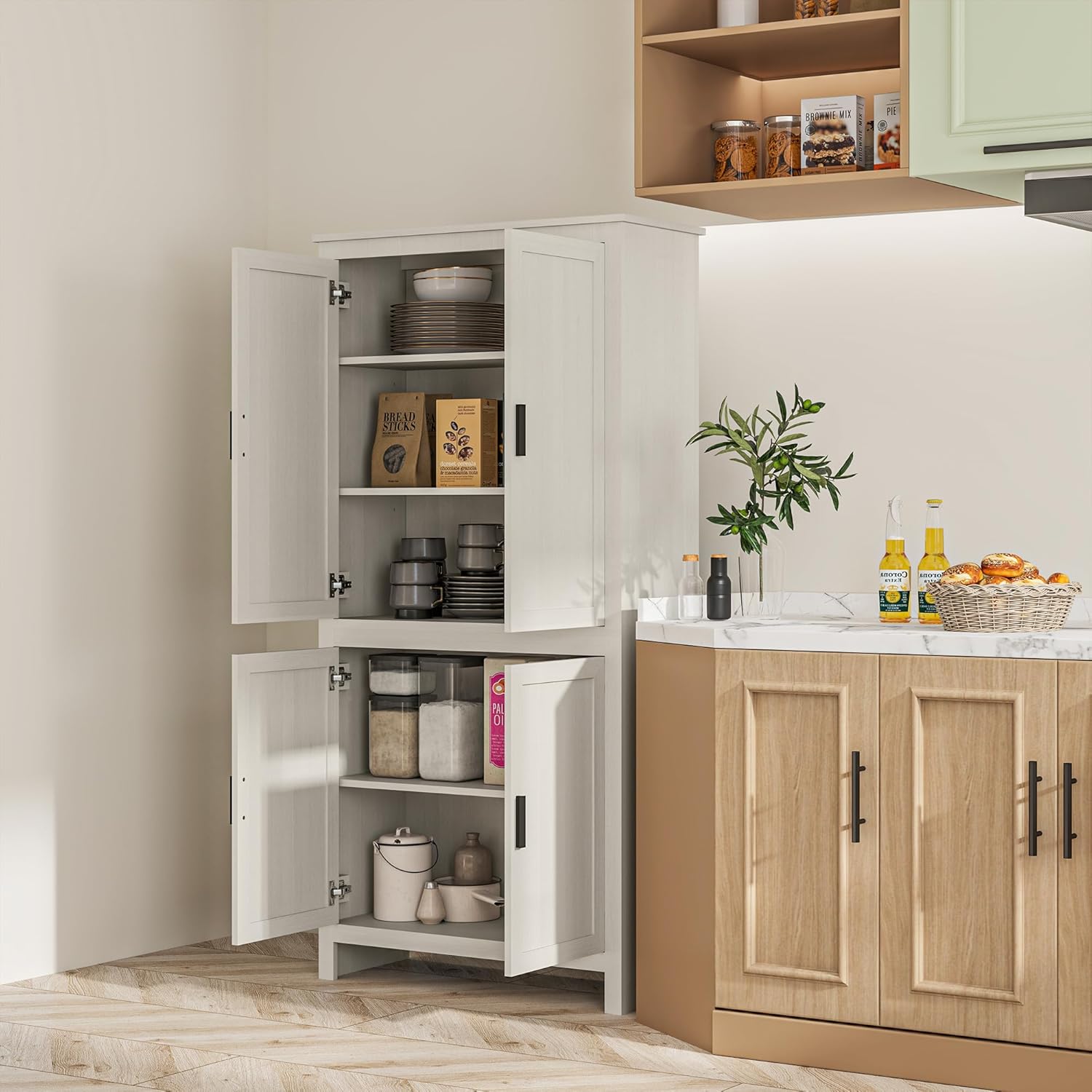
Figure 8.1: Guide to adjusting cabinet door hinges for optimal alignment.
9. Warranty and Support
For warranty information and customer support, please refer to the documentation included with your purchase or contact HOMCOM directly. The manufacturer is Aosom Canada, located in Markham, Ontario, CA. You may reach them at Tel. 1-416-792-6088.
For additional resources and product information, you can visit the official HOMCOM store on Amazon: HOMCOM Amazon Store.