
Newentor ND-25LS-WH-DE-4
Newentor 25L/Day Dehumidifier User Manual
Model: ND-25LS-WH-DE-4 | Brand: Newentor
1. Introduction and Overview
The Newentor 25L/Day Dehumidifier, model ND-25LS-WH-DE-4, is designed to efficiently remove excess moisture from your indoor environment, creating a healthier and more comfortable living space. Featuring revolutionary dehumidification technology with an integrated TCL x Newentor compressor, this unit offers powerful moisture extraction of up to 25 liters per day, suitable for areas up to 80m² (215m³).
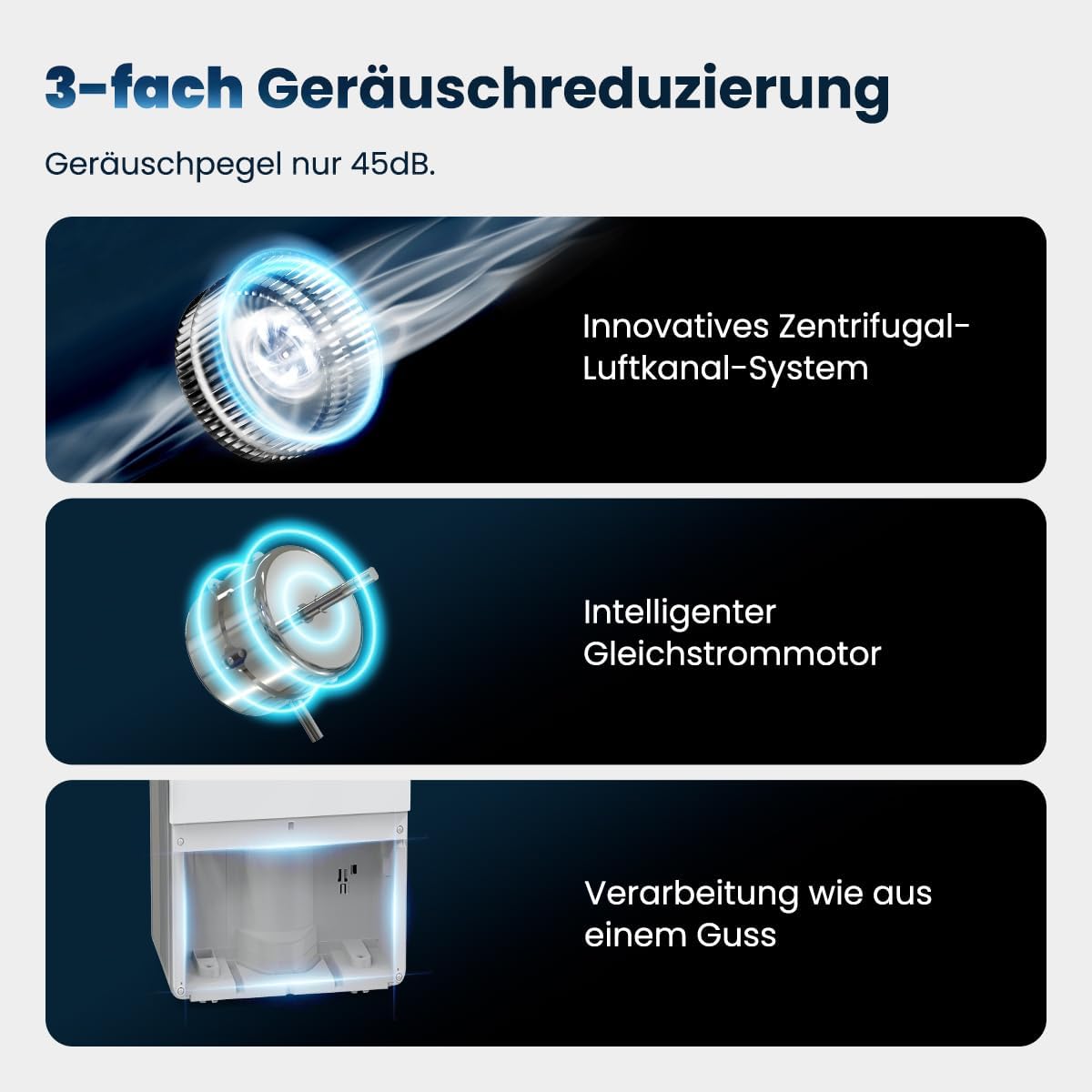
It boasts advanced 3-fold noise reduction technology, ensuring quiet operation at only 45dB, making it ideal for use in living areas, bedrooms, basements, and bathrooms. With a highly energy-efficient 290W chip, it minimizes electricity consumption. The dehumidifier is also equipped with user-friendly controls, a 3.5-liter water tank with overflow protection, and options for continuous drainage.

2. Setup
2.1 Unpacking and Placement
Carefully remove the dehumidifier from its packaging. Ensure all packing materials are removed. Place the unit on a flat, stable surface. For optimal performance, allow at least 20 cm (8 inches) of space around the unit for proper air circulation. The dehumidifier features a telescopic handle and 360° swivel casters for easy movement between rooms.

2.2 Power Connection
Connect the power cord to a grounded electrical outlet (220V). Ensure the voltage matches your local power supply.
2.3 Water Drainage Options
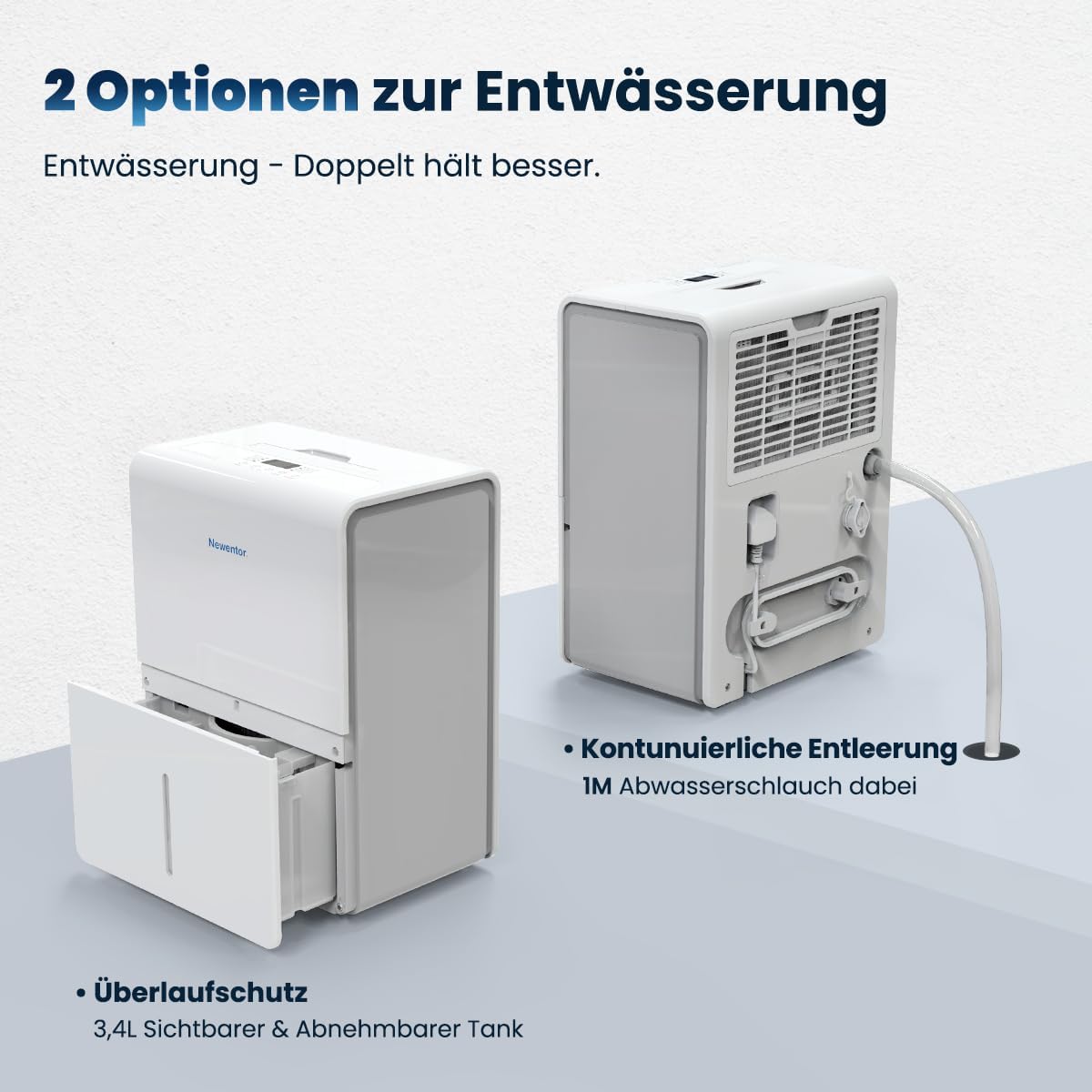
The Newentor dehumidifier offers two drainage methods:
- Manual Drainage (Water Tank): The unit collects water in its internal 3.5-liter water tank. The dehumidifier will automatically shut off when the tank is full, indicated by a "Tank Full" light on the control panel. Simply remove the tank, empty it, and reinsert it to resume operation.
- Continuous Drainage (Drain Hose): For continuous operation without needing to empty the tank, attach the included 1-meter drain hose to the continuous drainage port on the back of the unit. Route the hose to a suitable drain (e.g., floor drain, sink). Ensure the hose is sloped downwards to allow gravity drainage.
Video 1: This video demonstrates the Newentor 25L Dehumidifier's features, including its portability, ease of use, noise reduction, and water drainage options. It shows the unit being moved, the control panel, the water tank being emptied, and the continuous drainage hose in action.
3. Operating Instructions
3.1 Control Panel Overview
The dehumidifier features an intuitive touch control panel for easy operation.
- POWER Button: Press to turn the unit ON or OFF.
- MODE Button: Cycle through different operating modes:
- Normal: Standard dehumidification.
- Turbo: Maximum dehumidification power for rapid moisture removal (290W).
- Comfort: Maintains a comfortable humidity level automatically.
- Continuous: Runs continuously, ideal for drying laundry or very damp areas.
- Humidity Setting Buttons (+/-): Adjust the desired humidity level (e.g., 35% to 80% RH).
- TIMER Button: Set a timer for automatic ON/OFF operation (1-24 hours).
- LOCK Button (3 Sec): Press and hold for 3 seconds to activate/deactivate the child lock, preventing accidental changes to settings.
- FILTER Indicator: Lights up when the filter needs cleaning.
- TANK FULL Indicator: Lights up when the water tank is full and needs emptying.
3.2 Operating Modes and Features
The Newentor dehumidifier is designed for efficient and quiet operation. Its advanced 3-fold noise reduction system ensures a quiet environment, even during active dehumidification.

- Drying Mode: Utilize the continuous mode for drying laundry faster in humid environments.
- Automatic Defrost: The unit automatically defrosts when frost builds up on the evaporator coils, ensuring efficient operation in cooler temperatures.
- Restart After Power Failure: The dehumidifier will automatically resume operation with the last settings after a power outage.
4. Maintenance
4.1 Emptying the Water Tank
When the "Tank Full" indicator lights up, the dehumidifier will stop operating.
- Gently pull out the water tank from the front of the unit.
- Carefully empty the collected water into a sink or drain.
- Slide the empty water tank back into the unit until it clicks into place. The dehumidifier will resume operation.
4.2 Cleaning the Air Filter
The dehumidifier is equipped with a washable air filter to maintain optimal performance and air quality. The "Filter" indicator light will remind you when it's time to clean.
- Turn off and unplug the dehumidifier.
- Locate the filter cover on the back of the unit and open it.
- Remove the air filter.
- Clean the filter using a vacuum cleaner or wash it gently with warm, soapy water. Rinse thoroughly.
- Allow the filter to air dry completely before reinserting it.
- Close the filter cover.

5. Troubleshooting
If you encounter issues with your Newentor dehumidifier, please refer to the following common problems and solutions:
| Problem | Possible Cause | Solution |
|---|---|---|
| Dehumidifier does not turn on. | No power, power cord loose, tank full, child lock active. | Check power connection, ensure tank is empty and correctly inserted, deactivate child lock. |
| Unit is running but not collecting water. | Humidity setting too high, room temperature too low, air filter clogged, continuous drainage hose connected. | Lower humidity setting, ensure room temperature is above 5°C, clean air filter, check if continuous drainage is active. |
| Unusual noise during operation. | Unit not on a level surface, foreign object in fan, filter loose. | Place on a level surface, check for obstructions, ensure filter is securely in place. |
| "Tank Full" indicator is on, but tank is not full. | Tank not properly seated, sensor malfunction. | Remove and reinsert the water tank firmly. If problem persists, contact customer support. |
If the problem persists after trying these solutions, please contact Newentor customer support for assistance.
6. Specifications
| Model Number | ND-25LS-WH-DE-4 |
| Brand | Newentor |
| Dehumidification Capacity | 25 Liters/Day |
| Applicable Area | 80m² / 215m³ |
| Power Consumption | 290 Watts |
| Noise Level | 45 dB |
| Water Tank Volume | 3.5 Liters |
| Dimensions (L x W x H) | 27 x 34 x 48 cm |
| Item Weight | 14.5 Kilograms |
| Material | Acrylonitrile Butadiene Styrene (ABS) |
| Special Features | Tank Overflow Protection, Drying Mode, 24-Hour Timer, Child Lock, Restart After Power Failure |
| Included Components | Water Tank, 1M Drain Hose |
7. Warranty and Support
7.1 Warranty Information
The Newentor 25L/Day Dehumidifier comes with an exceptional 10-year warranty. This warranty covers defects in materials and workmanship under normal use. In case of a valid warranty claim, Newentor offers a simple replacement process instead of lengthy repairs, ensuring long-lasting, worry-free dehumidification.

7.2 Customer Support
For any questions, technical assistance, or warranty claims, please contact Newentor customer support. Our team of experts is ready to provide professional support.
- Website: www.newentor.com (Please check the official website for specific contact details)
- Email: support@newentor.com (Example email, please refer to product documentation for actual contact)
Ask a question about this manual
Ask about setup, troubleshooting, compatibility, parts, safety, or missing instructions. Manuals+ will review the question and use this page’s manual context to help answer it.