
Introduction
This manual provides detailed instructions for the iLodn Magnetic Wallet, a MagSafe-compatible card holder designed for various iPhone models. It offers a slim and secure solution for carrying essential cards, combining convenience with protection.
What's in the Box
- Magnetic Phone Wallet
Specifications
| Feature | Description |
|---|---|
| Material | Faux Leather |
| Color | Jet |
| Card Capacity | Up to 3 cards |
| Dimensions (D x W x H) | 0.5"D x 2.65"W x 3.85"H |
| Weight | 0.04 Kilograms |
| Closure Type | Magnetic |
| Additional Features | Magnetic, Card Holder, Metallic Shielding |
Compatibility
The iLodn Magnetic Wallet is compatible with a wide range of iPhone models and MagSafe-compatible cases. This includes:
- iPhone 17 Pro Max, iPhone 17 Pro, iPhone 17 Air, iPhone 17
- iPhone 16 Pro Max, 16 Pro, 16 Plus, 16
- iPhone 15 Pro Max, 15 Pro, 15 Plus, 15
- iPhone 14 Pro Max, 14 Pro, 14 Plus, 14
- iPhone 13 Pro Max, 13 Pro, 13, 13 mini
- iPhone 12 Pro Max, 12 Pro, 12, 12 mini
- MagSafe compatible cases

Setup & Installation
Attaching the Wallet
Ensure your iPhone or iPhone case is MagSafe compatible. Align the magnetic wallet with the MagSafe ring on the back of your device or case. The wallet will snap securely into place due to its strong magnetic connection.

Operating Instructions
Inserting Cards
The iLodn Magnetic Wallet is designed to hold up to 3 standard-sized cards. Gently slide your cards into the main compartment. The built-in card clip will hold them firmly in place.

Removing Cards
To remove cards, utilize the convenient cutout at the bottom of the wallet to push them upwards. Alternatively, if the wallet is detached from your phone, you can push cards from the back opening.

Maintenance
To maintain the quality and appearance of your iLodn Magnetic Wallet, clean it with a dry, soft cloth. Avoid using harsh chemicals, abrasive cleaners, or excessive moisture, as these can damage the faux leather material.
Troubleshooting
Wallet not attaching securely
- Ensure your iPhone or case is genuinely MagSafe compatible. Non-MagSafe cases may not provide sufficient magnetic strength.
- Check for any debris, dust, or foreign objects between the wallet and the phone/case that might obstruct the magnetic connection.
Cards falling out
- The wallet is designed to hold up to 3 cards. Overfilling the wallet may compromise the secure fit of the cards.
- Ensure all cards are fully inserted into the compartment. The built-in card clip is designed to hold them firmly.
Cards difficult to remove
- New wallets may be slightly stiff. The faux leather material will soften and become more flexible with regular use.
- Utilize the bottom cutout or the back opening to push cards out, as demonstrated in the operating instructions.
Important Information
Metallic Shielding
The iLodn Magnetic Wallet incorporates metallic shielding to protect your credit cards and other magnetic stripe cards from demagnetization when attached to your phone.

Wireless Charging
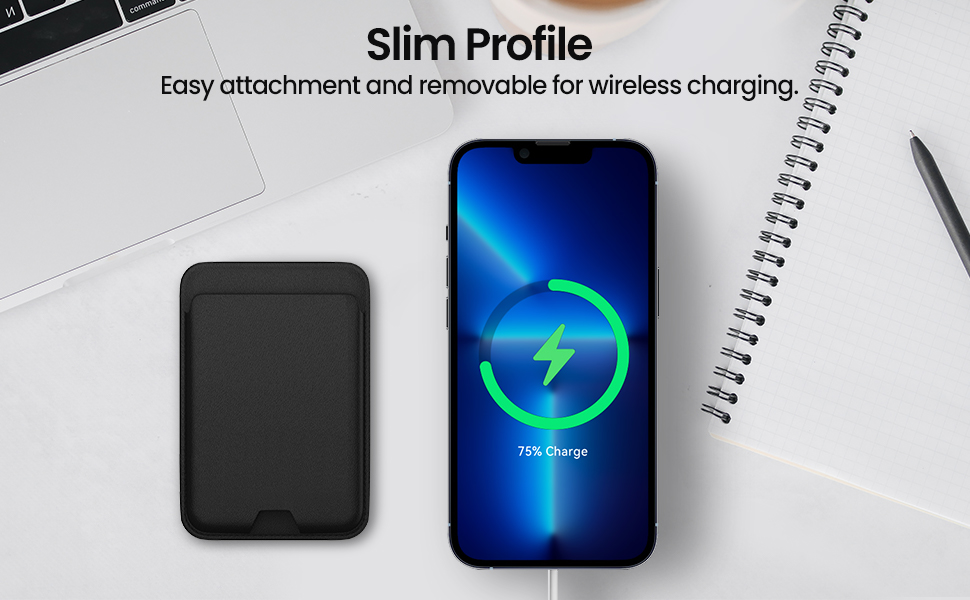
For optimal wireless charging performance and to prevent potential interference, it is recommended to remove the magnetic wallet from your iPhone before placing it on a wireless charger.
Warranty and Support
iLodn proudly stands behind its products with a 24-month after-sale service. If your magnetic wallet experiences any defect or stops functioning within 2 years of purchase, please contact iLodn customer support. We will assist you with troubleshooting or arrange for a replacement product. The manufacturer also provides a Lifetime Replacement Warranty.
For support, please refer to the contact information provided with your product packaging or visit the official iLodn website.