
1. Product Overview
The Rolanstar TV Stand with Mount and Power Outlet is a versatile and modern entertainment center designed to enhance your living space. It features a swivel and height-adjustable TV mount, integrated power outlets for convenience, ample storage with cabinet doors and open shelves, and customizable RGB LED lighting. This stand is suitable for TVs ranging from 32 to 70 inches.
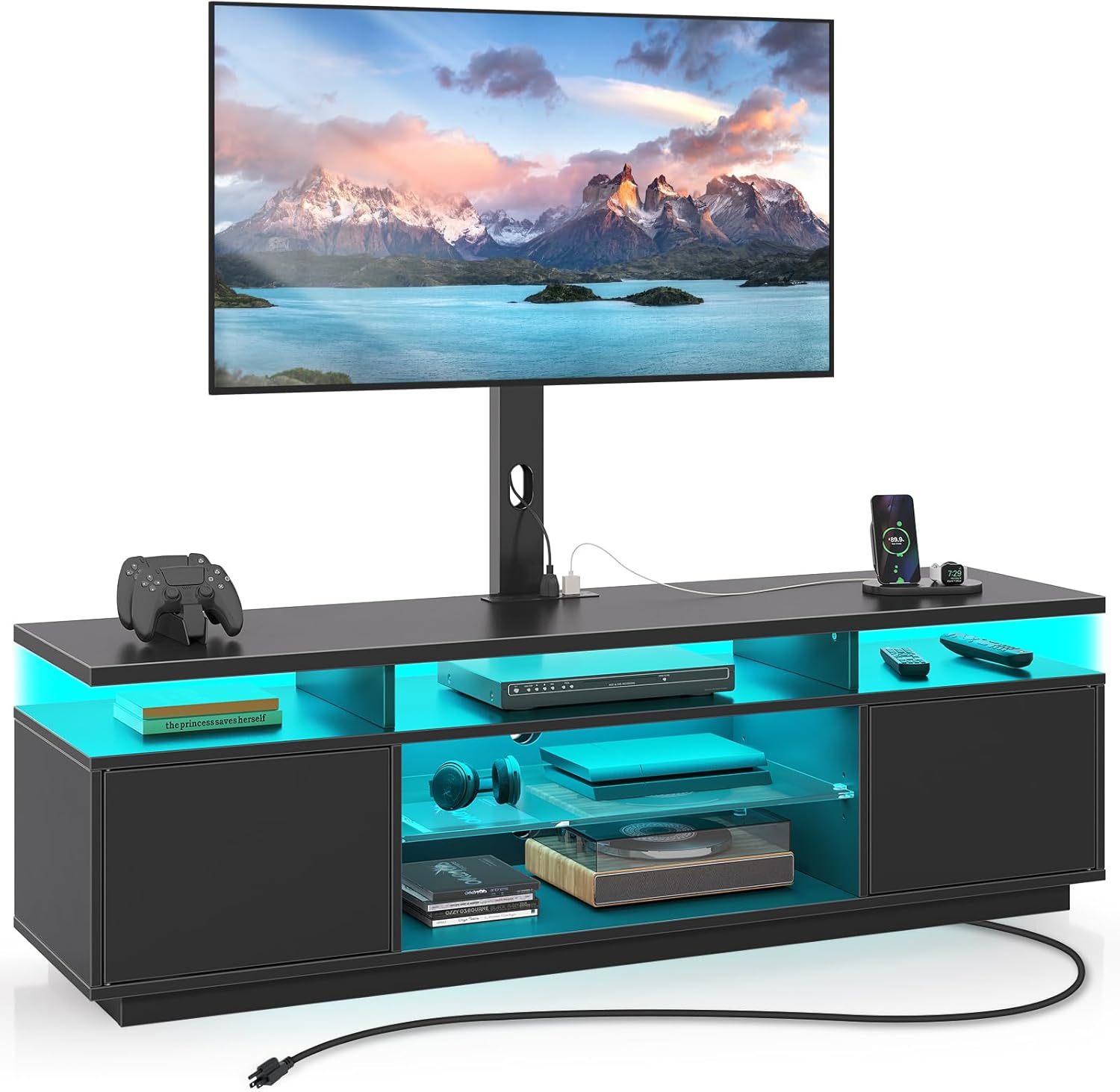
Image 1.1: Rolanstar TV Stand with Mount and Power Outlet.
2. Safety Information
Please read and follow all safety instructions carefully to prevent injury or damage.
- Exercise caution around sharp edges during assembly and handling.
- Always adhere strictly to the assembly instructions provided to ensure proper and safe construction.
- Properly manage and secure all wires and cables to prevent tripping hazards.
- Keep LED lights and their power sources out of reach of children.
- Do not exceed the maximum weight capacity of 110 lbs for the TV mount.
3. Product Features
- Spacious Storage: Features cabinet doors and open storage shelves for organizing DVDs, CDs, gaming equipment, remote controls, books, and magazines. Rear wire holes facilitate cable organization.
- Swivel & Height Adjustment TV Mount: Allows for a 34-degree swivel angle (left or right) for optimal viewing from various positions. Offers 2 levels of height adjustment, changing the total height from 53" to 56" from the floor.
- Integrated Power Outlet: Built-in power strip with 4 standard AC outlets to conveniently charge your TV, DVD player, WiFi router, and other devices simultaneously.
- RGB LED Lights: Equipped with strip LED lights offering 7 main colors and 21 dynamic modes (flash, strobe, fade, smooth). Control the lighting effects with the included remote control.
- Durable Construction: Frame made of FSC-Certified engineered wood, ensuring a sturdy and environmentally responsible product.

Image 3.1: RGB LED Strip Lights and control options.

Image 3.2: TV Swivel Functionality.
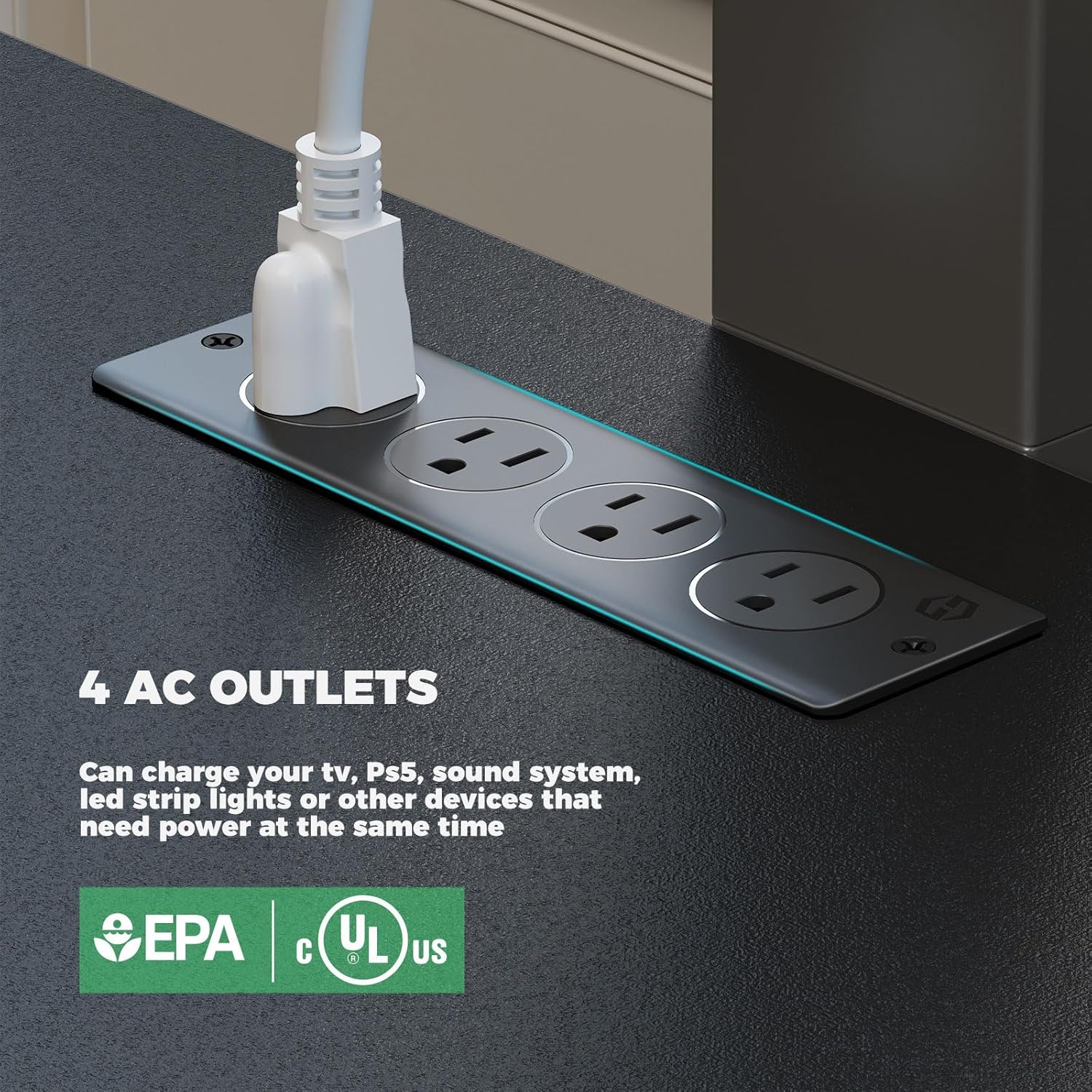
Image 3.3: Integrated 4 AC Power Outlets.
4. Specifications
| Attribute | Value |
|---|---|
| Brand | Rolanstar |
| Model Number | hq-dshg020-01 |
| Material | Engineered Wood |
| Color | Black |
| Product Dimensions (L x W x H) | 51.2 x 13 x 19.7 inches |
| Item Weight | 56.6 pounds |
| TV Size Compatibility | 32 - 70 inches |
| TV Mount Load Capacity | 110 lbs |
| Power Outlets | 4 Standard AC Outlets |
| LED Features | 7 Main Colors, 21 Dynamic Modes |

Image 4.1: Product Dimensions and TV Compatibility.
5. Setup and Assembly
This TV stand requires assembly. Please ensure you have all components and tools listed in the separate assembly instructions included in your package before beginning. It is recommended to assemble the unit on a soft, clean surface to prevent scratches.
5.1. Unboxing and Part Identification
- Carefully open the packaging and remove all components.
- Verify that all parts listed in the assembly manual are present and undamaged.
- Separate and organize hardware by type to simplify the assembly process.
5.2. Assembly Steps
Follow the step-by-step instructions provided in the dedicated assembly manual. Pay close attention to diagrams and ensure all fasteners are securely tightened. Do not overtighten screws.

Image 5.1: Example of a screw connection during assembly.
5.3. TV Mount Installation
The TV mount can be installed to support your TV directly on the stand or can be detached for wall mounting if preferred. Refer to the assembly manual for specific instructions on attaching your TV to the mount and adjusting its height.

Image 5.2: TV Mount Installation Options.
6. Operating Instructions
6.1. Swivel Function
To adjust the viewing angle of your TV, gently grasp the sides of the TV and rotate it left or right. The mount allows for a 34-degree swivel in either direction.
6.2. Height Adjustment
The TV mount offers two height adjustment levels. To change the height, you will need to partially disassemble the mount as per the assembly instructions to reposition the TV bracket. Ensure the TV is securely re-attached after adjustment.
6.3. Using the Power Outlets
Plug the TV stand's main power cord into a standard wall outlet. You can then plug up to four devices into the integrated AC outlets on the top surface of the stand. These outlets are designed for convenient power access for your entertainment devices.
6.4. Controlling LED Lights
The RGB LED lights are controlled via the included remote control. Point the remote at the receiver on the TV stand. Use the remote to select from 7 main colors and 21 dynamic modes (flash, strobe, fade, smooth) to customize the ambiance.

Image 6.1: TV Stand with LED lights in operation.
7. Maintenance
To maintain the appearance and longevity of your Rolanstar TV Stand, follow these care instructions:
- Cleaning: Wipe the surfaces with a dry, soft cloth. Avoid using abrasive cleaners or harsh chemicals that may damage the finish.
- Dusting: Regularly dust the stand to prevent buildup.
- Cable Management: Periodically check and re-organize cables to ensure they remain tidy and do not pose a tripping hazard.
- Fasteners: Occasionally check all screws and fasteners to ensure they remain tight. Re-tighten if necessary, but do not overtighten.
8. Troubleshooting
If you encounter any issues with your Rolanstar TV Stand, please refer to the following common troubleshooting tips:
- LED Lights Not Working:
- Ensure the power cord for the LED lights is securely plugged into the integrated power outlet and the wall.
- Check the remote control battery. Replace if necessary.
- Ensure there are no obstructions between the remote and the LED receiver. - TV Mount Not Swiveling Smoothly:
- Check for any obstructions around the swivel mechanism.
- Ensure the TV is not exceeding the maximum weight capacity.
- Verify that all assembly screws related to the swivel mechanism are properly tightened, but not overtightened. - Power Outlets Not Functioning:
- Ensure the main power cord of the TV stand is securely plugged into a working wall outlet.
- Test the wall outlet with another device to confirm it has power. - Stand Wobbles:
- Verify that the stand is placed on a flat, level surface.
- Check all assembly screws and fasteners to ensure they are fully tightened.
9. Warranty and Support
For any questions, concerns, or assistance with your Rolanstar TV Stand, please contact Rolanstar customer support. While specific warranty details are not provided in this manual, please refer to your purchase documentation or the Rolanstar official website for warranty information and claims procedures.
Customer Support: Refer to the contact information provided with your product packaging or visit the official Rolanstar website.
Online Resources: For additional support, assembly videos (if available), and FAQs, please visit the Rolanstar brand store on Amazon or their official website.