Introduction
This manual provides essential information for the safe and effective use of your TooLion YQ813-2 Light Up Dance Mat. Please read these instructions carefully before use and retain them for future reference.
Safety Information
- Ensure the dance mat is placed on a flat, stable surface to prevent slips and falls.
- Keep the mat away from sharp objects to avoid damage to the vinyl material.
- Do not immerse the mat in water. Clean only with a damp cloth.
- Adult supervision is recommended for younger children during use.
- Use only the specified battery type (4 x AA batteries). Do not mix old and new batteries or different types of batteries.
- Remove batteries if the product is not used for an extended period.
What's in the Box
- 1 x TooLion Light Up Dance Mat
- 1 x Instruction Manual
Setup
- Unpack the Mat: Carefully remove the dance mat from its packaging and unfold it on a clean, flat surface.
- Install Batteries:
This image illustrates the battery compartment located on the underside of the control panel, indicating the need for 4 AA batteries (not included).
Locate the battery compartment on the underside of the control panel. Open the compartment cover and insert 4 new AA batteries, ensuring correct polarity (+/-). Close the battery compartment securely. - Power On: Press the Power button on the control panel to turn on the dance mat.
Operating Instructions
Control Panel Overview
The control panel features various buttons for game selection, volume control, and Bluetooth connectivity.

This image displays the overall design of the dance mat, highlighting the central control unit and the eight interactive light-up pads.
Game Modes

This image shows two children actively engaging with the dance mat, illustrating the various game modes available for interactive play.
- Dance Mode: Follow the lights on the mat and step or touch the corresponding pads to the rhythm of the music.
- Bluetooth Mode: Connect your personal device to play your own music.
- Memory Mode: Practice and enhance memory skills by recalling light sequences.
Difficulty Levels
The dance mat offers 3 difficulty levels: Easy, Medium, and Hard. Each mode contains 9 levels, providing a total of 27 challenges. Select your desired difficulty using the control panel.
Built-in Songs
The mat includes 8 pre-programmed nursery rhymes for immediate play. These songs are integrated into the Dance Mode experience.
Bluetooth Connection

This image demonstrates the Bluetooth connectivity feature, allowing users to stream music from a smartphone to the dance mat.
- Ensure the dance mat is powered on.
- Press the Bluetooth button on the control panel. The Bluetooth indicator light will flash.
- On your mobile device, enable Bluetooth and search for available devices.
- Select 'TooLion Dance Mat' (or similar name) from the list to pair.
- Once paired, the indicator light will become solid, and you can play music from your device through the mat's speakers.
Maintenance
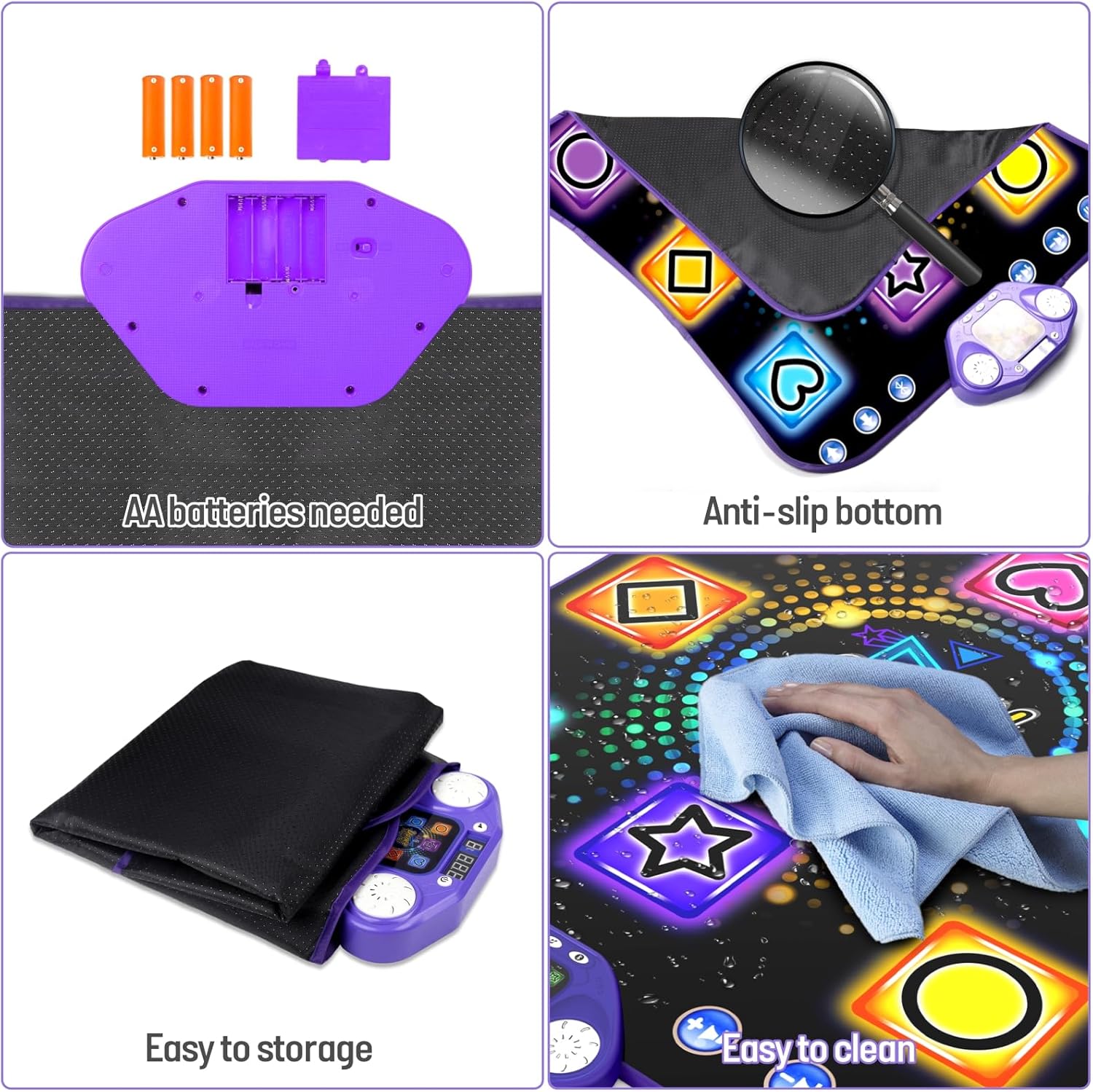
This image provides visual instructions for battery placement, highlights the anti-slip feature, demonstrates how to fold the mat for storage, and shows the recommended cleaning method.
- Cleaning: Wipe the surface of the dance mat with a soft, damp cloth. Do not use harsh chemicals or abrasive cleaners. Ensure the mat is dry before storing.
- Storage: The dance mat is designed to be easily folded for compact storage. Fold it neatly and store it in a dry place away from direct sunlight and extreme temperatures.
Troubleshooting
| Problem | Possible Cause | Solution |
|---|---|---|
| Mat does not turn on. | Batteries are low or incorrectly installed. | Replace with new AA batteries, ensuring correct polarity. |
| Lights on the mat are not functioning. | Possible internal connection issue or defect. | Ensure batteries are fresh. If the issue persists, contact customer support. |
| Bluetooth connection fails. | Bluetooth not enabled on device, mat not in pairing mode, or interference. | Ensure Bluetooth is active on your device and the mat is in pairing mode. Move closer to the mat and away from other electronic devices. |
| Sound is distorted or too low/high. | Volume settings on mat or connected device. | Adjust volume using the dedicated buttons on the mat's control panel or on your connected Bluetooth device. |
Specifications
| Feature | Detail |
|---|---|
| Model Number | YQ813-2 |
| Product Dimensions | 32.3 x 30.5 x 0.38 inches (82 x 78 x 0.97 cm) |
| Item Weight | 2.2 pounds (1 kg) |
| Recommended Age | 36 months - 12 years |
| Power Source | 4 x AA Batteries (not included) |
| Connectivity | Bluetooth |
| Game Modes | Dance Mode, Bluetooth Mode, Memory Mode |
| Difficulty Levels | 3 (Easy, Medium, Hard), 9 levels per mode |
| Built-in Songs | 8 Nursery Rhymes |
Warranty and Support
For warranty information, please refer to the product packaging or contact TooLion customer support directly. If you encounter any issues not covered in this manual, or require further assistance, please reach out to our support team.
Manufacturer: TooLion
For support inquiries, please visit the official TooLion website or contact their customer service as indicated on the product packaging.


