
1. Introduction
This manual provides instructions for the installation, maintenance, and troubleshooting of McbeAn compatible side brushes for ILife B5 Max and V9e robot vacuum cleaners. Regular replacement of side brushes ensures optimal cleaning performance of your robot vacuum.
2. Compatibility
These replacement side brushes are compatible with the following robot vacuum cleaner models:
- ILife B5 Max Robot Vacuum Cleaner
- ILife V9e Robot Vacuum Cleaner

Image: An ILife B5 Max robot vacuum cleaner, dark blue with a mop pad attached, illustrating one of the compatible devices.

Image: An ILife V9e robot vacuum cleaner, white with a black control panel, illustrating another compatible device.
3. Package Contents
Your package should contain the following items:
- 6 x Side Brushes (3 with yellow centers, 3 with blue centers)

Image: A set of six replacement side brushes, featuring three brushes with yellow centers and three with blue centers, indicating different rotation directions or attachment points.
4. Installation Instructions
Follow these steps to replace the side brushes on your ILife robot vacuum:
- Power Off: Ensure your robot vacuum cleaner is powered off and disconnected from its charging base before beginning any maintenance.
- Access Brushes: Carefully turn the robot vacuum upside down to access the underside where the side brushes are located.
- Remove Old Brushes: Locate the existing side brushes. They are typically held in place by a single screw. Use a screwdriver (not included) to unscrew and remove the old, worn-out brushes. Note the color of the center (yellow or blue) and its corresponding position.
- Install New Brushes: Take a new side brush. Match the color of the center of the new brush (yellow or blue) to the corresponding attachment point on the vacuum. Align the brush with the screw hole and secure it with the screw. Ensure the brush is firmly attached but not overtightened.
- Repeat: Repeat the process for the other side brush if your model has two.
- Verify: Once both brushes are installed, gently spin them by hand to ensure they rotate freely without obstruction.
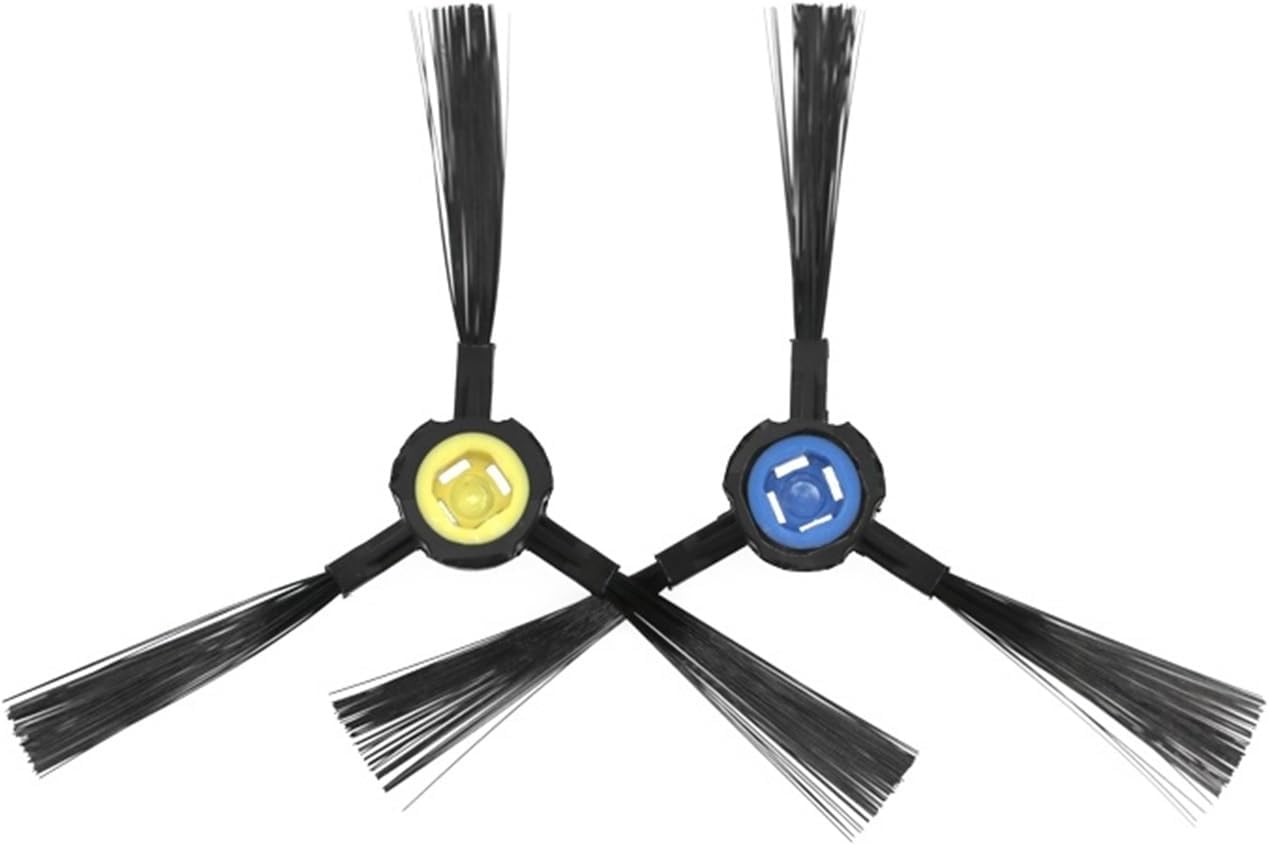
Image: A single side brush with a yellow center, showing its approximate length of 70mm, which helps in identifying the correct replacement part.
5. Operating Considerations
After installing new side brushes, your robot vacuum should operate as usual. The side brushes are designed to sweep debris from edges and corners into the main cleaning path of the vacuum. No special operating procedures are required for the brushes themselves.
6. Maintenance
To maintain optimal cleaning performance and extend the lifespan of your side brushes:
- Regular Cleaning: Periodically check the side brushes for tangled hair or debris. Use scissors or a small brush to carefully remove any obstructions.
- Replacement Frequency: Side brushes are wear-and-tear parts. It is recommended to replace them every 3-6 months, or sooner if they become visibly worn, bent, or damaged, depending on usage frequency and environment.
- Storage: Store unused brushes in a cool, dry place away from direct sunlight.
7. Troubleshooting
If you encounter issues after replacing the side brushes, consider the following:
- Brushes Not Spinning:
- Ensure the brushes are correctly installed and the screws are tightened.
- Check for any hair or debris caught around the brush motor or shaft.
- Verify that the brush center color matches the vacuum's attachment point (some models may have specific left/right brushes).
- Reduced Cleaning Performance:
- Inspect brushes for wear or damage. Replace if necessary.
- Ensure other vacuum components (main brush, filter, dustbin) are clean and functioning correctly.
8. Specifications
| Brand | McbeAn |
| Compatible Devices | ILife B5 Max, ILife V9e Robot Vacuums |
| Included Components | 6 x Side Brushes |
| Item Weight | 1.76 ounces (total for package) |
| Product Dimensions | 0.39 x 0.39 x 0.39 inches (package dimensions, approximate) |