
1. Introduction
This manual provides instructions for the proper use and care of your tomtoc 15-16 Inch Slim Laptop Carrying Bag. Please read this manual thoroughly before using the product to ensure optimal performance and longevity.
2. Product Overview
The tomtoc Slim Laptop Carrying Bag is designed to protect and transport laptops up to 16 inches. It features a dual-face, dual-color design, water-resistant fabric, and multiple storage pockets.
Key Features:
- Dual Face Dual Color: Reversible design with distinct colors on each side.
- Water-Resistant Fabric: Provides protection against light splashes and rain.
- Smart Storage Design: Separate pockets for laptop accessories and daily essentials.
- Plush Interior Lining: Thick padding and soft velvet lining for device protection.
- Versatile Carrying: Can be used as a handbag or a sleeve.
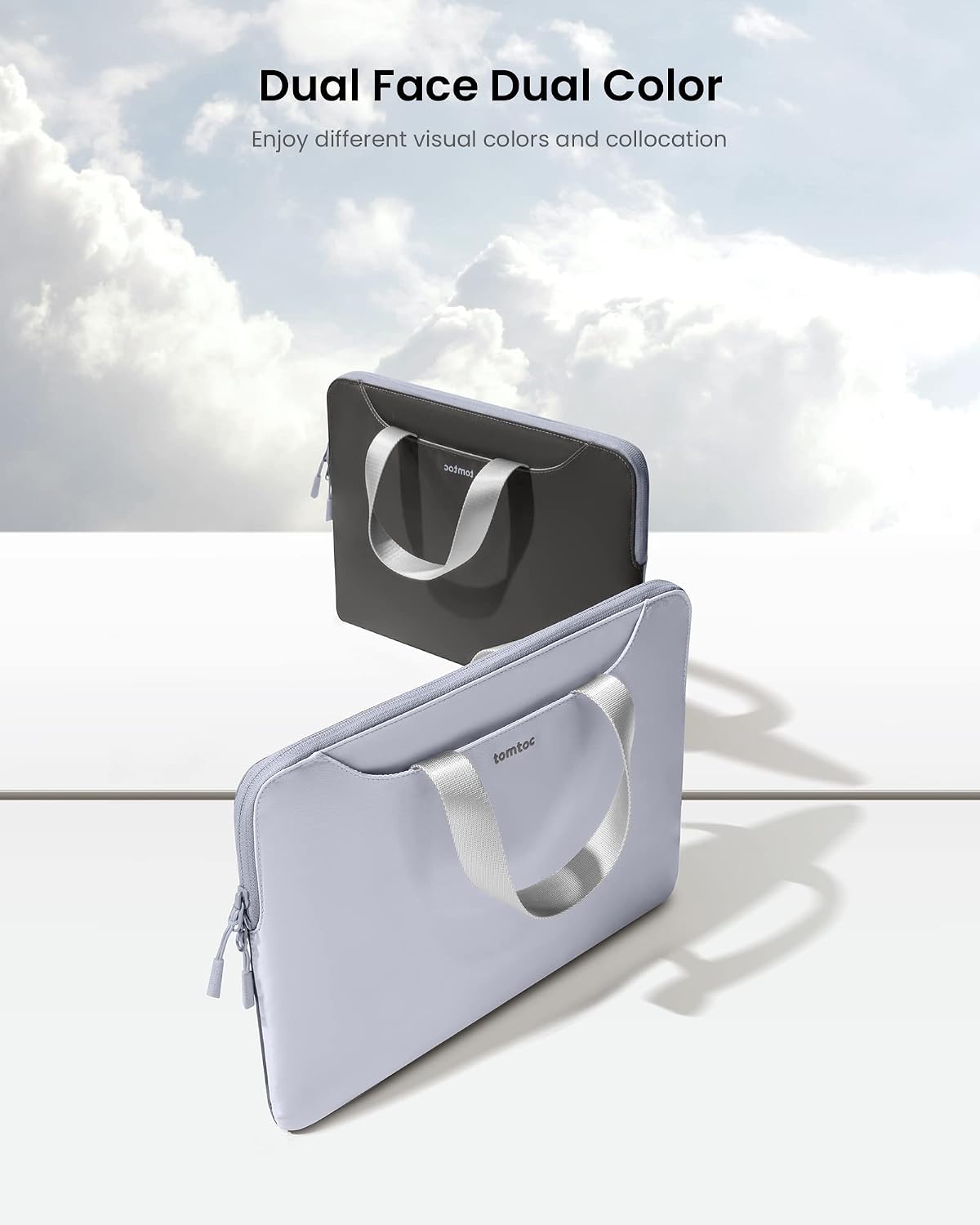
Image: The tomtoc laptop bag showcasing its dual-face, dual-color design. One side is light grey, the other is dark grey, both with handles.

Image: The tomtoc laptop bag with a laptop inserted and accessories like a charger and mouse in the front pockets, demonstrating the smart storage design.

Image: A close-up view of the tomtoc laptop bag's plush interior lining, designed to protect devices from scratches.
3. Setup
- Unpacking: Carefully remove the laptop carrying bag from its packaging.
- Initial Inspection: Inspect the bag for any signs of damage or manufacturing defects. Contact customer support if any issues are found.
- Compatibility Check: Ensure your laptop's dimensions fit within the internal dimensions of the bag (14.17" x 10.63" x 0.7" or approximately 36 x 27 x 1.8 cm).
4. Operating Instructions
Inserting Your Device:
- Open the main zipper compartment.
- Gently slide your laptop or tablet into the main padded compartment.
- Ensure the device is fully seated and the zipper can close without force.
Utilizing Storage Pockets:
- Use the front and back pockets for storing accessories such as chargers, cables, power banks, or smaller tablets.
- Avoid overfilling pockets to prevent strain on zippers and fabric.

Image: A person carrying the tomtoc laptop bag by its handles, demonstrating its portability and slim design.

Image: The tomtoc laptop bag with its handles tucked into the side pockets, transforming it into a minimalist sleeve for a cleaner look.
5. Maintenance
Cleaning Instructions:
- Spot Cleaning: For minor spills or dirt, use a soft, damp cloth with mild soap. Gently wipe the affected area.
- Drying: Allow the bag to air dry completely in a well-ventilated area, away from direct sunlight or heat sources.
- Do Not Machine Wash: Machine washing is not recommended as it may damage the water-resistant coating and internal padding.
- Zipper Care: Periodically check zippers for debris. If a zipper becomes stiff, a small amount of zipper lubricant can be applied.
Storage:
When not in use, store the bag in a cool, dry place away from extreme temperatures and humidity.
6. Troubleshooting
- Issue: Laptop does not fit.
- Solution: Verify your laptop's dimensions against the bag's internal dimensions (14.17" x 10.63" x 0.7" or approximately 36 x 27 x 1.8 cm). This bag is designed for slim laptops up to 16 inches. Thicker models may not fit.
- Issue: Bag appears wet after exposure to water.
- Solution: The bag is water-resistant, not waterproof. It protects against light splashes. For heavy rain or submersion, additional protection is required. Air dry the bag thoroughly if it gets wet.
- Issue: Zipper is stuck or difficult to move.
- Solution: Check for any fabric or debris caught in the zipper teeth. Gently remove it. If still stiff, apply a small amount of zipper lubricant or a graphite pencil lead to the teeth.
7. Specifications
| Feature | Detail |
|---|---|
| Model Number | A21F2B1 |
| Internal Dimensions | 14.17" x 10.63" x 0.7" (approx. 36 x 27 x 1.8 cm) |
| External Dimensions | 38 x 28.5 x 2.3 Centimeters |
| Compatible Device Size (Max) | 16 Inches |
| Material Type | Velvet (Inner), Water-resistant Fabric (Outer) |
| Color | Grey (Dual Face Dual Color) |
| Item Weight | 200 Grams |
| Closure Type | Zipper |
| UPC | 810127223158 |
8. Warranty & Support
This tomtoc product comes with a 12-month worry-free warranty from the date of purchase.
For warranty claims, technical assistance, or customer support, please contact tomtoc customer service through their official website or the retailer where the product was purchased.
Please retain your proof of purchase for warranty validation.
