
1. Introduction
Thank you for choosing the QERE E28 Wireless Earphones. This manual provides detailed instructions on how to set up, operate, and maintain your earphones to ensure optimal performance and longevity. Please read this manual thoroughly before using the product.
2. Package Contents
Verify that all items listed below are present in your package:
- QERE E28 Wireless Earbuds (1 pair)
- Charging Case (1 unit)
- USB Type-C Charging Cable (1 unit)
- User Manual (1 unit)

Image: The QERE E28 wireless earbuds are shown inside their open charging case, illustrating the product's main components.
3. Product Overview
The QERE E28 earphones feature a compact design with advanced audio technology. Key components include:
- Earbuds: Each earbud is equipped with a 13mm dynamic driver for Hi-Fi sound and multiple microphones for clear calls.
- Charging Case: Provides additional battery life and protects the earbuds. Features a Type-C charging port.
- Touch Control: Intuitive touch sensors on each earbud for managing playback, calls, and voice assistants.
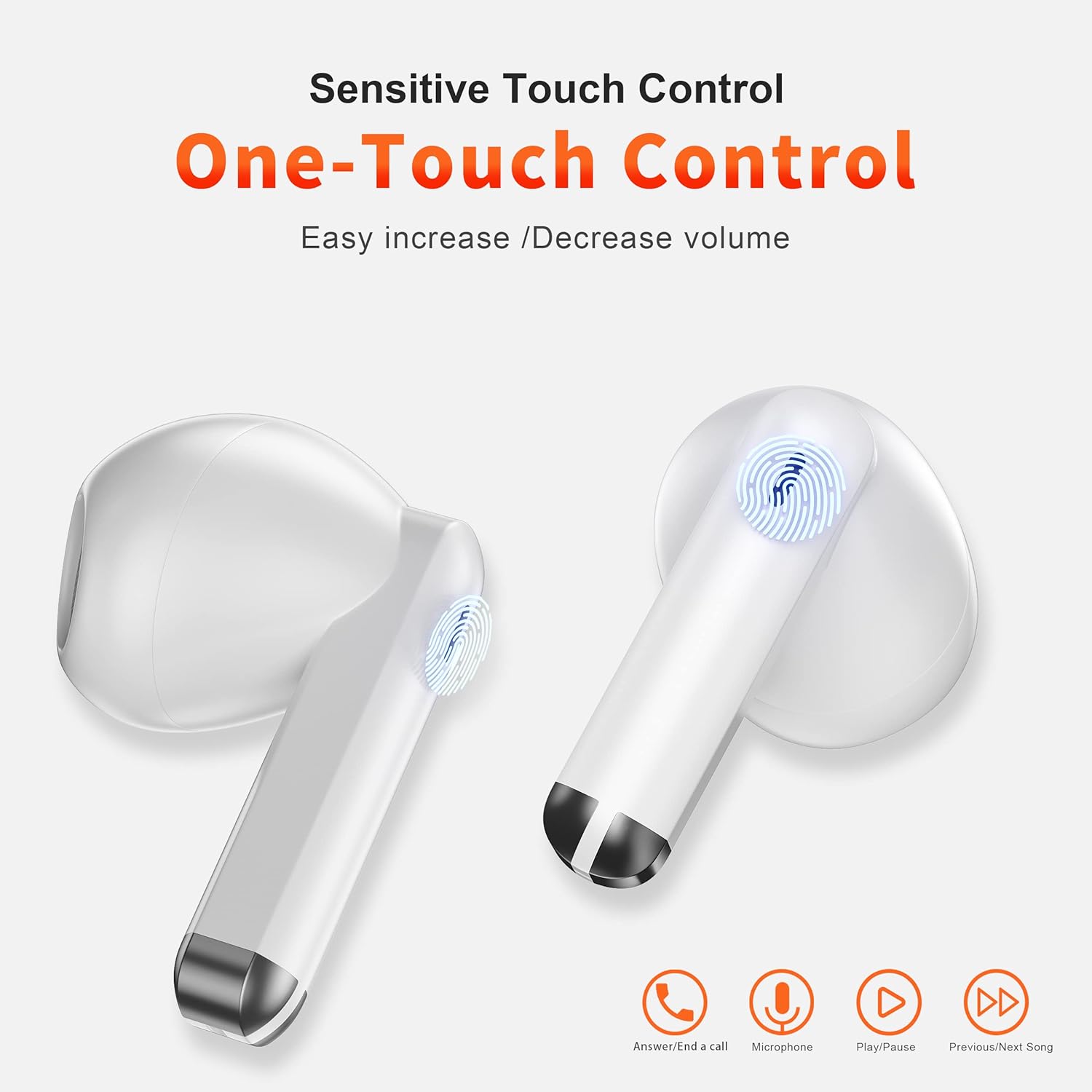
Image: A close-up of the QERE E28 earbuds highlighting the touch control areas and their functions: Answer/End a call, Microphone, Play/Pause, Previous/Next Song.

Image: An exploded view illustrating the internal 13mm dynamic speaker component of the QERE E28 earphone, emphasizing its role in delivering powerful bass and Hi-Fi sound quality.
4. Setup
4.1. Charging the Earphones and Case
Before first use, fully charge the earphones and charging case.
- Place the earbuds into the charging case.
- Connect the provided USB Type-C cable to the charging port on the case and to a power source.
- The indicator light on the case will show charging status. A full charge takes approximately 1.5 hours.
The charging case provides approximately 20 hours of play time, with each earbud offering up to 6 hours on a single charge.

Image: An infographic detailing the battery life of the QERE E28 earphones: 6 hours per charge, 20 hours with the charging case, and 1.5 hours for a full charge.
4.2. Bluetooth Pairing
Follow these steps to pair your QERE E28 earphones with your device:
- Ensure the earbuds are charged and placed in the charging case.
- Open the charging case. The earbuds will automatically enter pairing mode.
- On your device (smartphone, tablet, computer), navigate to the Bluetooth settings.
- Turn on Bluetooth and search for available devices.
- Select "E28" from the list of devices.
- Once connected, you will hear a confirmation tone, and the indicator light on the earbuds may change.
The earphones utilize Bluetooth 5.3 for a stable and efficient connection with a range of up to 15 meters.

Image: The QERE E28 charging case and earbuds are shown next to a smartphone displaying its Bluetooth settings, with "E28" listed as a discoverable device, illustrating the Bluetooth 5.3 pairing process.
5. Operating Instructions
The QERE E28 earphones feature intuitive touch controls. The following table outlines common functions:
| Function | Action |
|---|---|
| Play/Pause Music | Single tap on either earbud |
| Next Track | Double tap on the right earbud |
| Previous Track | Double tap on the left earbud |
| Answer/End Call | Single tap on either earbud |
| Reject Call | Press and hold either earbud for 2 seconds |
| Activate Voice Assistant (Siri/Google Assistant) | Triple tap on either earbud |
| Volume Up | Press and hold the right earbud |
| Volume Down | Press and hold the left earbud |
5.1. Call Management
The earphones feature 4 microphones with Environmental Noise Cancellation (ENC) for clear call quality, even in noisy environments.
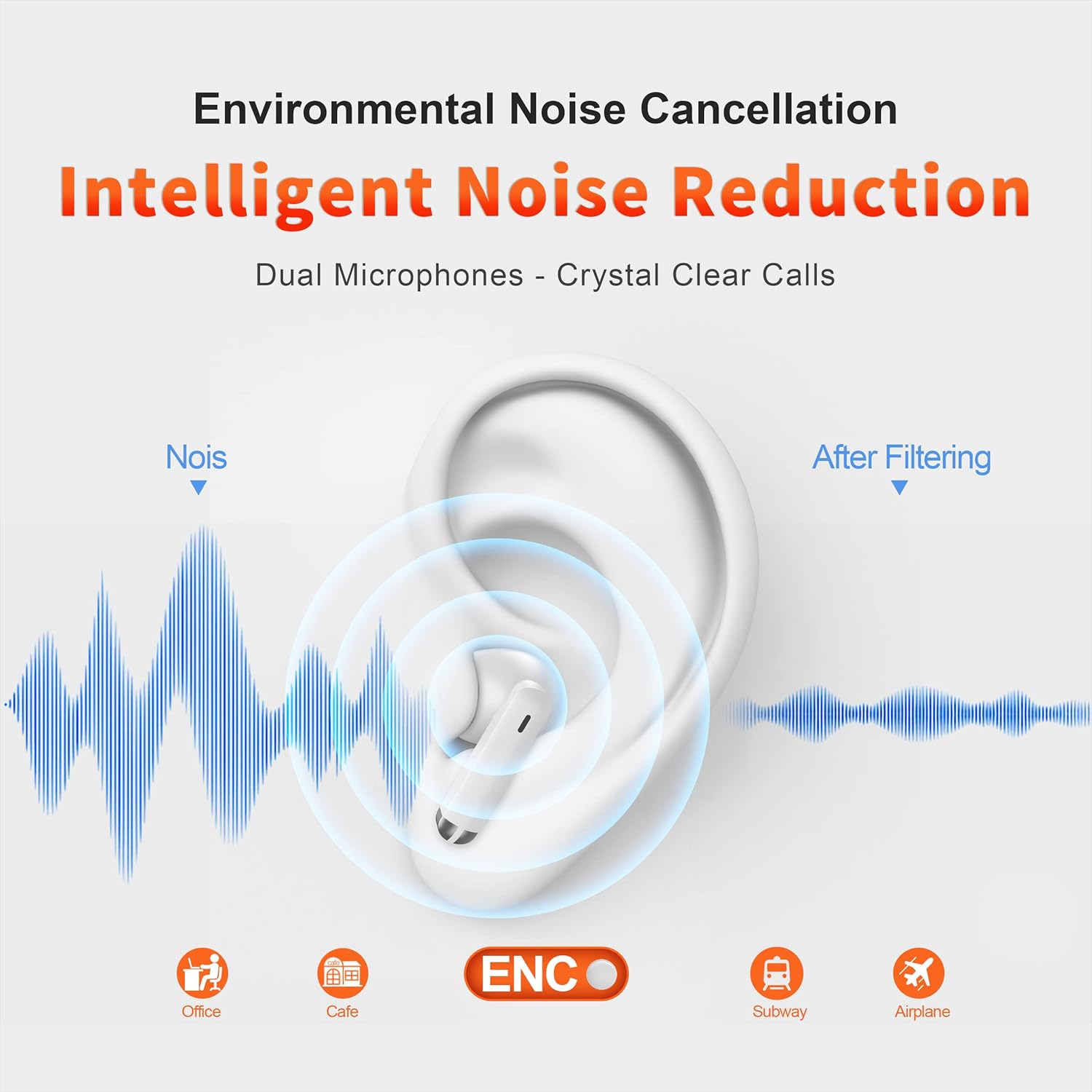
Image: A visual representation of how Environmental Noise Cancellation (ENC) works with the QERE E28 earphones, showing noise reduction in various environments like offices, cafes, subways, and airplanes for crystal clear calls.
5.2. Low Latency Mode
The QERE E28 earphones offer an ultra-low latency of 60ms, enhancing the experience for gaming and video playback by minimizing audio delay.

Image: A person is shown playing a mobile game with the QERE E28 earphones, illustrating the benefit of 60ms ultra-low latency for a smooth and immersive gaming experience.
6. Maintenance
6.1. Cleaning
- Regularly clean the earbuds and charging case with a soft, dry, lint-free cloth.
- Do not use abrasive cleaners, alcohol, or chemical solvents.
- Gently remove any earwax or debris from the earbud mesh using a small, soft brush.
6.2. Water Resistance
The QERE E28 earphones are IPX5 water-resistant, meaning they can withstand light rain, accidental splashing, and sweat. They are not designed for submersion in water or use during swimming.

Image: The QERE E28 charging case and earbuds are depicted on a wet surface with water droplets, illustrating their IPX5 water resistance against light rain, accidental splashing, and sports sweating.
6.3. Storage
When not in use, store the earphones in their charging case to protect them from dust and damage.
7. Troubleshooting
| Problem | Solution |
|---|---|
| Earphones not pairing |
|
| No sound from one earbud |
|
| Charging case not charging |
|
| Poor call quality |
|
8. Specifications
| Feature | Detail |
|---|---|
| Model | E28 |
| Bluetooth Version | 5.3 |
| Wireless Range | ≤15 meters |
| Earbud Battery Capacity | 3.7V/35mAh |
| Case Battery Capacity | 3.7V/350mAh (Lithium Polymer) |
| Play Time Per Charge | Up to 6 hours |
| Total Play Time (with case) | Up to 20 hours |
| Full Charging Time | Approx. 1.5 hours |
| Driver Size | 13mm Dynamic Driver |
| Microphones | Dual Microphones per earbud (4 total) with ENC |
| Waterproof Rating | IPX5 |
| Wireless Delay Time | 60ms Ultra-Low Latency |
| Control Method | Touch Control |
| Compatibility | IOS/Android/Windows |
| Material | ABS+PC |
| Weight | Approx. 4.6 ounces (total package) |
9. Safety Information
- Do not expose the earphones or charging case to extreme temperatures, direct sunlight, or fire.
- Avoid listening at high volume levels for extended periods to prevent hearing damage.
- Do not attempt to disassemble or modify the product. This may void the warranty and cause damage.
- Keep out of reach of children and pets.
- Dispose of the product and its battery responsibly according to local regulations.
10. Warranty and Support
The QERE E28 Wireless Earphones come with a standard manufacturer's warranty. For specific warranty terms and conditions, please refer to the documentation included with your purchase or contact QERE customer support.
For technical support or inquiries, please visit the official QERE website or contact their customer service department. Contact information is typically found on the product packaging or the brand's official online presence.
