
Introduction
Thank you for choosing the Alltripal 6955 Wireless Charging Station. This innovative device combines a digital alarm clock, an adjustable night light, and a 5-in-1 wireless fast charger for your iPhone, AirPods, and Apple Watch. Crafted from natural bamboo, it offers a stylish and functional solution to declutter your bedside table. Please read this manual carefully to ensure proper setup and operation.
Product Overview
The Alltripal 6955 is designed for convenience and efficiency, integrating multiple functions into one compact unit.

This diagram illustrates the various components: iPhone wireless charger, alarm setting buttons, time adjustment buttons, night light touch switch, Apple Watch wireless charger, AirPods wireless charger, USB-C output, USB output, DC input, and power indicator.
Key Features:
- 5-in-1 Functionality: Integrates a 15W wireless phone charger, 5W AirPods charger, 3W Apple Watch charger (requires your own Apple Watch charger), digital alarm clock, and adjustable night light.
- Adjustable Night Light: Features touch control with 3 color options (warm white, natural white, daylight white) and 10 brightness levels (25%-100%).
- Universal Compatibility: Supports iPhone Series 8 and newer (up to 15W), AirPods 1/2/3/Pro (up to 5W), and Apple Watch Series 2 and newer (up to 3W).
- Advanced Safety: Equipped with intelligent protection technology including temperature control, over-voltage protection, object detection, and short-circuit prevention. Includes a UL-certified adapter for stable charging.
- Eco-friendly Design: Made from 100% natural and durable bamboo.
Setup
- Unpack: Carefully remove all components from the packaging. Ensure you have the charging station, power adapter, and USB cable.
- Connect Power: Insert the provided USB cable into the DC input port on the back of the charging station. Connect the other end of the cable to the included power adapter, then plug the adapter into a wall outlet. The digital display should light up.
- Install Apple Watch Charger (Optional): If you wish to charge your Apple Watch, insert your original Apple Watch magnetic charging cable into the designated slot within the station's compartment. Route the cable through the provided channel to the USB-A port on the back of the unit. (Note: Apple Watch charger is not included).

Place your devices as shown for optimal charging. Remember to install your own Apple Watch charger.
Operating Instructions
1. Charging Devices
The charging station supports simultaneous wireless charging for compatible devices.
- iPhone (15W): Place your iPhone centrally on the top charging pad. The charging indicator on the phone screen will confirm charging. For optimal charging, remove thick phone cases.
- AirPods (5W): Place your AirPods case in the designated slot within the compartment. Ensure the case is properly aligned for charging.
- Apple Watch (3W): Once your Apple Watch charger is installed, place your Apple Watch on the magnetic charging puck in the compartment.

This chart details compatible iPhone models (14, 13, 12, 11, X, 8 series), Apple Watch models (SE, 2, 3, 4, 5, 6, 7, 8), and AirPods models (Pro, 1st, 2nd, 3rd Gen).
2. Alarm Clock Functions
The integrated digital alarm clock offers customizable settings.
- Setting Time: Use the 'Time' button and 'Hour/Minute Adjust' buttons (refer to Figure 1) to set the current time.
- Setting Alarm: Use the 'Alarm Setting' button and 'Hour/Minute Adjust' buttons to set your desired alarm time.
- Snooze Function: When the alarm sounds, press the snooze button (usually a prominent button on top or front) to temporarily silence it.
- Adjustable Buzzer: The alarm volume or tone may be adjustable. Refer to the product's physical buttons or touch controls for this feature.
- Screen Brightness: The digital display brightness can be adjusted.
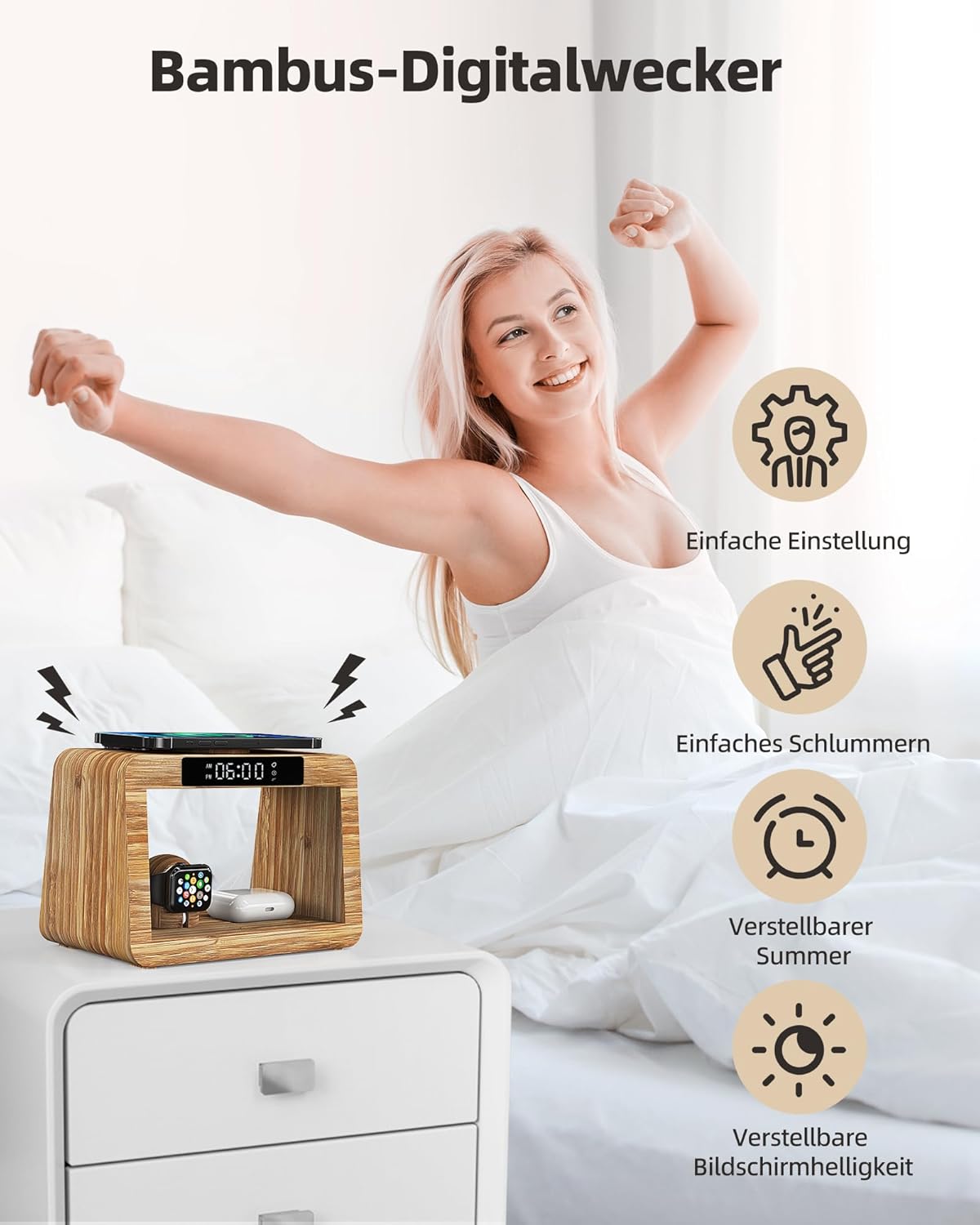
The alarm clock offers easy setting, snooze, adjustable buzzer, and adjustable screen brightness for a personalized wake-up experience.

Features a 2-stage brightness dimmer for the display and an easy-to-use snooze function.
3. Night Light Functions
The integrated night light provides ambient illumination with customizable settings.
- Turn On/Off: Use the 'Touch switch for night light' (refer to Figure 1) to turn the light on or off.
- Adjust Brightness: Long press the touch switch to cycle through brightness levels (25%-100%). Release at your desired brightness.
- Change Color Temperature: Short press the touch switch to cycle through the 3 color options: Warm White (3000K for relaxation), Natural White (4500K for reading), and Daylight White (6000K for work).

The night light offers a wide range of color temperatures and brightness levels to suit any mood or task.

Choose from Cool Light (6000K, high brightness for work), Daylight (4500K, helps relax tired eyes for reading), or Warm Light (3000K, for better eye relaxation).
Maintenance
- Cleaning: Disconnect the power before cleaning. Use a soft, dry cloth to wipe the surface. Do not use abrasive cleaners or solvents.
- Storage: Store the device in a cool, dry place away from direct sunlight and extreme temperatures when not in use for extended periods.
- Avoid Moisture: Keep the device away from water and high humidity to prevent damage.
Troubleshooting
| Problem | Possible Cause | Solution |
|---|---|---|
| Device not charging | 1. Incorrect placement 2. Phone case too thick 3. Foreign object detected 4. Power not connected | 1. Realign device on the charging pad. 2. Remove phone case. 3. Remove any metal objects or cards. 4. Ensure power adapter is securely plugged in. |
| Night light not working | 1. Not powered on 2. Touch switch not activated | 1. Ensure the charging station is powered. 2. Gently tap or long-press the touch switch. |
| Alarm not sounding | 1. Alarm not set 2. Volume too low | 1. Verify alarm time is correctly set. 2. Check if buzzer volume is adjusted appropriately. |
| Overheating during charging | 1. Poor ventilation 2. Foreign object 3. Device incompatibility | 1. Ensure adequate airflow around the unit. 2. Remove any foreign objects. 3. Ensure your device is compatible with wireless charging. |
Specifications
- Model: 6955
- Brand: Alltripal
- Manufacturer: Shenzhen Odebo Technology Co.,Ltd
- Material: 100% Natural Bamboo
- Input Voltage: 12V
- Input Amperage: 3A
- Wireless Charging Output (Phone): Up to 15W
- Wireless Charging Output (AirPods): Up to 5W
- Wireless Charging Output (Apple Watch): Up to 3W (requires user-supplied charger)
- Night Light Color Temperatures: 3000K (Warm White), 4500K (Natural White), 6000K (Daylight White)
- Night Light Brightness: 25% - 100% (10 levels)
- Included Components: 1x Charging Station, 1x Power Adapter, 1x USB Cable
- Dimensions (Package): 23.8 x 17 x 14.2 cm
- Weight (Package): 1.05 kg
Product Videos
Video 1: Product Overview
A brief overview of the Alltripal Wireless Charging Station's features and design.
Video 2: Detailed Usage Guide
A comprehensive demonstration of setting up and using the charging station, alarm clock, and night light functions.
Video 3: Charging Capabilities Demonstration
This video showcases the charging process for iPhone, Apple Watch, and AirPods on the station.
Video 4: Product Versatility Highlight
A short video highlighting the multi-functional aspects and convenience of the charging station.
Video 5: Night Light Feature Showcase
A brief clip demonstrating the adjustable night light function.
Warranty and Support
Warranty information for your Alltripal 6955 Wireless Charging Station is typically provided at the point of purchase or within the product packaging. Please refer to these documents for details regarding warranty coverage and duration.
For technical support, troubleshooting assistance beyond this manual, or inquiries regarding your product, please contact the manufacturer, Shenzhen Odebo Technology Co.,Ltd, or your retailer. Contact information can usually be found on the product packaging or the manufacturer's official website.


