
1. Introduction
The Allen & Heath AHM-16 is a powerful 16-input/16-output audio matrix processor designed for sound management and installation applications. It offers flexible I/O, advanced processing capabilities, and intuitive control for various audio environments, including commercial, educational, and live sound installations. This manual provides essential information for the safe and efficient operation of your AHM-16 unit.
2. Safety Information
Please read and understand all safety instructions before operating the AHM-16. Failure to follow these guidelines may result in electric shock, fire, or damage to the unit.
- Power Supply: Connect the unit only to an AC mains supply within the specified voltage range (100-240V AC, 50/60Hz). Ensure the power cable is securely connected and not damaged.
- Ventilation: Do not block any ventilation openings. Ensure adequate airflow around the unit to prevent overheating.
- Moisture: Do not expose the unit to rain, moisture, or excessive humidity. Keep liquids away from the unit.
- Servicing: Do not attempt to service this unit yourself. Refer all servicing to qualified service personnel.
- Placement: Place the unit on a stable surface or mount it securely in a standard 19-inch equipment rack.
3. Package Contents
Verify that all items are present in the package:
- AHM-16 Audio Matrix Processor Unit
- AC Power Cable
- This User Manual
4. Product Overview
The AHM-16 is a versatile audio solution featuring a 96kHz FPGA core for ultra-low latency processing. It is equipped with a range of features for comprehensive audio management.
Key Features:
- 16-in/16-out Audio Matrix Processor
- Eight channels of bi-directional analog I/O
- I/O port for networking up to 128 bi-directional channels
- 16 configurable processing outputs for mono/stereo zones or speaker processing
- Easy-to-read front-panel screen and intuitive navigation
- Compatibility with remote controllers, GPIO, and third-party integration
- Four programmable SoftKeys for effortless control
- Integrated processing: automatic mic mixer, ambient noise compensation, priority ducking, EQ, dynamics, and delay on every input and zone
- Speaker processing includes crossover filter, delay, limiter, and EQ
Front Panel
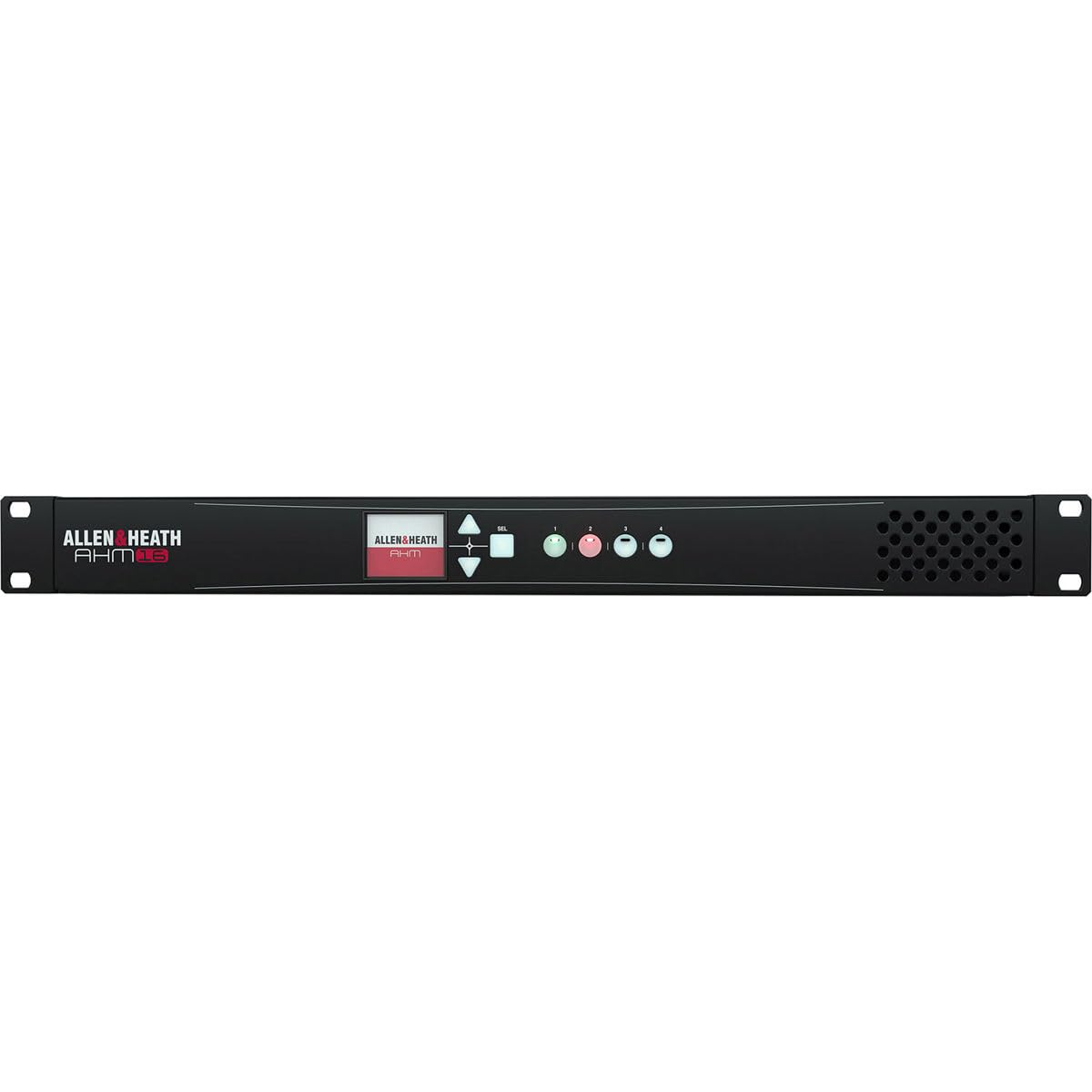
Figure 1: Front view of the Allen & Heath AHM-16 Audio Matrix Processor. This image displays the unit's front panel, including the display screen, navigation controls, and programmable SoftKeys.
Rear Panel Connections

Figure 2: Rear panel of the Allen & Heath AHM-16. This image shows the various input and output connectors, including the AC mains input, I/O port, GPIO connections, network port, and analog audio inputs/outputs.
5. Setup
5.1 Rack Mounting
The AHM-16 is designed for standard 19-inch rack installation. Secure the unit using appropriate rack screws, ensuring sufficient space for ventilation and cable management at the front and rear.
5.2 Power Connection
Connect the supplied AC power cable to the AC MAINS IN socket on the rear panel (refer to Figure 2). Plug the other end into a suitable grounded power outlet. The unit operates on 100-240V AC, 50/60Hz.
5.3 Audio Connections
Utilize the eight bi-directional analog I/O channels on the rear panel for local audio connections. These are typically balanced connections. Refer to the rear panel diagram (Figure 2) for specific input and output numbering.
5.4 Network and Control Connections
Connect an Ethernet cable to the NETWORK port for control via a computer or external network. The I/O Port allows for connection to Allen & Heath's ecosystem for up to 128 bi-directional channels. GPIO (General Purpose Input/Output) connections are available for integration with third-party control systems.
5.5 Initial Power On
Once all connections are made, power on the unit. The front panel display will illuminate, indicating the boot-up sequence. Follow any on-screen prompts for initial setup or configuration.
6. Operating Instructions
6.1 Front Panel Navigation
The AHM-16 features an intuitive front-panel screen and navigation controls. Use the rotary encoder and associated buttons to browse menus, adjust parameters, and select options. The four programmable SoftKeys can be assigned to frequently used functions like volume control, source selection, or preset recall.
6.2 Input and Output Routing
The core function of the AHM-16 is its flexible matrix routing. Audio signals from any input (analog, network) can be routed to any output (analog, network, or processing output). Use the software interface or front panel to configure your desired signal flow for different zones or applications.
6.3 Audio Processing
The AHM-16 offers extensive audio processing capabilities on both inputs and outputs:
- Input Processing: Each input features EQ, dynamics (compressor/gate), and delay. Advanced features include an automatic mic mixer, ambient noise compensation, and priority ducking for voice applications.
- Output Processing: The 16 configurable processing outputs can be set up for mono or stereo zones, or dedicated speaker processing. Speaker processing includes crossover filters, delay, limiting, and EQ to optimize performance for connected loudspeakers.
6.4 Remote Control and Integration
The AHM-16 supports various remote control options, including dedicated Allen & Heath controllers, custom user interfaces via network, and integration with third-party control systems using GPIO or network protocols. Refer to the comprehensive software manual for detailed configuration of remote control.
7. Maintenance
7.1 Cleaning
Clean the unit with a soft, dry cloth. Do not use abrasive cleaners, solvents, or waxes. Ensure the unit is powered off and disconnected from the mains before cleaning.
7.2 Firmware Updates
Periodically check the Allen & Heath website for firmware updates. Keeping your unit's firmware up-to-date ensures optimal performance, new features, and bug fixes. Follow the instructions provided with the firmware update carefully.
7.3 Environmental Considerations
Operate the AHM-16 within its specified temperature and humidity ranges. Avoid extreme temperatures, direct sunlight, and dusty environments to prolong the life of the unit.
8. Troubleshooting
If you encounter issues with your AHM-16, try the following steps:
- No Power: Check the power cable connection at both the unit and the wall outlet. Ensure the outlet is live.
- No Audio Output: Verify input source connections, routing configurations within the AHM-16, and output connections to amplifiers or speakers. Check mute status and gain levels.
- Network Connection Issues: Ensure the Ethernet cable is properly connected. Check network settings on the AHM-16 and your control device. Restart both devices.
- Unexpected Behavior: A factory reset may resolve some software-related issues. Refer to the full user guide for instructions on performing a factory reset. Note that this will erase all custom settings.
If problems persist, contact Allen & Heath technical support or your authorized dealer.
9. Specifications
| Item Weight | 11.91 pounds |
| Product Dimensions | 23.6 x 15.95 x 5.9 inches |
| ASIN | B0CBLBNWRS |
| Date First Available | February 10, 2022 |
10. Warranty and Support
For detailed warranty information, please refer to the official Allen & Heath website or contact your authorized dealer. Technical support and additional resources are also available through these channels.