
Electrolux LX-300R
Electrolux Rechargeable Fabric Shaver User Manual
Model: LX-300R | Brand: Electrolux
Introduction
The Electrolux Rechargeable Fabric Shaver is designed to efficiently remove fuzz, lint, and pilling from various fabrics, restoring their fresh appearance. This manual provides essential information for safe and effective operation, maintenance, and troubleshooting.
Key Features
- Adjustable 3-Speed Precision: Adapts to delicate fabrics, thicker garments, and durable upholstery.
- Rechargeable with Type-C Fast Charging: 2000mAh lithium-ion battery offers up to 180 minutes of use on a single charge.
- User-Friendly LED Display: Shows battery life, speed level, and charging status.
- Complete Kit: Includes an extra blade, cleaning brush, and protective cover.
- Premium Fabric Care: Engineered for performance and durability.
Product Overview

Figure 1: The Electrolux Rechargeable Fabric Shaver, showcasing its sleek blue design and integrated LED display.

Figure 2: Internal view highlighting the stainless steel 6-leaf blades and high-torque motor for consistent performance.

Figure 3: The LED display provides real-time information on battery life and selected speed level.

Figure 4: The complete kit includes the fabric shaver, extra blades, a cleaning brush, USB-C cable, blade protector, and a storage case.
Setup
Charging the Device
Before first use, fully charge the fabric shaver. Connect the provided USB-C cable to the charging port on the device and plug the other end into a compatible USB power adapter (not included). The LED display will indicate charging status and battery level. A full charge takes approximately 3 hours and provides up to 180 minutes of use.
Figure 5: The fabric shaver features a USB-C port for convenient and fast charging.
Operating Instructions
Using the Fabric Shaver
- Prepare the Fabric: Lay the garment or fabric flat on a hard, smooth surface. Ensure the fabric is clean and dry.
- Power On and Select Speed: Press the power button to turn on the device. Use the same button to cycle through the three available speed settings (Speed 1 for delicate, Speed 2 for medium, Speed 3 for tough fabrics). The LED display will show the selected speed.
- Glide Gently: Move the shaver head gently over the fabric surface, applying light pressure. Avoid pressing too hard, especially on delicate materials, to prevent damage.
- Monitor Progress: Continue gliding until all unwanted fuzz and pilling are removed.
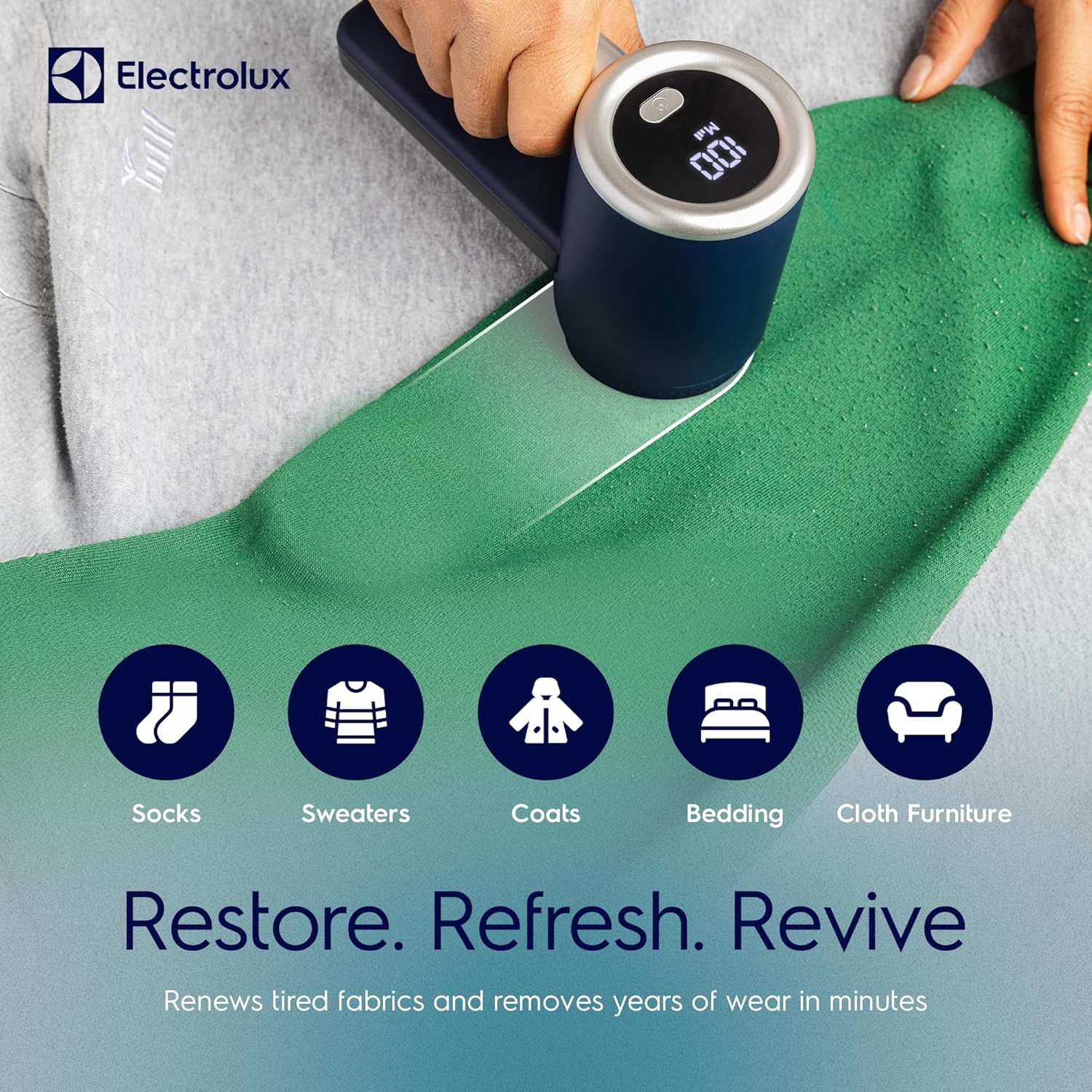
Figure 6: The shaver effectively restores various fabric types, from socks to furniture.

Figure 7: Choose the appropriate speed setting for optimal results on different fabric types.

Figure 8: Simple three-step process for effective fabric care.
Maintenance
Cleaning the Lint Collector
Regularly empty the lint collector to maintain optimal performance. The oversized collector bin prevents clogs and is designed for easy emptying.
- Ensure the device is turned off.
- Locate the quick-release design for the lint collector.
- Remove the collector and discard the accumulated lint.
- Reattach the lint collector securely.

Figure 9: The quick-release design allows for easy emptying of the lint collector.
Replacing Blades
The fabric shaver comes with an extra blade for replacement when the original blade becomes dull. Always ensure the device is off and unplugged before attempting to replace the blade.
- Twist and remove the protective metal cover.
- Carefully remove the old blade assembly.
- Insert the new blade assembly, ensuring it clicks into place.
- Replace the protective metal cover by twisting it back on securely.

Figure 10: The device includes ultra-sharp stainless steel blades and an extra blade for longevity.
Troubleshooting
If you encounter issues with your Electrolux Fabric Shaver, refer to the following common problems and solutions:
| Problem | Possible Cause | Solution |
|---|---|---|
| Device not turning on. | Low battery or not charged. | Charge the device fully using the USB-C cable. |
| Poor performance/not removing lint effectively. | Lint collector is full or blades are dull. | Empty the lint collector. Replace the blades if they are dull. |
| Device stops unexpectedly. | Overheating or safety shut-off. | Turn off the device and allow it to cool down before resuming use. |
Specifications
| Attribute | Detail |
|---|---|
| Brand | Electrolux |
| Model Number | LX-300R |
| Product Dimensions | 8 x 6.4 x 3.7 inches |
| Item Weight | 1.34 pounds |
| Battery | 2000mAh Lithium-ion (Rechargeable) |
| Charging Port | Type-C |
| Operation Mode | Semi-Automatic |
| Material | Stainless Steel (Blades) |
| Color | Blue |
| UPC | 850039796029 |
Warranty and Support
For warranty information, product support, or to purchase replacement parts, please visit the official Electrolux website or contact their customer service. Keep your purchase receipt for warranty claims.
Official Electrolux Store: Electrolux Store on Amazon
Ask a question about this manual
Ask about setup, troubleshooting, compatibility, parts, safety, or missing instructions. Manuals+ will review the question and use this page’s manual context to help answer it.