
1. Product Overview
The GoSports 40-Inch Table Top Air Hockey Game offers a compact and engaging air hockey experience. This game is designed for two players and features a pre-installed AC-powered fan for consistent airflow, ensuring smooth puck movement. Its robust wood frame and legs provide stability, while the UV-printed playing surface replicates an ice rink design. The game includes a built-in scorekeeper for tracking game progress.

Figure 1.1: The GoSports 40-Inch Table Top Air Hockey Game in Black, showcasing its compact design and playing surface.
Key Features:
- Compact Size: Measures 40 L x 20 W x 7.6 H inches, suitable for most tables or floor play.
- Durable Construction: Features a robust wood frame and legs with rubber feet to protect surfaces.
- Consistent Airflow: Equipped with a pre-installed AC-powered fan for smooth gameplay.
- Modern Aesthetics: Glossy black veneer frame and UV-printed ice rink graphics.
- Built-in Scorekeeper: Manual score tracking integrated into the design.
2. What's Included
Verify that all components are present in the packaging before proceeding with assembly.
- 1 x Air Hockey Table with AC Adapter
- 2 x Pushers (Red)
- 3 x Pucks (Black)
3. Setup Instructions
The GoSports Table Top Air Hockey Game comes largely pre-assembled. Only the goals and legs require attachment. Follow these steps for quick setup:
- Unpack Components: Carefully remove all items from the packaging. Place the main air hockey table body on a flat, stable surface, preferably upside down, to access the leg attachment points.
- Attach Legs: Identify the four legs. Align each leg with the designated attachment points on the underside of the table. Secure each leg using the provided screws and tools. Ensure the rubber feet on the legs are facing downwards to protect surfaces and prevent movement during play.
- Install Goals: Locate the two goal assemblies. Position each goal at the ends of the playing surface. Secure them in place using the provided screws.
- Position the Table: Flip the assembled table upright and place it on a sturdy table or directly on the floor. Ensure there is enough space around the table for comfortable gameplay.
- Connect Power: Plug the AC adapter into the designated port on the air hockey table, then plug the adapter into a standard wall outlet. The fan should activate, providing airflow to the playing surface.

Figure 3.1: The air hockey table can be set up on a table or directly on the floor, demonstrating its versatility and ease of assembly.

Figure 3.2: Dimensions of the GoSports 40-Inch Table Top Air Hockey Game, highlighting its compact and portable design.
4. Operating Instructions
Once the table is assembled and powered on, you are ready to play.
- Power On: Ensure the AC adapter is securely plugged into both the table and a working wall outlet. The internal fan will begin to operate, creating an air cushion on the playing surface.
- Start Play: Each player takes a pusher and positions themselves at opposite ends of the table. Place a puck in the center of the playing surface.
- Gameplay: Use the pushers to strike the puck, aiming to score in your opponent's goal. The objective is to get the puck past your opponent and into their goal.
- Scoring: When a puck enters a goal, the player who scored moves their score tracker on the built-in scorekeeper.
- Winning the Game: The first player to reach a predetermined score (e.g., 7 or 10 points) wins the game.
- Power Off: To turn off the game, simply unplug the AC adapter from the wall outlet.
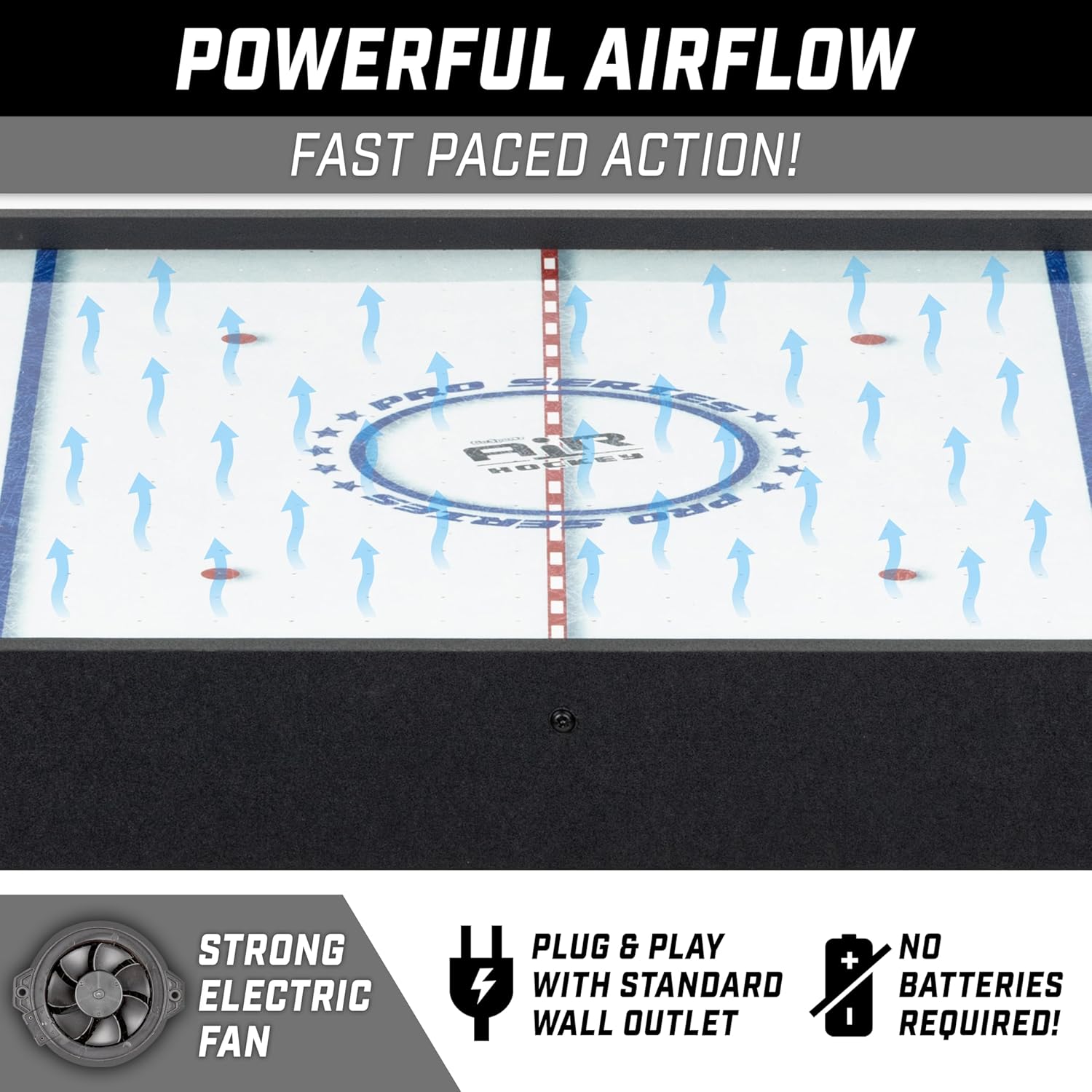
Figure 4.1: Illustration of the powerful airflow generated by the electric fan, ensuring smooth and fast-paced gameplay.
5. Maintenance
Proper maintenance ensures the longevity and optimal performance of your air hockey table.
- Cleaning the Playing Surface: Regularly wipe the playing surface with a soft, dry cloth to remove dust and debris. Avoid using abrasive cleaners or solvents, as these can damage the UV-printed graphics.
- Cleaning Pushers and Pucks: Clean pushers and pucks with a damp cloth as needed. Ensure they are completely dry before storage or use.
- Fan Vents: Periodically check the fan vents for any obstructions (dust, lint) and gently clear them to maintain optimal airflow.
- Storage: When not in use, store the air hockey table in a dry, cool place away from direct sunlight and extreme temperatures.
6. Troubleshooting
If you encounter any issues with your GoSports Air Hockey Game, refer to the following common solutions:
- No Airflow:
- Ensure the AC adapter is securely plugged into both the table and a working wall outlet.
- Check if the power outlet is functional by plugging in another device.
- Inspect the power cord for any visible damage.
- Pucks Not Gliding Smoothly:
- Clean the playing surface thoroughly to remove any dust or debris that might obstruct airflow.
- Verify that the fan vents are clear and not blocked.
- Ensure the table is placed on a level surface.
- Missing or Damaged Parts:
- Refer to the "What's Included" section to confirm all parts.
- Contact GoSports Customer Support for assistance with replacement parts.
7. Specifications
| Product Dimensions | 40 x 20 x 7.6 inches (L x W x H) |
| Item Weight | 13.9 pounds |
| Model Number | AIRHOCKEY-TT40-BLACK |
| Power Source | AC Adapter (included) |
| Players | 2 |
| Material | Wood frame, UV-printed playing surface |
8. Warranty and Support
GoSports stands behind the quality of its products. This GoSports 40-Inch Table Top Air Hockey Game is covered by a GoSports Warranty.
For warranty claims, technical assistance, or any product-related inquiries, please contact GoSports US-based Customer Support. Refer to the product packaging or the official GoSports website for the most current contact information.


Figure 8.1: GoSports offers US-based customer support and a product warranty.


