
1. Introduction
The Yunseity S555 Pro is an unlocked basic cell phone designed for ease of use, particularly for seniors. It features large buttons, a clear display, and essential functions including an SOS button for emergencies. This manual provides detailed instructions for setting up, operating, and maintaining your device.

Image 1.1: Front view of the Yunseity S555 Pro Cell Phone, showing the display and large keypad.
2. Package Contents
Please check the box for the following items:
- Yunseity S555 Pro Unlocked Senior Cell Phone
- Antenna
- Power Adapter (100-240V)
- USB Cable
- Lithium-Ion Battery (2400mAh)
- Instruction Manual (this document)
3. Setup Guide
3.1. Installing SIM Cards and Memory Card
The phone supports up to four SIM cards and one memory card (MicroSD, up to 16GB, not included). Ensure the phone is powered off before installation.
- Remove the back cover of the phone.
- Carefully insert your Nano SIM cards into the designated SIM card slots.
- Insert the MicroSD memory card into its slot, if desired.

Image 3.1: Internal view of the phone with the back cover removed, showing slots for SIM cards and memory card.
3.2. Installing the Battery
- After installing SIM and memory cards, insert the provided 2400mAh lithium-ion battery into the battery compartment, ensuring the contacts align.
- Replace the back cover until it clicks securely into place.
3.3. Charging the Phone
- Connect the USB cable to the Micro USB charging port on the phone.
- Connect the other end of the USB cable to the power adapter.
- Plug the power adapter into a wall outlet (100-240V).
- Allow the phone to charge fully before first use. The battery indicator on the screen will show charging status.
3.4. Attaching the Antenna
The phone comes with a detachable antenna that can be stretched to enhance signal reception, especially in areas with poor coverage.
- Screw the antenna into the designated port at the top of the phone until it is secure.
- For improved signal, gently extend the antenna.

Image 3.2: The detachable antenna, shown extended for enhanced signal reception.
3.5. Powering On/Off
- To power on: Press and hold the Power/End Call button until the screen lights up.
- To power off: Press and hold the Power/End Call button, then confirm power off on the screen.
4. Operating Instructions
4.1. Making and Receiving Calls
- Making a Call: Enter the phone number using the keypad and press the Call button (green receiver icon).
- Receiving a Call: When the phone rings, press the Call button (green receiver icon) to answer.
- Ending a Call: Press the Power/End Call button (red receiver icon) to end a call.
The phone features powerful speakers to ensure clear audio during calls.

Image 4.1: The phone's powerful speaker ensures clear call quality.
4.2. SOS Function
The SOS function allows you to quickly call and send text messages to pre-set emergency contacts in case of an emergency.
- Setting up SOS Contacts: Navigate to the SOS settings in the phone's menu to add emergency contact numbers.
- Activating SOS: In an emergency, press and hold the dedicated SOS button (usually located on the back or side of the phone) for a few seconds. The phone will automatically call and send an emergency text message to your pre-set contacts.
Image 4.2: The phone's display indicating the SOS function is active.
4.3. Other Functions
- Phone Book: Store and manage your contacts.
- Camera: Capture photos.
- MP3/MP4 Player: Play audio and video files stored on your memory card.
- FM Radio: Listen to FM radio stations.
- Alarm Clock: Set alarms for reminders.
- Recording: Record audio.
- Calendar: View dates and manage events.
- Flashlight: Activate the built-in flashlight for illumination.
- Calculator: Perform basic calculations.
- E-book Reader: Read e-books.
- Internet Access: Supports basic internet browsing and some social networking sites via 2G network.
5. Maintenance
- Keep the phone dry. Moisture can damage electronic circuits.
- Avoid extreme temperatures. High temperatures can shorten the life of electronic devices and warp or melt certain plastics.
- Do not use harsh chemicals, cleaning solvents, or strong detergents to clean the phone. Wipe it with a soft, damp cloth.
- Handle the phone with care. Do not drop, knock, or shake it. Rough handling can break internal circuit boards and fine mechanics.
- Use only approved batteries, chargers, and accessories.
6. Troubleshooting
- No Network Signal: Ensure your SIM card is properly inserted. Verify with your mobile operator that your SIM card supports 2G networks, as this phone operates on 2G GSM (850/900/1800/1900MHz). The phone is fully unlocked, but carrier support for 2G is essential. Try extending the detachable antenna for better reception.
- Phone Not Turning On: Check if the battery is correctly installed and sufficiently charged. Connect the charger and try again.
- Short Battery Life: Ensure the battery is fully charged. Reduce screen brightness or close unused applications if applicable. Battery life can vary based on usage and network conditions.
- Cannot Make/Receive Calls: Check network signal strength. Ensure your SIM card is active and has sufficient credit/plan.
- Sound Issues: Check the volume settings. Ensure the speaker is not obstructed.
7. Specifications
| Model | S555 Pro |
| Screen Size | 2.2 inch LCD |
| Screen Resolution | 240 x 320 |
| SIM Card Slots | 4 (Quad SIM, Nano SIM size) |
| Memory Card Slot | 1 (supports up to 16GB MicroSD, not included) |
| Internal Memory (RAM/ROM) | 32MB RAM / 32MB ROM |
| Battery Capacity | 2400mAh Lithium-Ion |
| Frequency Band | GSM 850/900/1800/1900MHz |
| Network Type | 2G GSM |
| Camera | 80000 pixels (Front, Rear) |
| Bluetooth | Version 2.0 |
| Ports | Micro USB charging port, 3.5mm headphone port, USB port (for charging other devices) |
| Supported Languages | English, Russian, Arabic, French, Portuguese |
| Product Size (LxWxH) | Approx. 137.8 x 59 x 24.5 mm (5.4 x 2.3 x 1.0 inches) |
| Operating System | Android (Basic Version) |
| Wireless Carrier | Unlocked |
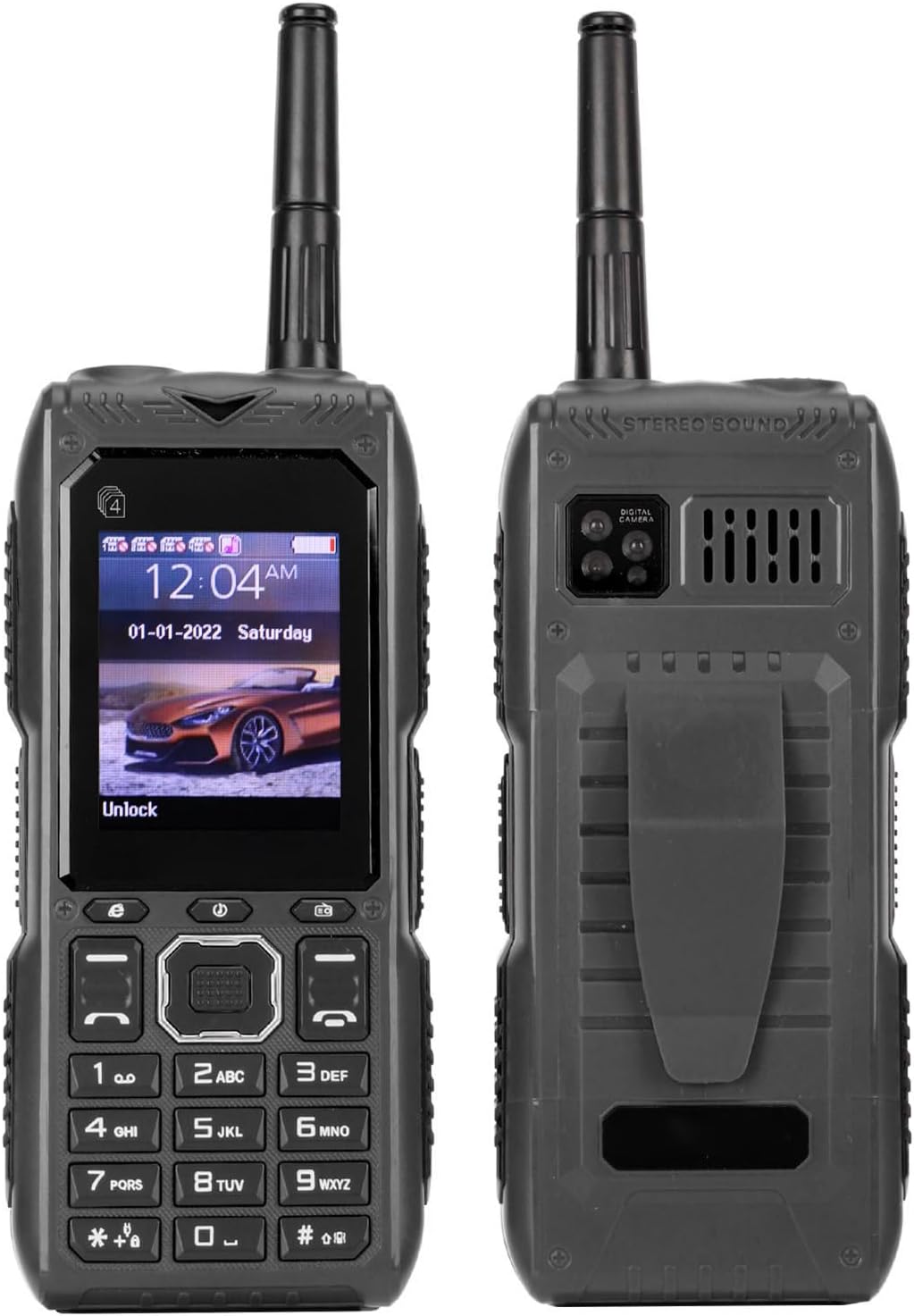
Image 7.1: Diagram showing the dimensions of the Yunseity S555 Pro Cell Phone.