Introduction
The WellToBe Automatic Cat Feeder is designed to provide convenient and reliable feeding for your cats and small dogs. This 4L capacity feeder supports both dry and wet food, featuring an ice pack compartment for wet food freshness and a desiccant bag for dry food preservation. It includes programmable meal times, a voice recorder for meal calls, and a dual power supply for uninterrupted operation.
This manual provides comprehensive instructions for setting up, operating, maintaining, and troubleshooting your WellToBe Automatic Cat Feeder.
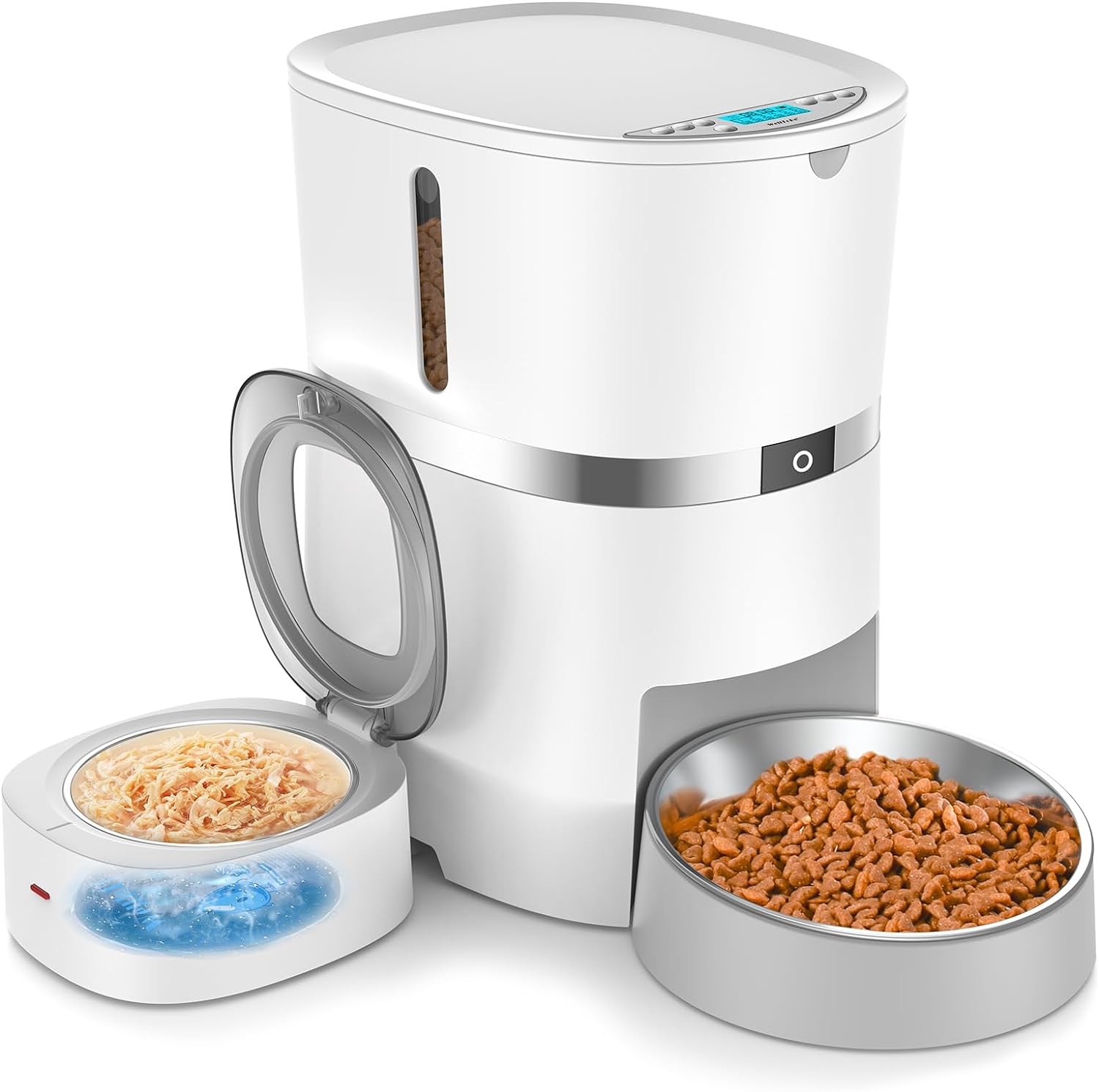
Image: The WellToBe Automatic Cat Feeder, showcasing its main unit, dry food bowl, and wet food container.
Product Features
- Wet and Dry Food Compatibility: Designed for both wet and dry pet food, with separate compartments and features to maintain freshness.
- Freshness Preservation: Includes 3 ice packs for the wet food compartment (effective 6-8 hours) and a desiccant bag with a top-lock lid for dry food to prevent moisture and maintain crunchiness.
- Programmable Feeding Schedule: Dispenses 1 to 4 dry food meals per day (0-48 portions per meal, 5g/0.28oz each) and 1 to 2 wet food meals (Max 240ml/8oz).
- Voice Recorder: A built-in speaker and voice recorder allow for a 10-second personalized message to call your pets to their meal. This feature can also be disabled.
- Dual Power Supply: Operates with a 5V DC adapter and has a backup power option using 4 D-size batteries (not included) to ensure continuous feeding during power outages.
- Low Food Indicator: A blue flashing light on the food tank alerts you when refilling is needed.
- Anti-Clog Design: Features a patented internal food dispensing structure to prevent clogging and ensure timely food delivery.
- Easy to Clean: The tank lid, tank, tank base, and stainless steel food bowls are removable for convenient cleaning.

Image: Overview of the feeder's key features, including dry and wet food compatibility, freshness, locking design, feeding schedule, voice recording, and dual power.
Package Contents
Verify that all items listed below are included in your package:
- 1 × Automatic Pet Feeder Unit
- 1 × Bowl Holder
- 1 × Dry and Wet Food Container
- 1 × Power Adapter
- 3 × Ice Packs
- 1 × Small Stainless Steel Bowl (for wet food container)
- 1 × Large Stainless Steel Bowl (for dry food dispenser)
- 1 × Desiccant Bag
- 1 × User Manual (this document)

Image: Visual representation of all components included in the WellToBe Automatic Cat Feeder package.
Setup Guide
1. Unpacking and Assembly
- Carefully remove all components from the packaging.
- Place the main feeder unit on a flat, stable surface.
- Attach the bowl holder to the main unit.
- Insert the large stainless steel bowl into the dry food dispenser opening.
- Place the dry and wet food container next to the main unit, ensuring it connects properly if designed to do so. Insert the small stainless steel bowl into the wet food container.
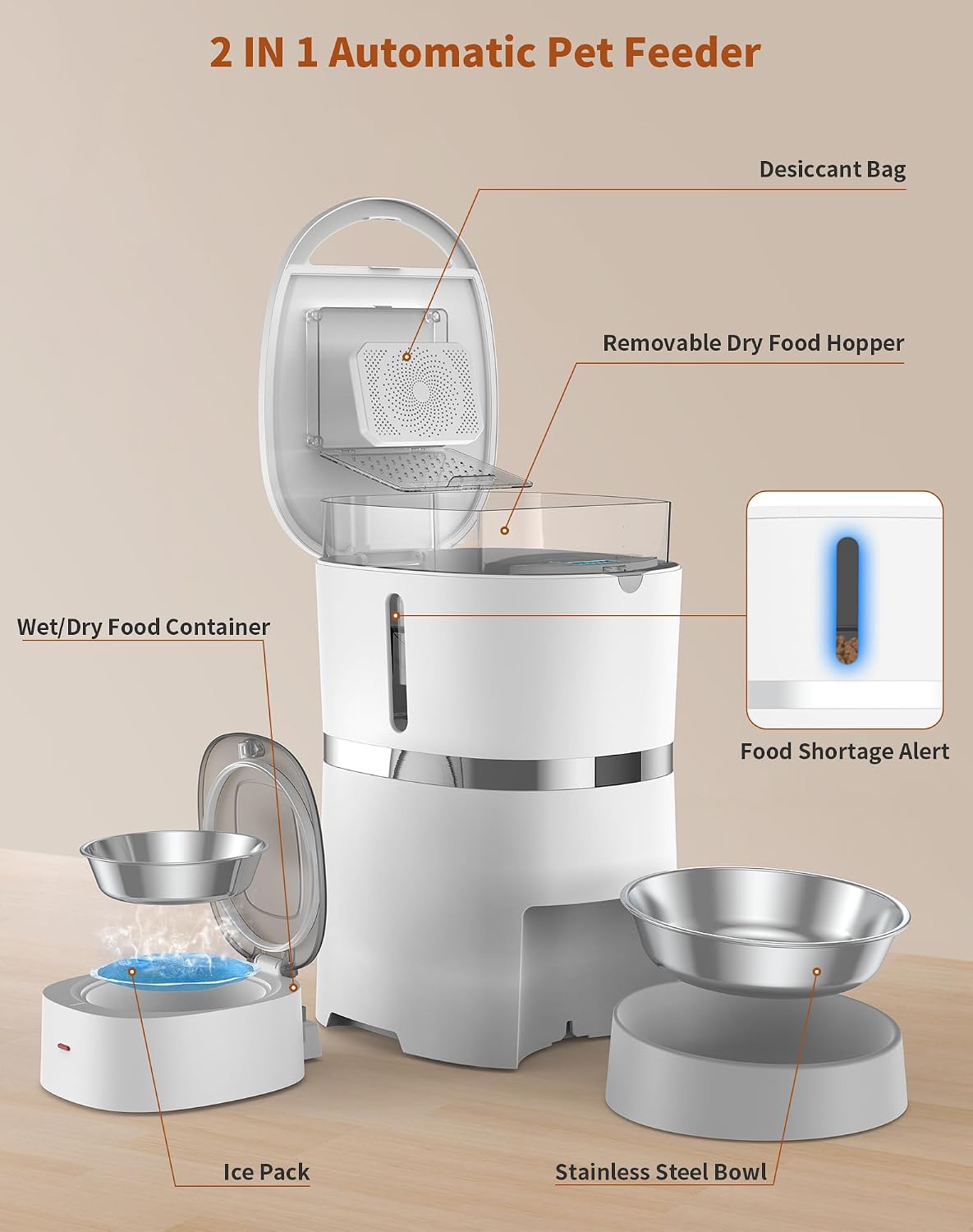
Image: Diagram showing the various parts of the feeder and how they fit together during assembly.
2. Power Supply Connection
The feeder can be powered by the included 5V DC adapter or by 4 D-size batteries (not included) as a backup.
- Connect the power adapter to the feeder's DC input port and plug it into a standard wall outlet.
- For backup power, open the battery compartment at the bottom of the unit and insert 4 D-size batteries, ensuring correct polarity.

Image: The feeder unit highlighting the power adapter connection and the battery compartment for dual power supply.
3. Filling Food Hoppers
- Dry Food: Open the top lid of the main feeder unit. Pour dry kibble into the hopper. Ensure the kibble size is between 2-12mm (0.08-0.47inch) to prevent clogging. Close the lid securely.
- Wet Food: Open the lid of the wet food container. Place the desired amount of wet food into the small stainless steel bowl. Close the lid securely.
4. Installing Ice Packs (for Wet Food)
To keep wet food fresh, freeze the included ice packs for 6-8 hours before use.
- Ensure the ice packs are fully frozen.
- Place the frozen ice packs into the designated compartment beneath the small stainless steel bowl in the wet food container.
- Place the stainless steel bowl with wet food on top of the ice packs.

Image: The wet food container with the lid open, showing the placement of the ice pack beneath the stainless steel bowl.
Operating Instructions
1. Setting Time and Date
Refer to the control panel on the top of the feeder. Use the designated buttons (usually labeled with clock icons or "Set") to adjust the current time and date. Follow the on-screen prompts to confirm your settings.
2. Programming Dry Food Meals
The feeder allows for up to 4 dry food meals per day.
- Press the "Meal" button to enter programming mode.
- Select the meal number (e.g., M1, M2).
- Set the desired feeding time for the meal.
- Adjust the portion size (0-48 portions, 5g/0.28oz each portion) using the up/down arrows.
- Repeat for additional dry food meals as needed.
3. Programming Wet Food Meals
The wet food container can be programmed for 1 to 2 meals.
- Access the wet food programming settings (may be a separate button or part of the main meal programming).
- Set the desired feeding time for the wet food meal(s).
- Note: Wet food dispensing is based on the rotation of the wet food container, not portion size. Ensure the wet food container is properly filled for the desired amount.
4. Voice Recording Function
Record a personalized 10-second message to call your pet to eat.
- Press and hold the "Record" button (microphone icon) until you hear a beep.
- Speak your message clearly into the microphone.
- Release the button when finished. The message will play during scheduled meal times.
- To disable the voice recording, refer to the specific instructions in your feeder's quick start guide or control panel.

Image: A cat observing the feeder, illustrating the voice recording feature that calls pets to their meals.
5. Manual Feeding
To dispense food manually, long press the manual feeding button (often a food bowl icon) for 3 seconds. This will dispense one portion of dry food or activate the wet food dispenser once.
Maintenance and Cleaning
Regular cleaning ensures the longevity and hygienic operation of your feeder.
- Disassembly: The tank lid, tank, tank base, and stainless steel food bowls are removable for easy cleaning.
- Cleaning Bowls and Containers: Wash the stainless steel bowls and wet food container with warm soapy water. Rinse thoroughly and dry completely before reassembling.
- Cleaning Main Unit: Wipe the main feeder unit with a damp cloth. Do not submerge the main unit in water.
- Desiccant Bag: To prevent mold growth and keep dry food fresh, it is recommended to change the desiccant bag every 15 days.
- Rubber Seal Strip: For optimal freshness and to prevent pests, ensure the bottom secure rotor arrow alignment for the rubber fill the gap every time after installation.

Image: Illustration of the anti-clog design and the importance of the rubber seal strip for freshness and pest prevention.
Troubleshooting
If you encounter issues with your feeder, refer to the table below for common problems and solutions.
| Problem | Possible Cause | Solution |
|---|---|---|
| Feeder not dispensing food. | Food hopper empty; food stuck in dispenser; incorrect programming. | Refill food hopper. Check for obstructions and clear them. Verify meal times and portion settings. Ensure kibble size is within 2-12mm. |
| Wet food not staying fresh. | Ice packs not frozen; ice packs not installed; prolonged exposure. | Ensure ice packs are fully frozen before use. Install ice packs correctly. Limit the time wet food remains in the feeder, especially in warm environments. |
| Feeder not turning on or losing settings. | Power adapter disconnected; batteries low or incorrectly installed. | Check power adapter connection. Replace D-size batteries if using backup power, ensuring correct polarity. The feeder has memory function, so settings should be retained even after power loss if batteries are present. |
| Voice recording not playing. | No message recorded; recording disabled. | Record a new message. Check settings to ensure voice playback is enabled. |
| Low food indicator flashing. | Food level is low. | Refill the dry food hopper. |
Specifications
| Feature | Detail |
|---|---|
| Model Number | A38X |
| Capacity | 4L (Dry Food) / Max 240ml/8oz (Wet Food) |
| Dimensions (LxWxH) | 11.42 x 8.27 x 15.35 inches |
| Item Weight | 1.13 ounces |
| Material | Stainless Steel, Plastic |
| Power Supply | 5V DC Adapter, 4 x D-size batteries (backup, not included) |
| Recommended Kibble Size | 2-12mm (0.08-0.47inch) |
| Care Instructions | Hand Wash Only (removable parts) |
| Target Species | Cat, Dog (Small Breeds, Medium Breeds) |
Warranty and Support
For warranty information, technical support, or any inquiries regarding your WellToBe Automatic Cat Feeder, please contact WellToBe customer service directly. Refer to the contact information provided on the product packaging or the official WellToBe website.
You can also visit the WellToBe Store on Amazon for more product details and support resources.