1. Introduction
This instruction manual provides essential information for the KOLEOLL W11116990 Microwave Button Holder. This component is designed to replace a damaged button bracket in compatible microwave ovens, specifically when the control panel buttons are unresponsive due to a broken internal support structure. Replacing this part can restore proper button functionality without requiring the replacement of the entire control panel assembly.
Please review all instructions carefully before proceeding with installation.
2. Product Overview
The W11116990 button holder is a replacement part for microwave ovens. It is crucial for securing the control panel's internal button mechanism, ensuring proper contact and response when a button is pressed.

Figure 2.1: Two KOLEOLL W11116990 Microwave Button Holders. These are the replacement parts designed to restore button functionality.
2.1 Compatible Models
This button holder is compatible with the following microwave models:
- IBMS1455DS00
- IBMS1455DS01
- IBMS1455VS0
- IBMS1455VW0
- IBMS1455WS0
- IBMS1455WW0
- IBMS1455XB0
- IBMS1456XB0
- IBMS1456XS0
Important: Always verify the compatibility with your specific microwave model number before purchasing and attempting installation.

Figure 2.2: Illustration of a microwave control panel and the button holder, indicating the area where the part is installed and listing compatible models.
3. Installation Instructions
Safety Warning: Before beginning any repair, ensure the microwave oven is unplugged from the power outlet to prevent electrical shock. It is recommended to wear appropriate safety gear, such as gloves. If you are unsure about any step, consult a qualified technician.
- Access the Control Panel: Carefully remove the outer casing or front panel of your microwave to gain access to the control panel assembly. This usually involves unscrewing several screws located on the back or sides of the microwave. Refer to your microwave's specific service manual for exact disassembly instructions.
- Locate the Damaged Button Holder: Identify the button that is not responding. The issue is often caused by a broken plastic bracket that holds the small circuit board with the switch in place.
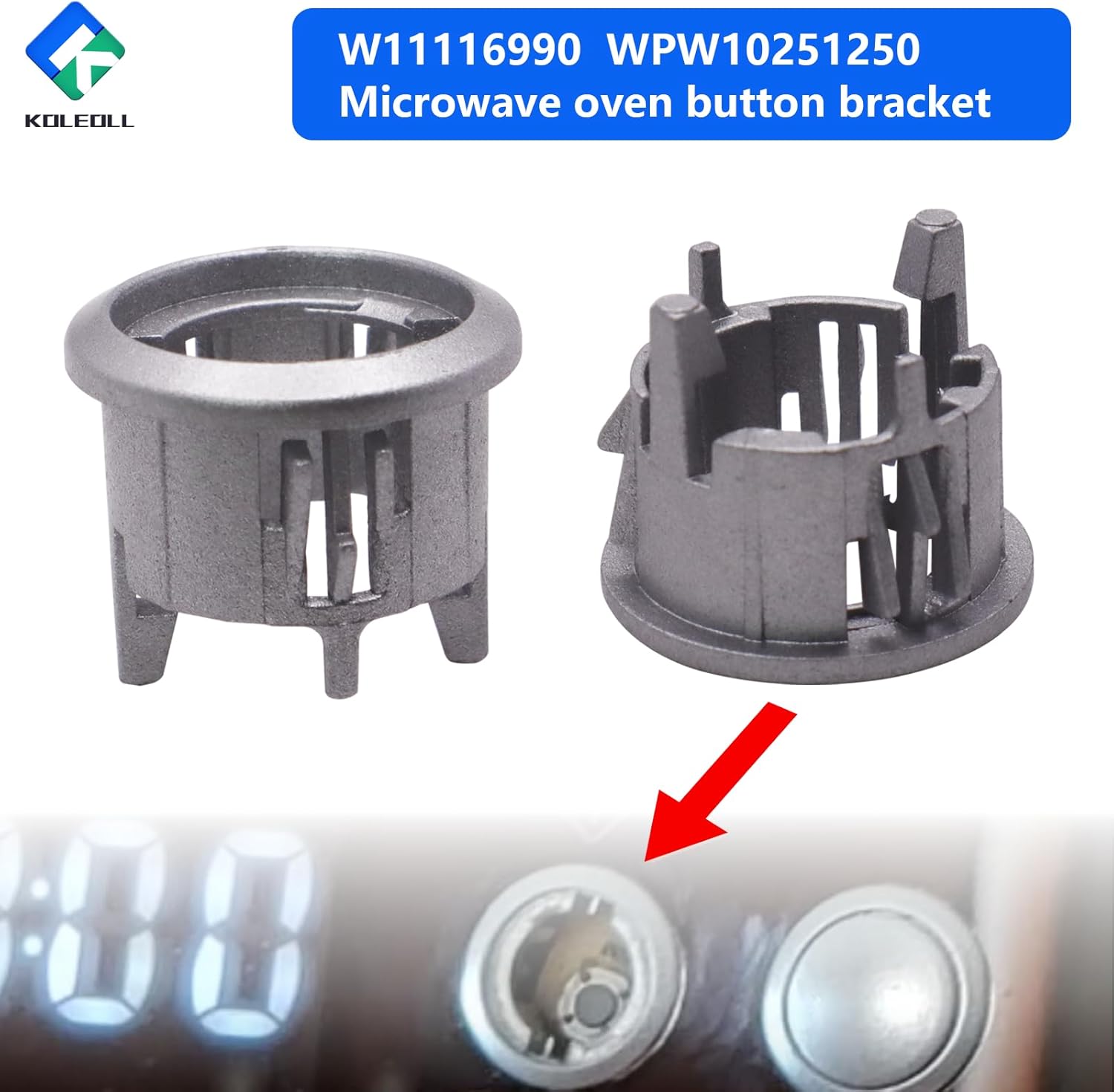
Figure 3.1: The button holder's position relative to the microwave button.
- Remove the Old Holder: Gently detach the broken button holder and the associated circuit board. Note how the original button (the part you press from the outside) is seated within the holder.
- Transfer the Button: The W11116990 button holder typically does not include the external button itself. Carefully transfer the original button from the old, broken holder into the new KOLEOLL W11116990 holder.
- Install the New Holder: Position the new button holder with the transferred button and the circuit board into its designated slot on the control panel. Ensure it snaps securely into place, holding the circuit board firmly.

Figure 3.2: The button holder is designed for secure and easy installation.
- Test Functionality: Before reassembling the microwave, temporarily plug it in and test the newly installed button to ensure it responds correctly. Unplug the microwave again after testing.
- Reassemble the Microwave: Carefully reattach the control panel and any other components removed during disassembly. Secure all screws.
4. Troubleshooting
- Button Still Unresponsive:
- Ensure the new button holder is correctly seated and securely holding the circuit board.
- Verify that the original button was properly transferred and aligned within the new holder.
- Check for any other damage to the control panel's circuit board or wiring. The issue might not solely be the button holder.
- Part Does Not Fit:
- Double-check the compatibility of the W11116990 with your specific microwave model number. Refer to Section 2.1.
- Compare the dimensions of the new part with the old one if possible.
- Button Feels Loose or Falls Out:
- Ensure the button is fully inserted and secured within the holder.
- Inspect the new holder for any manufacturing defects that might prevent it from securing the button or circuit board properly.

Figure 4.1: A common symptom of a damaged button bracket is an unresponsive button despite the control panel otherwise functioning.
5. Specifications
| Attribute | Detail |
|---|---|
| Part Number | W11116990 (Replaces WPW10251250, 4545956, AP6245903, PS12114309, EAP12114309A) |
| Brand | KOLEOLL |
| Item Weight | 0.317 ounces |
| Product Dimensions | 0.99 x 1 x 1 inches |
| Color | Silvery |
| Included Components | Microwave Button Holder (2-pack) |
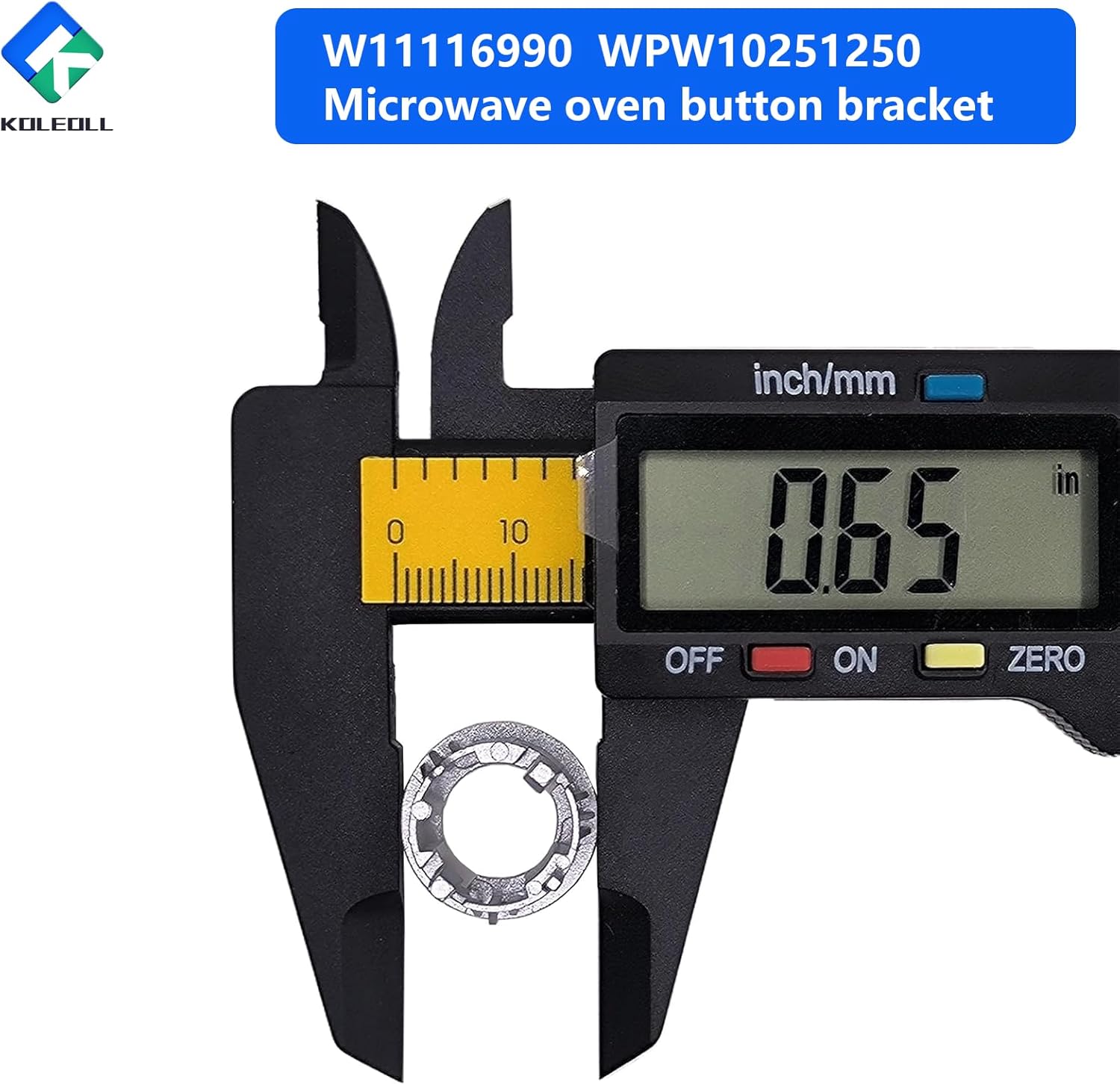
Figure 5.1: Measurement of the button holder, indicating a diameter of 0.65 inches.
6. Warranty and Support
For information regarding warranty coverage or technical support, please refer to the seller's return policy or contact the KOLEOLL customer service directly through the platform where the product was purchased.