
YuqiaoTime YQ-FNB58
YuqiaoTime FNIRSI-FNB58 Digital Voltmeter Ammeter USB Tester User Manual
Model: YQ-FNB58
1. Introduction
The YuqiaoTime FNIRSI-FNB58 is a versatile digital voltmeter, ammeter, and USB tester designed for comprehensive analysis of TYPE-C fast charge protocols. This device allows for precise detection of fast charge triggers, capacity measurement, and ripple measurement, making it an essential tool for professionals and enthusiasts working with modern charging technologies.
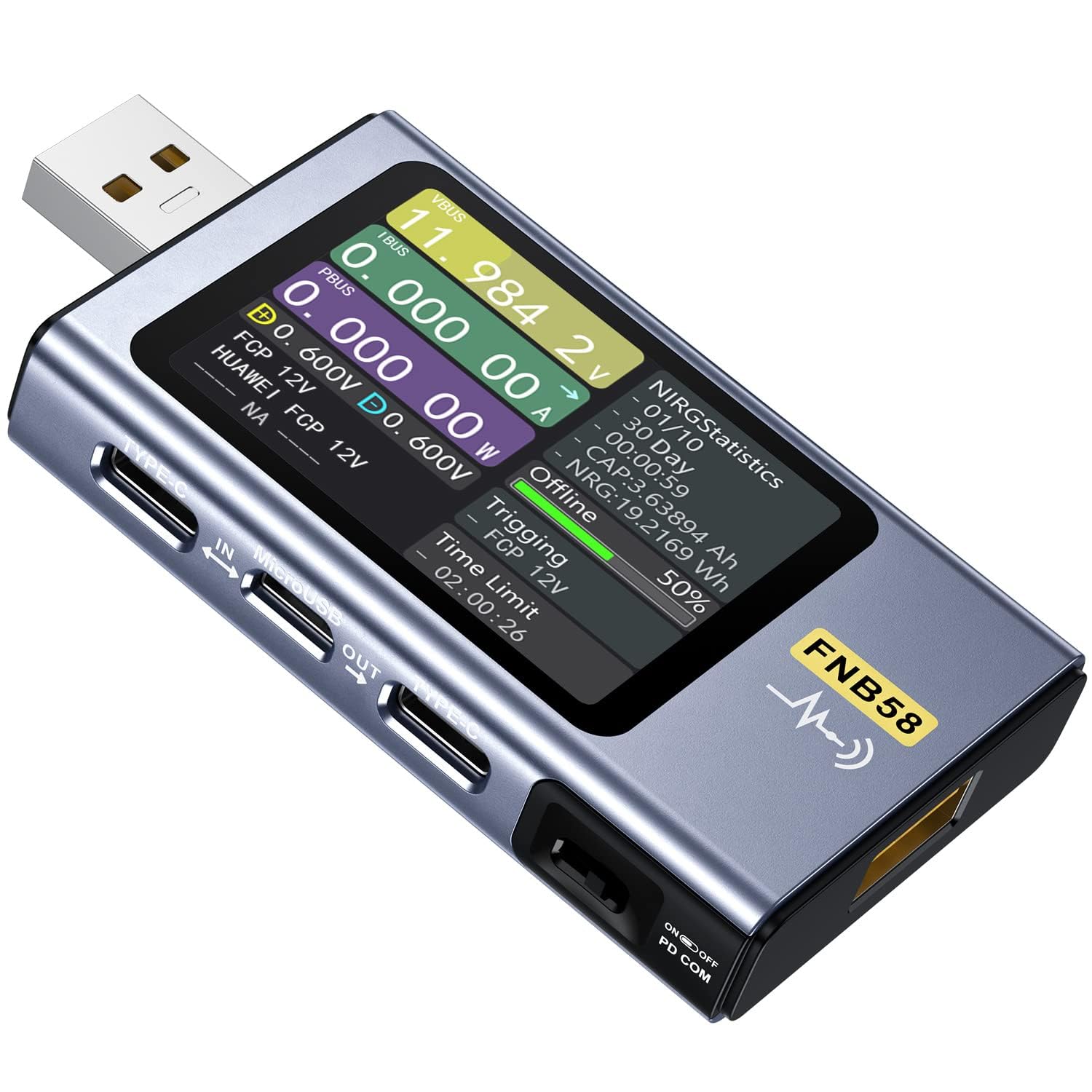
Figure 1.1: The YuqiaoTime FNIRSI-FNB58 Digital USB Tester, showcasing its display and various ports.
2. What's in the Box
Upon opening the package, please verify that all the following components are included:
- 1 x FNB58 Digital USB Tester
- 1 x Battery (pre-installed or separate, depending on model)
- 1 x User Manual
- 1 x Type-C Charger Cable
- 1 x Test Lead
3. Setup
Before using your FNIRSI-FNB58 USB Tester, follow these steps for initial setup:
- Charging the Device: Connect the provided Type-C charger cable to the Type-C input port (labeled 'IN' or 'Type-C IN') on the tester and plug the other end into a compatible USB power adapter. The device will display charging status on its screen.
- Powering On: Locate the power switch (usually on the side or bottom) and slide it to the 'ON' position. The display will illuminate, indicating the device is ready for use.
- Familiarizing with Interfaces: Identify the various input and output ports on the device. The FNB58 features USB-A input, USB-A output, Type-C input, MicroUSB input, and Type-C output ports for versatile connectivity.
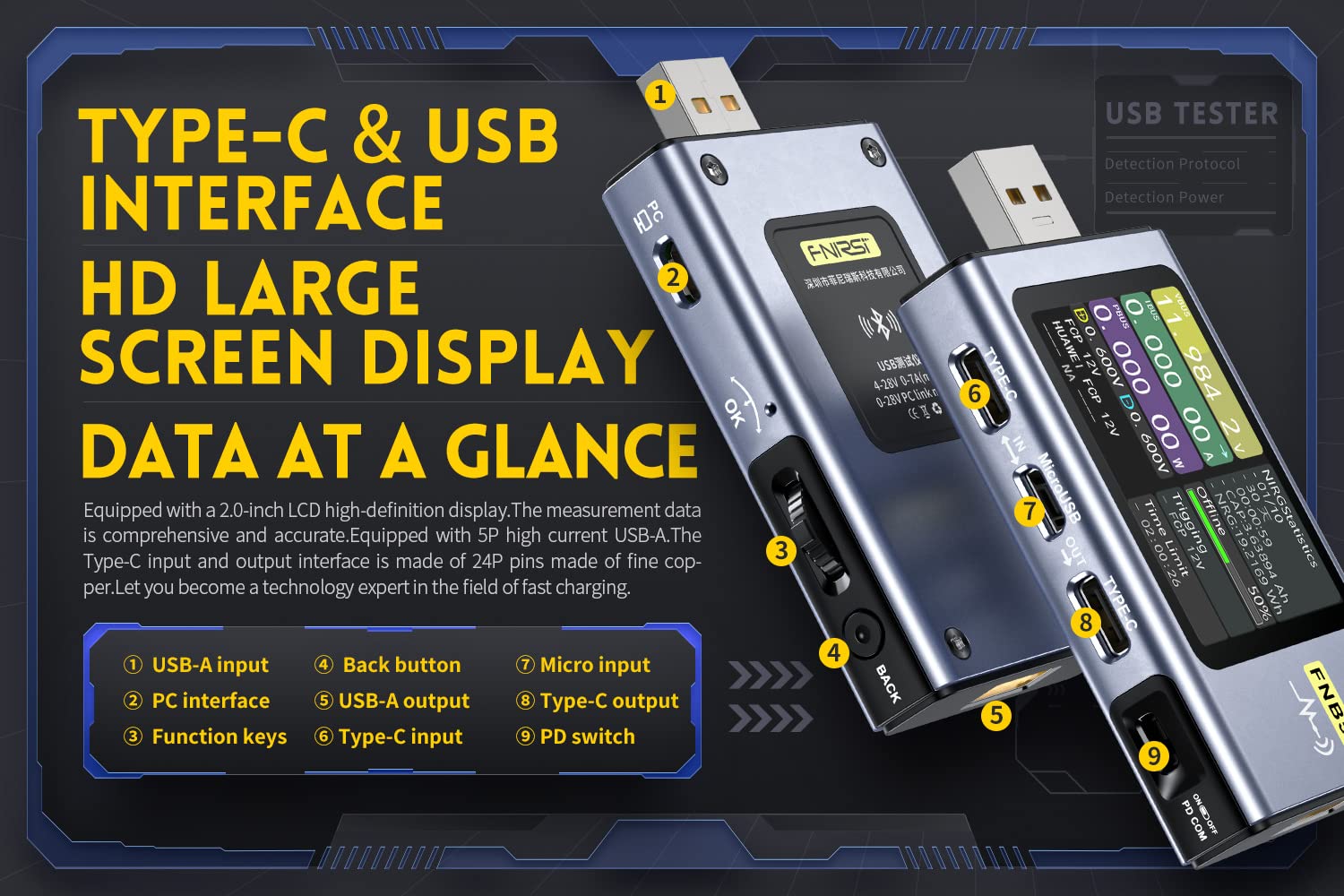
Figure 3.1: Labeled interfaces and function keys of the FNIRSI-FNB58. (1) USB-A input, (2) PC interface, (3) Function keys, (4) Back button, (5) USB-A output, (6) Type-C input, (7) MicroUSB input, (8) Type-C output, (9) PD switch.
4. Operating Instructions
The FNIRSI-FNB58 offers a range of measurement and detection capabilities. Below are common operating procedures:
4.1. Basic Voltage, Current, and Power Measurement
To measure the voltage, current, and power of a connected device:
- Connect the power source (e.g., charger) to the input port (USB-A IN, Type-C IN, or MicroUSB IN) of the FNB58.
- Connect the device to be charged (e.g., smartphone, power bank) to the output port (USB-A OUT or Type-C OUT) of the FNB58.
- The large HD display will immediately show real-time values for voltage (VBUS), current (IBUS), and power (PBUS).
4.2. Fast Charging Protocol Detection
The tester automatically detects various fast charging protocols, including Huawei FCP/SCP, Apple PD, Samsung AFC, Xiaomi, OPPO, and more. This feature helps verify charger compatibility and performance.
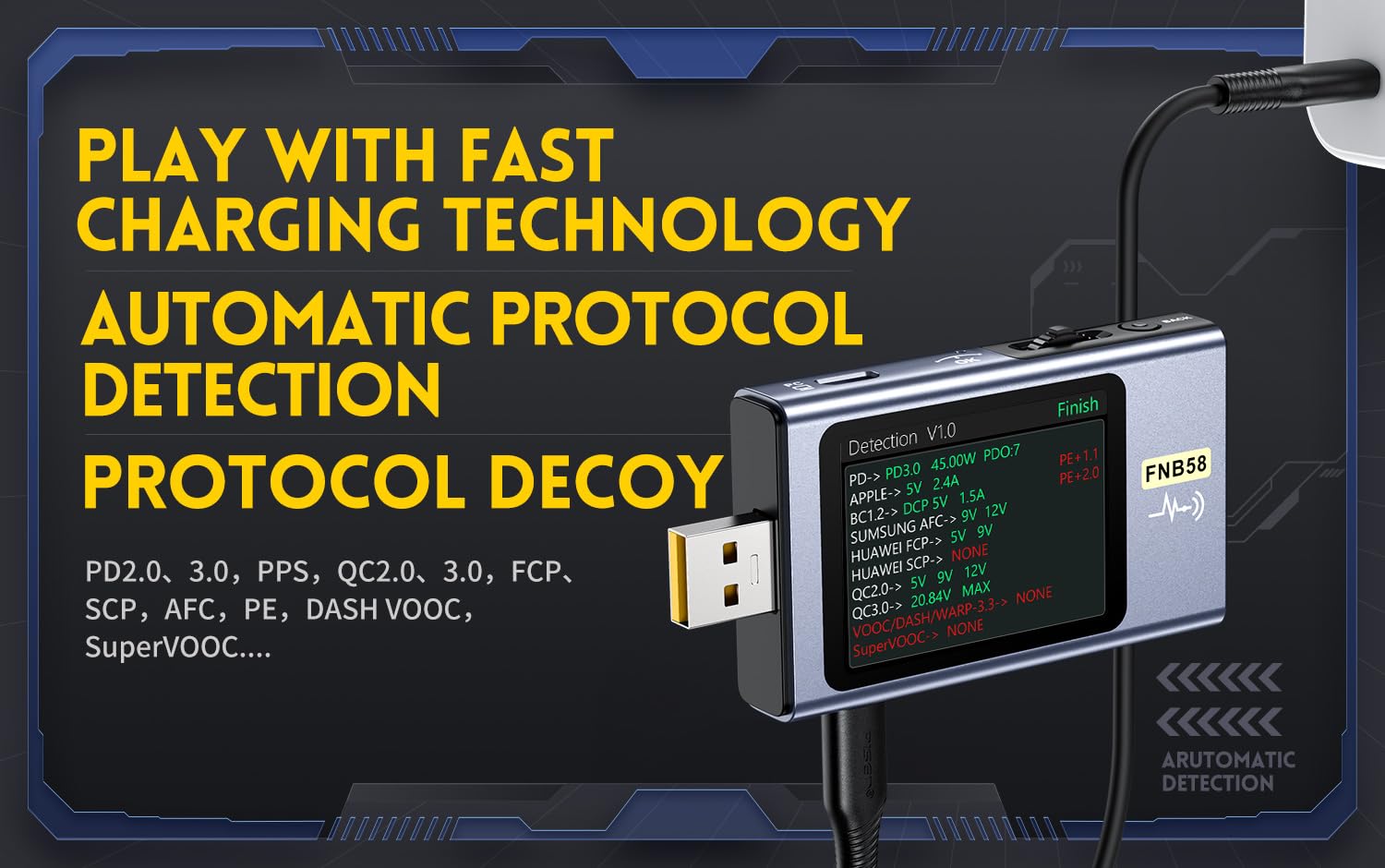
Figure 4.1: The FNIRSI-FNB58 demonstrating super compatibility with various fast charging protocols.
To initiate protocol detection:
- Connect a charger to the input of the FNB58.
- Navigate to the protocol detection interface using the function keys.
- The device will automatically scan and display supported protocols and their negotiation status.

Figure 4.2: The FNIRSI-FNB58 displaying automatic detection of various charging protocols.
4.3. Capacity and Energy Measurement
The FNB58 can measure the accumulated capacity (Ah) and energy (Wh) transferred during charging. This is useful for testing battery capacities or charger efficiency.
- Ensure the device is connected and charging.
- The display will show "CAP" for capacity and "NRG" for energy, accumulating values over time.
- These values can typically be reset through the menu options. Refer to the on-screen menu for specific navigation.
5. Specifications
The following table details the technical specifications of the YuqiaoTime FNIRSI-FNB58 Digital USB Tester:
| Index | Range | Resolution | Accuracy |
|---|---|---|---|
| Monitor Voltage | 4~28V | 0.00001V | ±(0.2%+2) |
| Monitor Current | 0~7A | 0.00001A | ±(0.5%+2) |
| Monitor Power | 0~140W | 0.00001W | ±(0.5%+2) |
| Load Equivalent Internal Resistance | 0~9999.9Ω | 0.0001Ω | ±(0.5%+2) |
| D+/D- Voltage | 0~3.3V | 0.001V | ±(1.0%+2) |
| Device Temperature (°C) | 1°C | ±(1.2%+3) | |
| Device Temperature (°F) | 1°F | ±(1.2%+4) | |
| Capacity | 0~9999.99Ah | 0.00001Ah | |
| Energy Used | 0~9999.99Wh | 0.0001Wh | |
| Cable Internal Resistance | 0~9999.9Ω | 0.0001Ω | |
| Equipment Runtime | 99 days 23:59:59 | 1s | |
| Record Time | 99 days 23:59:59 | 1s |
Note: Product dimensions are approximately 20 x 10 x 10 cm. Due to environmental factors, actual data may vary slightly.

Figure 5.1: Detailed product parameters and dimensions of the FNIRSI-FNB58.
6. Maintenance
Proper maintenance ensures the longevity and accuracy of your FNIRSI-FNB58 USB Tester:
- Cleaning: Use a soft, dry cloth to clean the device. Avoid using abrasive cleaners or solvents that could damage the screen or casing.
- Storage: Store the device in a cool, dry place away from direct sunlight and extreme temperatures.
- Handling: Handle the device with care to prevent drops or impacts, which could damage internal components or the display.
- Battery Care: If the device has a rechargeable battery, avoid fully discharging it for extended periods. Charge it periodically if not in use.
7. Troubleshooting
If you encounter issues with your FNIRSI-FNB58, refer to the following common problems and solutions:
| Problem | Possible Cause | Solution |
|---|---|---|
| Device does not power on. | Low battery or power switch is off. | Ensure the power switch is in the 'ON' position. Connect the device to a power source using the Type-C charger cable to charge the battery. |
| Inaccurate voltage/current readings. | Poor connection, faulty cable, or device overload. | Check all cable connections for tightness. Try a different USB cable. Ensure the connected load does not exceed the device's maximum ratings (e.g., 7A, 140W). |
| Fast charging protocol not detected. | Charger or device does not support standard protocols, or connection issue. | Verify that both the charger and the device being charged support common fast charging protocols. Ensure a stable connection. Some proprietary protocols may not be universally supported. |
| Display is frozen or unresponsive. | Software glitch or temporary error. | Turn off the device, wait a few seconds, and then turn it back on. If the issue persists, ensure the device firmware is up to date (check manufacturer's website). |
8. Warranty and Support
YuqiaoTime is committed to providing quality products and satisfactory after-sales service. Your FNIRSI-FNB58 USB Tester comes with a standard return policy allowing for refund or replacement within 14 days of purchase, subject to the terms and conditions of the retailer.
For any questions, technical assistance, or warranty claims, please contact the seller, Yuqiao-Store, through the platform where the product was purchased. Please have your purchase details and model number (YQ-FNB58) ready when contacting support.
Ask a question about this manual
Ask about setup, troubleshooting, compatibility, parts, safety, or missing instructions. Manuals+ will review the question and use this page’s manual context to help answer it.