
Introduction
This manual provides essential instructions for the safe and proper operation, setup, and maintenance of your Maxx Action Large Motorized 19 inch Garbage Truck Toy. Please read this manual thoroughly before use and retain it for future reference.
Safety Information
WARNING: CHOKING HAZARD - Small Parts. Not recommended for children under 3 years old.
- Always supervise children during play.
- Keep small parts away from young children to prevent choking.
- Do not operate the toy near stairs, roads, or other hazardous areas.
- Ensure batteries are inserted correctly according to polarity markings.
- Do not mix old and new batteries, or different types of batteries.
- Remove batteries if the toy will not be used for an extended period.
Package Contents
Verify that all items are present in the package:
- 1 x Maxx Action Large Motorized Garbage Truck (19 inches long)
- 1 x Detachable Dumpster
- 1 x Detachable Trash Bin
- 16 x Miniature Trash Pieces (e.g., pizza box, fish bones, soda can, skateboard)
- 4 x AA Batteries (included)
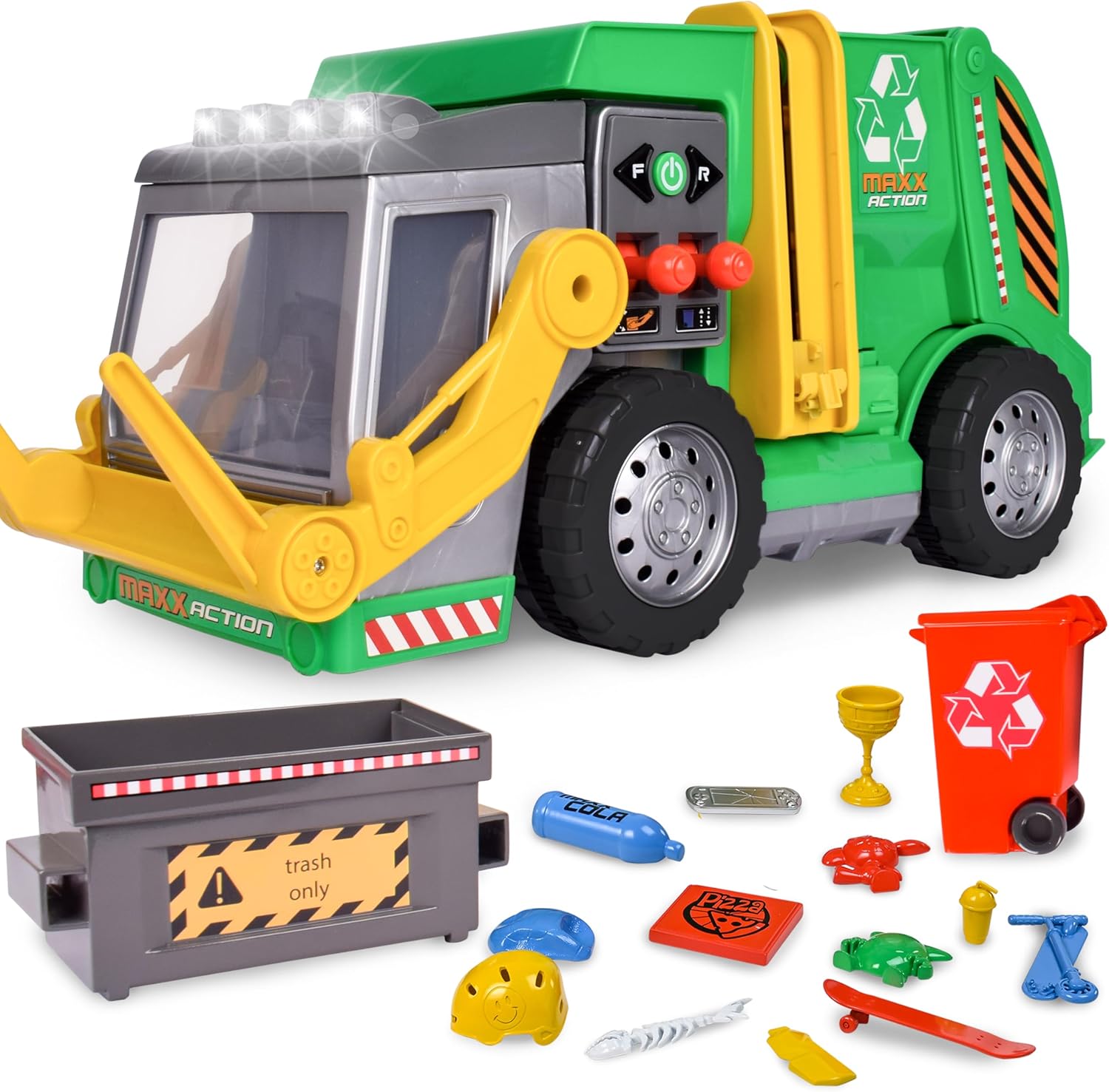
Image: The Maxx Action Large Motorized Garbage Truck shown with its included accessories: a gray dumpster, a red trash bin, and various miniature trash pieces like a pizza box, fish bones, and a soda can.
Setup
Battery Installation
The Maxx Action Garbage Truck requires 4 AA batteries (included) for its motorized functions, lights, and sounds.
- Locate the battery compartment on the underside of the truck.
- Using a Phillips head screwdriver, unscrew the battery compartment cover.
- Insert 4 AA batteries, ensuring correct polarity (+/-) as indicated inside the compartment.
- Replace the battery compartment cover and secure it with the screw.
Note: Always use fresh batteries for optimal performance.
Operating Instructions
1. Driving the Truck

Image: A child interacting with the Maxx Action Garbage Truck, demonstrating the motorized drive feature. The truck is shown moving forward on a carpeted floor.
- Locate the "F" (Forward) and "R" (Reverse) buttons on the side control panel of the truck.
- Press the "F" button to make the truck move forward.
- Press the "R" button to make the truck move backward.
- The truck features realistic sounds and bright LED lights that activate during operation.
2. Lifting and Dumping the Front Dumpster
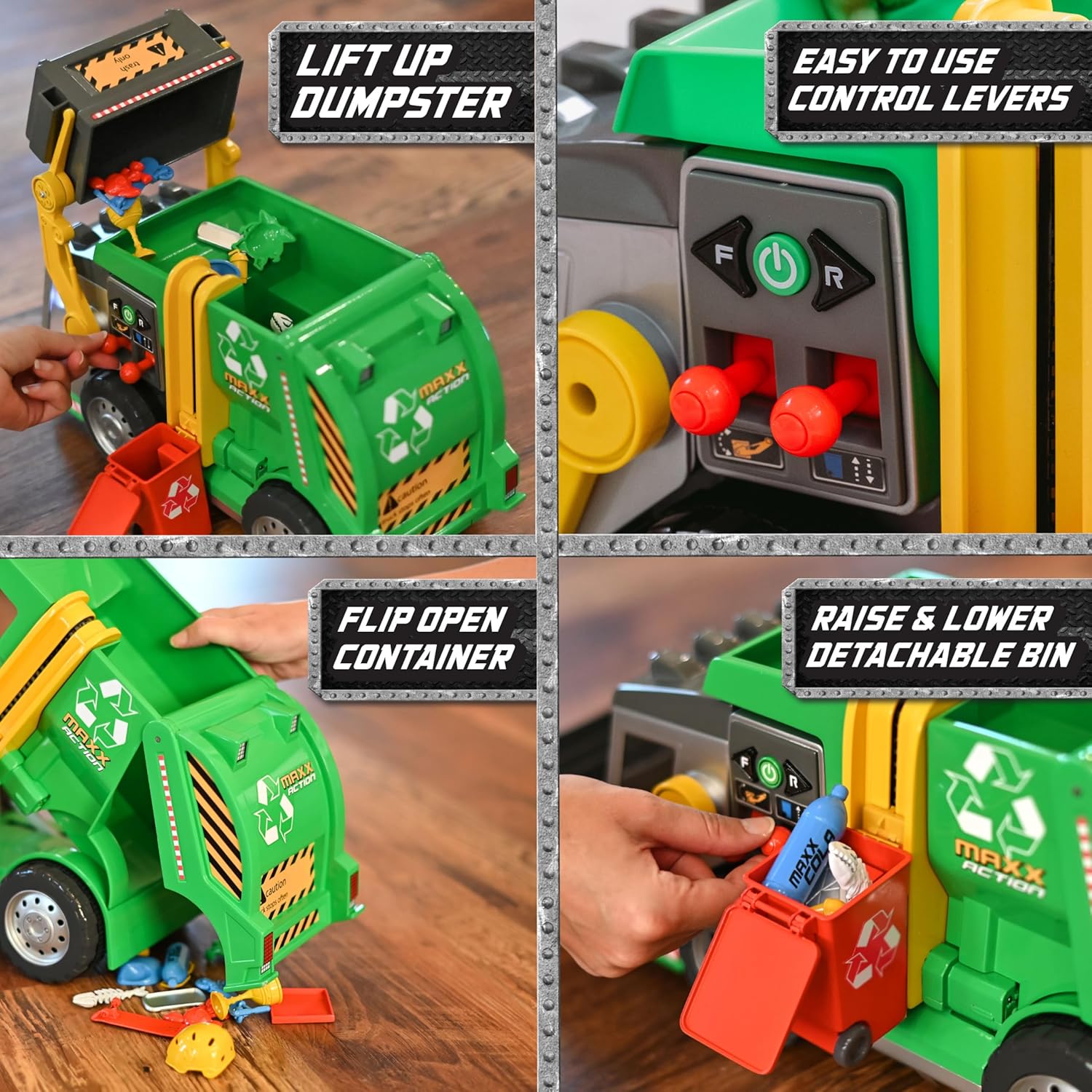
Image: A composite image showing the various operational features of the garbage truck. This includes a close-up of the control levers, the front dumpster being lifted, the rear container opening, and the side trash bin being raised.
- Place the gray detachable dumpster onto the front lifting arms of the truck.
- Ensure the dumpster is securely seated.
- Use the dual joystick levers on the side control panel to lift the dumpster.
- As the dumpster lifts, it will tip and empty its contents into the truck's main compartment.
- Lower the dumpster using the same levers.
3. Raising and Lowering the Side Trash Bin
- Attach the red detachable trash bin to the side lifting mechanism of the truck.
- Ensure it clicks into place.
- Use the designated lever or button on the side control panel to raise and lower the trash bin.
- The bin will lift and tip its contents into the truck.
4. Emptying the Truck's Contents
- To empty the collected trash from the truck, locate the rear hatch.
- Open the back hatch to release the contents.
- Close the hatch securely after emptying.
Maintenance
- Cleaning: Wipe the toy with a damp cloth. Do not immerse in water.
- Storage: Store the toy in a cool, dry place away from direct sunlight when not in use.
- Battery Care: Remove batteries if the toy is not used for extended periods to prevent leakage.
- Inspection: Regularly inspect the toy for any damage or loose parts. Discontinue use if damage is found.
Troubleshooting
| Problem | Possible Cause | Solution |
|---|---|---|
| Truck does not move or lights/sounds do not work. |
|
|
| Dumpster or trash bin does not lift properly. |
|
|
Specifications
- Model Number: 320938
- Product Dimensions: 19 x 8 x 9 inches
- Item Weight: 3.8 pounds
- Power Source: 4 x AA Batteries (included)
- Recommended Age: 36 months - 12 years
- Manufacturer: Sunny Days Entertainment, LLC.
Warranty and Support
For warranty information or customer support, please contact Sunny Days Entertainment, LLC. directly. Contact details may be found on the product packaging or their official website.
Please retain your purchase receipt as proof of purchase for any warranty claims.