
Introduction
This manual provides essential instructions for the proper installation, operation, and maintenance of your EtliN HEPA Filter XFCS851J. This filter is designed as a replacement part for specific Shark vacuum cleaner models, including the Evopower System IQ+ CS851JMVAE, IQ CS851J, and STD+ CS150JAE. Regular filter replacement and maintenance are crucial for maintaining optimal vacuum performance and air quality.

Image: Four EtliN HEPA filters are shown, highlighting the product quantity and compatibility with the depicted Shark vacuum cleaner.
Setup and Installation
Follow these steps to correctly install your new EtliN HEPA filter into your compatible Shark vacuum cleaner.
- Power Off: Before beginning, ensure your vacuum cleaner is turned off and unplugged from the power outlet to prevent accidental activation.
- Locate Filter Compartment: Refer to your Shark vacuum cleaner's original manual to identify the HEPA filter compartment. This is typically located near the dust cup or motor housing.
- Remove Old Filter: Open the filter compartment and carefully remove the old, dirty HEPA filter. Dispose of the old filter according to local regulations.
- Insert New Filter: Place the new EtliN HEPA filter into the compartment. Ensure it is seated correctly and securely. The filter should fit snugly without forcing it.
- Close Compartment: Close the filter compartment door or cover until it clicks into place, ensuring a tight seal.
- Test: Plug in your vacuum cleaner and perform a brief test to ensure it operates normally.
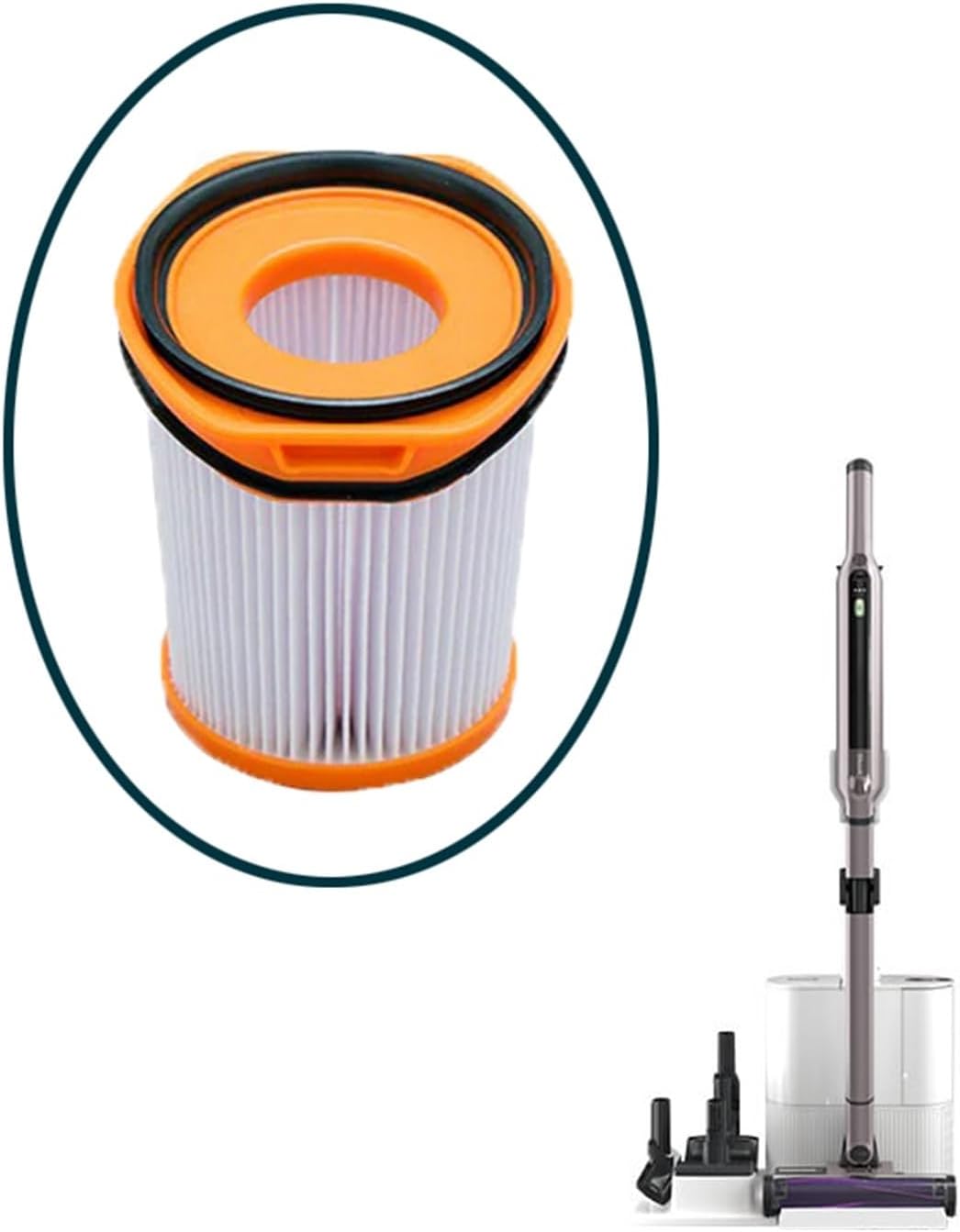
Image: A close-up of a single EtliN HEPA filter, indicating its design and compatibility with the Shark vacuum cleaner shown.
Operating Considerations
Once installed, the HEPA filter works continuously to capture fine dust particles and allergens from the air passing through your vacuum cleaner. For optimal performance:
- Ensure the filter is always clean and dry before use.
- Avoid vacuuming liquids or excessively damp debris, as this can damage the filter.
- Regularly check the filter for visible dirt or damage.
Maintenance
To prolong the life of your HEPA filter and maintain vacuum performance, regular cleaning is recommended. The frequency of cleaning depends on usage, but generally, inspect and clean the filter every 1-3 months.
- Remove Filter: Turn off and unplug the vacuum. Remove the HEPA filter as described in the "Setup and Installation" section.
- Tap Clean: Gently tap the filter over a trash can to dislodge loose dirt and debris.
- Rinse (if applicable): If your filter is washable (refer to your vacuum's original manual or filter markings), rinse it under cool, running water until the water runs clear. Do not use soap or detergents.
- Dry Completely: Allow the filter to air dry completely for at least 24 hours before reinstalling. Ensure it is absolutely dry to prevent mold growth and damage to the vacuum motor. Do not use a hairdryer or other heating devices.
- Reinstall: Once completely dry, reinstall the filter into the vacuum cleaner.
It is recommended to replace the HEPA filter every 6-12 months, or sooner if you notice a decrease in suction power or if the filter appears heavily soiled or damaged, even after cleaning.

Image: A person's hands are shown rinsing a HEPA filter under a faucet, demonstrating the cleaning process.
Troubleshooting
If you experience issues after installing or cleaning your filter, consider the following:
- Reduced Suction:
- Ensure the filter is clean and completely dry.
- Check if the filter is installed correctly and the compartment is sealed.
- The filter may be old and require replacement.
- Unusual Odor:
- The filter may not have dried completely, leading to mold or mildew. Ensure thorough drying.
- The filter may be saturated with fine dust or debris and needs cleaning or replacement.
- Filter Does Not Fit:
- Double-check the compatibility of the filter with your specific Shark vacuum model number.
- Ensure the filter is oriented correctly during installation.
If problems persist, consult your Shark vacuum cleaner's original user manual or contact the vacuum manufacturer's support.
Specifications
| Feature | Detail |
|---|---|
| Model Number | XFCS851J (EtliN Model: 2269) |
| Compatibility | Shark Evopower System IQ+ CS851JMVAE, IQ CS851J, STD+ CS150JAE |
| Material | HEPA |
| Package Dimensions | 1.18 x 0.79 x 0.39 inches |
| Item Weight | 1.76 ounces |
| Manufacturer | EtliN |
Warranty and Support
For information regarding warranty coverage or product support for your EtliN HEPA filter, please refer to the packaging or contact the seller directly. For support related to your Shark vacuum cleaner, please consult the official Shark website or your vacuum's original user manual.