
1. Introduction
Thank you for choosing the ERICAT Portable Mini Fridge. This manual provides essential information for the safe and efficient operation, maintenance, and troubleshooting of your new appliance. Please read these instructions thoroughly before use and retain them for future reference.

Figure 1: Front view of the ERICAT Portable Mini Fridge, showcasing its compact design and interior capacity for various items.
2. Safety Instructions
To ensure safe operation and prevent damage, please observe the following safety precautions:
- Ensure the power supply voltage matches the appliance's requirements (12V DC or 110-220V AC).
- Do not immerse the appliance, cord, or plug in water or other liquids.
- Keep ventilation openings clear and unobstructed to prevent overheating.
- Do not use the appliance near heat sources or in direct sunlight.
- Unplug the appliance from the power outlet when not in use or before cleaning.
- Do not operate the appliance with a damaged cord or plug. Contact customer support for repairs.
- This appliance is not intended for use by persons (including children) with reduced physical, sensory, or mental capabilities, or lack of experience and knowledge, unless they have been given supervision or instruction concerning use of the appliance by a person responsible for their safety.
- Do not store explosive substances such as aerosol cans with a flammable propellant in this appliance.
3. Product Overview
3.1. Features
The ERICAT Portable Mini Fridge is designed for versatility and convenience, offering the following key features:
- Cool to Warm Functionality: Capable of cooling items to approximately 25°C below ambient temperature or warming them up to 65°C.
- Stylish Design: Features a sleek glass-front door, suitable for various environments including homes, nurseries, offices, dorm rooms, and travel.
- Removable Shelf: Includes an adjustable and removable shelf for flexible organization of contents, accommodating various sizes of bottles, cans, and containers.
- 8 Liter Capacity: Ideal size for personal use, perfect for storing beverages, snacks, cosmetics, and skincare products.
- Compact and Portable: Designed for easy transport and placement in small spaces, making it suitable for travel, boating, camping, and more.

Figure 2: The mini fridge positioned in a nursery setting, highlighting its quiet operation and convenience for storing baby essentials or snacks without disturbing sleep.
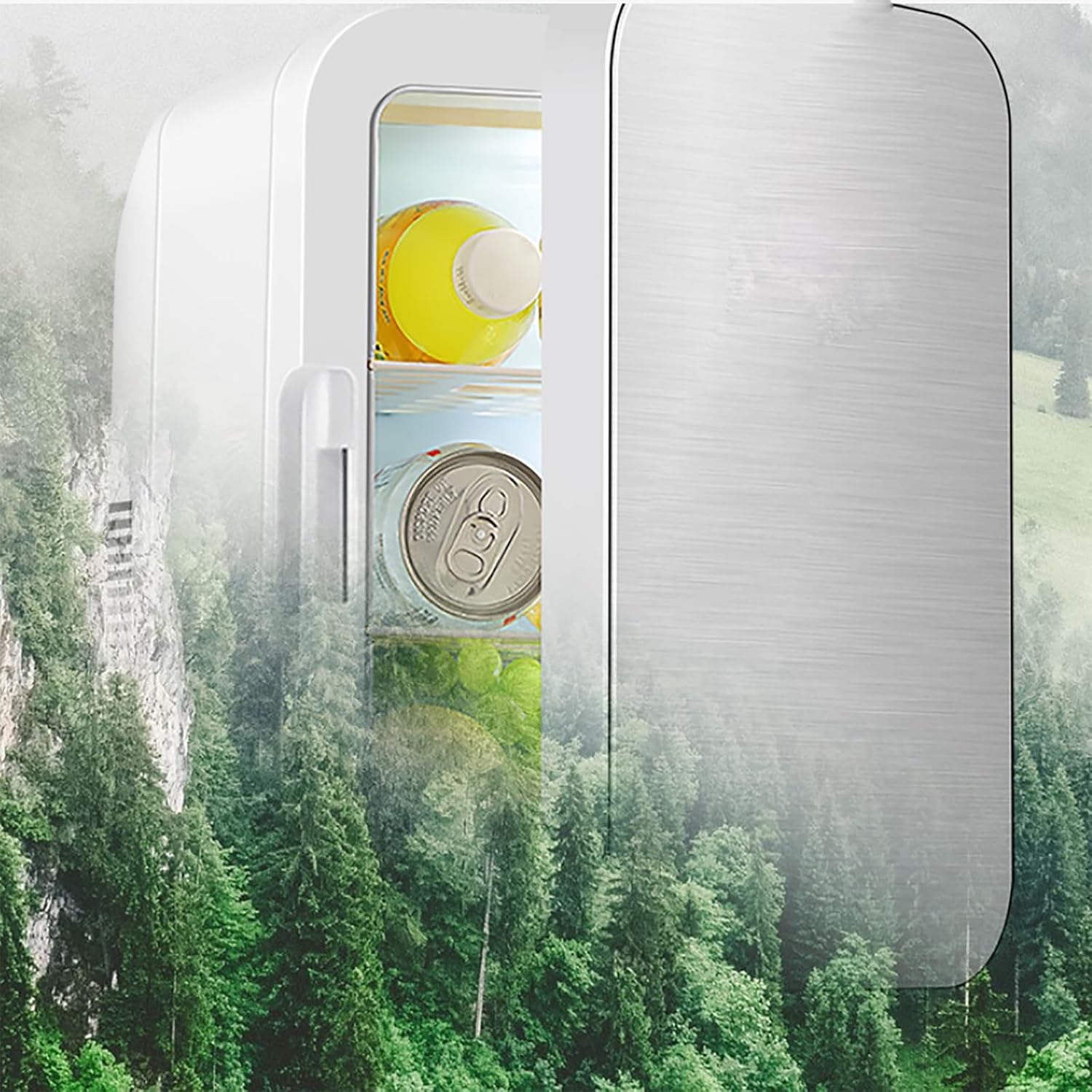
Figure 3: The mini fridge shown against a scenic outdoor backdrop, illustrating its portable nature and suitability for use during travel, camping, or other outdoor adventures.
3.2. Components
Familiarize yourself with the main components of your mini fridge:
- Main Unit: The primary body of the fridge.
- Door: Features a sleek glass-front design.
- Hidden Handle: Integrated into the design for easy carrying.
- Removable Divider: Allows for customizable internal storage.
- Side Shelf: Provides additional storage space within the door.
- AC Power Cable: For household electrical outlets (110-220V).
- DC Power Cable: For vehicle power outlets (12V).

Figure 4: This image illustrates key internal and external features: the integrated hidden handle for easy portability, the convenient side shelf for additional storage, and the removable divider that allows for flexible organization of contents.

Figure 5: A close-up view of the mini fridge, highlighting the durable toughened glass door, which contributes to its sleek design and robust construction.
3.3. Specifications
| Specification | Detail |
|---|---|
| Brand | ERICAT |
| Model Number | TY0219000801 |
| Capacity | 8 Liters |
| Rated Power | 48W |
| Product Voltage | 12V DC / 110-220V AC |
| Internal Dimensions (L x W x H) | 15.5 x 14.4 x 25.2 cm |
| External Dimensions (L x W x H) | 24.5 x 26.5 x 34.5 cm |
| Cooling Method | Thermoelectric |
| Door Material Type | Toughened Glass |
| Number of Shelves | 1 (Removable) |
| Installation Type | Freestanding |
4. Setup
4.1. Unpacking
- Carefully remove the mini fridge from its packaging.
- Inspect the appliance for any signs of damage. If damaged, do not use and contact customer support.
- Remove all packing materials, including any protective films or tapes.
4.2. Placement
- Place the mini fridge on a firm, level surface.
- Ensure adequate ventilation around the unit. Leave at least 10 cm (4 inches) of space around all sides for proper airflow.
- Avoid placing the unit in direct sunlight or near heat-generating appliances (e.g., ovens, heaters).
- Do not block the ventilation grilles on the sides or back of the unit.
4.3. Power Connection
The mini fridge can be powered by either AC (household) or DC (vehicle) power.
- For AC Power (Home/Office): Connect the AC power cable to the AC input port on the back of the fridge, then plug the other end into a standard 110-220V AC wall outlet.
- For DC Power (Vehicle): Connect the DC power cable to the DC input port on the back of the fridge, then plug the other end into a 12V vehicle cigarette lighter socket.
- Ensure the power switch on the unit is in the "OFF" position before connecting or disconnecting power.
5. Operation
5.1. Powering On and Mode Selection
- After connecting the appropriate power cable, locate the power switch on the back or side of the unit.
- Slide the switch to the "COOL" position for refrigeration. The internal temperature will decrease to approximately 25°C below the ambient temperature.
- Slide the switch to the "HEAT" position for warming. The internal temperature will increase to approximately 65°C.
- To turn off the unit, slide the switch to the "OFF" position.

Figure 6: Demonstration of the dual cooling and heating capabilities. The top panel shows the fridge cooling to approximately 25°C below ambient temperature, ideal for beverages. The bottom panel shows it heating up to 65°C, suitable for keeping food warm.
5.2. Using the Removable Divider
- The internal divider can be removed or repositioned to accommodate items of different heights and sizes.
- Gently slide the divider out of its grooves to remove it.
- To reinsert, align the divider with the desired grooves and slide it into place.
5.3. Tips for Optimal Performance
- For best cooling results, pre-chill items before placing them in the fridge.
- Avoid opening the door frequently or for extended periods to maintain internal temperature.
- Ensure the door is securely closed after each use.
- When switching between cooling and heating modes, it is recommended to turn the unit off for a few minutes before changing modes.
6. Maintenance
6.1. Cleaning
- Always unplug the mini fridge before cleaning.
- Wipe the interior and exterior surfaces with a soft cloth dampened with mild soap and water.
- Do not use abrasive cleaners, solvents, or harsh chemicals, as these can damage the surfaces.
- Ensure all surfaces are completely dry before plugging the unit back in.
- Periodically clean the ventilation grilles to remove dust and debris, using a soft brush or vacuum cleaner.
6.2. Storage
- If storing the unit for an extended period, ensure it is clean and dry.
- Store in a cool, dry place, away from direct sunlight and extreme temperatures.
- It is advisable to leave the door slightly ajar to prevent odors and mildew buildup.
7. Troubleshooting
If you encounter issues with your mini fridge, please refer to the following common problems and solutions:
| Problem | Possible Cause | Solution |
|---|---|---|
| Unit is not powering on. | No power supply; loose connection; power switch in "OFF" position. | Check power cable connection; ensure power outlet is functional; slide power switch to "COOL" or "HEAT". |
| Unit is not cooling/heating effectively. | Blocked ventilation; door not closed properly; ambient temperature too high/low; incorrect mode selected. | Ensure ventilation grilles are clear; check door seal; move unit to a cooler/warmer environment; verify "COOL" or "HEAT" mode is selected. |
| Excessive noise. | Unit not on a level surface; fan obstruction. | Place unit on a stable, level surface; check for any obstructions near the fan. |
| Condensation inside. | Frequent door opening; high humidity. | Minimize door openings; wipe away condensation with a dry cloth. |
If the problem persists after attempting these solutions, please contact customer support for further assistance.
8. Warranty and Support
For warranty information or technical support, please refer to the purchase documentation or contact the retailer where the product was purchased. Keep your proof of purchase for any warranty claims.