
1. Introduction
Thank you for choosing the Wantek Wireless Headsets with Microphone, Model T2L. This headset is designed to provide a superior audio experience for communication and entertainment, featuring advanced noise cancellation, long battery life, and versatile connectivity options. Please read this manual carefully to ensure proper use and maintenance of your device.
2. Package Contents
Please verify that all items listed below are included in your package:
- 1 x Wantek Bluetooth Headphones
- 1 x Micro USB Charging Cable (100cm/23.62 inch)
- 1 x 3.5mm Audio Cable (120cm/39.37 inch)
- 1 x User Manual

Image: Contents of the Wantek Headsets package, showing the headset, Micro USB charging cable, 3.5mm audio cable, and the user manual.
3. Product Features
3.1 AI Noise Cancellation
The Wantek Wireless Headset features a premium environment noise-canceling microphone, designed to eliminate disruptive background noise. This ensures clear and crisp voice transmission during calls and virtual meetings, allowing your voice to be heard distinctly regardless of your surroundings.

Image: Hybrid Active Noise Cancellation diagram, showing how advanced technology blocks out noise.

Image: Close-up of the noise-cancelling microphone, emphasizing clear communication.
3.2 Dual-Connections (Bluetooth 5.2)
Connect your headset to two devices simultaneously using Bluetooth 5.2 technology. This allows for seamless switching between devices, such as a laptop for work and a smartphone for calls, ensuring you always hear audio from the device that requires your attention.
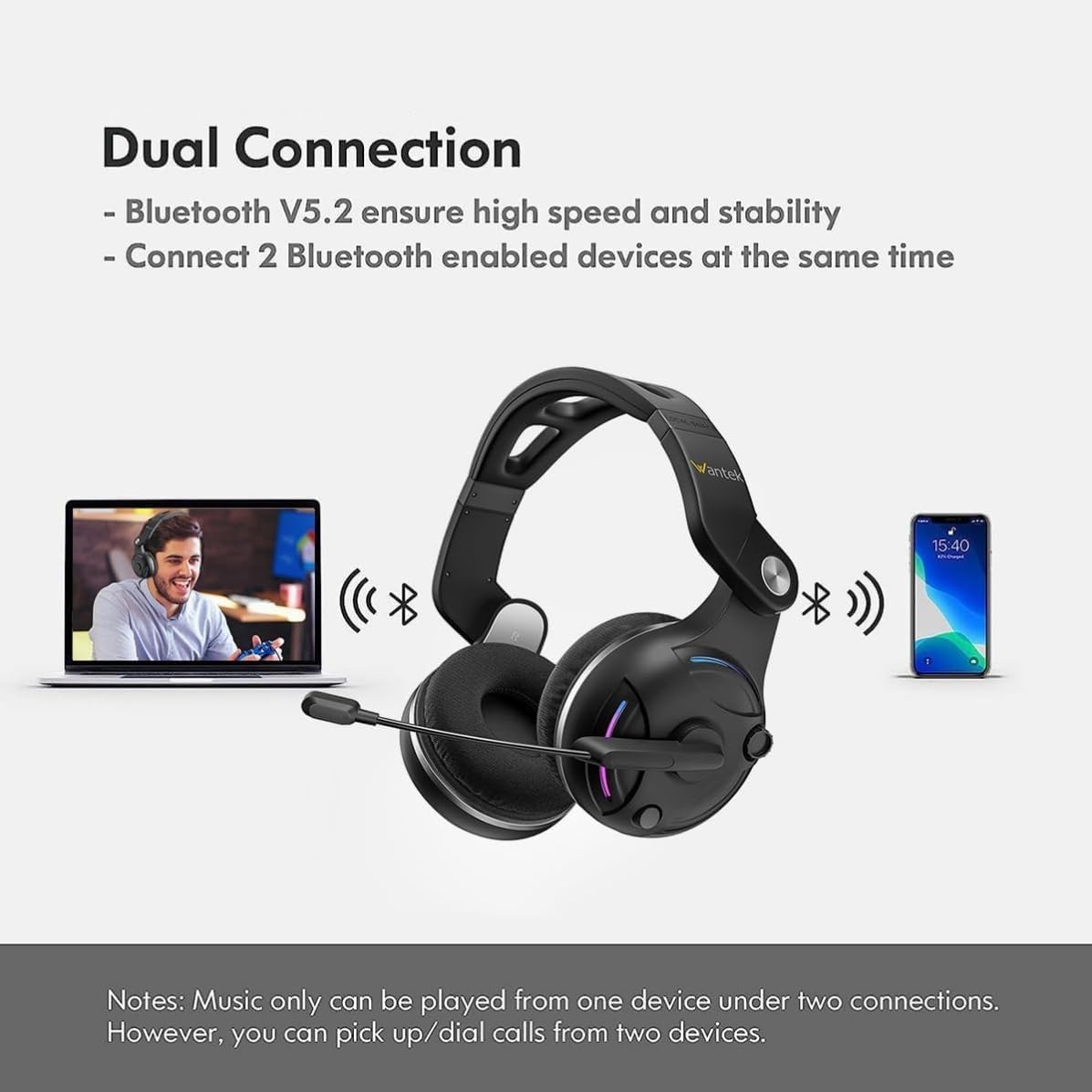
Image: Dual Connection feature, illustrating simultaneous Bluetooth connection to a laptop and a smartphone.
3.3 Extended Battery Life
Enjoy up to 48 hours of work time or 40 hours of talk time on a single charge. This extended battery life ensures uninterrupted communication throughout your workday and beyond, minimizing the need for frequent recharging.

Image: Battery life indicator, showing 2 hours of charging provides 30 hours of operating time.
3.4 Hi-Fi Stereo Sound & Low Latency
Experience crystal-clear audio with advanced lossless transmission technology, ensuring no delays. The binaural design provides a more immersive sound experience for both conversations and media consumption, accurately reproducing every detail in music and movies.

Image: 3D Audio feature, highlighting immersive sound for music, movies, and games.
3.5 Ergonomic Comfort & Mute Function
The headset features an ergonomically adjustable headband and ultra-soft memory foam earcups, designed for extended comfort and reduced pressure. The flexible earcups rotate to accommodate various head shapes and glasses. An easily accessible mute button on the earcup allows for quick silencing during calls or meetings.

Image: Detailed view of the headset's features, including the rotatable microphone, volume adjustment, multifunctional buttons, and Type-C charging port.
4. Setup Guide
4.1 Charging the Headset
Before first use, fully charge the headset. Connect the Micro USB charging cable to the headset's charging port and the other end to a USB power source (e.g., computer USB port, wall adapter). The charging indicator light will show charging status and turn off when fully charged. A full charge takes approximately 2 hours.
4.2 Powering On/Off
- Power On: Press and hold the Multi-Function Button (MFB) for approximately 3 seconds until you hear a power-on prompt and the indicator light flashes.
- Power Off: Press and hold the MFB for approximately 5 seconds until you hear a power-off prompt and the indicator light turns off.
4.3 Bluetooth Pairing
- Ensure the headset is powered off.
- Press and hold the MFB for about 5-7 seconds until the indicator light flashes red and blue alternately, indicating pairing mode.
- On your device (smartphone, tablet, laptop), enable Bluetooth and search for available devices.
- Select "Wantek T2L" from the list of found devices.
- Once connected, the indicator light will turn solid blue or flash slowly, and you will hear a connection confirmation.
4.4 Wired Mode Connection
To use the headset in wired mode, connect one end of the included 3.5mm audio cable to the headset's audio jack and the other end to your device's 3.5mm audio port. The headset can be used in wired mode even if the battery is depleted.
5. Operating Instructions
5.1 Button Functions

Image: Function Keys diagram, detailing the controls for MFB, Voice Assistant, Volume, and Song selection.
- Multi-Function Button (MFB):
- Press once for music play/pause.
- Press once to answer/hang up phone calls.
- Press and hold for 3 seconds to power on.
- Press and hold for 5 seconds to power off.
- Volume Control: Turn the rotary encoder clockwise to increase volume, counter-clockwise to decrease volume.
- Song Control: Turn the rotary encoder clockwise to skip to the next song, counter-clockwise to go to the previous song.
- Voice Assistant: Long press the code switch to hear a beep, then release to activate your device's voice assistant (e.g., Siri, Google Assistant).
- Microphone Mute: A dedicated mute button on the earcup allows for quick silencing of the microphone during calls or meetings.
5.2 Microphone Usage
The microphone is rotatable 270 degrees, allowing you to position it optimally for clear voice pickup or to move it out of the way when not in use. Ensure the microphone is positioned close to your mouth for best performance, especially when utilizing the AI noise cancellation feature.
6. Maintenance
- Cleaning: Use a soft, dry cloth to clean the headset. Do not use abrasive cleaners or solvents.
- Storage: Store the headset in a cool, dry place away from extreme temperatures and direct sunlight.
- Battery Care: To prolong battery life, avoid fully discharging the battery frequently. Charge the headset regularly, even if not in use for extended periods.
- Water Resistance: This headset is not water resistant. Avoid exposure to liquids.
7. Troubleshooting
| Problem | Possible Cause | Solution |
|---|---|---|
| Headset does not power on. | Low battery. | Charge the headset fully. |
| Cannot pair with device. | Headset not in pairing mode; Bluetooth off on device; device too far. | Ensure headset is in pairing mode (flashing red/blue). Turn on Bluetooth on your device. Move headset closer to device (within 10 meters). |
| No sound or low volume. | Volume too low; headset not connected; incorrect audio output selected on device. | Increase headset and device volume. Reconnect headset. Select headset as audio output in device settings. |
| Microphone not working. | Microphone muted; incorrect input device selected; microphone not positioned correctly. | Check if microphone is muted. Select headset microphone as input device in settings. Adjust microphone position. |
| Intermittent connection. | Interference; device too far; low battery. | Move away from other wireless devices. Reduce distance to connected device. Charge headset. |
8. Specifications
| Feature | Detail |
|---|---|
| Model Name | T2L |
| Connectivity Technology | Wireless (Bluetooth 5.2) |
| Wireless Communication Range | Up to 10 meters |
| Noise Control | Sound Isolation, AI Noise Cancelling Microphone |
| Headphones Jack | 3.5 mm Jack |
| Battery Life (Work Time) | Up to 48 Hours |
| Battery Life (Talk Time) | Up to 40 Hours |
| Charging Time | Approx. 2 Hours |
| Battery Type | Lithium Ion (included) |
| Material | Acrylonitrile Butadiene Styrene (ABS) |
| Item Weight | 150 Grams |
| Product Dimensions | 15.24 x 6.27 x 17.78 cm |
| Compatible Devices | Cellphones, Tablets, Laptops |
| Form Factor | Over Ear |
9. Warranty and Support
For warranty information and customer support, please refer to the documentation included with your purchase or visit the official Wantek website. Keep your proof of purchase for any warranty claims.
If you encounter any issues not covered in this manual, please contact Wantek customer service for assistance.