
1. Introduction
Thank you for choosing the IMYB A36 Gaming Headset. This manual provides detailed instructions for setting up, operating, and maintaining your headset to ensure optimal performance and longevity. Please read this manual thoroughly before using the product.
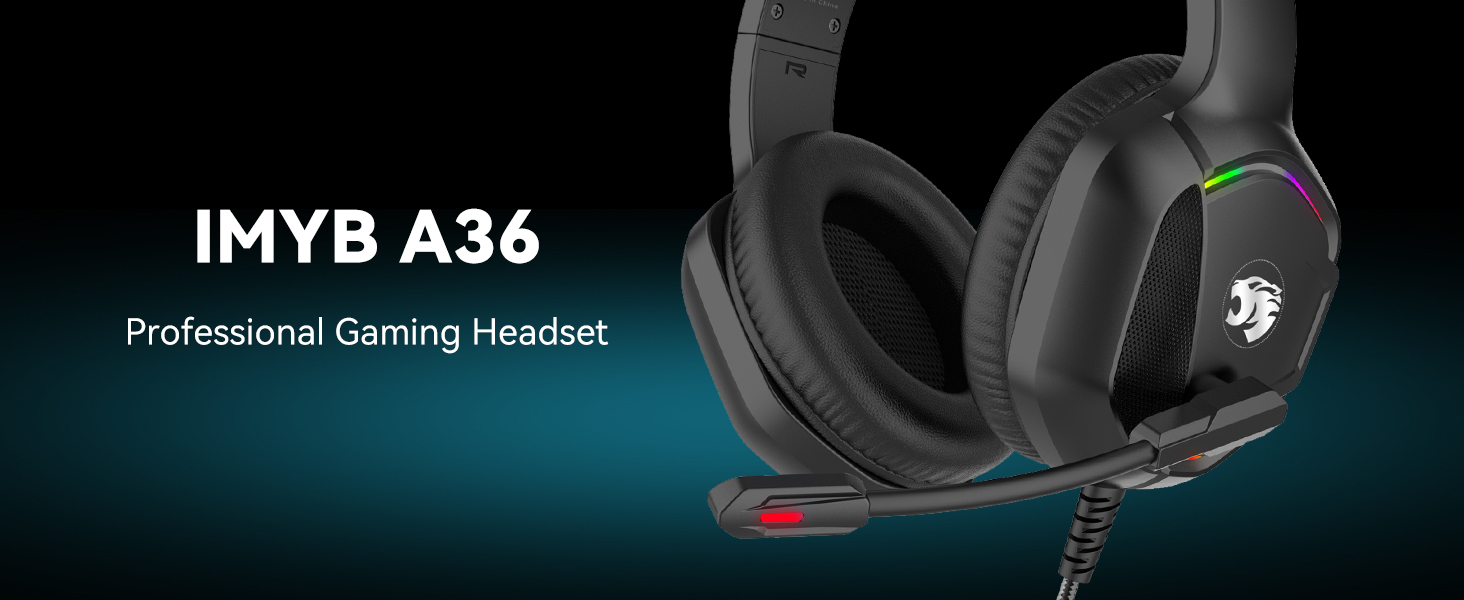
Image: The IMYB A36 Professional Gaming Headset, showcasing its design.
2. What's in the Box
Upon unboxing, please ensure all the following items are present:
- IMYB A36 Gaming Headset
- User Manual (this document)
- 1-to-2 3.5mm audio jack splitter cable

Image: All components included with the IMYB A36 Gaming Headset: the headset, a 1-to-2 3.5mm audio jack splitter cable, and the user manual.
3. Key Features
- Surrounding Stereo Subwoofer: Equipped with high-power 50mm neodymium magnet drivers for immersive sound.
- Noise Isolating Microphone: Omnidirectional microphone with premium noise isolation for clear communication.
- Humanized Design: Soft, skin-friendly ear cushions and a flexible headband with thickening pads for long-term comfort. Weighs only 0.77lb.
- Durable Cable: 6.5ft high tensile strength, anti-tangle braided cable.
- Convenient Controls: Rotary volume control and a microphone mute button integrated on the cable.
- RGB Lighting: Integrated RGB lighting for enhanced gaming aesthetics (requires USB power).

Image: Diagram illustrating the Hi-Fi Stereo Surround Sound capabilities of the headset with 50mm drivers.

Image: Diagram showing the 120-degree adjustable, noise-cancelling microphone with 360-degree voice pick-up.
4. Setup Guide
- Connect Audio: Plug the 3.5mm jack into the audio port of your device (PC, console controller, mobile phone, etc.).
- Connect Microphone (if needed): If your device has separate audio and microphone jacks, use the included 1-to-2 3.5mm audio jack splitter cable. Plug the headset's 3.5mm jack into the splitter, then plug the two splitter ends into the corresponding audio and microphone ports on your device.
- Power RGB Lighting: For RGB lighting, plug the USB connector into a USB port on your device or a power adapter. Note that the USB connection is solely for powering the RGB lights and does not transmit audio.
- Adjust Headset: Adjust the headband for a comfortable fit. The headband is designed to be flexible and adapt to various head shapes.
- Position Microphone: Position the flexible microphone boom for optimal voice pick-up.
Image: The headset's 3.5mm audio jack and USB connector for RGB lighting, along with the 1-to-2 splitter cable.
5. Operating Instructions
- Volume Control: Use the rotary volume control located on the cable to adjust the audio output level.
- Microphone Mute: Utilize the button on the cable to quickly mute or unmute the microphone.
- Microphone Usage: Ensure the microphone is positioned correctly near your mouth for clear voice transmission. The omnidirectional design captures sound effectively.
- RGB Lighting: The RGB lights will illuminate automatically when the USB cable is connected to a powered USB port.
Image: Close-up of the in-line controls on the headset cable, showing the microphone mute switch and volume roller.
6. Maintenance and Care
- Cleaning: Use a soft, dry cloth to clean the headset. Avoid using harsh chemicals or abrasive materials.
- Storage: Store the headset in a cool, dry place away from direct sunlight and extreme temperatures.
- Cable Care: The anti-tangle braided cable is designed for durability, but avoid excessive pulling or sharp bends to prevent damage.
- Ear Cushions: Periodically check ear cushions for wear and tear. Replace if necessary to maintain comfort and sound isolation.
7. Troubleshooting
| Problem | Possible Cause | Solution |
|---|---|---|
| No audio output |
|
|
| Microphone not working |
|
|
| RGB lights not working |
|
|
8. Technical Specifications
| Feature | Detail |
|---|---|
| Brand | IMYB |
| Model Number | A36 |
| Color | Black |
| Ear Placement | Over Ear |
| Impedance | 32 Ohms |
| Audio Driver Size | 50 Millimeters |
| Frequency Range | 20 Hz - 20 kHz |
| Sensitivity | 42 dB |
| Connectivity Technology | Wired (3.5mm Jack, USB for RGB) |
| Cable Length | 6.5ft (anti-tangle braided) |
| Weight | 0.77lb |
| Material | Acrylonitrile Butadiene Styrene (ABS), Faux Leather |
| Noise Control | Sound Isolation |
| Additional Features | Adjustable Headband, Microphone Included, Surround Sound, Tangle Free Cord, Volume Control, RGB Lighting |
9. Device Compatibility
The IMYB A36 Gaming Headset offers broad compatibility with various gaming platforms and devices:
- Gaming Consoles: PC, PS4, PS5, Xbox One Series X/S (older Xbox One controllers may require an adapter, not included), Nintendo 3DS, Nintendo Switch, PSP.
- Computers: Laptop, Mac, Desktop Computers.
- Mobile Devices: Tablet, iPad, Mobile Phone (any 3.5mm jack device).

Image: Visual representation of the headset's compatibility with Nintendo Switch/3DS, PS4/PS5, Xbox One S/X, Xbox Series S/X, PC, Laptop, Mac, and Tablet devices.
10. Warranty Information
The IMYB A36 Gaming Headset comes with a 3 Year Limited Hardware Warranty. Please retain your proof of purchase for warranty claims. For detailed terms and conditions, refer to the official IMYB website or contact customer support.
11. Customer Support
For any questions, technical assistance, or warranty inquiries, please visit the official IMYB store or contact their customer service. You can find more information on the product detail page on Amazon.
Visit the IMYB Store on Amazon.
12. Product Videos
IMYB Gaming Headset A36 Overview
Video: An official overview of the IMYB A36 Gaming Headset, highlighting its features and design.