
AIR 7 Mini
AIR 7 Mini Wireless Bluetooth Earbuds User Manual
Model: AIR 7 Mini | Brand: Generic
Introduction
Thank you for choosing the AIR 7 Mini Wireless Bluetooth Earbuds. These earbuds are designed to provide a superior audio experience with advanced features such as Bluetooth 5.3 connectivity, active noise cancellation, and a comfortable, secure fit. This manual will guide you through the setup, operation, and maintenance of your new earbuds to ensure optimal performance and longevity.
The AIR 7 Mini earbuds offer crisp tones, deep bass, and clear sound, making them ideal for music, podcasts, and calls. With their IPX4 waterproof rating, they are suitable for various activities, including workouts and outdoor use. Enjoy wireless freedom and intuitive touch controls for a seamless audio experience.
What's in the Box
- AIR 7 Mini L side earbud
- AIR 7 Mini R side earbud
- Charging station (charging case)
- Reinforced charging cable
- User Manual

Image: Unboxing the AIR 7 Mini Earbuds, displaying all included components.
Setup
Charging the Earbuds and Case
Before first use, fully charge the AIR 7 Mini earbuds and their charging case. Place the earbuds into the charging case, ensuring they are properly seated. Connect the provided charging cable to the charging port on the case and plug the other end into a USB power source. The indicator light on the case will show charging status.
A full charge provides 3-4 hours of playback, and the 200mAh charging case extends this significantly, offering up to 90 hours of standby time. The case can reach 50% charge in approximately 30 minutes.
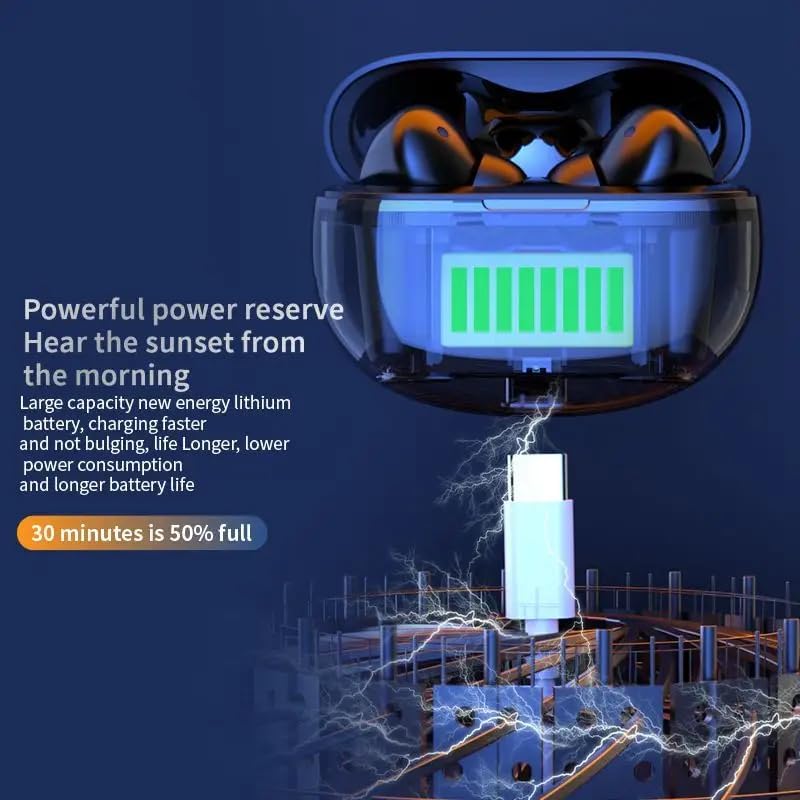
Image: The AIR 7 Mini charging case being charged via its USB-C port.
Pairing with Your Device
- Ensure the earbuds are charged and inside the charging case.
- Open the charging case. The earbuds will automatically enter pairing mode, indicated by a flashing light on the earbuds.
- On your device (smartphone, tablet, laptop), go to Bluetooth settings and turn Bluetooth on.
- Search for available devices. Select "AIR 7 Mini" from the list.
- Once connected, a voice prompt will confirm successful pairing, and the earbud lights will stop flashing.
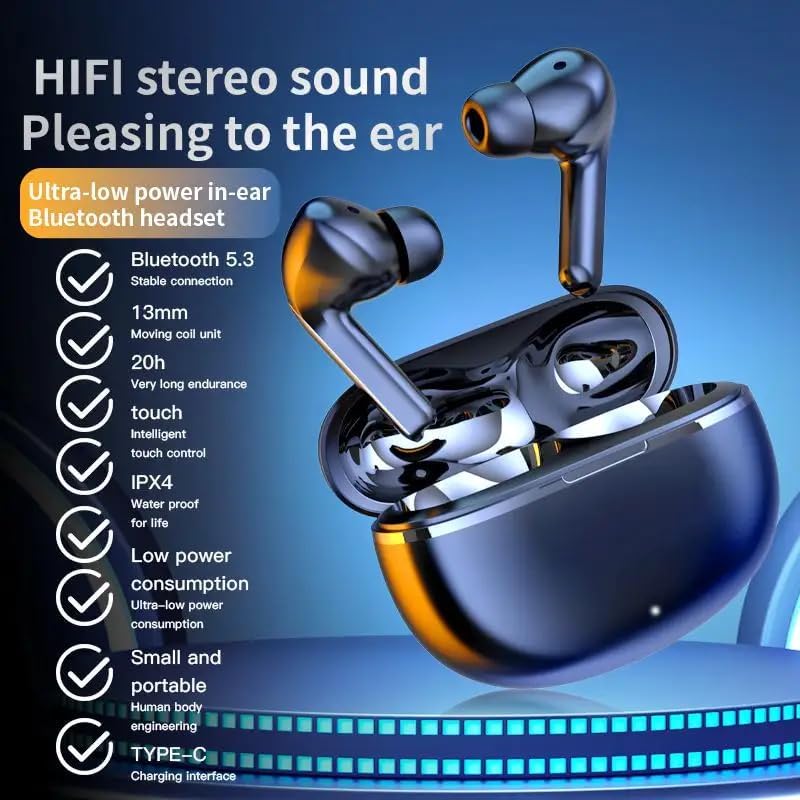
Image: Visual representation of the AIR 7 Mini earbuds' features, including Bluetooth 5.3 connectivity.
Operating Instructions
Touch Controls
The AIR 7 Mini earbuds feature intuitive touch controls for easy management of music playback and calls. The touch-sensitive area is located on the outer surface of each earbud.
| Action | Function |
|---|---|
| Single Tap (Left/Right) | Play/Pause music, Answer/End call |
| Double Tap (Right) | Next Track |
| Double Tap (Left) | Previous Track |
| Triple Tap (Left/Right) | Activate Voice Assistant |
| Long Press (Left/Right) | Toggle Active Noise Cancellation (ANC) / Transparency Mode |
| Incoming Call (Long Press) | Reject Call |

Image: The AIR 7 Mini earbuds providing low sound delay for synchronized audio and visuals, ideal for gaming.
Wearing the Earbuds
For optimal sound quality and comfort, ensure the earbuds are properly seated in your ears. Gently insert each earbud into the ear canal and twist slightly until it feels secure and comfortable. The ergonomic design of the AIR 7 Mini ensures a snug fit for prolonged listening sessions and active use.

Image: The AIR 7 Mini earbuds in their charging case, demonstrating their compact and ergonomic design.
Noise Cancellation
The AIR 7 Mini earbuds feature Dual ENC (Environmental Noise Cancellation) technology to reduce ambient noise, allowing you to focus on your audio. This feature is particularly useful in noisy environments, such as commutes or busy offices. To activate or deactivate noise cancellation, use the designated touch control as described in the "Touch Controls" table.

Image: The AIR 7 Mini earbuds illustrating their intelligent noise reduction capabilities.
Maintenance
Cleaning
Regular cleaning helps maintain the performance and hygiene of your earbuds. Use a soft, dry, lint-free cloth to wipe the earbuds and charging case. For stubborn dirt, slightly dampen the cloth with water. Do not use abrasive cleaners or submerge the earbuds or case in liquid.
The earbuds are IPX4 waterproof, meaning they are resistant to splashes and sweat, but they are not designed for submersion.

Image: The AIR 7 Mini earbuds showcasing their life-grade waterproof and sweat-resistant design.
Storage
When not in use, store the earbuds in their charging case to protect them from dust, damage, and to keep them charged. Store the case in a cool, dry place away from direct sunlight and extreme temperatures.

Image: The small and mini design of the AIR 7 Mini charging case, highlighting its portability.
Troubleshooting
If you encounter any issues with your AIR 7 Mini earbuds, please refer to the following common solutions:
- Earbuds not pairing:
- Ensure both earbuds are charged.
- Place earbuds back in the case, close the lid, wait a few seconds, then open the lid again to re-enter pairing mode.
- Turn off and on Bluetooth on your device.
- Forget "AIR 7 Mini" from your device's Bluetooth list and try pairing again.
- No sound from one earbud:
- Check if both earbuds are charged.
- Try placing both earbuds back in the case and taking them out again.
- Perform a factory reset if available (refer to specific product instructions if provided, otherwise assume long press or similar).
- Charging issues:
- Ensure the charging cable is securely connected to both the case and the power source.
- Try a different USB port or power adapter.
- Clean the charging contacts on the earbuds and inside the case with a dry cotton swab.
- Poor sound quality or connection drops:
- Ensure your device is within the effective Bluetooth range (typically 10 meters/33 feet) without significant obstacles.
- Avoid strong electromagnetic interference.
- Ensure the earbuds are clean and free of debris.
Specifications
| Feature | Detail |
|---|---|
| Brand | Generic |
| Model | AIR 7 Mini |
| Color | Black |
| Ear Placement | In Ear |
| Form Factor | In Ear |
| Noise Control | Active Noise Cancellation (Dual ENC) |
| Bluetooth Version | 5.3 |
| Playback Time | 3-4 hours (single charge) |
| Charging Case Battery | 200mAh |
| Standby Time | Up to 90 hours |
| Waterproof Rating | IPX4 |
| Control Type | Touch Controls |
Important Safety Information
- Do not disassemble or modify the earbuds or charging case.
- Keep away from extreme temperatures, direct sunlight, and open flames.
- Avoid exposing to excessive moisture or liquids beyond the IPX4 rating.
- Do not use damaged cables or chargers.
- Prolonged exposure to high volume levels may cause hearing damage. Adjust volume to a safe level.
- Keep out of reach of children and pets.
Product Video
Video: An official product video titled "Air7 Earbuds: Premium Sound" from the seller, showcasing the features and design of the AIR 7 Mini True Wireless Headset, including its sound quality, low latency, long endurance, and touch controls.
Related documentsAIR 7 Mini


Ask a question about this manual
Ask about setup, troubleshooting, compatibility, parts, safety, or missing instructions. Manuals+ will review the question and use this page’s manual context to help answer it.